Managing indexes

Building AI Applications with Pinecone

James Chapman

Curriculum Manager, DataCamp

Connecting to the index

pc = Pinecone(api_key="API_KEY")

pc.create_index(
    name='datacamp-index',
    dimension=1536,
    spec=ServerlessSpec(
        cloud='aws', 
        region='us-east-1'
    )
)


index = pc.Index('datacamp-index')
Building AI Applications with Pinecone

Connecting to the index

index = pc.Index('datacamp-first')
...
pinecone.core.client.exceptions.NotFoundException: (404)
Reason: Not Found
HTTP response headers: HTTPHeaderDict({'content-type': 'text/plain; charset=...
HTTP response body: {"error":{"code":"NOT_FOUND","message":"Resource datacamp-first
not found"},"status":404}
Building AI Applications with Pinecone

Index statistics

index.describe_index_stats()
{'dimension': 1536,
 'index_fullness': 0.0,
 'namespaces': {},
 'total_vector_count': 0}
Building AI Applications with Pinecone

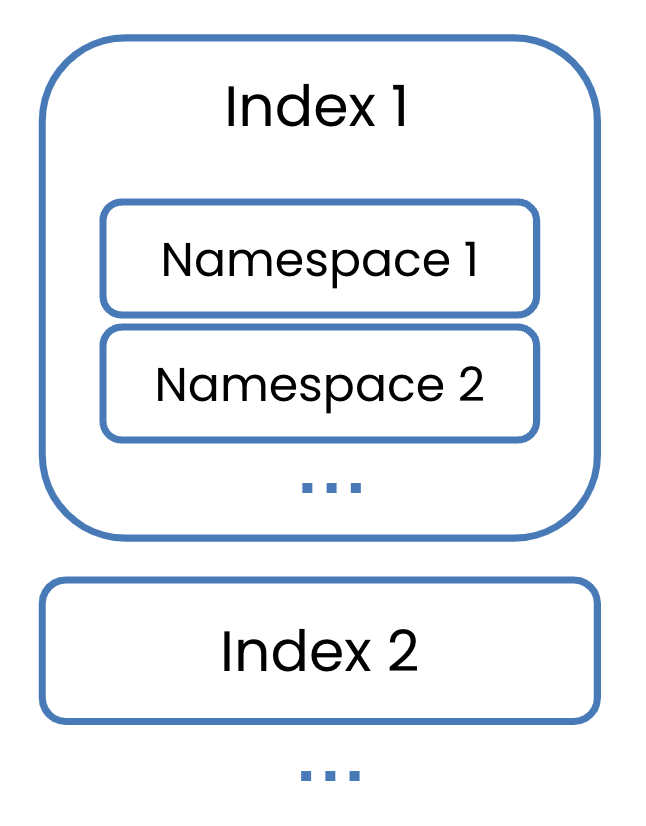
Namespaces


  • Containers for partitioning indexes
    • Separate datasets
    • Data versioning
    • Separate groups


Focus on the single namespace case for now

Indexes with several namespaces inside them.

Building AI Applications with Pinecone

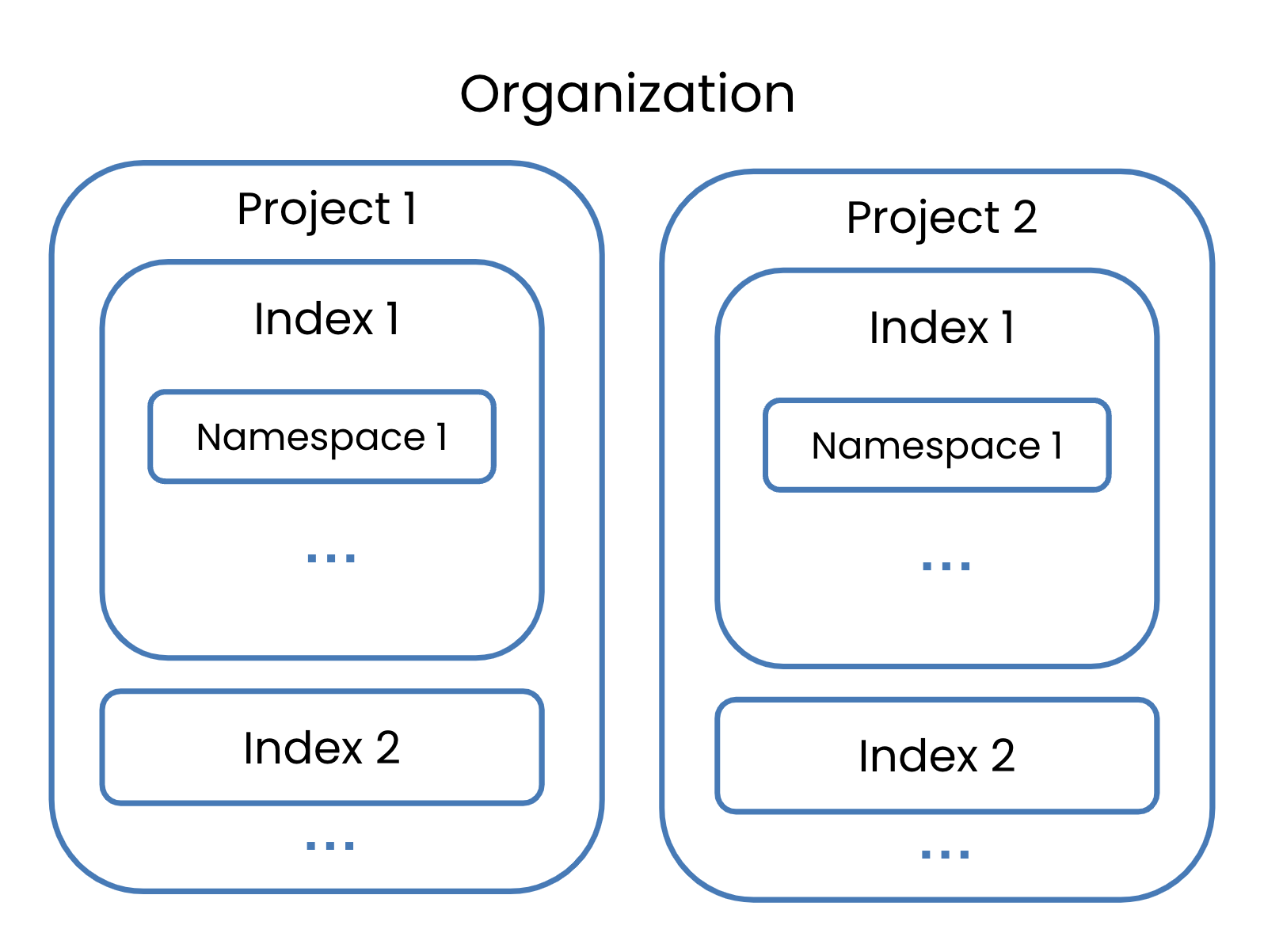
Organizations

An organization containing two projects, each with their own indexes.

Building AI Applications with Pinecone

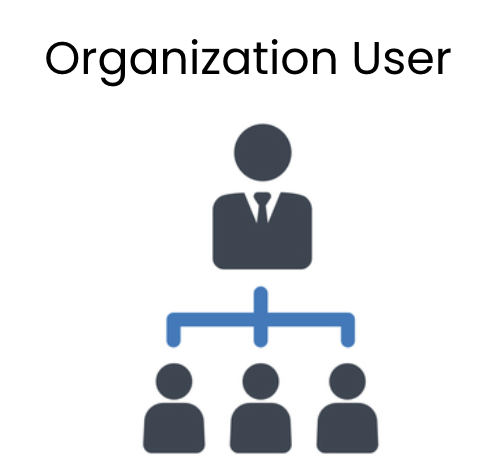
Organizations

A group of organization owners.

  • Permissions across entire org.
  • Manage billing, users, all projects

An owner with several users underneath them.

  • Restricted org-level permissions
  • Invited to specific projects
  • Become owner to those projects
Building AI Applications with Pinecone

Deleting indexes

pc.delete_index('datacamp-index')


pc.list_indexes()
{'indexes': []}
Building AI Applications with Pinecone

Let's practice!

Building AI Applications with Pinecone

Preparing Video For Download...