การจำแนกข้อความ

การใช้งาน Hugging Face

Jacob H. Marquez

Lead Data Engineer

การจำแนกข้อความ: การวิเคราะห์ความรู้สึก

$$

  • จำแนกข้อความตามอารมณ์ที่สื่อออกมา

$$

การวิเคราะห์ความรู้สึก

$$

  • การประยุกต์ใช้: วิเคราะห์รีวิว ติดตามความรู้สึกบนโซเชียลมีเดีย
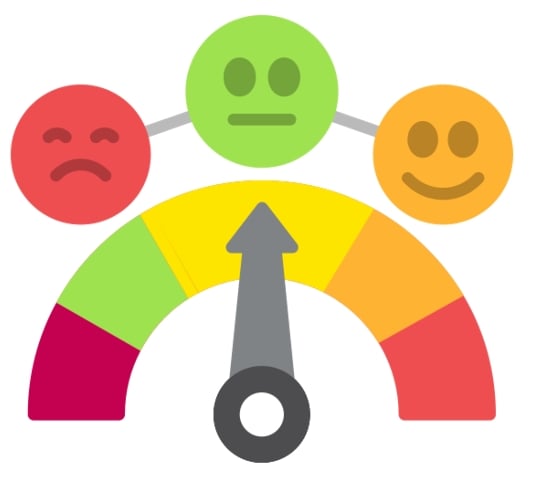
ไอคอนความรู้สึก

การใช้งาน Hugging Face

การวิเคราะห์ความรู้สึก: ตัวอย่างโค้ด

from transformers import pipeline

my_pipeline = pipeline( "text-classification", model="distilbert-base-uncased-finetuned-sst-2-english" )
print(my_pipeline("Wi-Fi is slower than a snail today!"))
[{'label': 'NEGATIVE', 'score': 0.99}]
การใช้งาน Hugging Face

การจำแนกข้อความ: ความถูกต้องทางไวยากรณ์

$$

ตรวจสอบไวยากรณ์

$$

  • ประเมินความถูกต้องทางไวยากรณ์ของข้อความ

$$

ตัวอย่างความถูกต้องทางไวยากรณ์

$$

  • การประยุกต์ใช้: เครื่องมือตรวจไวยากรณ์ แอปเรียนภาษา
การใช้งาน Hugging Face

ความถูกต้องทางไวยากรณ์: ตัวอย่างโค้ด

from transformers import pipeline


# Create a pipeline for grammar checking grammar_checker = pipeline( task="text-classification", model="abdulmatinomotoso/English_Grammar_Checker" )
# Check grammar of the input text print(grammar_checker("He eat pizza every day."))
[{'label': 'LABEL_0', 'score': 0.99}]
การใช้งาน Hugging Face

การจำแนกข้อความ: QNLI

$$ Q&A

$$

$$

  • ตรวจสอบว่า premise ตอบคำถามได้หรือไม่

  • การประยุกต์ใช้: ระบบ Q&A การตรวจสอบข้อเท็จจริง
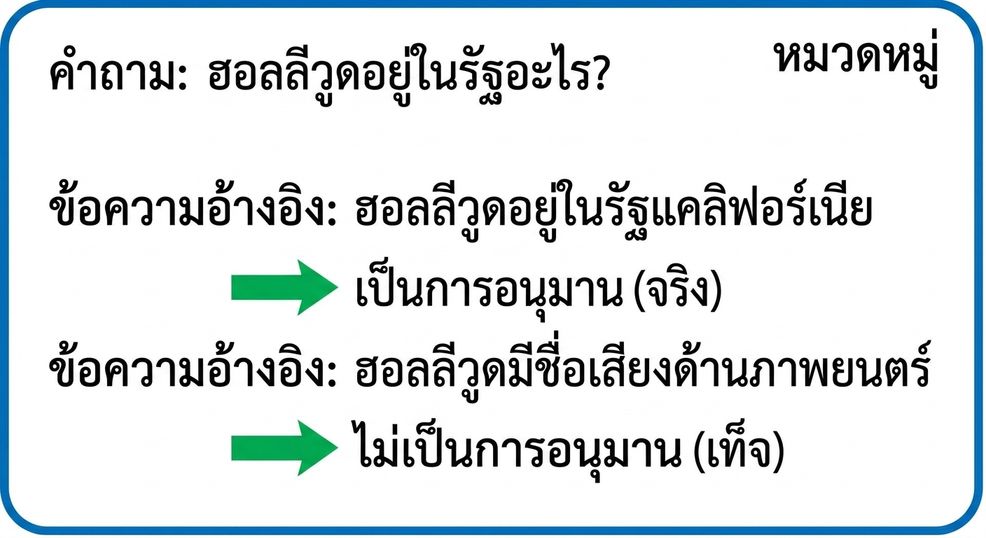
ตัวอย่าง QNLI

การใช้งาน Hugging Face

QNLI: ตัวอย่างโค้ด

from transformers import pipeline


classifier = pipeline( task="text-classification", model="cross-encoder/qnli-electra-base" )
classifier("Where is Seattle located?, Seattle is located in Washington state.")
[{'label': 'LABEL_0', 'score': 0.997}]
การใช้งาน Hugging Face

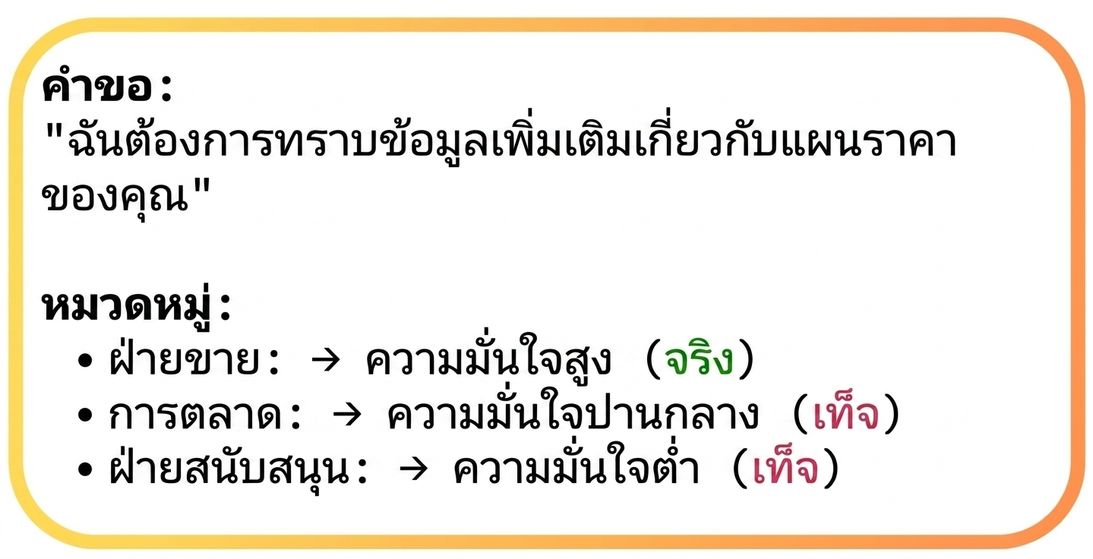
การจำแนกข้อความ: การกำหนดหมวดหมู่แบบไดนามิก

$$

  • กำหนดหมวดหมู่แบบไดนามิกตามเนื้อหา

ตัวอย่างการกำหนดหมวดหมู่

  • การประยุกต์ใช้: กลั่นกรองเนื้อหา ระบบแนะนำ

$$

การกำหนดหมวดหมู่

การใช้งาน Hugging Face

การกำหนดหมวดหมู่แบบไดนามิก: ตัวอย่างโค้ด

classifier = pipeline(
  task="zero-shot-classification", 
  model="facebook/bart-large-mnli")


text = "Hey, DataCamp; we would like to feature your courses in our newsletter!" categories = ["marketing", "sales", "support"]
output = classifier(text, categories)
print(f"Top Label: {output['labels'][0]} with score: {output['scores'][0]}")
Top Label: support with score: 0.8183
การใช้งาน Hugging Face

ความท้าทายของการจำแนกข้อความ

ความกำกวม

การใช้งาน Hugging Face

ความท้าทายของการจำแนกข้อความ

การประชดประชัน

การใช้งาน Hugging Face

ความท้าทายของการจำแนกข้อความ

หลายภาษา

การใช้งาน Hugging Face

มาฝึกกันเถอะ!

การใช้งาน Hugging Face

Preparing Video For Download...