Document Q&A

การใช้งาน Hugging Face

Jacob H. Marquez

Lead Data Engineer

Document Q&A คืออะไร?

$$

  • ตอบคำถามจากเนื้อหาในเอกสาร
  • ต้องใช้เอกสารและคำถาม
  • ให้คำตอบโดยตรงหรือในรูปแบบถอดความ

$$

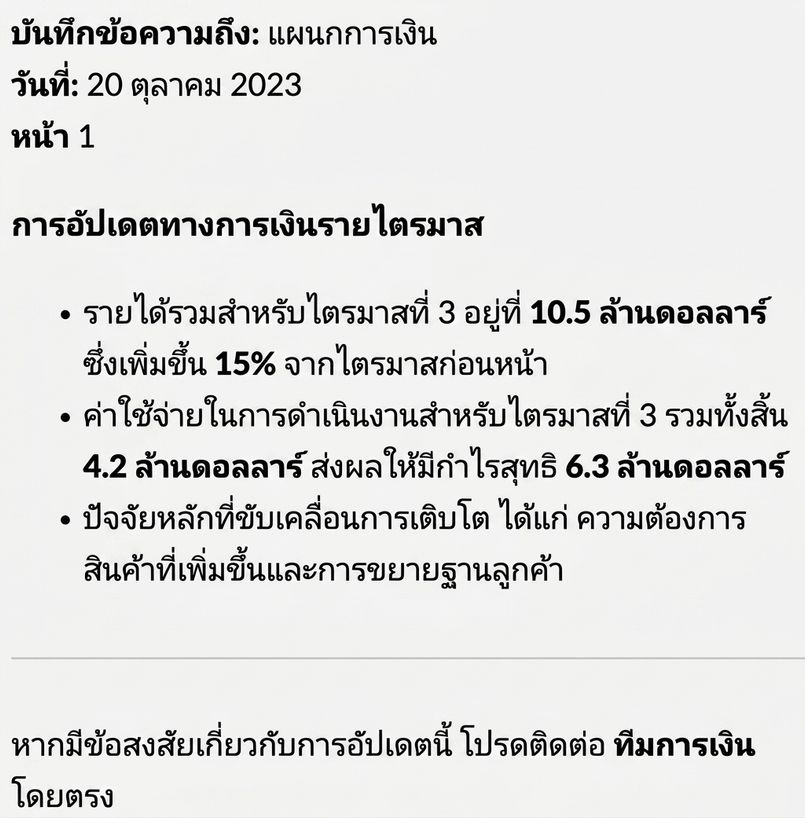
คำถาม: "What is the total revenue of Q3?"

เอกสาร

การใช้งาน Hugging Face

กรณีการใช้งาน Document Q&A

กรณีการใช้งานด้านกฎหมาย การเงิน และบริการสนับสนุน

$$

  • 📑 กฎหมาย: ระบุข้อกำหนดในสัญญา

$$

  • 💰 การเงิน: ดึงข้อมูลตัวเลขสำคัญ

$$

  • 🤓 บริการสนับสนุน: ค้นหาคำตอบจากคู่มือ
การใช้งาน Hugging Face

อัตโนมัติคำถาม HR ด้วย Document Q&A

$$

  • 📄 ข้อมูลเก็บอยู่ใน US-Employee_Policy.pdf

$$

  • 🤖 สร้างระบบดึงคำตอบอัตโนมัติ

$$

  • 🕑 ลดเวลาและภาระงานของฝ่าย HR

$$

ทีม HR ที่มีงานล้นมือ

การใช้งาน Hugging Face

การดึงข้อความด้วย pypdf

from pypdf import PdfReader


# Load the PDF file reader = PdfReader("US-Employee_Policy.pdf")
# Extract text from all pages document_text = "" for page in reader.pages:
document_text += page.extract_text()
Welcome to the US Employee Policy document...
การใช้งาน Hugging Face

การสร้าง Q&A pipeline

# Load the question-answering pipeline
qa_pipeline = pipeline(
    task="question-answering",
    model="distilbert-base-cased-distilled-squad")


question = "How many volunteer days are offered annually?"
# Get the answer from the QA pipeline result = qa_pipeline(question=question, context=document_text)
print(f"Answer: {result['answer']}")
Answer: 1
การใช้งาน Hugging Face

สรุปภาพรวมทั้งหมด

$$

  • 📄 ใช้ PdfReader จาก pypdf เพื่อโหลดและอ่านไฟล์ PDF
  • 🔎 ดึงข้อความด้วย .pages และ .extract_text() ลงใน document_text
  • 🤔 ตั้งค่า pipeline แบบ question-answering
  • ❓ ส่ง question และ context เข้า pipeline
  • ⏰ ห่อด้วยฟังก์ชันเพื่อประมวลคำถามอัตโนมัติ

Document Q&A

ทีม HR สร้างวัฒนธรรมองค์กร

การใช้งาน Hugging Face

มาฝึกกันเถอะ!

การใช้งาน Hugging Face

Preparing Video For Download...