การสร้าง Graph RAG chain

Retrieval Augmented Generation (RAG) ด้วย LangChain

Meri Nova

Machine Learning Engineer

การสร้างสถาปัตยกรรม Graph RAG
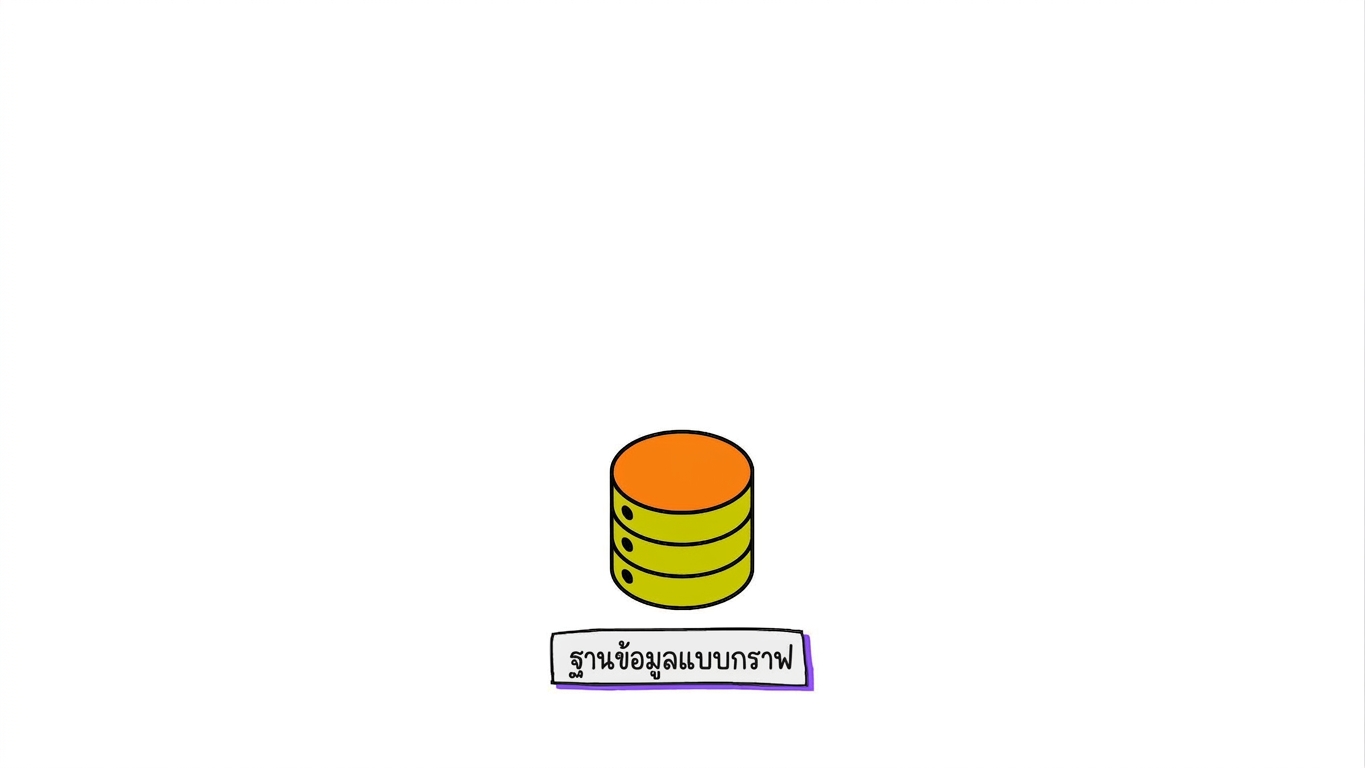
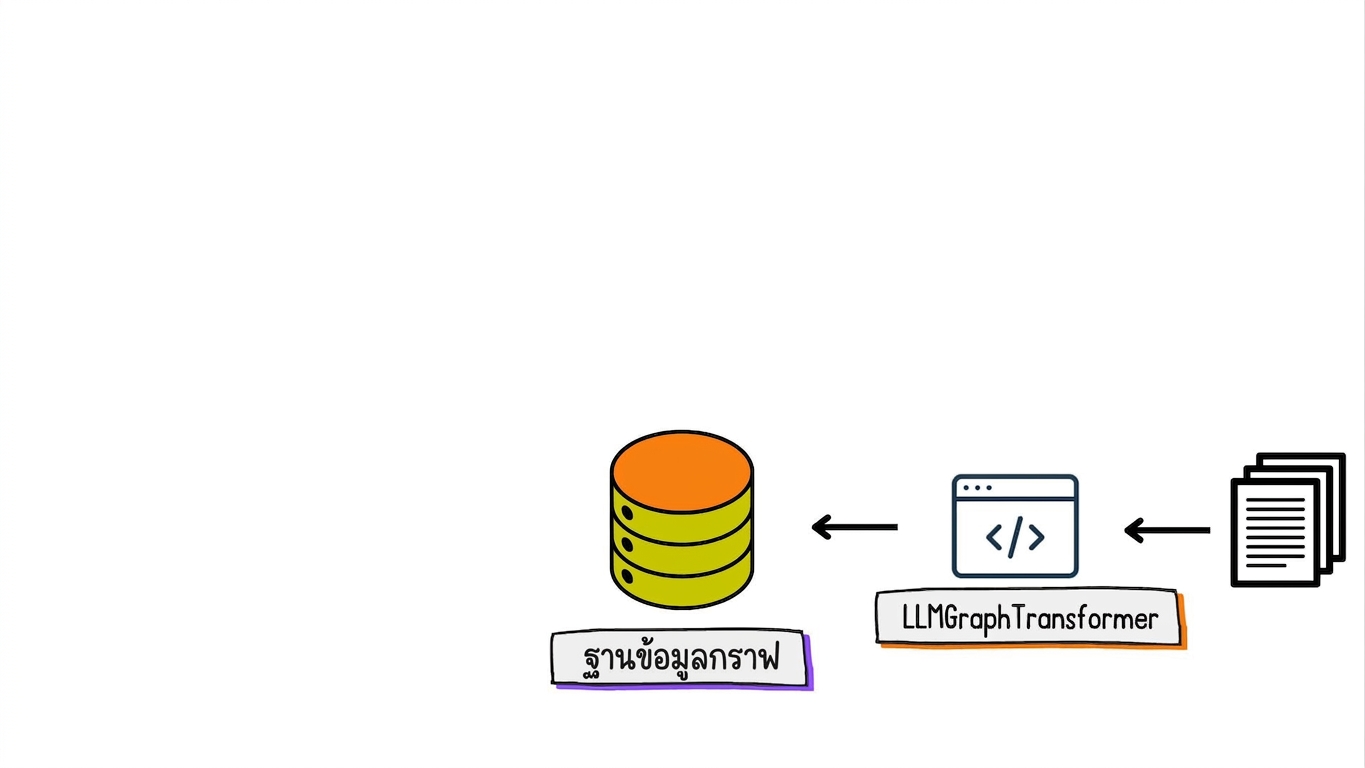
ฐานข้อมูลกราฟ

Retrieval Augmented Generation (RAG) ด้วย LangChain

การสร้างสถาปัตยกรรม Graph RAG

เอกสารถูกแปลงเป็น graph documents และจัดเก็บในฐานข้อมูลกราฟ

Retrieval Augmented Generation (RAG) ด้วย LangChain

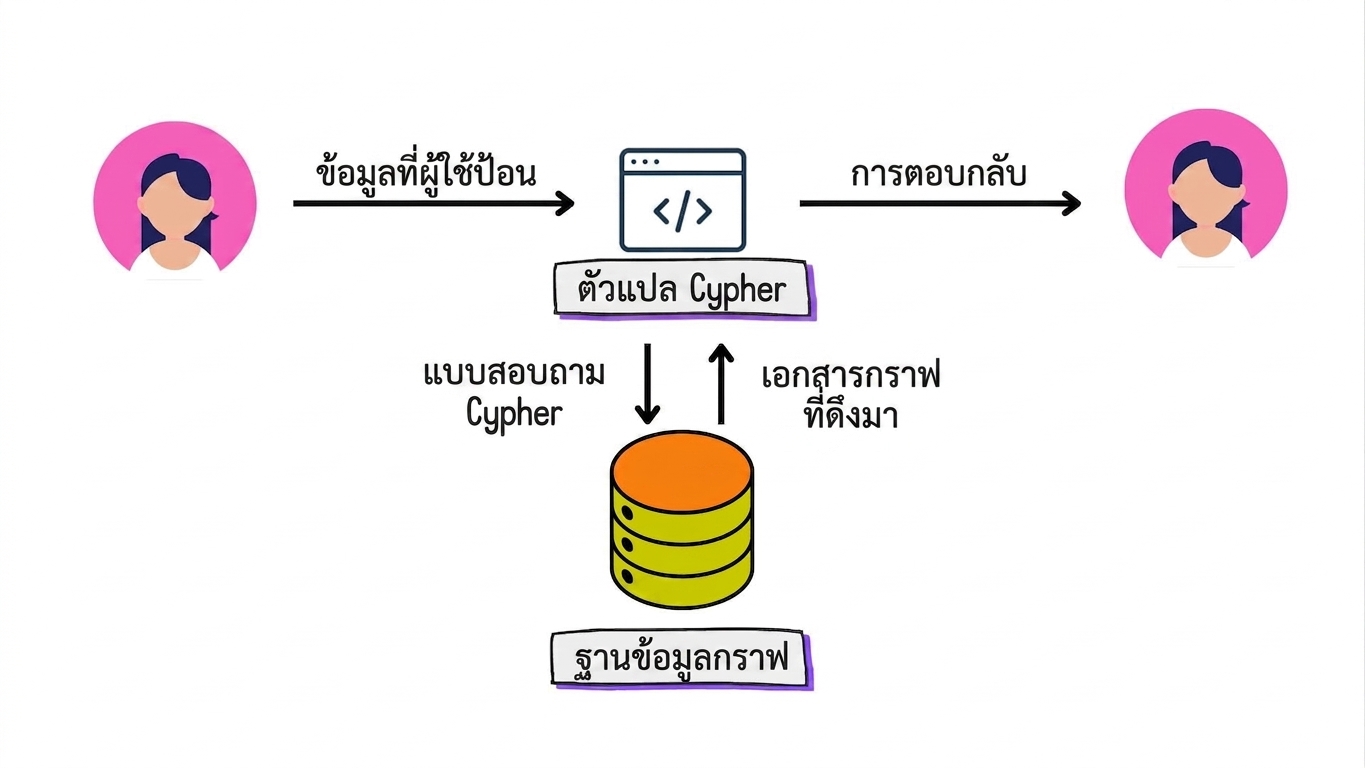
การสร้างสถาปัตยกรรม Graph RAG

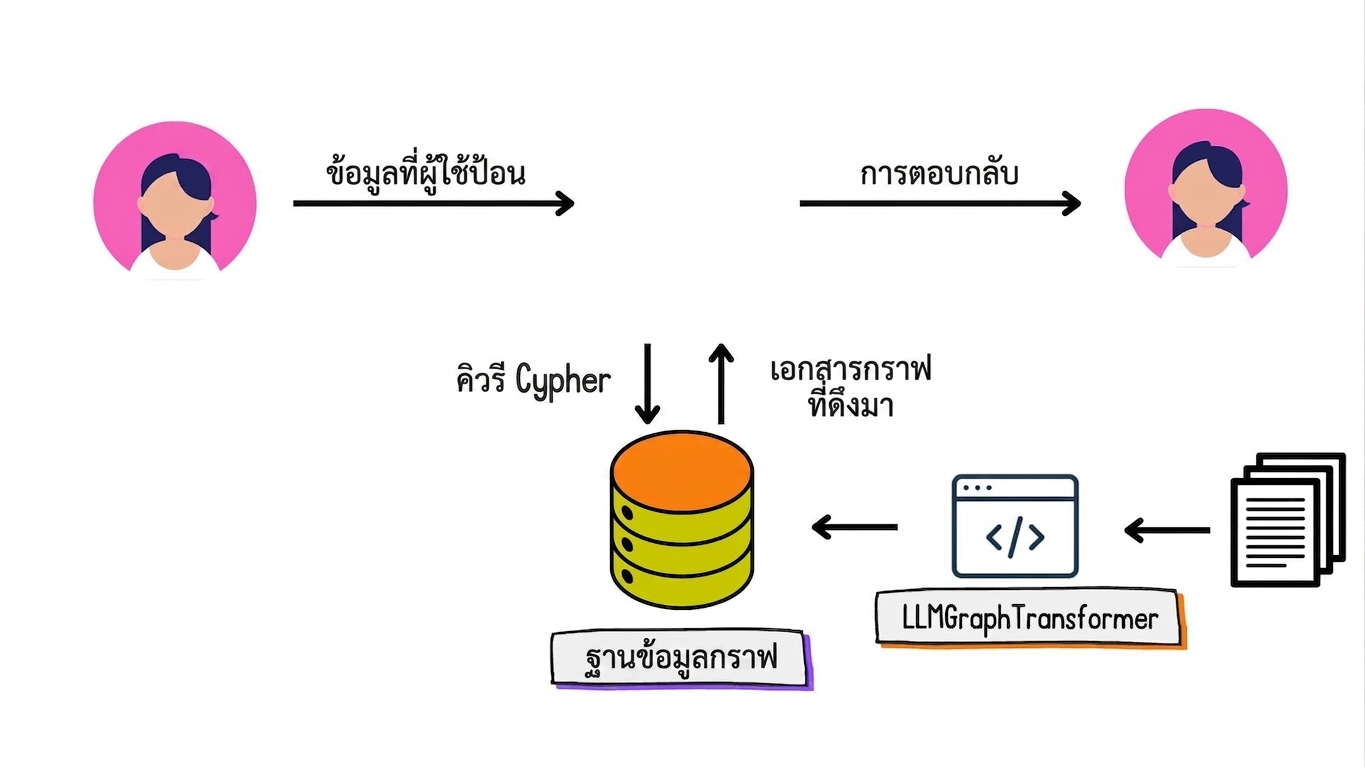
คิวรี Cypher ถูกใช้ดึงข้อมูล graph documents จากฐานข้อมูล พร้อมแสดง input จากผู้ใช้และการตอบกลับเป็นภาษาธรรมชาติ

Retrieval Augmented Generation (RAG) ด้วย LangChain

การสร้างสถาปัตยกรรม Graph RAG

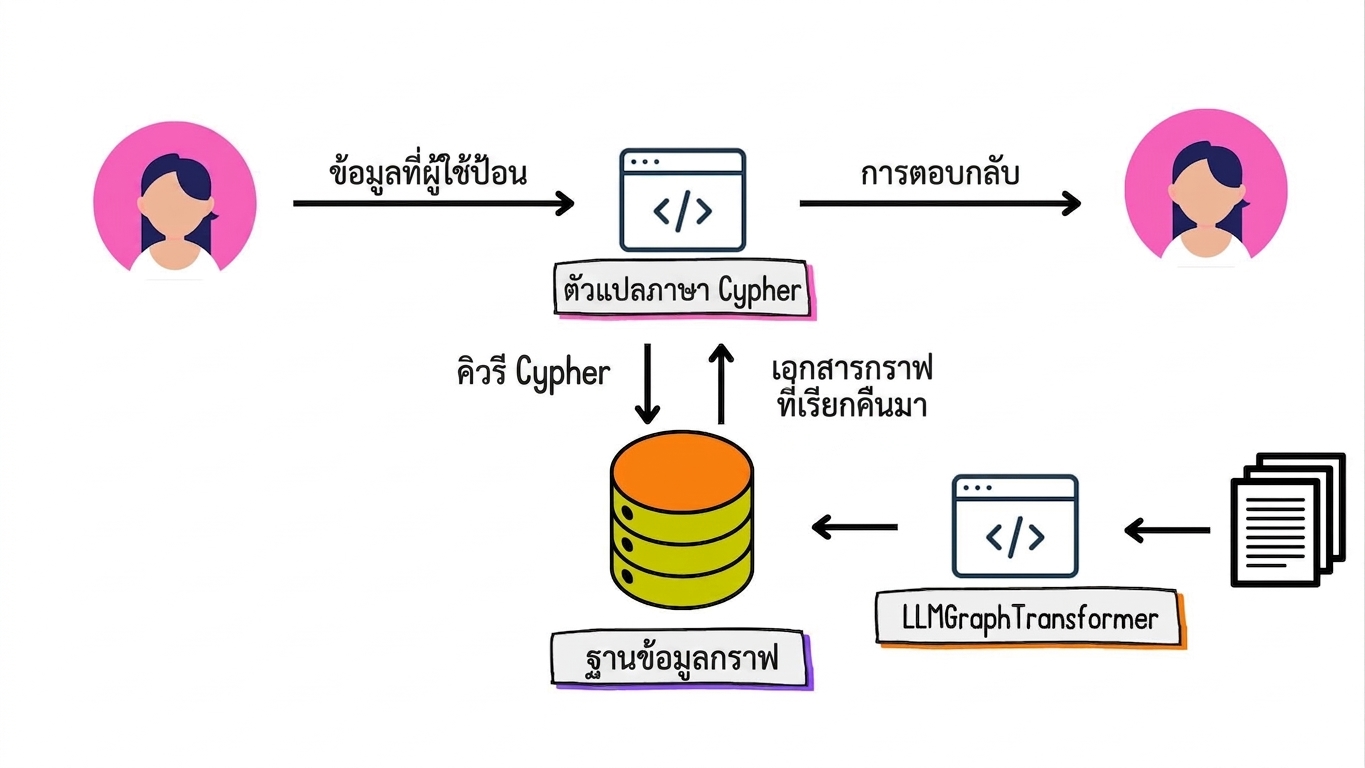
ตัวแปลงภาษาธรรมชาติเป็น Cypher แปลง input เป็นคิวรี Cypher และแปลง graph documents ที่ดึงมากลับเป็นภาษาธรรมชาติ

Retrieval Augmented Generation (RAG) ด้วย LangChain

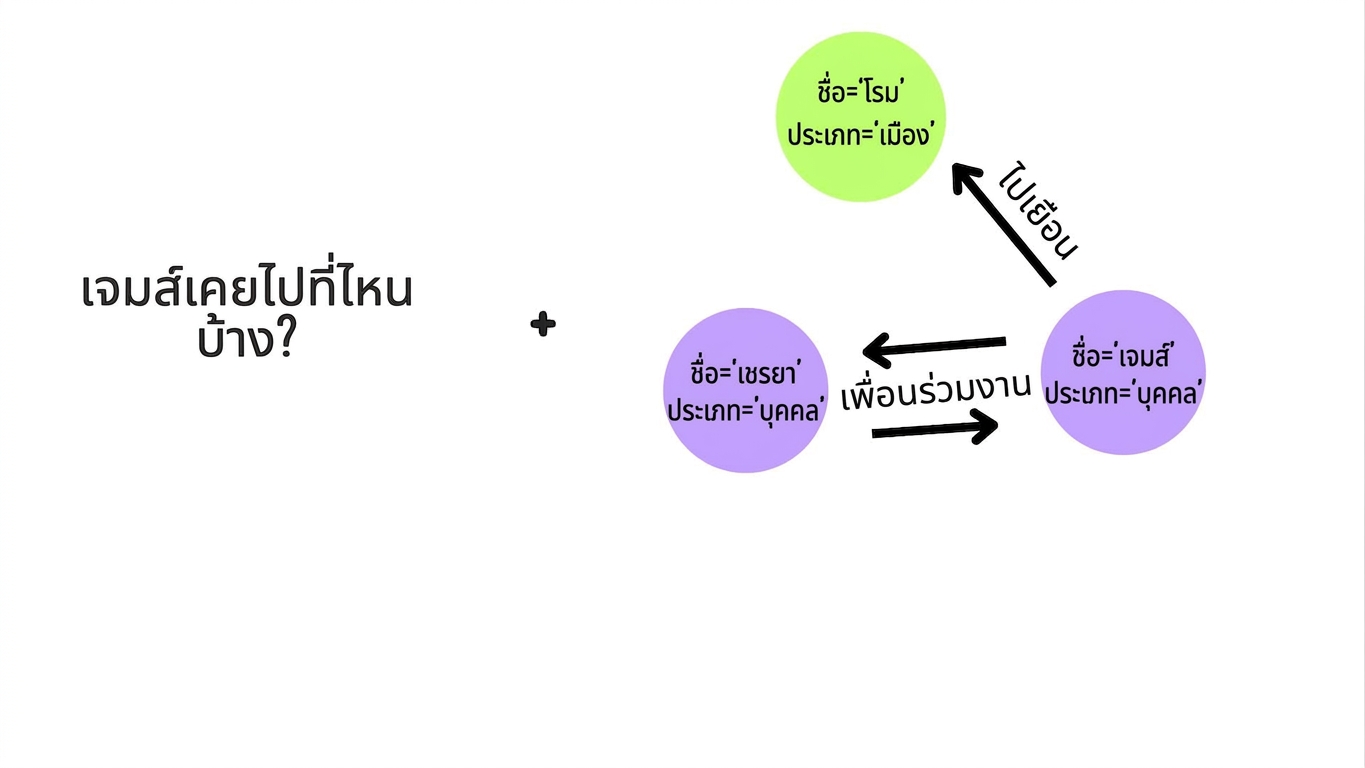
จาก input ของผู้ใช้สู่คิวรี Cypher

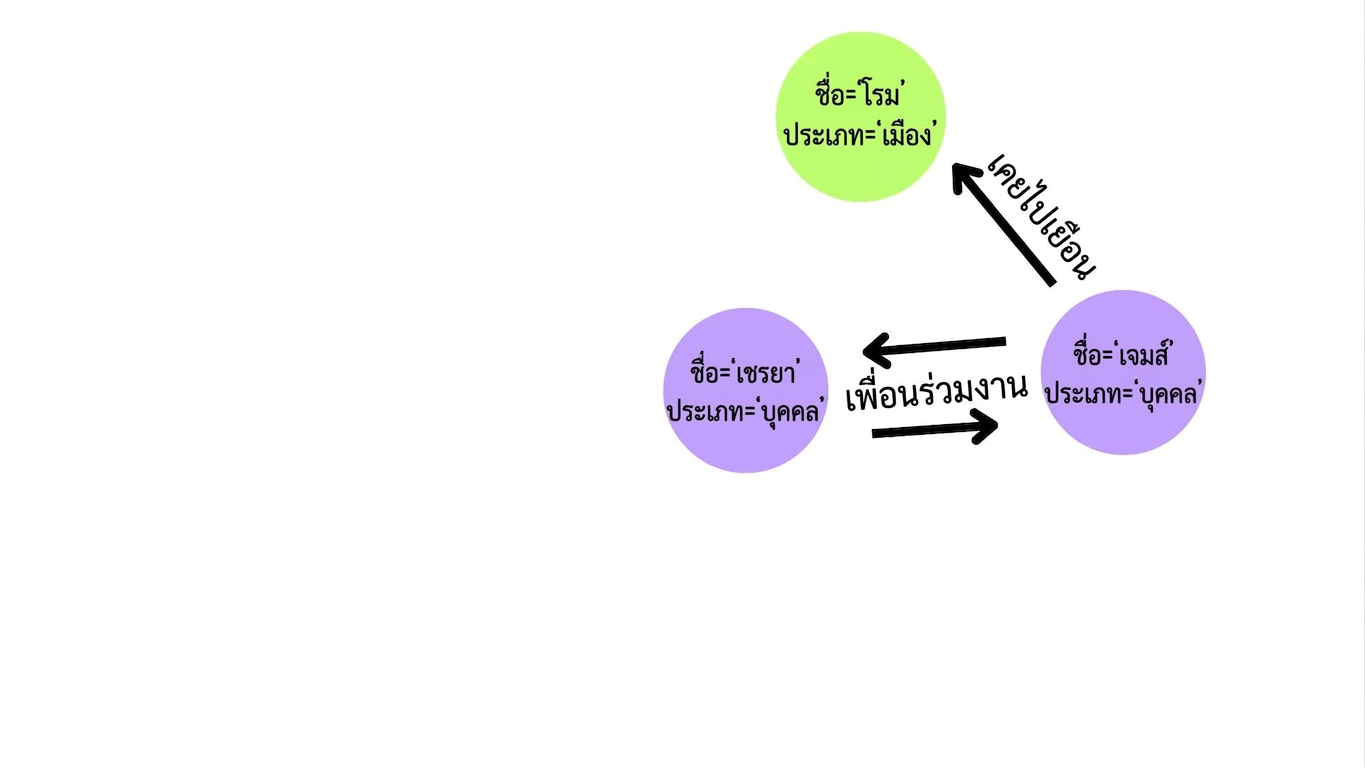
กราฟอย่างง่ายที่มีสามโหนดและสามความสัมพันธ์ โดยสองโหนดแทนบุคคลและอีกโหนดแทนสถานที่ที่ James เคยไปเยือน

Retrieval Augmented Generation (RAG) ด้วย LangChain

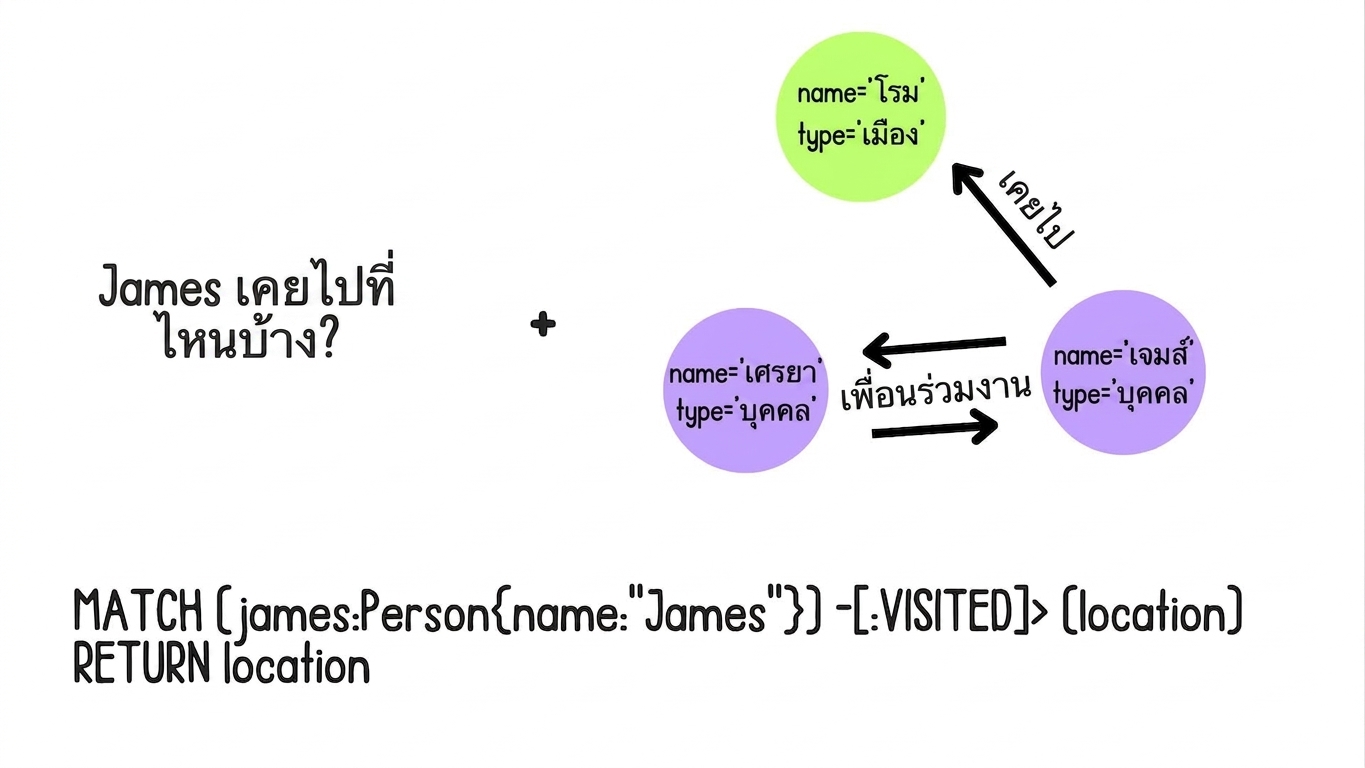
จาก input ของผู้ใช้สู่คิวรี Cypher

input ของผู้ใช้ที่ถามว่า "Where has James visited?"

Retrieval Augmented Generation (RAG) ด้วย LangChain

จาก input ของผู้ใช้สู่คิวรี Cypher

คิวรี Cypher ถูกสร้างขึ้นโดยใช้ graph schema และ input ของผู้ใช้

Retrieval Augmented Generation (RAG) ด้วย LangChain

GraphCypherQAChain

สถาปัตยกรรม Graph RAG สำหรับแปล input ของผู้ใช้เป็นคิวรี Cypher และส่งคืนการตอบกลับเป็นภาษาธรรมชาติ

Retrieval Augmented Generation (RAG) ด้วย LangChain

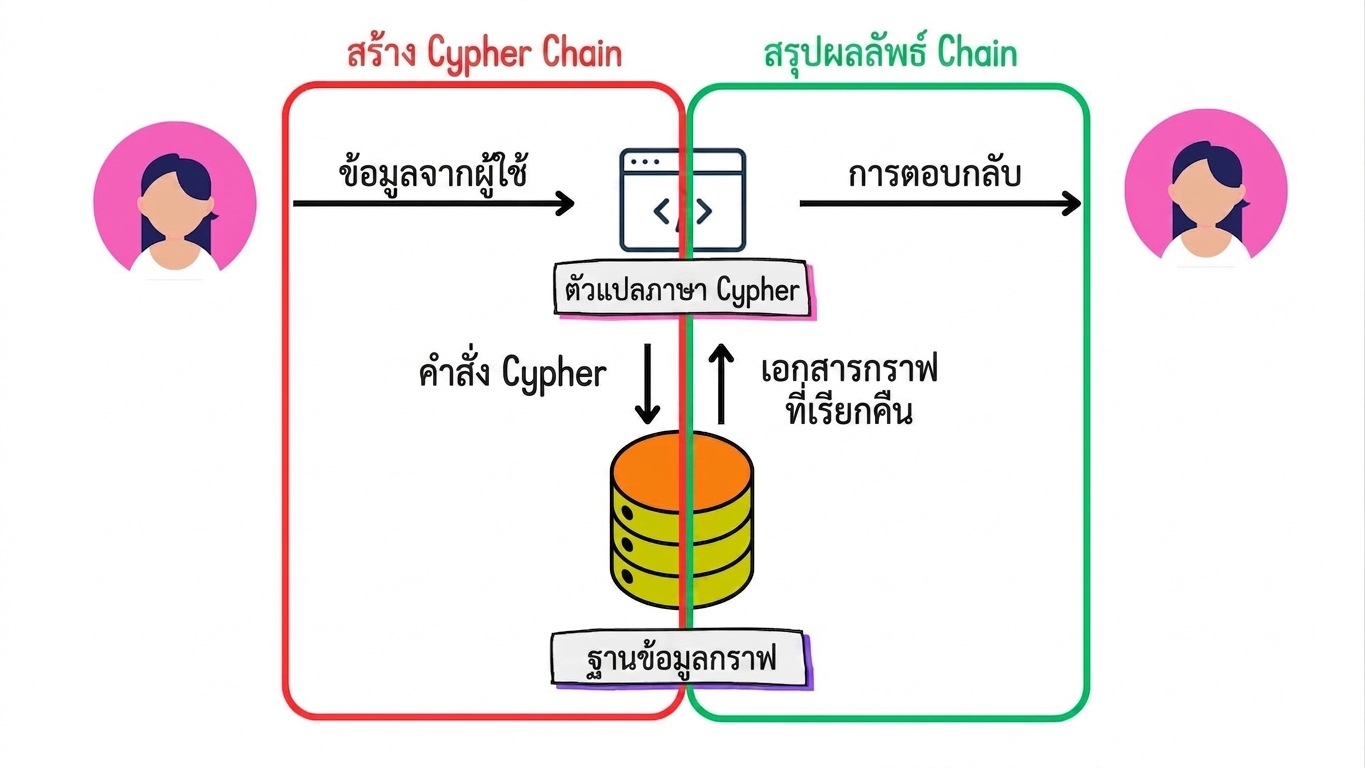
GraphCypherQAChain

สถาปัตยกรรม Graph RAG โดยเน้น generate cypher chain และ summarize results chain

Retrieval Augmented Generation (RAG) ด้วย LangChain

รีเฟรช schema

graph.refresh_schema()
print(graph.get_schema)
Node properties:
Document {title: STRING, id: STRING, text: STRING, summary: STRING, source: STRING}
Concept {id: STRING}
Organization {id: STRING}
Relationship properties:

The relationships:
(:Document)-[:MENTIONS]->(:Organization)
(:Concept)-[:DEVELOPED_BY]->(:Person)
Retrieval Augmented Generation (RAG) ด้วย LangChain

การคิวรีกราฟ

from langchain_community.chains.graph_qa.cypher import GraphCypherQAChain

chain = GraphCypherQAChain.from_llm( llm=ChatOpenAI(api_key="...", temperature=0), graph=graph, verbose=True )
result = chain.invoke({"query": "What is the most accurate model?"})
1 https://api.python.langchain.com/en/latest/chains/langchain_community.chains.graph_qa.cypher. GraphCypherQAChain.html
Retrieval Augmented Generation (RAG) ด้วย LangChain

การคิวรีกราฟ

print(f"Final answer: {result['result']}")
> Entering new GraphCypherQAChain chain...
Generated Cypher:
MATCH (m:Model)
RETURN m
ORDER BY m.accuracy DESC
LIMIT 1;
Full Context:
[{'m': {'id': 'Artificial Neural Networks'}}]

> Finished chain.


Final answer: Artificial Neural Networks
Retrieval Augmented Generation (RAG) ด้วย LangChain

การปรับแต่ง

chain = GraphCypherQAChain.from_llm(
    llm=ChatOpenAI(api_key="...", temperature=0), graph=graph, verbose=True
)
  • qa_prompt: เทมเพลต prompt สำหรับการสร้างผลลัพธ์
  • cypher_prompt: เทมเพลต prompt สำหรับการสร้างคิวรี Cypher
  • cypher_llm: LLM สำหรับการสร้างคิวรี Cypher
  • qa_llm: LLM สำหรับการสร้างผลลัพธ์
Retrieval Augmented Generation (RAG) ด้วย LangChain

มาฝึกกันเถอะ!

Retrieval Augmented Generation (RAG) ด้วย LangChain

Preparing Video For Download...