โมเดลแบบหลายอินพุต

Deep Learning ระดับกลางด้วย PyTorch

Michal Oleszak

Machine Learning Engineer

ทำไมต้องใช้หลายอินพุต?

ใช้ข้อมูลให้มากขึ้น
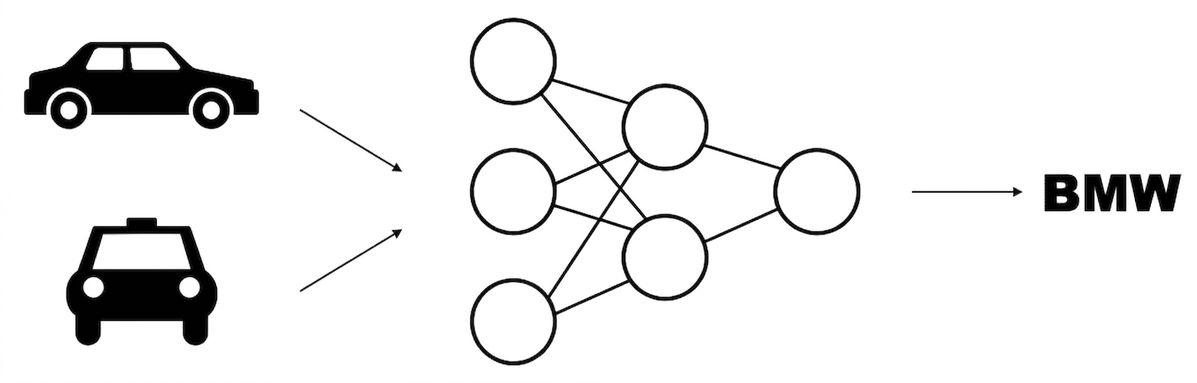
แผนผังโมเดลที่รับภาพรถยนต์สองภาพเป็นอินพุตและให้ผลลัพธ์หนึ่งค่า

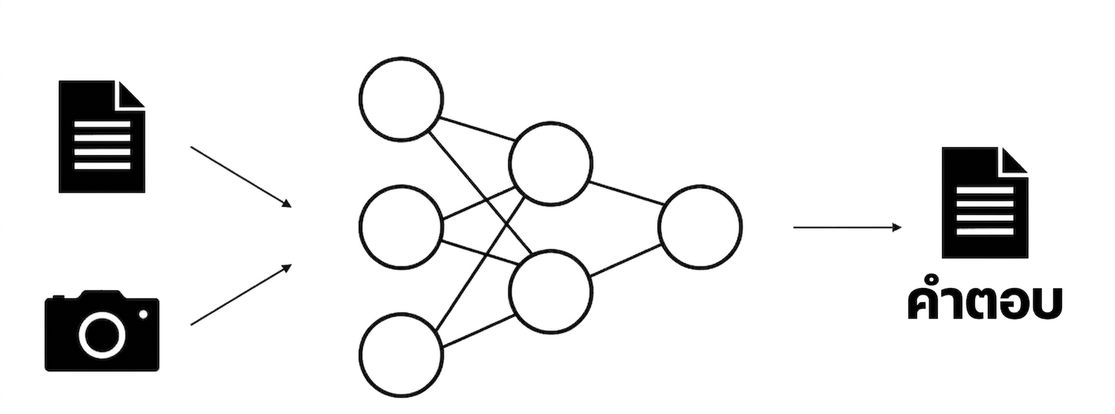
โมเดลแบบหลายโมดัล

แผนผังโมเดลที่รับภาพและข้อความเป็นอินพุต แล้วให้ผลลัพธ์เป็นข้อความ

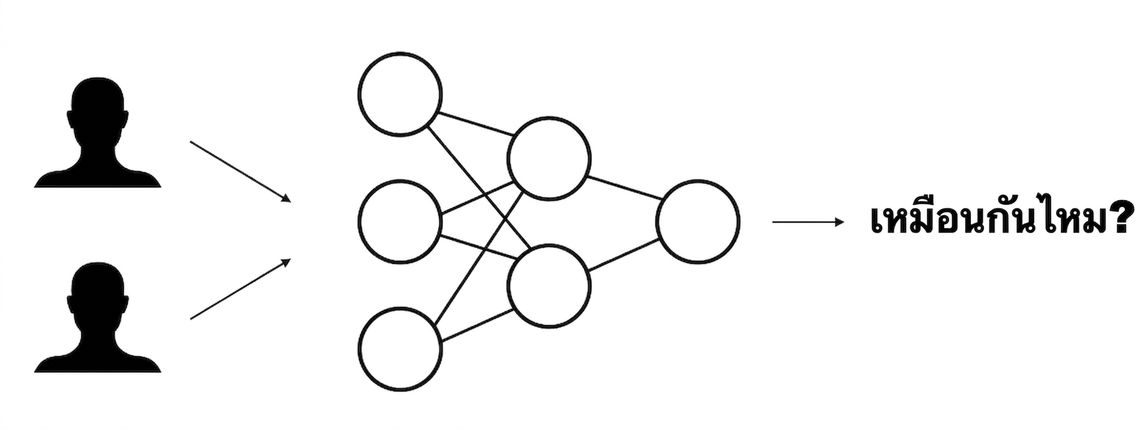
Metric learning

แผนผังโมเดลที่รับภาพใบหน้าสองภาพเป็นอินพุตและทำนายว่าเป็นคนเดียวกันหรือไม่

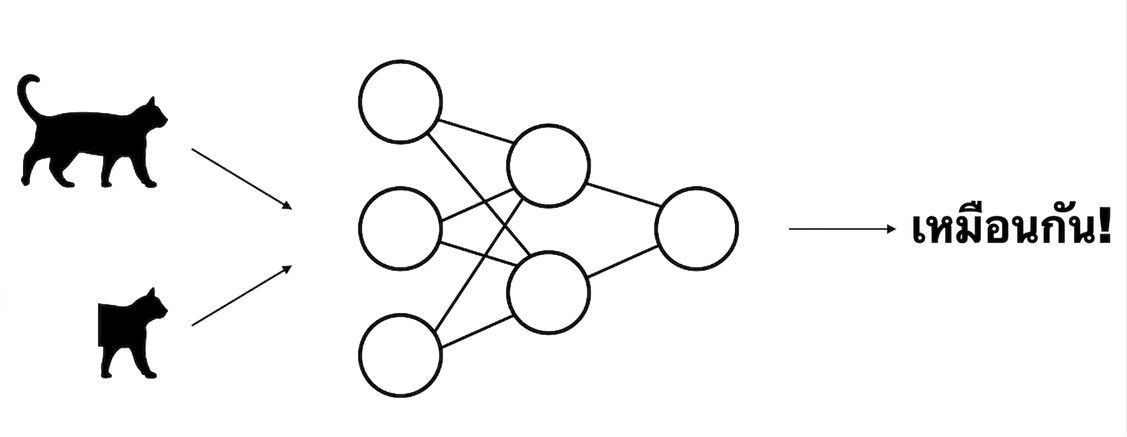
Self-supervised learning

แผนผังโมเดลที่รับภาพเดียวกันสองเวอร์ชันที่ผ่านการ augment เป็นอินพุต แล้วเรียนรู้ว่าทั้งสองเหมือนกัน

Deep Learning ระดับกลางด้วย PyTorch

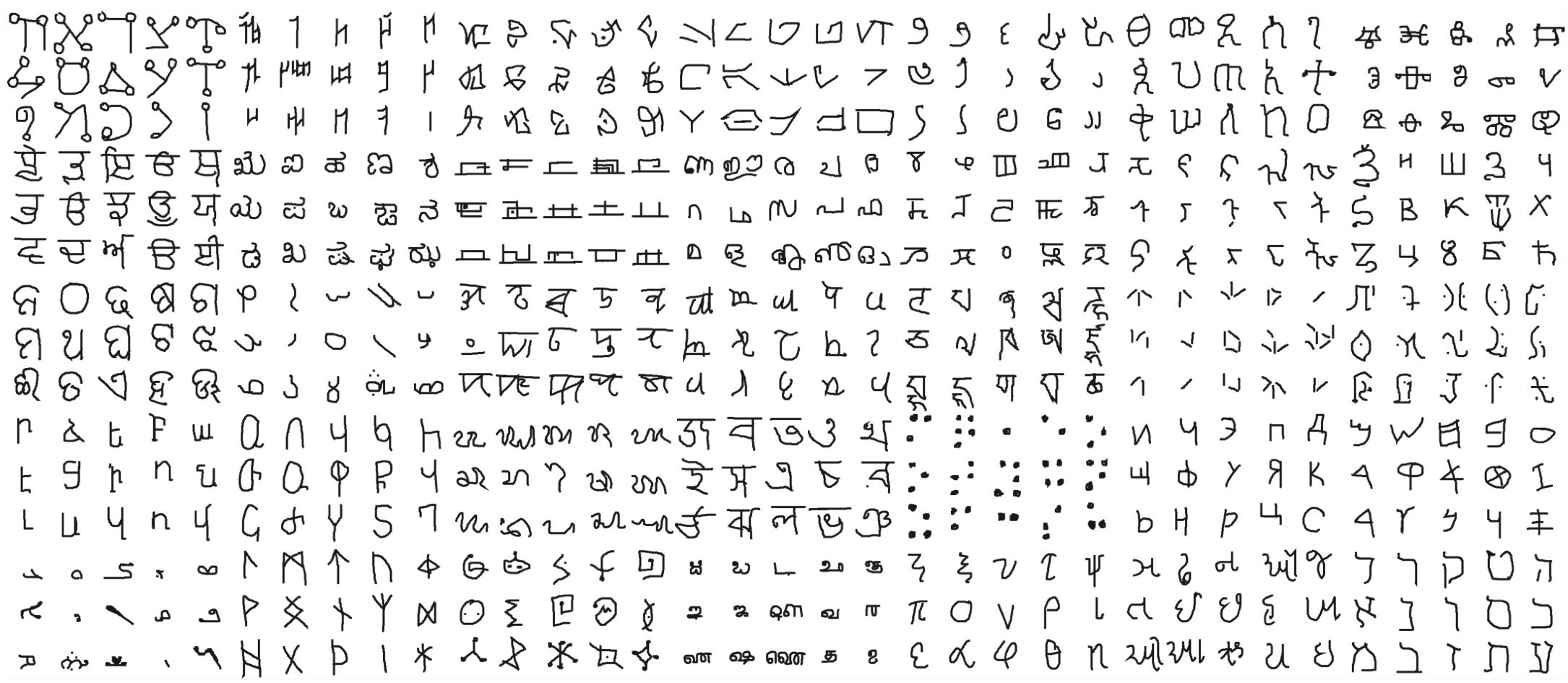
ชุดข้อมูล Omniglot

ตัวอย่างภาพจากชุดข้อมูล Omniglot

1 Lake, B. M., Salakhutdinov, R., and Tenenbaum, J. B. (2015). Human-level concept learning through probabilistic program induction. Science, 350(6266), 1332-1338.
Deep Learning ระดับกลางด้วย PyTorch

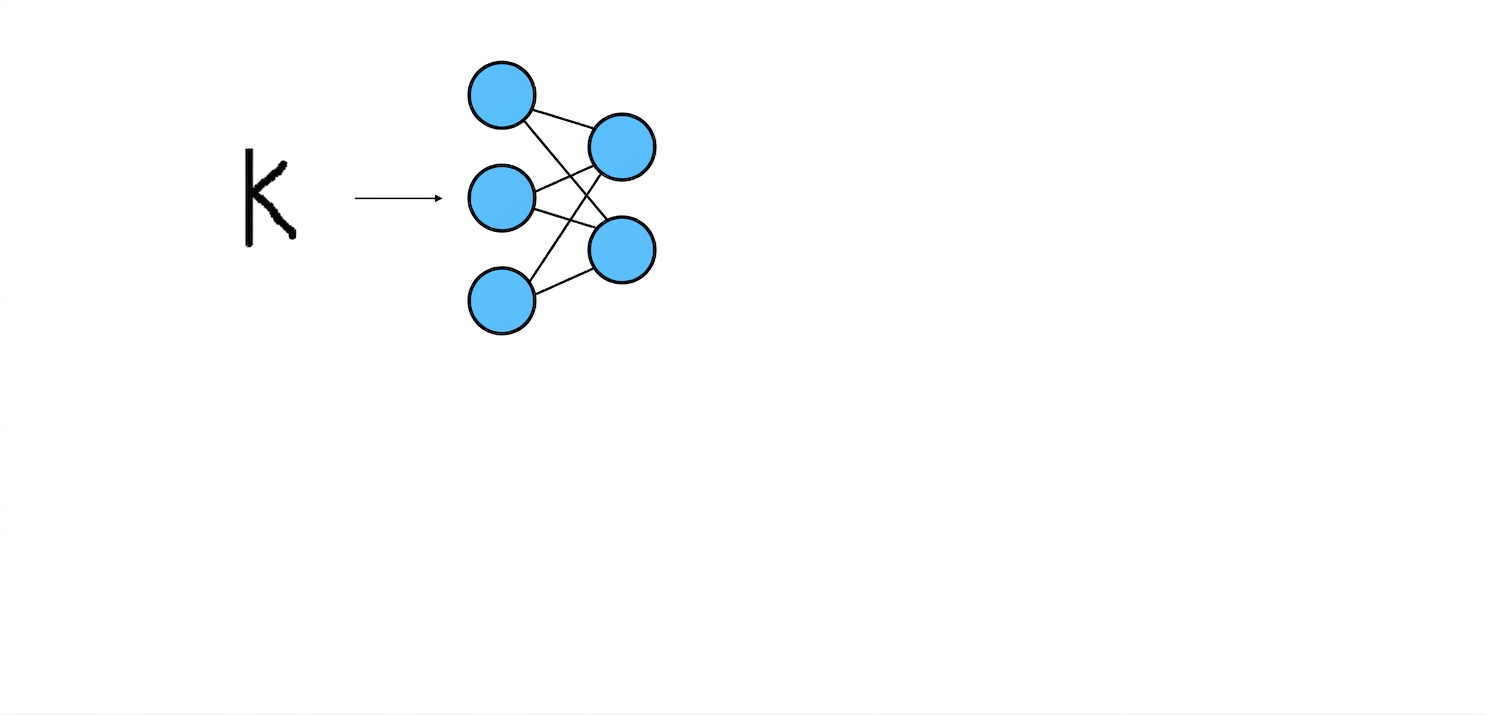
การจำแนกตัวอักษร

แผนผังโมเดล: ภาพตัวอักษรถูกส่งเข้าโครงข่ายประสาทเทียม

Deep Learning ระดับกลางด้วย PyTorch

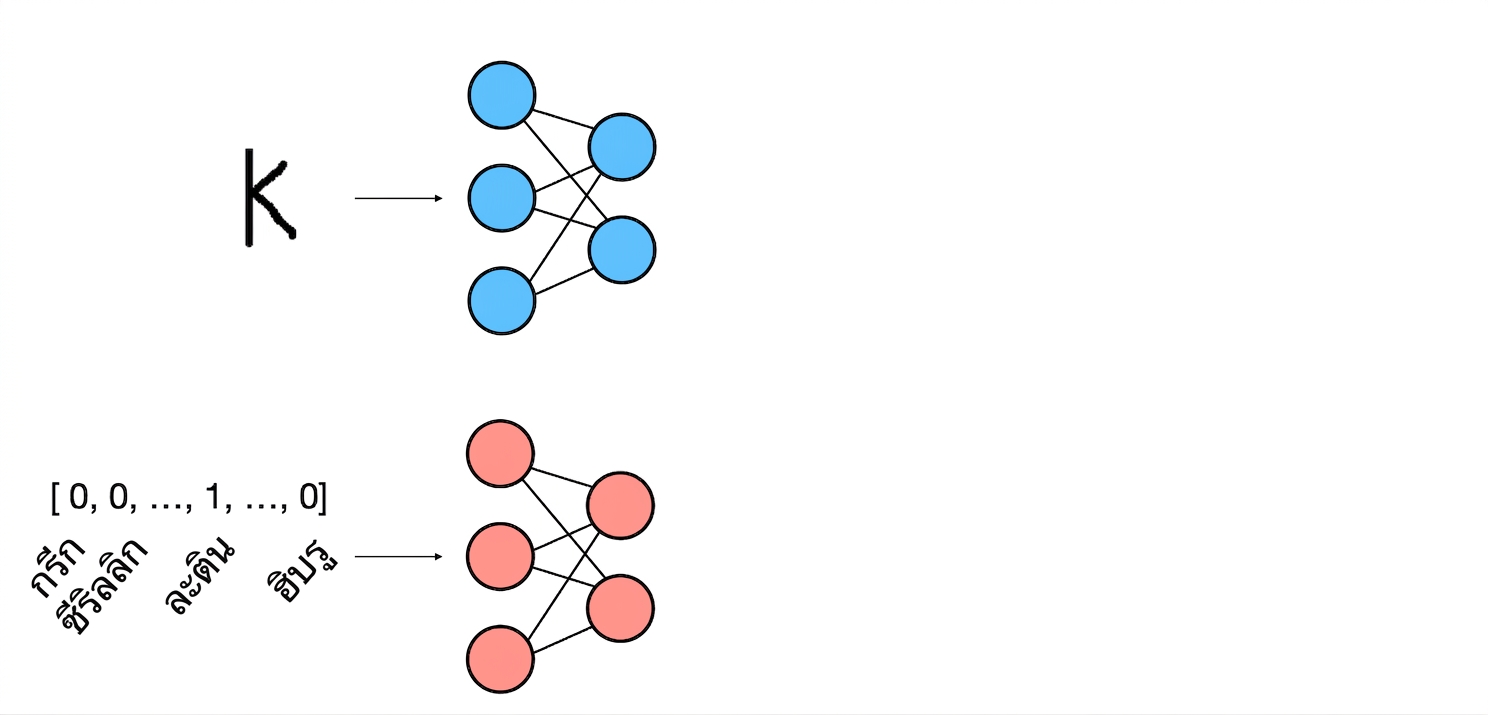
การจำแนกตัวอักษร

แผนผังโมเดล: เวกเตอร์ one-hot ของตัวอักษรชุดถูกส่งเข้าโครงข่ายประสาทเทียม

Deep Learning ระดับกลางด้วย PyTorch

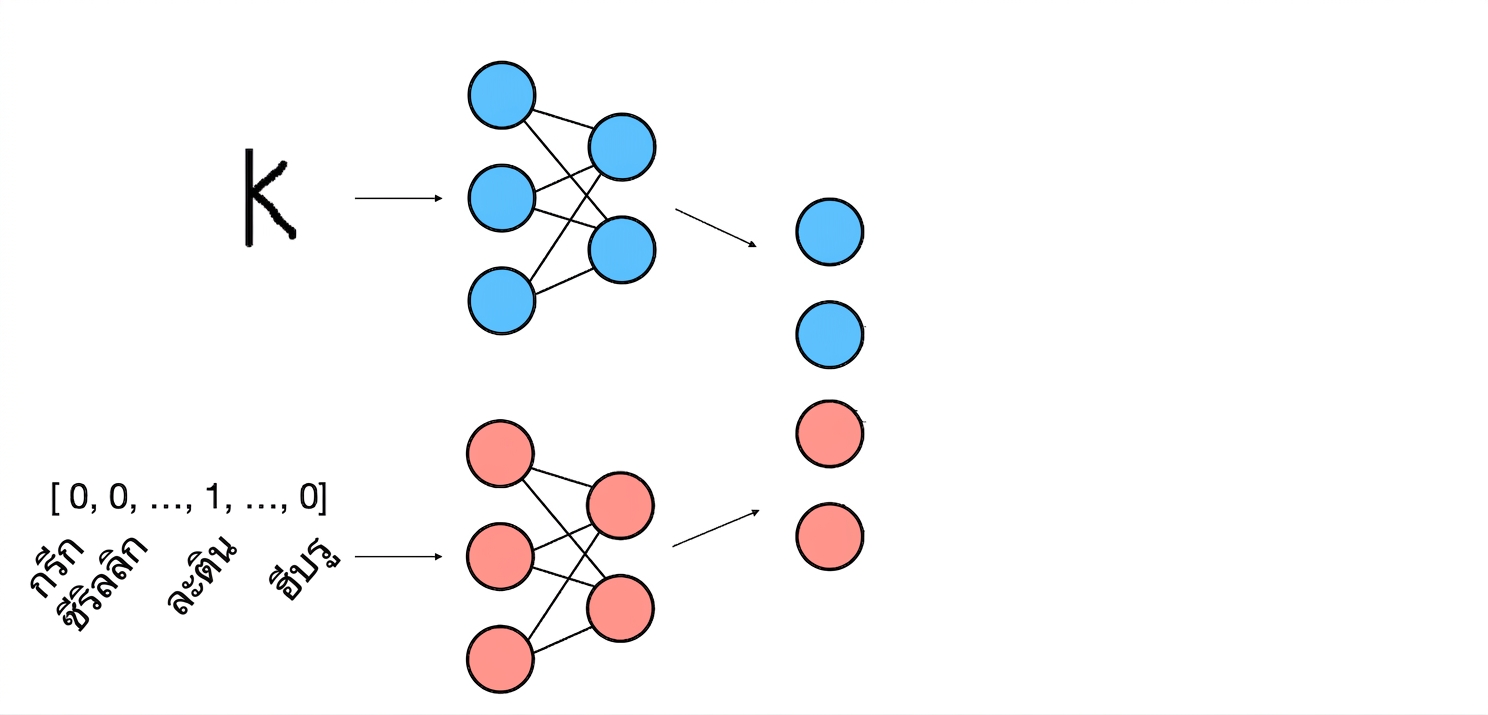
การจำแนกตัวอักษร

แผนผังโมเดล: embedding ของตัวอักษรและชุดตัวอักษรถูกรวมเข้าด้วยกัน

Deep Learning ระดับกลางด้วย PyTorch

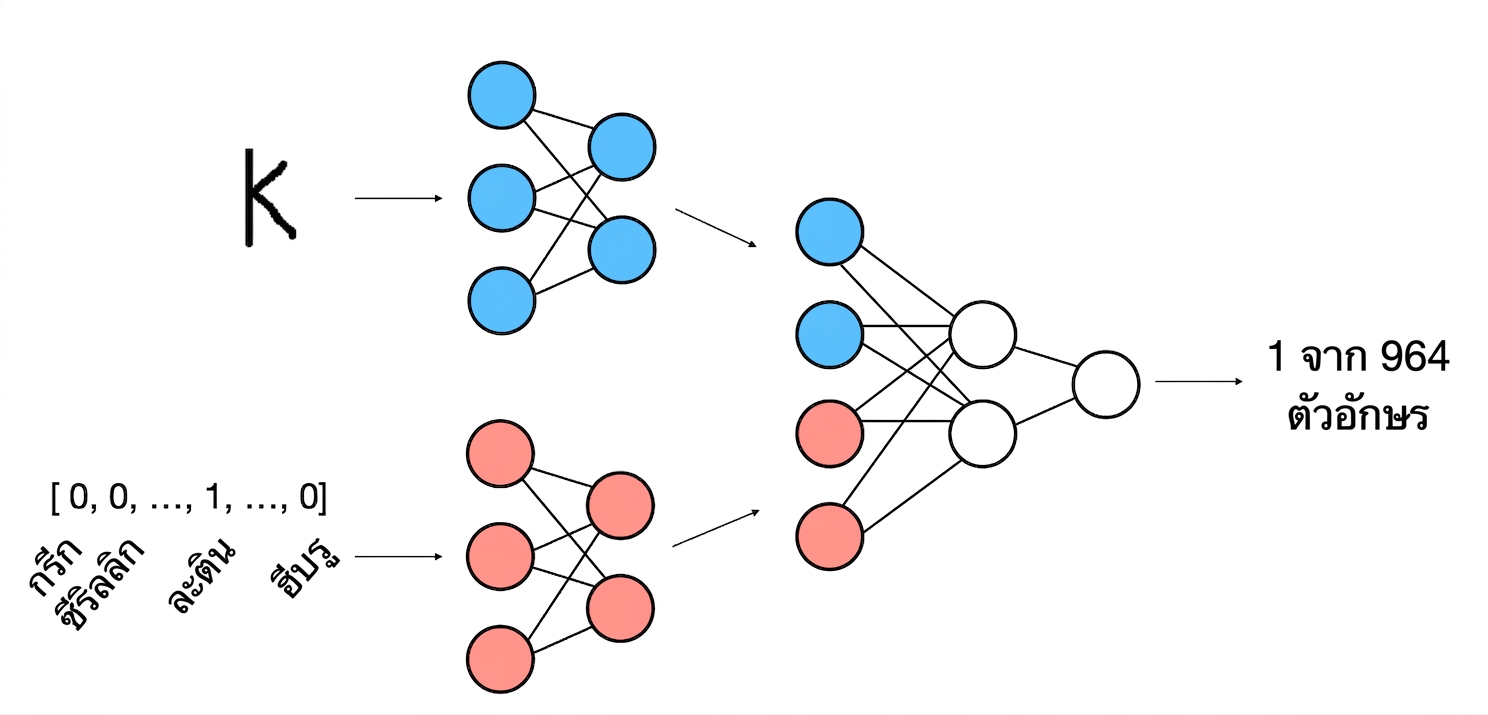
การจำแนกตัวอักษร

แผนผังโมเดล: จาก embedding ที่รวมแล้ว ตัวจำแนกทำนายตัวอักษร

Deep Learning ระดับกลางด้วย PyTorch

Dataset แบบสองอินพุต

from PIL import Image

class OmniglotDataset(Dataset):

def __init__(self, transform, samples): self.transform = transform self.samples = samples
def __len__(self): return len(self.samples)
def __getitem__(self, idx): img_path, alphabet, label = self.samples[idx] img = Image.open(img_path).convert('L') img = self.transform(img) return img, alphabet, label
  • กำหนด samples และ transforms

    print(samples[0])
    
    [(
      'omniglot_train/.../0459_14.png',
       array([1., 0., 0., ..., 0., 0., 0.]),
       0
     )]
    
  • กำหนด __len__()

  • โหลดและแปลงภาพ

  • คืนค่าทั้งสองอินพุตและ label
Deep Learning ระดับกลางด้วย PyTorch

การเชื่อมต่อ tensor

x = torch.tensor([
  [1, 2, 3],
])

y = torch.tensor([
  [4, 5, 6],
])

การเชื่อมต่อตาม axis 0

torch.cat((x, y), dim=0)
[[1, 2, 3],
 [4, 5, 6]]

การเชื่อมต่อตาม axis 1

torch.cat((x, y), dim=1)
[[1, 2, 3, 4, 5, 6]]
Deep Learning ระดับกลางด้วย PyTorch

สถาปัตยกรรมแบบสองอินพุต

class Net(nn.Module):
    def __init__(self):
        super().__init__()

self.image_layer = nn.Sequential( nn.Conv2d(1, 16, kernel_size=3, padding=1), nn.MaxPool2d(kernel_size=2), nn.ELU(), nn.Flatten(), nn.Linear(16*32*32, 128) )
self.alphabet_layer = nn.Sequential( nn.Linear(30, 8), nn.ELU(), )
self.classifier = nn.Sequential( nn.Linear(128 + 8, 964), )
  • กำหนด layer ประมวลผลภาพ
  • กำหนด layer ประมวลผลชุดตัวอักษร
  • กำหนด layer ตัวจำแนก
Deep Learning ระดับกลางด้วย PyTorch

สถาปัตยกรรมแบบสองอินพุต

def forward(self, x_image, x_alphabet):

x_image = self.image_layer(x_image)
x_alphabet = self.alphabet_layer(x_alphabet)
x = torch.cat((x_image, x_alphabet), dim=1)
return self.classifier(x)
  • ส่งภาพผ่าน image layer
  • ส่งชุดตัวอักษรผ่าน alphabet layer
  • เชื่อมต่อผลลัพธ์ของ image และ alphabet
  • ส่งผลลัพธ์ผ่านตัวจำแนก
Deep Learning ระดับกลางด้วย PyTorch

ลูปการฝึก

net = Net()
criterion = nn.CrossEntropyLoss()
optimizer = optim.SGD(net.parameters(), lr=0.01)

for epoch in range(10):
    for img, alpha, labels in dataloader_train:
        optimizer.zero_grad()
        outputs = net(img, alpha)
        loss = criterion(outputs, labels)
        loss.backward()
        optimizer.step()
  • ข้อมูลสำหรับฝึกประกอบด้วยสามส่วน:
    • ภาพ
    • เวกเตอร์ชุดตัวอักษร
    • Label
  • ส่งภาพและชุดตัวอักษรเข้าโมเดล
Deep Learning ระดับกลางด้วย PyTorch

มาฝึกกันเถอะ!

Deep Learning ระดับกลางด้วย PyTorch

Preparing Video For Download...