การตรวจสอบเวลาในการรัน

การเขียน Python Code ที่มีประสิทธิภาพ

Logan Thomas

Scientific Software Technical Trainer, Enthought

ทำไมต้องจับเวลาโค้ด?

  • ช่วยให้เลือกวิธีเขียนโค้ดที่ เหมาะสมที่สุด ได้
  • โค้ดที่เร็วกว่า == โค้ดที่มีประสิทธิภาพกว่า!
การเขียน Python Code ที่มีประสิทธิภาพ

จะจับเวลาโค้ดได้อย่างไร?

  • คำนวณเวลาในการรันด้วย IPython magic command %timeit

  • Magic commands: คำสั่งเสริมที่ทำงานบน Python syntax ปกติ

    • นำหน้าด้วยอักขระ "%"
    • ดูเอกสารประกอบ (ที่นี่)
    • ดูคำสั่งทั้งหมดด้วย %lsmagic
การเขียน Python Code ที่มีประสิทธิภาพ

การใช้ %timeit

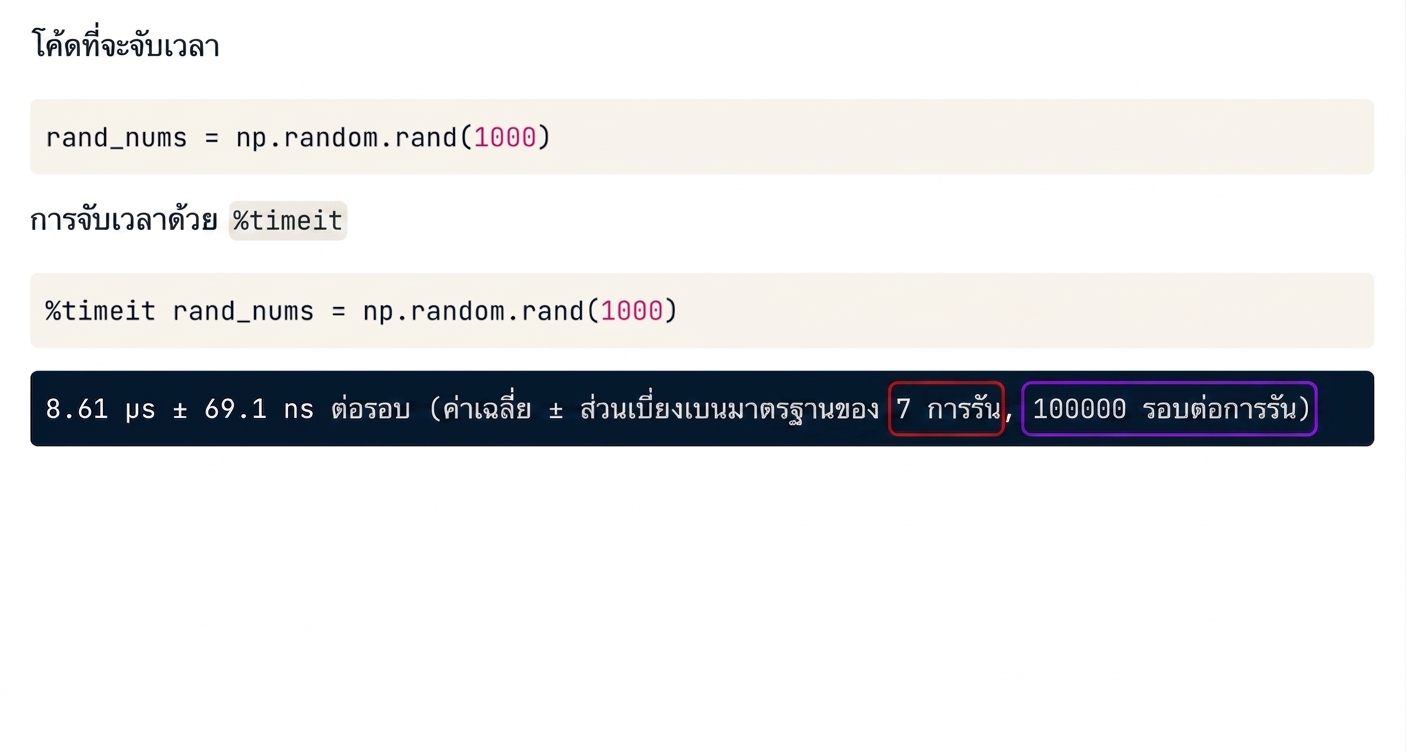
โค้ดที่ต้องการจับเวลา

import numpy as np

rand_nums = np.random.rand(1000)

จับเวลาด้วย %timeit

%timeit rand_nums = np.random.rand(1000)
8.61 µs ± 69.1 ns per loop (mean ± std. dev. of 7 runs, 100000 loops each)
การเขียน Python Code ที่มีประสิทธิภาพ

ผลลัพธ์ของ %timeit

alt="ผลลัพธ์ของ magic command timeit"

การเขียน Python Code ที่มีประสิทธิภาพ

ผลลัพธ์ของ %timeit

alt="ผลลัพธ์ของ magic command timeit โดยไฮไลต์ค่าเฉลี่ยและส่วนเบี่ยงเบนมาตรฐาน"

การเขียน Python Code ที่มีประสิทธิภาพ

ผลลัพธ์ของ %timeit

alt="ผลลัพธ์ของ magic command timeit โดยไฮไลต์จำนวนรันและจำนวนลูป"

การเขียน Python Code ที่มีประสิทธิภาพ

การกำหนดจำนวนรัน/ลูป

กำหนดจำนวนรัน (-r) และ/หรือจำนวนลูป (-n)

# Set number of runs to 2 (-r2)
# Set number of loops to 10 (-n10)

%timeit -r2 -n10 rand_nums = np.random.rand(1000)
16.9 µs ± 5.14 µs per loop (mean ± std. dev. of 2 runs, 10 loops each)
การเขียน Python Code ที่มีประสิทธิภาพ

การใช้ %timeit ในโหมด line magic

Line magic (%timeit)

# Single line of code

%timeit nums = [x for x in range(10)]
914 ns ± 7.33 ns per loop (mean ± std. dev. of 7 runs, 1000000 loops each)
การเขียน Python Code ที่มีประสิทธิภาพ

การใช้ %timeit ในโหมด cell magic

Cell magic (%%timeit)

# Multiple lines of code

%%timeit
nums = []
for x in range(10):
    nums.append(x)
1.17 µs ± 3.26 ns per loop (mean ± std. dev. of 7 runs, 1000000 loops each)
การเขียน Python Code ที่มีประสิทธิภาพ

การบันทึกผลลัพธ์

บันทึกผลลัพธ์ลงในตัวแปร (-o)

times = %timeit -o rand_nums = np.random.rand(1000)
8.69 µs ± 91.4 ns per loop (mean ± std. dev. of 7 runs, 100000 loops each)
การเขียน Python Code ที่มีประสิทธิภาพ
times.timings
[8.697893059998023e-06,
 8.651204760008113e-06,
 8.634270530001232e-06,
 8.66847825998775e-06,
 8.619398139999247e-06,
 8.902550710008654e-06,
 8.633500570012985e-06]
times.best
8.619398139999247e-06
times.worst
8.902550710008654e-06
การเขียน Python Code ที่มีประสิทธิภาพ

การเปรียบเทียบเวลา

โครงสร้างข้อมูล Python สร้างได้โดยใช้ชื่อทางการ

formal_list = list()
formal_dict = dict()
formal_tuple = tuple()

โครงสร้างข้อมูล Python สร้างได้โดยใช้ literal syntax

literal_list = []
literal_dict = {}
literal_tuple = ()
การเขียน Python Code ที่มีประสิทธิภาพ
f_time = %timeit -o formal_dict = dict()
145 ns ± 1.5 ns per loop (mean ± std. dev. of 7 runs, 10000000 loops each)
l_time = %timeit -o literal_dict = {}
93.3 ns ± 1.88 ns per loop (mean ± std. dev. of 7 runs, 10000000 loops each)
diff = (f_time.average - l_time.average) * (10**9)
print('l_time better than f_time by {} ns'.format(diff))
l_time better than f_time by 51.90819192857814 ns
การเขียน Python Code ที่มีประสิทธิภาพ

การเปรียบเทียบเวลา

%timeit formal_dict = dict()
145 ns ± 1.5 ns per loop (mean ± std. dev. of 7 runs, 10000000 loops each)
%timeit literal_dict = {}
93.3 ns ± 1.88 ns per loop (mean ± std. dev. of 7 runs, 10000000 loops each)
การเขียน Python Code ที่มีประสิทธิภาพ

มาฝึกกันเถอะ!

การเขียน Python Code ที่มีประสิทธิภาพ

Preparing Video For Download...