แนะนำ Pinecone indexes

การสร้างแอปพลิเคชัน AI ด้วย Pinecone

James Chapman

Curriculum Manager, DataCamp

โลโก้ Pinecone


สิ่งที่จะได้เรียนรู้...

  • สร้าง index และนำเข้าเวกเตอร์
  • ดึงข้อมูลและค้นหาเวกเตอร์
  • สร้างแอปพลิเคชัน AI ทั่วไป


→ สร้างและขยายแอปพลิเคชัน GenAI!
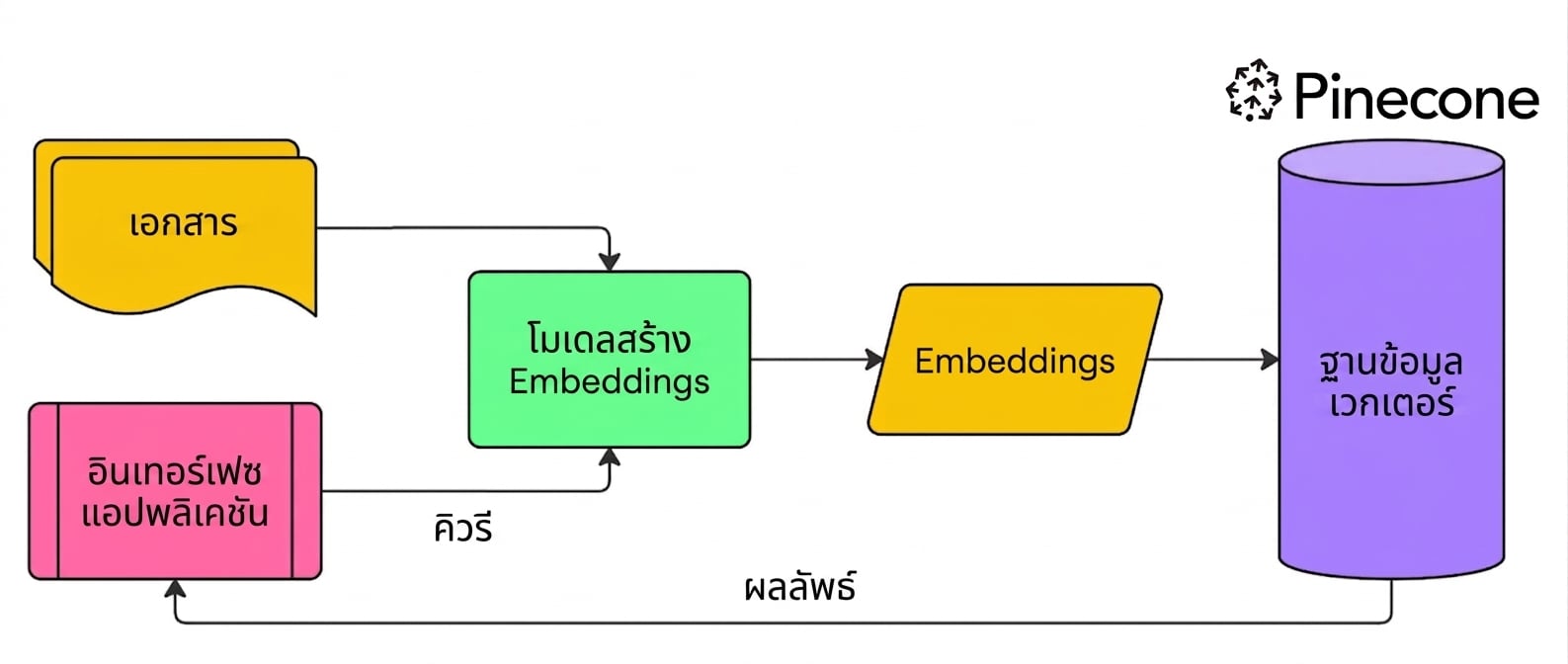


semantic search

การสร้างแอปพลิเคชัน AI ด้วย Pinecone

Indexes


  • จัดเก็บเวกเตอร์
  • รองรับการค้นหาและการจัดการเวกเตอร์
  • Index มีเรกคอร์ดสำหรับแต่ละเวกเตอร์ รวมถึงเมทาดาทา
  • สร้างได้หลาย index

ตู้เก็บเอกสารสี่ลิ้นชัก แต่ละลิ้นชักมีหลายแฟ้ม

การสร้างแอปพลิเคชัน AI ด้วย Pinecone

แบบ Pod-Based

Pod ที่มีหลาย index อยู่ภายใน

  • เลือกฮาร์ดแวร์เพื่อสร้าง index → pods
  • ประเภท Pod กำหนดพื้นที่จัดเก็บ latency และปริมาณการค้นหา

แบบ Serverless

Index ที่จัดเก็บบนคลาวด์

  • ไม่ต้องจัดการทรัพยากร
  • Index ขยายขนาดอัตโนมัติ
  • รันบนคลาวด์ และจัดเก็บใน blob
  • ใช้งานง่ายและมักมีต้นทุนต่ำกว่า

สิ่งที่ใช้ในคอร์สนี้

1 https://docs.pinecone.io/guides/indexes/understanding-indexes
การสร้างแอปพลิเคชัน AI ด้วย Pinecone

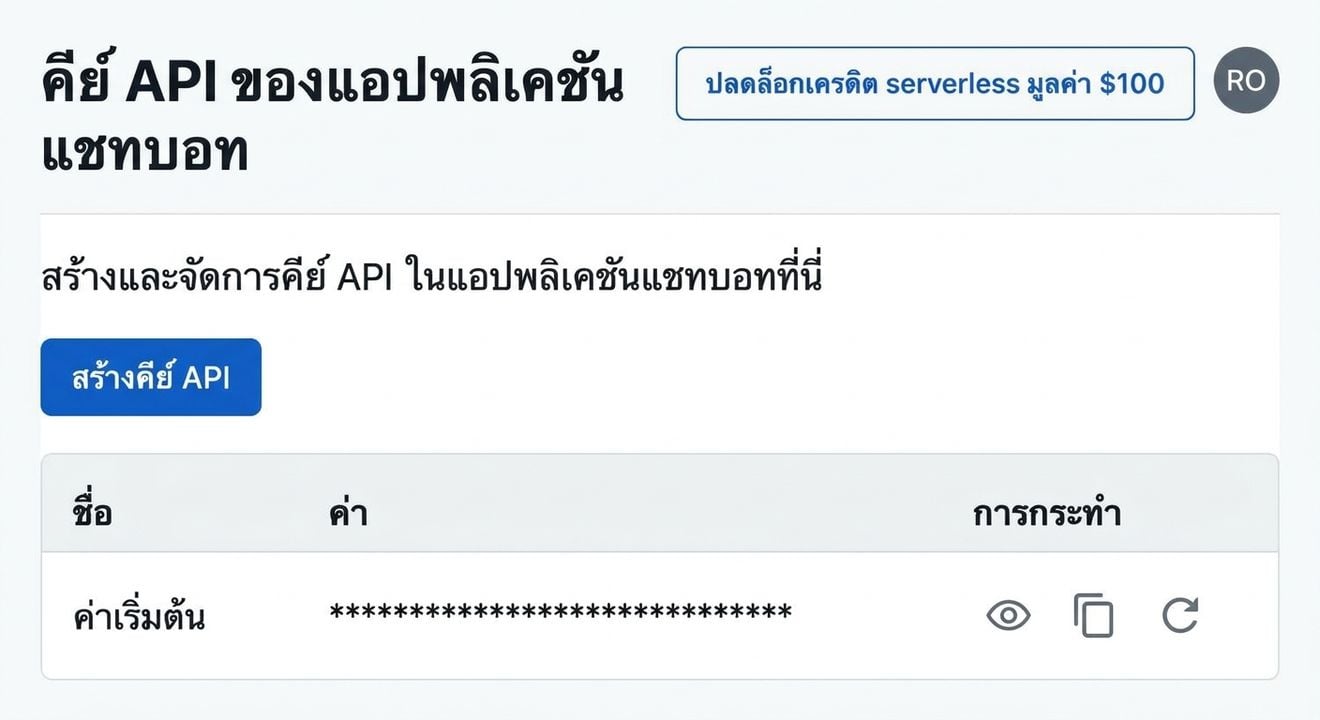
การสร้าง Pinecone API key


  1. สร้างบัญชี Pinecone Starter → pinecone.io
  2. ไปที่ "API Keys"
  3. คัดลอก API key ของคุณ

หน้าแรกของ Pinecone

หน้า API keys ของ Pinecone

การสร้างแอปพลิเคชัน AI ด้วย Pinecone

การสร้าง serverless index

from pinecone import Pinecone, ServerlessSpec


pc = Pinecone(api_key="API_KEY")
pc.create_index(
name='datacamp-index',
dimension=1536,
spec=ServerlessSpec(
cloud='aws', region='us-east-1'
)
)
การสร้างแอปพลิเคชัน AI ด้วย Pinecone

ตรวจสอบ indexes

pc.list_indexes()
{'indexes': [{'dimension': 1536,
              'host': 'datacamp-index-1eef0f4.svc.aped-4627-b74a.pinecone.io',
              'metric': 'cosine',
              'name': 'datacamp-index',
              'spec': {'serverless': {'cloud': 'aws', 'region': 'us-east-1'}},
              'status': {'ready': True, 'state': 'Ready'}}]}
การสร้างแอปพลิเคชัน AI ด้วย Pinecone

มาฝึกกันเถอะ!

การสร้างแอปพลิเคชัน AI ด้วย Pinecone

Preparing Video For Download...