使用预训练模型

使用 PyTorch 进行图像深度学习

Michal Oleszak

Machine Learning Engineer

利用预训练模型

  • 从零训练模型:

    • 过程漫长
    • 需要大量数据
  • 预训练模型——已在某任务上训练好的模型

    • 可直接复用于新任务
    • 需针对新任务调整(迁移学习)
  • 使用预训练模型的步骤:

    • 本地保存与加载模型
    • 下载 torchvision 模型
使用 PyTorch 进行图像深度学习

保存完整的 PyTorch 模型

  • torch.save()
  • 模型扩展名:.pt.pth
  • .state_dict() 保存权重
    torch.save(model.state_dict(), "BinaryCNN.pth")
    
使用 PyTorch 进行图像深度学习

加载 PyTorch 模型

  • 实例化新模型

    new_model = BinaryCNN()
    
  • 加载已保存的参数

    new_model.load_state_dict(torch.load('BinaryCNN.pth'))
    
使用 PyTorch 进行图像深度学习

下载 torchvision 模型

from torchvision.models import (
    resnet18, ResNet18_Weights
)


weights = ResNet18_Weights.DEFAULT
model = resnet18(weights=weights)
transforms = weights.transforms()
  • 导入 resnet 架构与权重
  • 提取权重
  • 传入权重实例化模型
  • 保存所需的数据变换
使用 PyTorch 进行图像深度学习

准备新的输入图像

from PIL import Image

image = Image.open("cat013.jpg")

image_tensor = transform(image)
image_reshaped = image_tensors.unsqueeze(0)
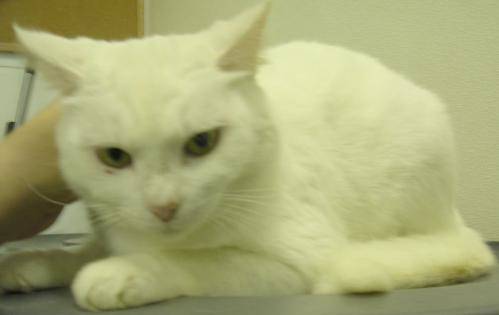
 

cat image

  • 加载图像
  • 变换图像
  • 重塑图像
使用 PyTorch 进行图像深度学习

生成新预测

model.eval()


with torch.no_grad():
pred = model(image_reshaped).squeeze(0)
pred_cls = pred.softmax(0)
cls_id = pred_cls.argmax().item()
cls_name = weights.meta["categories"][cls_id]
print(cls_name)
Egyptian cat
  • 推理时设为评估模式
  • 关闭梯度
  • 将图像送入模型并去除批维
  • 应用 softmax
  • 选取概率最高的类别并取其索引
  • 将类别索引映射为标签
  • 打印类别标签
使用 PyTorch 进行图像深度学习

Vamos praticar!

使用 PyTorch 进行图像深度学习

Preparing Video For Download...