命令行界面

Python 测试入门

Alexander Levin

Data Scientist

示例:代码

幂运算符测试:

# test_sqneg.py
import unittest
# Declaring the TestCase class
class TestSquared(unittest.TestCase):
    # Defining the test
    def test_negative(self):
        self.assertEqual((-3) ** 2, 9)

CLI 命令:

python3 -m unittest test_sqneg.py

使用 unittest 模块运行 Python 脚本 test_sqneg.py

Python 测试入门

示例:输出

命令: python3 -m unittest test_sqneg.py

测试输出: unittest test_sqneg.py 的输出

Python 测试入门

关键字参数 -k

unittest -k —— 运行与给定模式或子串匹配的测试方法和类

命令python3 -m unittest -k "SomeStringOrPattern" test_script.py

示例python3 -m unittest -k "Squared" test_sqneg.py

输出带关键字的输出

1 https://docs.python.org/3/library/unittest.html
Python 测试入门

快速失败标志 -f

unittest -f —— 在首个错误或失败时停止运行。

命令python3 -m unittest -f test_script.py

用例示例:当所有测试都至关重要时,例如起飞前对飞机进行测试。
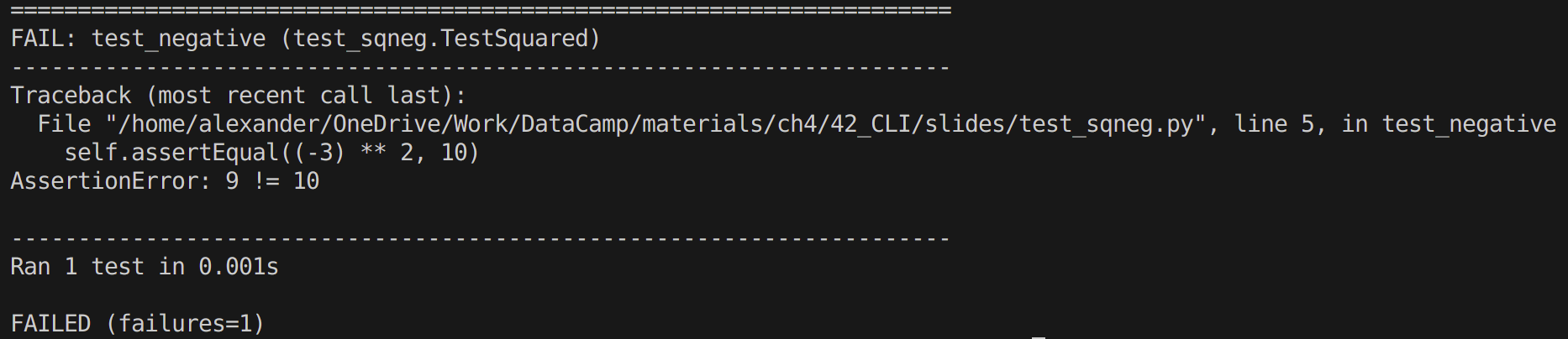
失败用例示例

1 https://docs.python.org/3/library/unittest.html
Python 测试入门

捕获标志 -c

捕获标志 unittest -c —— 允许用"Ctrl - C"中断测试。

  • 若"Ctrl - C"
    • 按一次,unittest 等待当前测试结束并报告已产生的结果。
    • 按两次,unittest 抛出 KeyboardInterrupt 异常。

命令python3 -m unittest -c test_script.py

用例示例: 调试大型测试套件时

1 https://docs.python.org/3/library/unittest.html
Python 测试入门

详细标志 -v

unittest -v —— 以更详细的输出运行测试

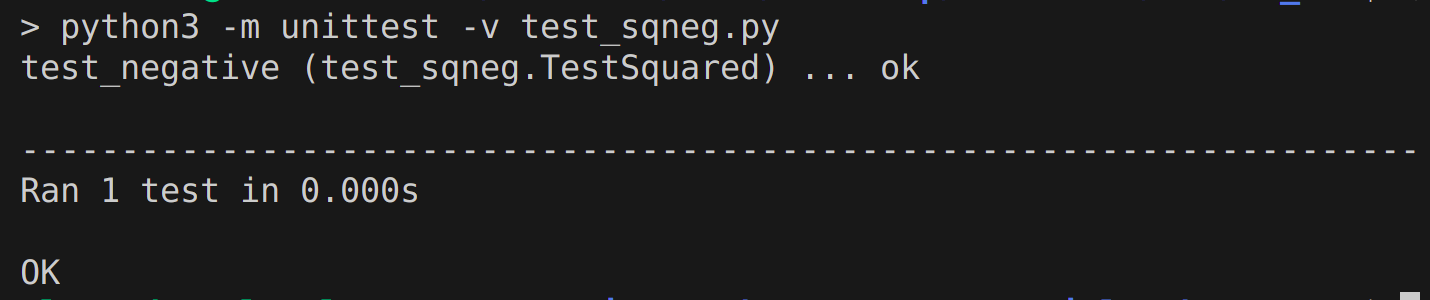
命令python3 -m unittest -v test_script.py

用例示例: 调试

输出示例使用 verbose 标志的 unittest 输出

1 https://docs.python.org/3/library/unittest.html
Python 测试入门

小结

  • 基本命令(无参数)python3 -m unittest test_script.py

  • unittest 的输出

  • 关键字匹配:python3 -m unittest -k "SomeStringOrPattern" test_script.py

  • 快速失败标志:python3 -m unittest -f test_script.py

  • 捕获标志:python3 -m unittest -c test_script.py

  • 详细标志:python3 -m unittest -v test_script.py

Python 测试入门

Passons à la pratique !

Python 测试入门

Preparing Video For Download...