解读模型

使用 Keras 进行图像建模

Ariel Rokem

Senior Data Scientist, University of Washington

选择层

model.layers
[<keras.layers.convolutional.Conv2D at 0x109f10c18>,
 <keras.layers.convolutional.Conv2D at 0x109ec5ba8>,
 <keras.layers.core.Flatten at 0x1221ffcc0>,
 <keras.layers.core.Dense at 0x1221ffef0>]
使用 Keras 进行图像建模

获取模型权重

conv1 = model.layers[0]

weights1 = conv1.get_weights()
len(weights1)
2
kernels1 = weights1[0]

kernels1.shape
(3, 3, 1, 5)
kernel1_1 = kernels1[:, :,
                     0, 0]

kernel1_1.shape
(3, 3)
使用 Keras 进行图像建模

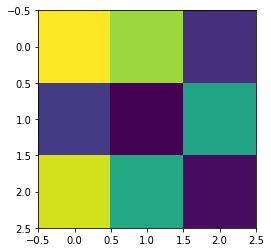
可视化卷积核

plt.imshow(kernel1_1)

使用 Keras 进行图像建模

可视化卷积核响应

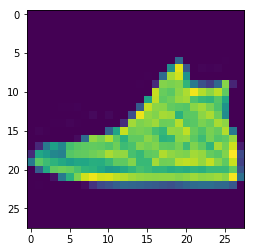
test_image = test_data[3, :, :, 0]

plt.imshow(test_image)

使用 Keras 进行图像建模

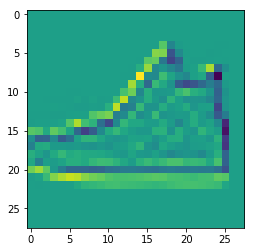
可视化卷积核响应

filtered_image = convolution(test_image, kernel1_1)

plt.imshow(filtered_image)

使用 Keras 进行图像建模

可视化卷积核响应

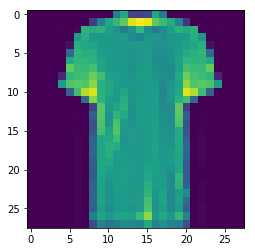
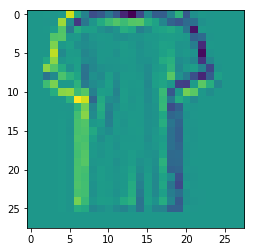
test_image = test_data[4, :, :, 1]
plt.imshow(test_image)
使用 Keras 进行图像建模

可视化卷积核响应

filtered_image = convolution(test_image, kernel1_1)
plt.imshow(filtered_img)
使用 Keras 进行图像建模

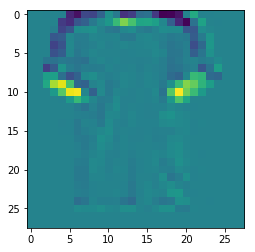
可视化卷积核响应

kernel1_2 = kernels[:, :, 0, 1]
filtered_image = convolution(test_image, kernel1_2)
plt.imshow(filtered_img)
使用 Keras 进行图像建模

¡Vamos a practicar!

使用 Keras 进行图像建模

Preparing Video For Download...