强度值

Python 中的生物医学图像分析

Stephen Bailey

Instructor

像素与体素

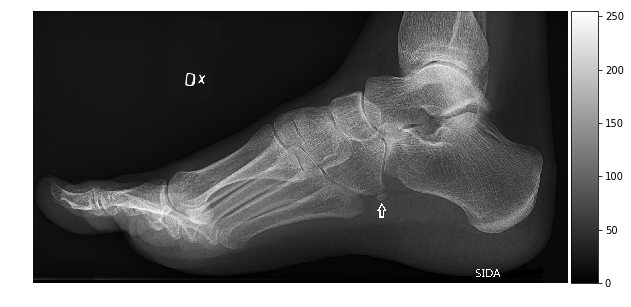
  • 像素(pixel)是二维图像元素
  • 体素(voxel)是三维体元素
  • 两个属性:强度与位置

足部X光

Python 中的生物医学图像分析

数据类型与图像大小

数组的数据类型决定可用的强度范围

类型 范围 数量
uint8 0, 255 256
int8 - 128, 127 256
uint16 0, 2$^{16}$ 2$^{16}$
int16 -2$^{15}$, 2$^{15}$ 2$^{16}$
float16 ~-2$^{16}$, ~2$^{16}$ >>2$^{16}$
import imageio.v2 as imageio

im=imageio.imread('foot-xray.jpg')

im.dtype
    dtype('uint8')

im.size
153600
im_int64 = im.astype(np.uint64)
im_int64.size
1228800
Python 中的生物医学图像分析

直方图

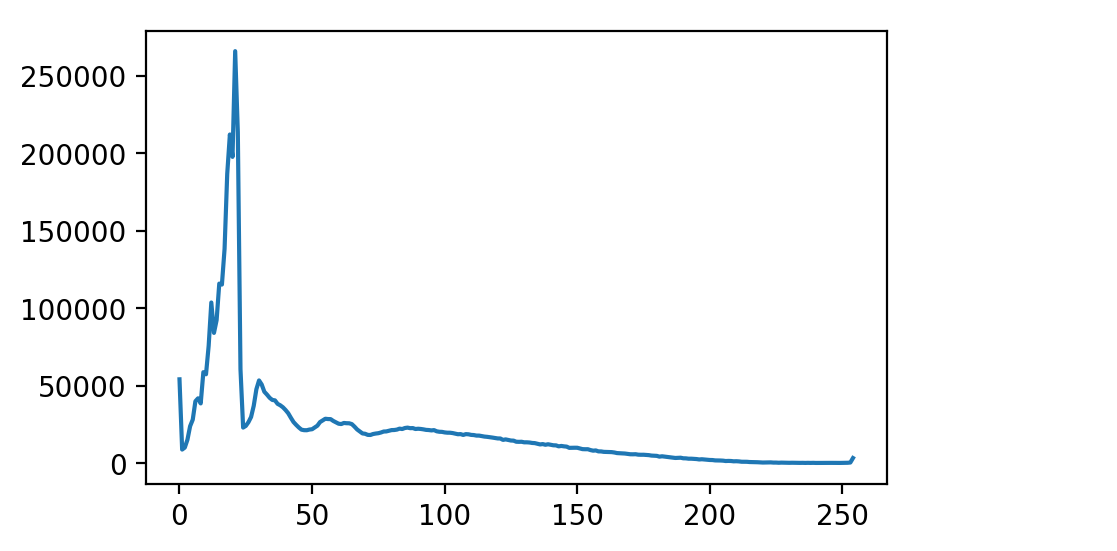
  • 直方图:统计各强度值的像素数
  • scipy.ndimage 中实现
    • 支持高维数组
    • 支持掩码数据
  • scikit-image 提供更高级功能
plt.plot(hist)
plt.show()
import scipy.ndimage as ndi

hist=ndi.histogram(im, min=0, max=255, bins=256)
hist.shape
(256,)

直方图

Python 中的生物医学图像分析

直方图均衡化

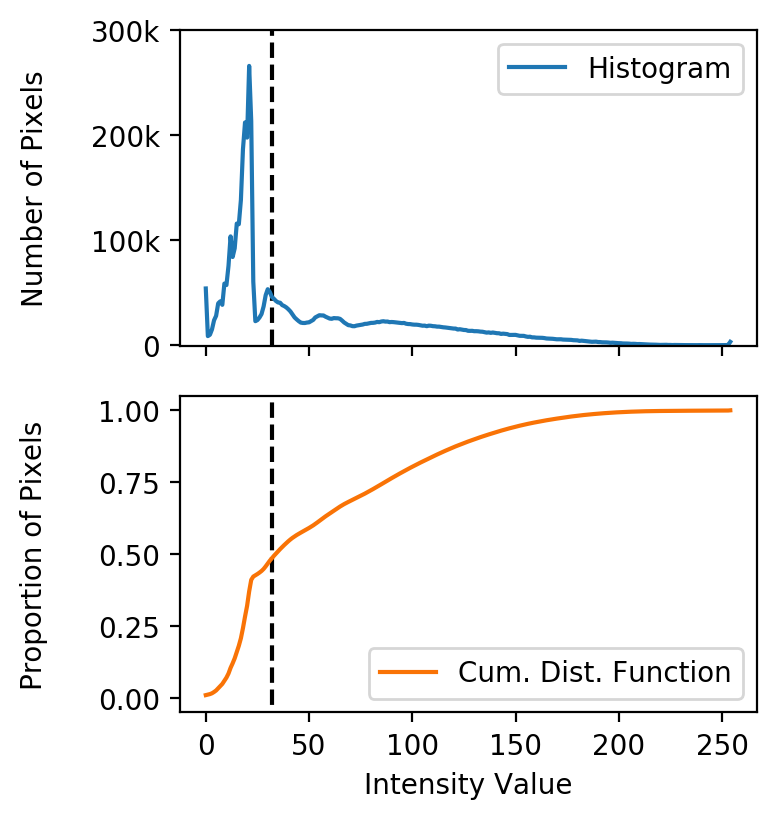
  • 分布常偏向低强度(背景)

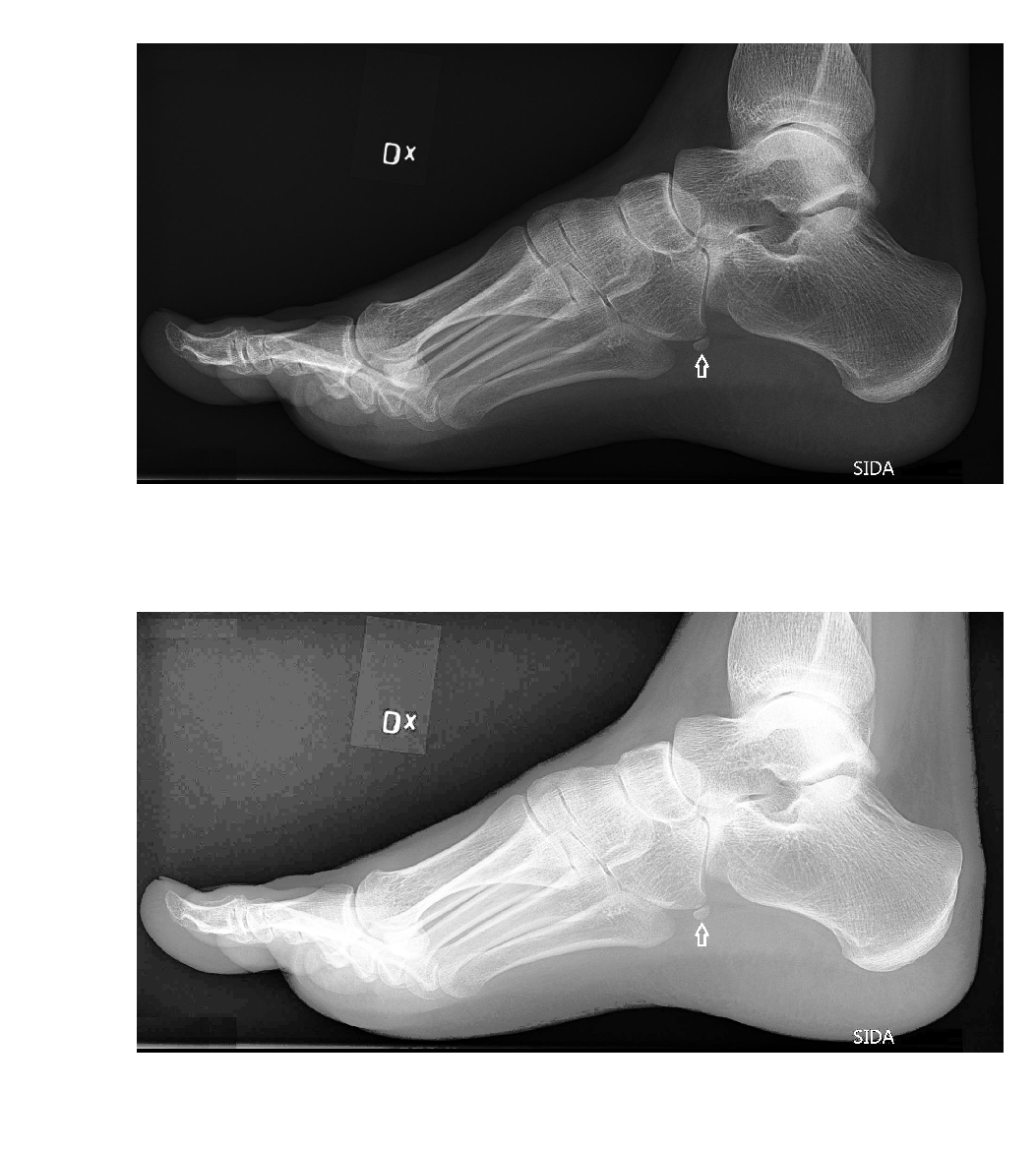
  • 均衡化:重新分配数值以充分利用强度范围

  • 累积分布函数(CDF):显示像素在区间内的比例

直方图+CDF

Python 中的生物医学图像分析

直方图均衡化

import scipy.ndimage as ndi
hist = ndi.histogram(im, min=0, 
                         max=255,
                        bins=256)

cdf = hist.cumsum() / hist.sum() cdf.shape
(256,)
im_equalized = cdf[im] * 255

fig, axes = plt.subplots(2, 1) axes[0].imshow(im) axes[1].imshow(im_equalized) plt.show()

均衡化后的图像

Python 中的生物医学图像分析

¡Vamos a practicar!

Python 中的生物医学图像分析

Preparing Video For Download...