面向 AI 的 GET 与 POST 请求

使用 FastAPI 在生产环境中部署 AI

Matt Eckerle

Software and Data Engineering Leader

授课讲师

 

Matt Eckerle


Matt Eckerle

  • 软件与数据工程负责人
  • Inari 企业数据经理
  • 自 2019 年起使用 FastAPI 进行机器学习
使用 FastAPI 在生产环境中部署 AI

课程概览


  • FastAPI 基础
  • 请求处理与集成
  • 输入校验与安全
  • 构建并维护生产级 API


FastAPI 标志

使用 FastAPI 在生产环境中部署 AI

开始之前

✓ 基础 Python:函数、类、模块、数据结构

Python 标志

使用 FastAPI 在生产环境中部署 AI

开始之前

✓ 基础 Python:函数、类、模块、数据结构

✓ HTTP 与 REST API 概念

Python 和 http 标志

使用 FastAPI 在生产环境中部署 AI

开始之前

✓ 基础 Python:函数、类、模块、数据结构

✓ HTTP 与 REST API 概念

✓ 使用 FastAPI 框架

  • 处理 GET 和 POST 请求
  • 使用 Pydantic 模型

✓ 机器学习基础

Python、http 和 FastAPI 标志

使用 FastAPI 在生产环境中部署 AI

GET 请求详解

  • 用于获取数据
  • 路径参数:出现在 URL 中
  • 不改变服务器状态

一份菜单

GET https://example.com/?item_id=1

理解 GET 请求的示意图

使用 FastAPI 在生产环境中部署 AI

用路径参数实现 GET

from fastapi import FastAPI

app = FastAPI()

@app.get("/item/{item_id}")
async def read_item(item_id: int):
    return {"item_id": item_id}
  • `@app.get` 装饰器定义端点。
  • {item_id} 为路径参数。
  • 类型提示(int)用于自动校验。
使用 FastAPI 在生产环境中部署 AI

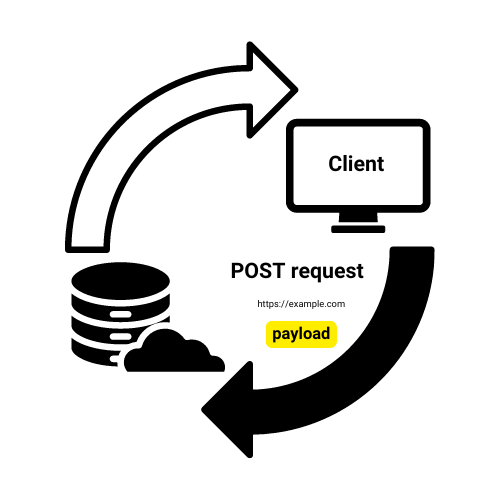
POST 请求详解

  • 向服务器发送数据
  • 数据在请求体中(通常为 JSON)
  • 可能改变服务器状态

一份餐厅点单

POST https://example.com

理解 POST 请求的示意图

使用 FastAPI 在生产环境中部署 AI

用 JSON 数据实现 POST

from fastapi import FastAPI
from pydantic import BaseModel

app = FastAPI()
db = {}

class Item(BaseModel): name: str price: float
@app.post("/items", status_code=201)
def create_item(item: Item): db[item.name] = item.model_dump() return {"message": f"Created {item.name}"}


  • Pydantic 模型定义数据结构
  • @app.post 用于 POST 端点
  • 自动 JSON 解析与校验
使用 FastAPI 在生产环境中部署 AI

HTTP 状态码


  • 200 OK:成功(默认)
  • 404 Not Found:资源不存在
  • 201 Created:对象已创建

HTTP 200 状态码表示请求成功

使用 FastAPI 在生产环境中部署 AI

抛出 HTTP 异常

from fastapi import FastAPI, HTTPException
app = FastAPI()

@app.get("/item/{item_id}")
async def read_item(item_id: int):
    if item_id == 4242: #An invalid order number
        raise HTTPException(status_code=404, detail="Item not found")
    return {"item_id": item_id}

@app.post("/items") async def create_item(item: Item): # Simulating item creation return {"message": f"Created {item.name}"}, 201
使用 FastAPI 在生产环境中部署 AI

Vamos praticar!

使用 FastAPI 在生产环境中部署 AI

Preparing Video For Download...