设置基础 CI 流水线

面向机器学习的 CI/CD

Ravi Bhadauria

Machine Learning Engineer

GitHub Actions 工作流结构

# Name of the workflow
name: CI

# Events that trigger workflow on: push: branches: [ "main" ]
面向机器学习的 CI/CD

GitHub Actions 工作流结构

# Define jobs and runners
jobs:
  build:
    runs-on: ubuntu-latest

# Define steps steps: - name: Run a multi-line script run: | echo Hello, world! echo Add other actions to build, echo test, and deploy your project.
面向机器学习的 CI/CD

GitHub Actions 工作流结构

name: CI

on:
  push:
    branches: [ "main" ]

jobs:
  build:
    runs-on: ubuntu-latest
    steps:
      - name: Run a multi-line script
        run: |
          echo Hello, world!
          echo Add other actions to build,
          echo test, and deploy your project.
面向机器学习的 CI/CD

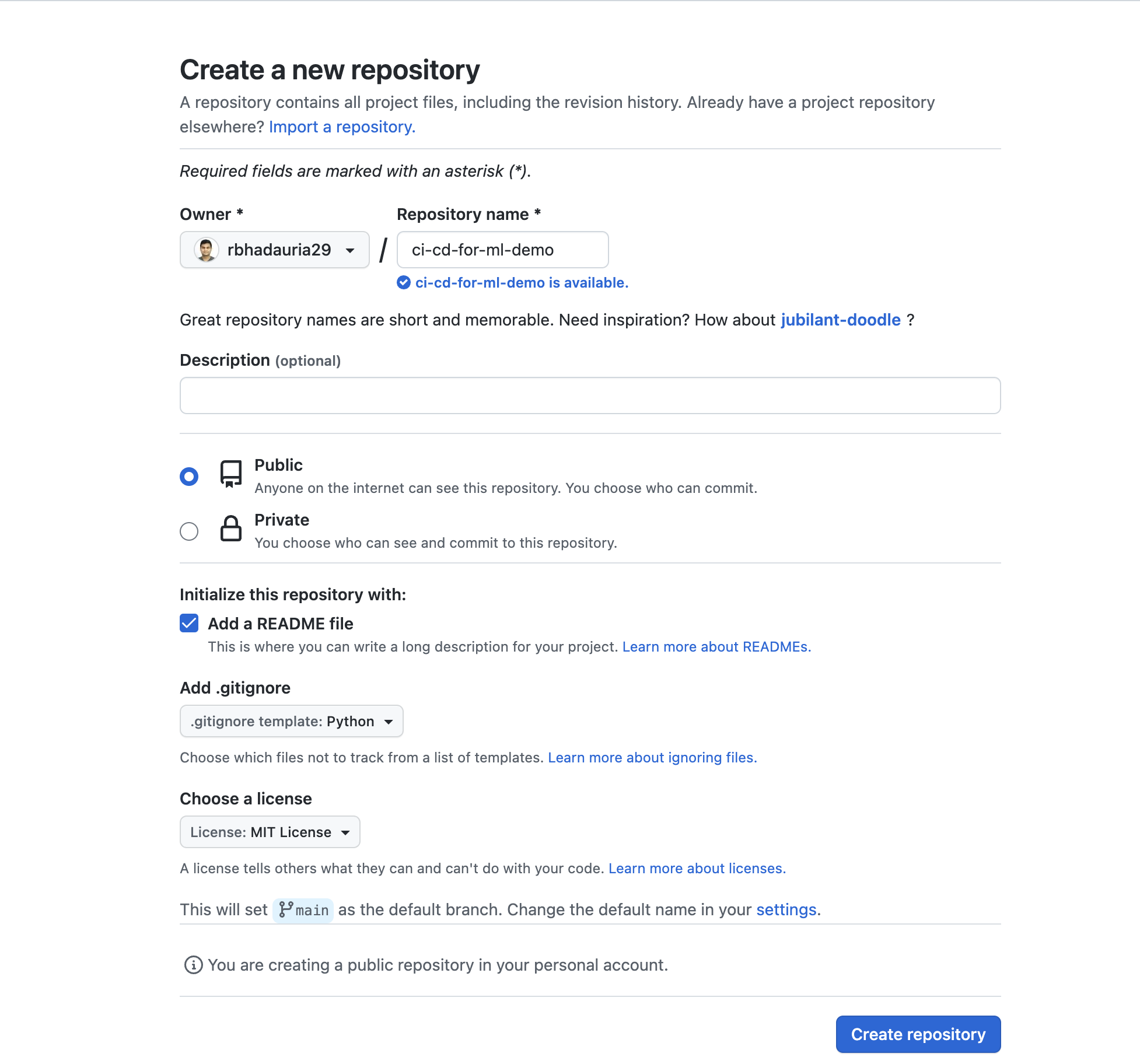
创建 GitHub 仓库

https://github.com/new 页面(创建新仓库)的图像

面向机器学习的 CI/CD

设置 GitHub Actions

面向机器学习的 CI/CD

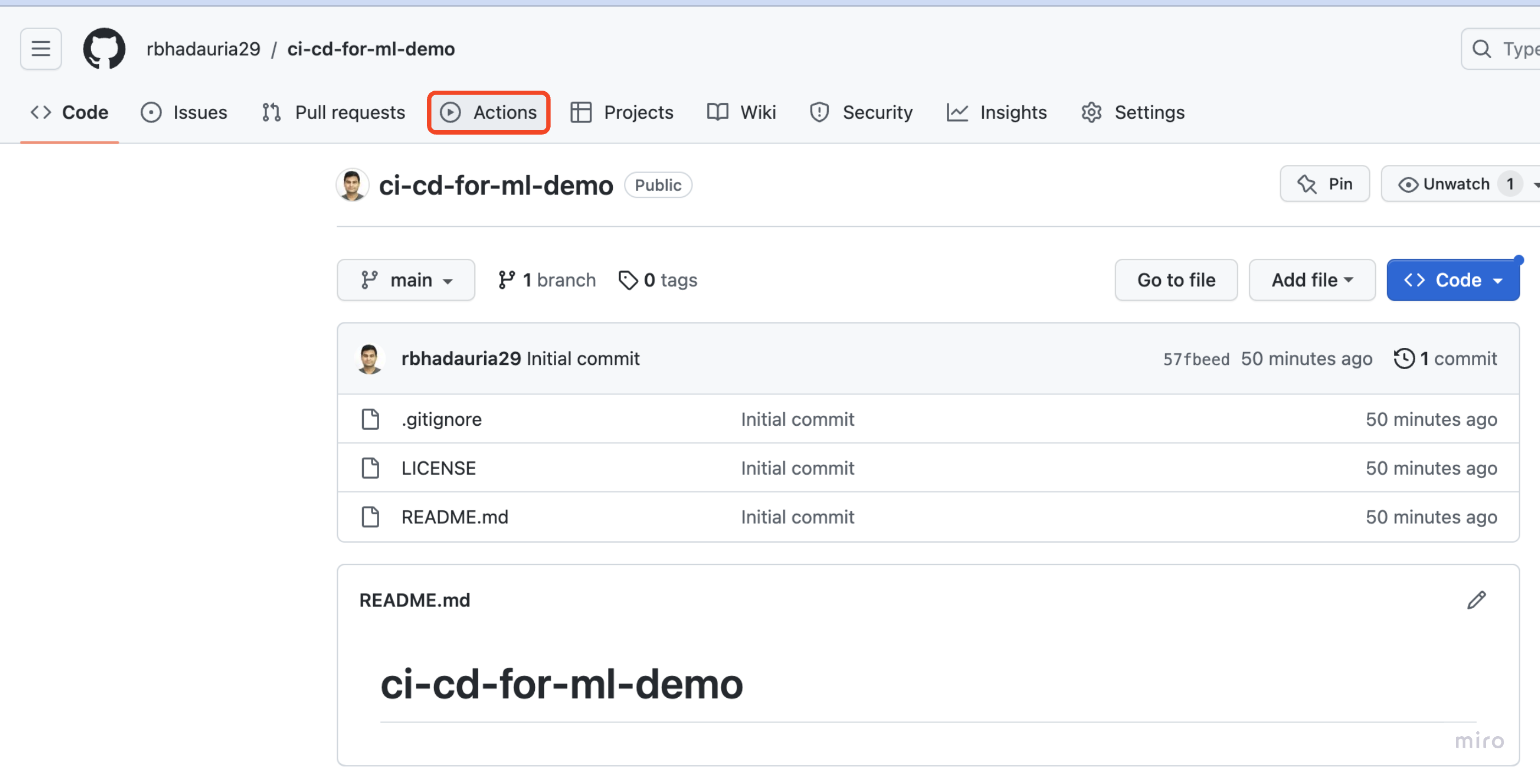
设置一个"Hello, World!" GitHub Action

突出显示仓库首页 Actions 选项卡的图像

面向机器学习的 CI/CD

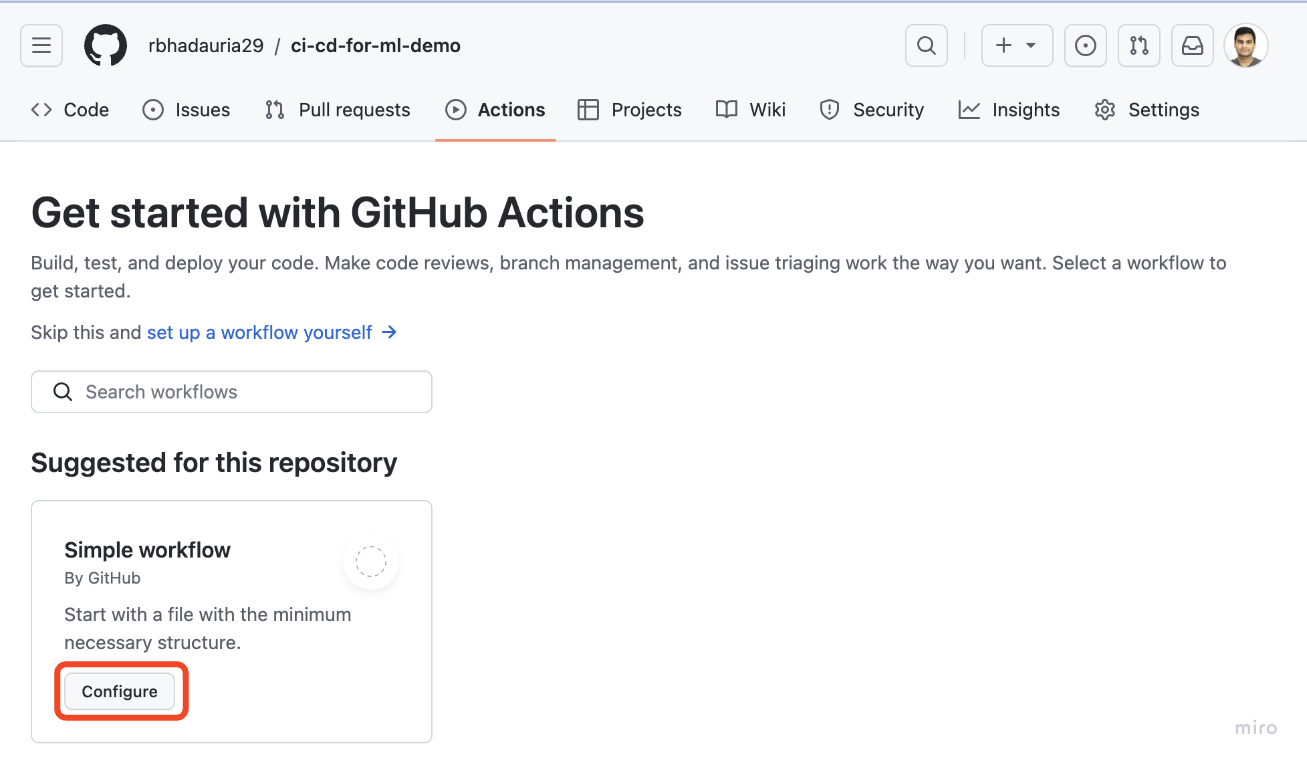
设置一个"Hello, World!" GitHub Action

突出显示仓库 Actions 页中 Configure 选项的图像

面向机器学习的 CI/CD

设置一个"Hello, World!" GitHub Action

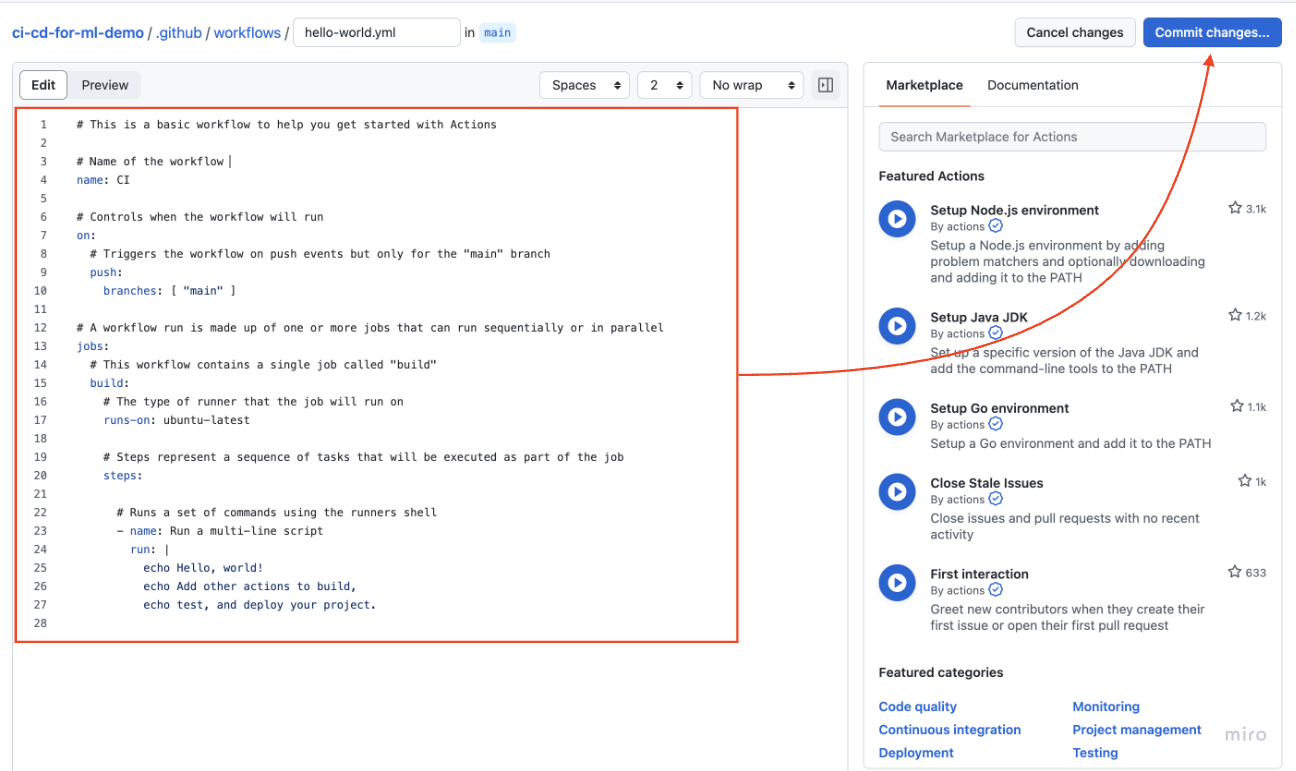
Web 编辑器中的 Hello World Action 与提交变更按钮的图像

面向机器学习的 CI/CD

设置一个"Hello, World!" GitHub Action

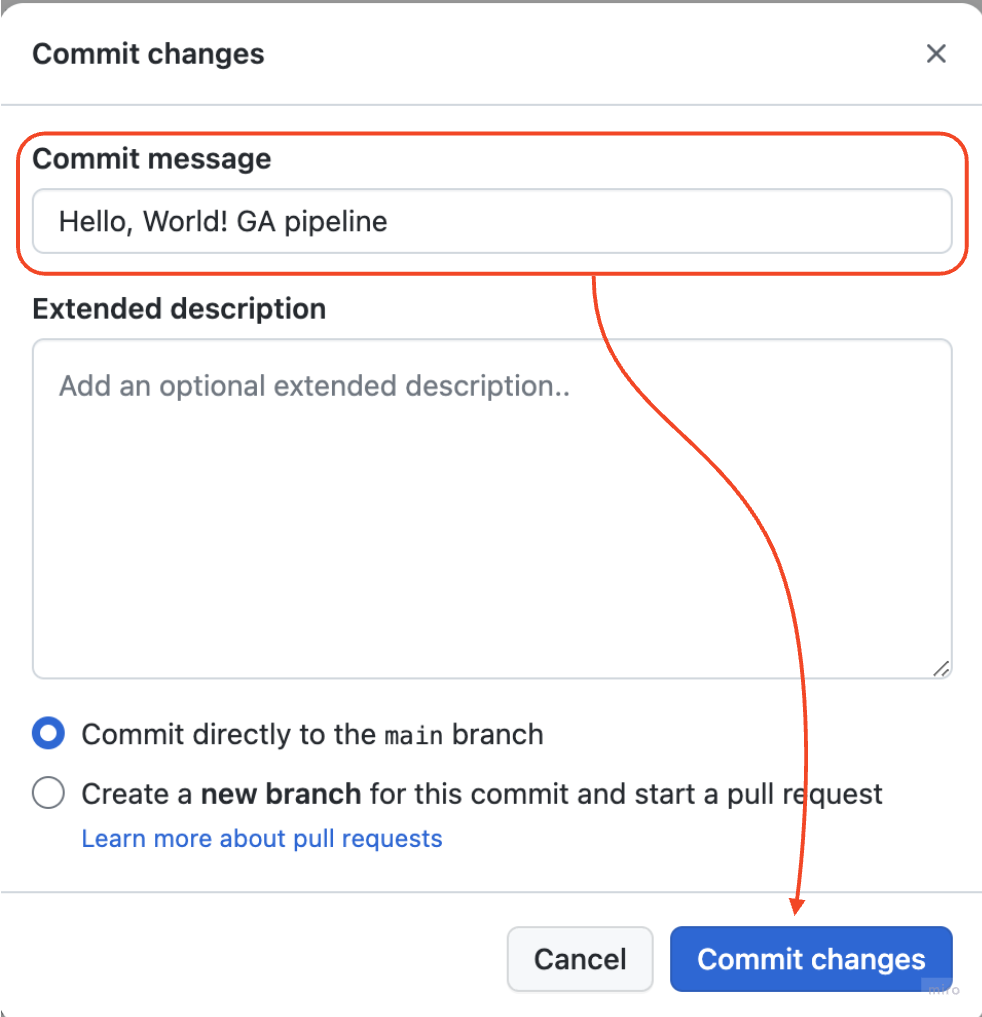
提交变更对话框(填写提交信息)的图像

面向机器学习的 CI/CD

查看 GitHub Actions 运行

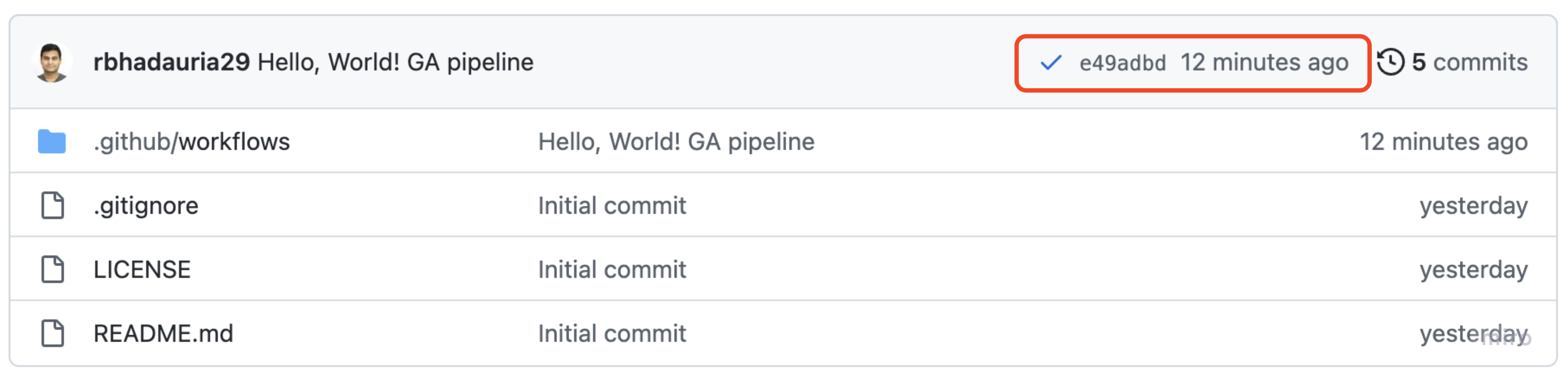
仓库首页显示运行完成横幅的图像

面向机器学习的 CI/CD

查看 GitHub Actions 运行

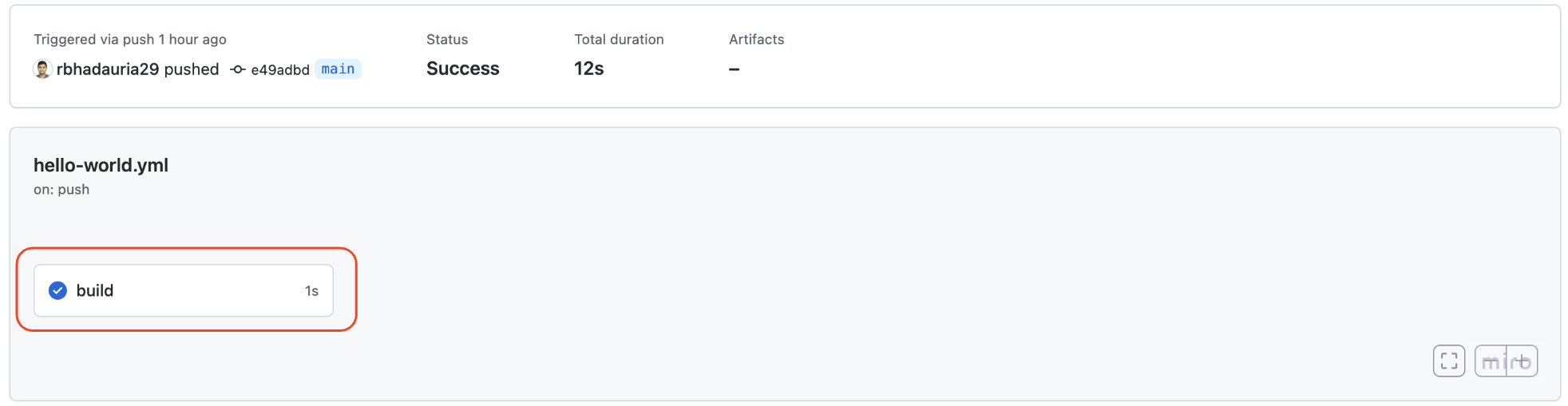
Actions 页面显示成功工作流的图像

成功工作流的构建步骤图像

面向机器学习的 CI/CD

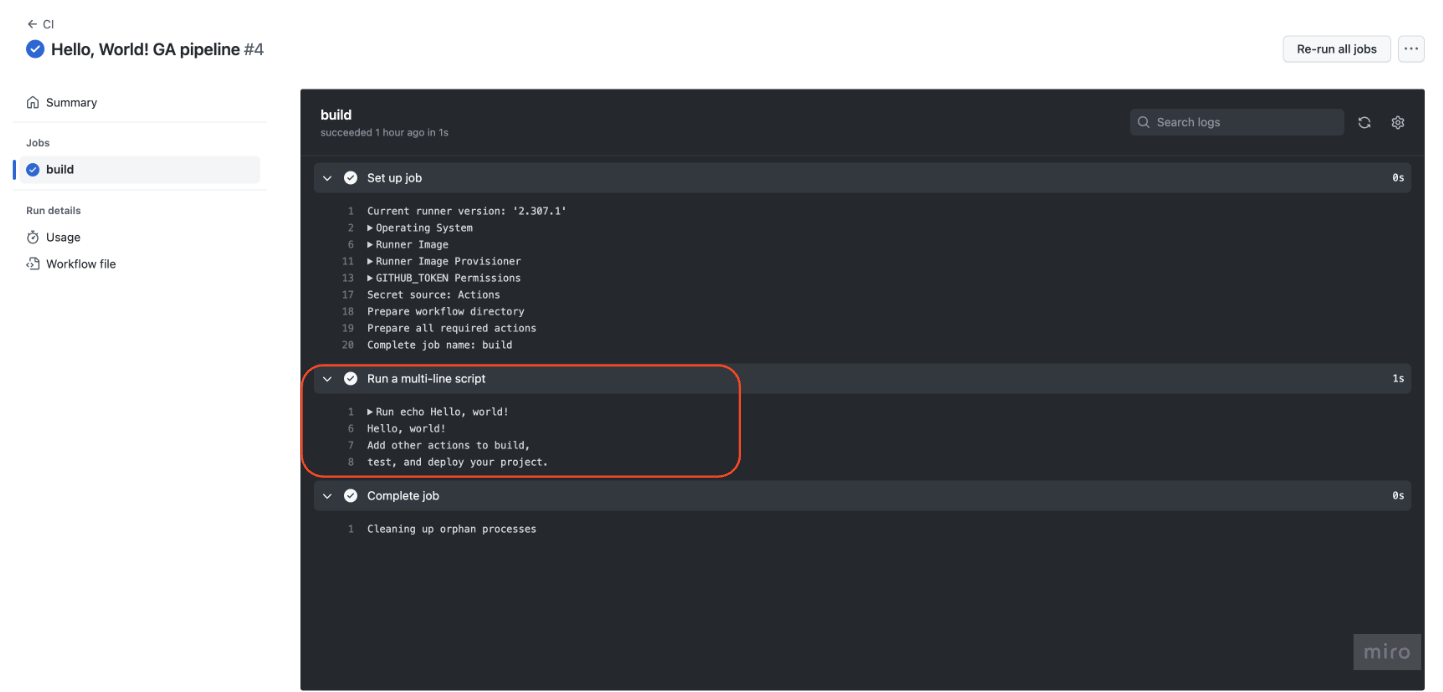
查看日志

成功工作流日志(显示步骤)的图像

面向机器学习的 CI/CD

让我们来练习!

面向机器学习的 CI/CD

Preparing Video For Download...