案例研究:生成报告仓库

Python 中的 AWS Boto 入门

Maksim Pecherskiy

Data Engineer

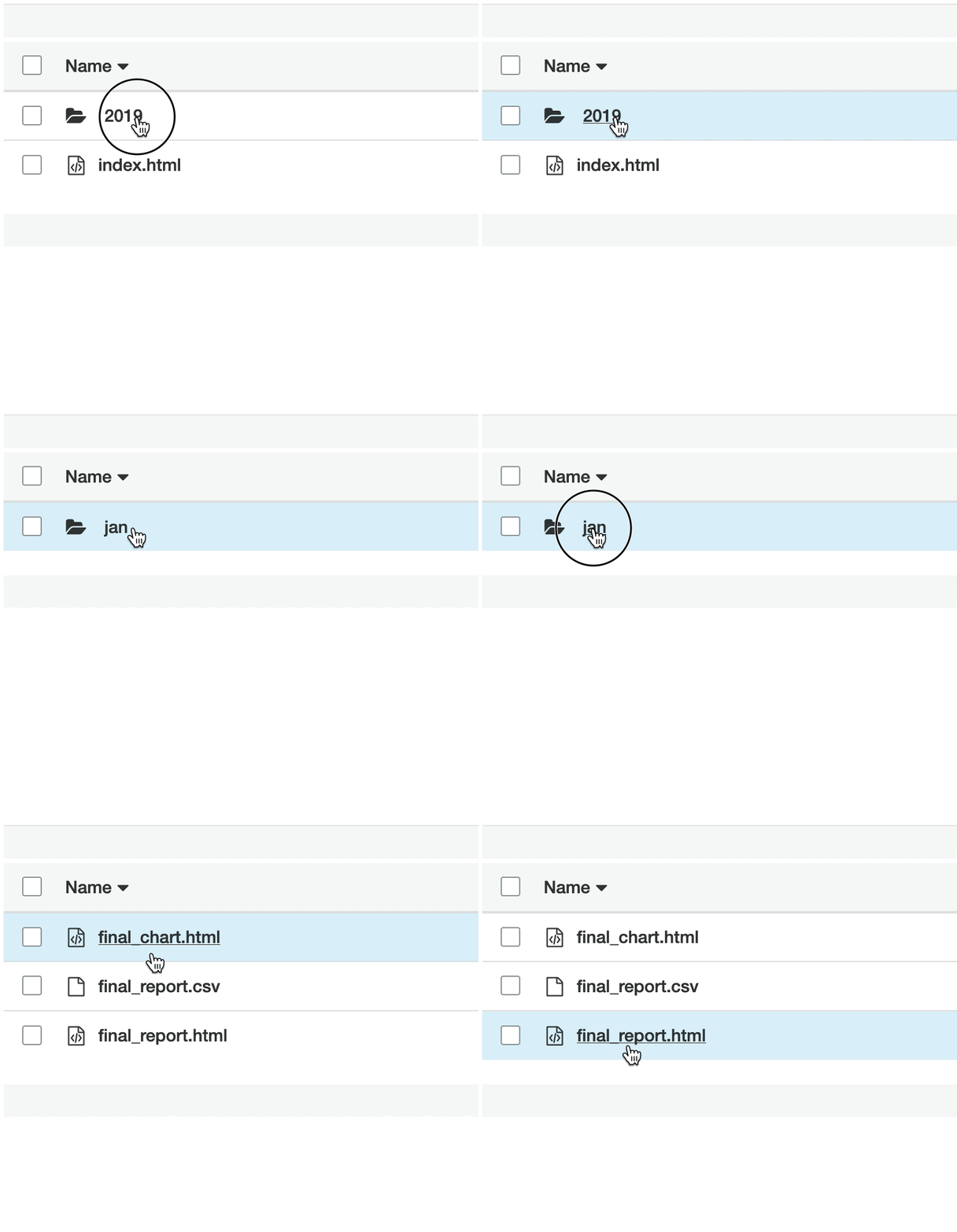
最终成果
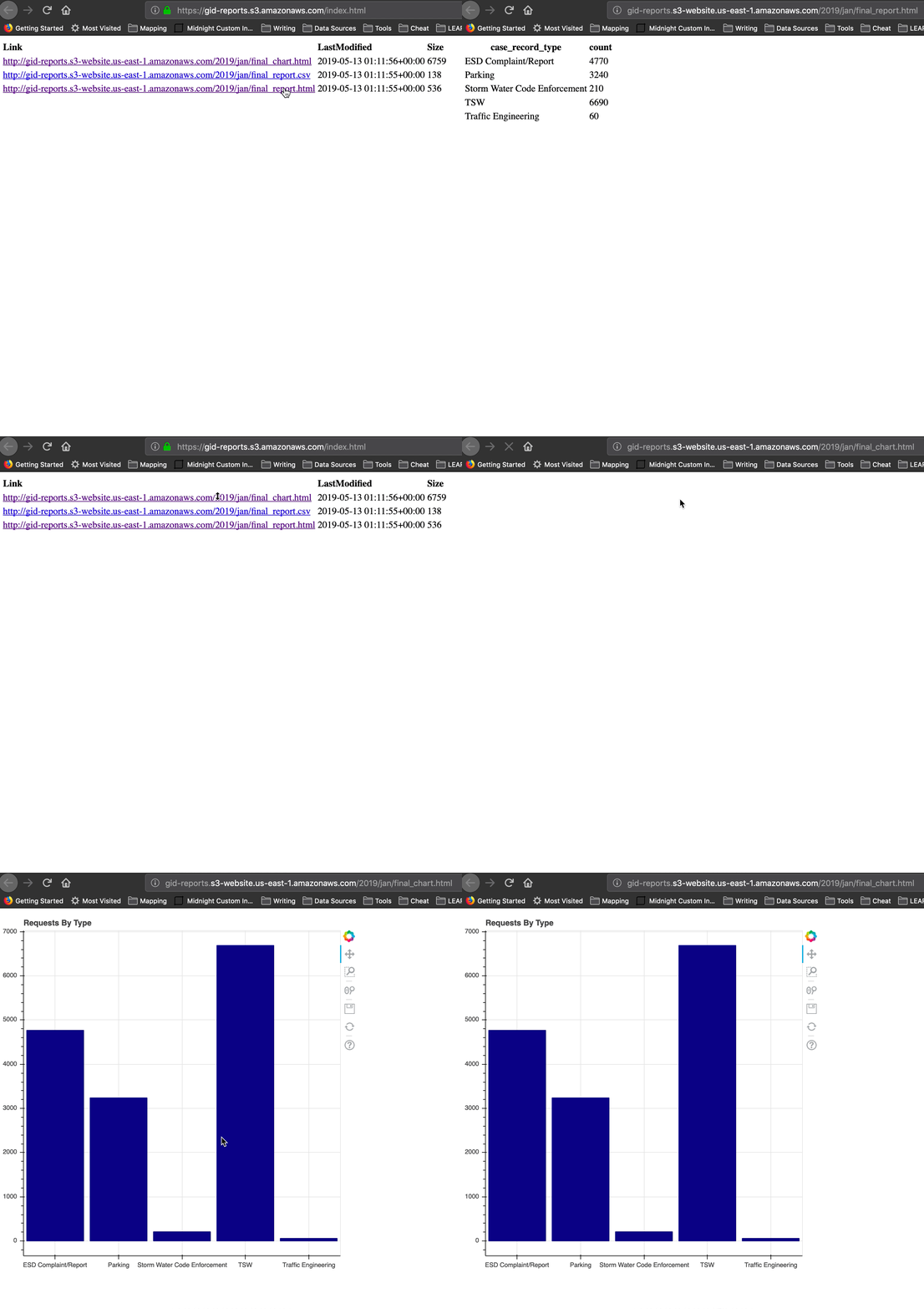
最终成果

Python 中的 AWS Boto 入门

步骤

准备数据
  • 从原始数据桶下载当月文件
  • 合并为一个 CSV
  • 创建聚合 DataFrame
Python 中的 AWS Boto 入门

步骤

创建报告
  • 将 DataFrame 写出为 CSV 与 HTML
  • 生成 Bokeh 图并保存为 HTML
Python 中的 AWS Boto 入门

步骤

上传报告至可分享网站
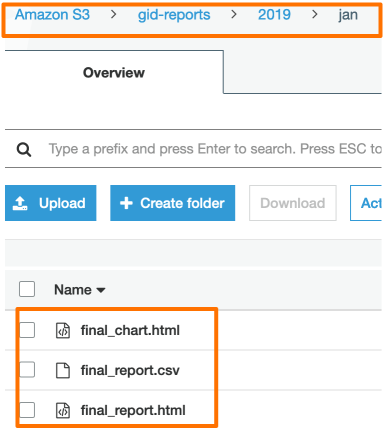
  • 创建 gid-reports
  • 将当月三个文件全部上传至 S3
  • 生成列出所有文件的 index.html
  • 获取网站 URL!
Python 中的 AWS Boto 入门

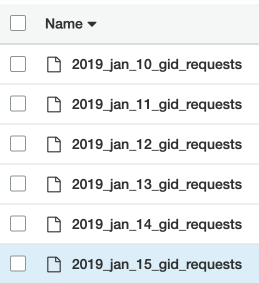
原始数据桶

原始数据桶

  • 私有文件
  • 来自应用的每日请求 CSV
  • 原始数据

Gid 请求桶

Python 中的 AWS Boto 入门

读取原始数据文件

# Create list to hold our DataFrames
df_list = []

# Request the list of csv's from S3 with prefix; Get contents response = s3.list_objects( Bucket='gid-requests', Prefix='2019_jan')
# Get response contents request_files = response['Contents']
Python 中的 AWS Boto 入门

读取原始数据文件

# Iterate over each object
for file in request_files:
    obj = s3.get_object(Bucket='gid-requests', Key=file['Key'])

# Read it as DataFrame obj_df = pd.read_csv(obj['Body'])
# Append DataFrame to list df_list.append(obj_df)
Python 中的 AWS Boto 入门

读取原始数据文件

# Concatenate all the DataFrames in the list
df = pd.concat(df_list)

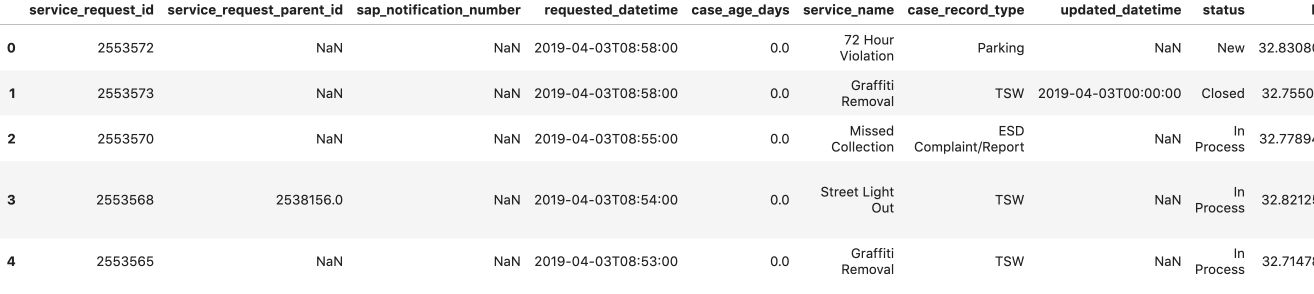
# Preview the DataFrame df.head()

DataFrame 预览

Python 中的 AWS Boto 入门

创建聚合报告

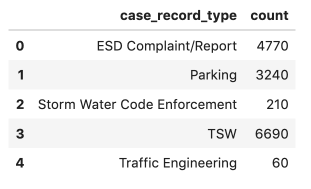
  • 执行聚合
  • df.to_csv('jan_final_report.csv')
  • df.to_html('jan_final_report.html')
  • jan_final_chart.html

聚合后的报告

Python 中的 AWS Boto 入门

报告桶

报告桶

  • 桶网站
  • 公开可访问
  • 聚合数据与 HTML 报告

报告桶

Python 中的 AWS Boto 入门

上传聚合 CSV

# Upload Aggregated CSV to S3
s3.upload_file(Filename='./jan_final_report.csv', 
                      Key='2019/jan/final_report.csv', 
                      Bucket='gid-reports',
                      ExtraArgs = {'ACL': 'public-read'})
Python 中的 AWS Boto 入门

上传 HTML 表格

# Upload HTML table to S3
s3.upload_file(Filename='./jan_final_report.html', 
                      Key='2019/jan/final_report.html', 
                      Bucket='gid-reports',
                      ExtraArgs = {
                        'ContentType': 'text/html',
                        'ACL': 'public-read'})
Python 中的 AWS Boto 入门

上传 HTML 图表

# Upload Aggregated Chart to S3
s3.upload_file(Filename='./jan_final_chart.html', 
                      Key='2019/jan/final_chart.html', 
                      Bucket='gid-reports',
                      ExtraArgs = {
                        'ContentType': 'text/html',
                        'ACL': 'public-read'})
Python 中的 AWS Boto 入门

已上传的报告

已上传的报告

Python 中的 AWS Boto 入门

创建 index.html

# List the gid-reports bucket objects starting with 2019/
r = s3.list_objects(Bucket='gid-reports', Prefix='2019/')

# Convert the response contents to DataFrame objects_df = pd.DataFrame(r['Contents'])
# Create a column "Link" that contains website url + key base_url = "https://gid-reports." objects_df['Link'] = base_url + objects_df['Key']
Python 中的 AWS Boto 入门

创建 index.html

# Write DataFrame to html
objects_df.to_html('report_listing.html', 
                   columns=['Link', 'LastModified', 'Size'],
                   render_links=True)

写入 HTML 的数据框

Python 中的 AWS Boto 入门

上传 index.html

# Upload the file to gid-reports bucket root.
s3.upload_file(
  Filename='./report_listing.html', 
  Key='index.html', 
  Bucket='gid-reports',
  ExtraArgs = {
    'ContentType': 'text/html', 
    'ACL': 'public-read'
  })
Python 中的 AWS Boto 入门

获取 index 的 URL!

桶网站 URL *


"http://gid-reports.index.html"
Python 中的 AWS Boto 入门

来微调一下!

Python 中的 AWS Boto 入门

Preparing Video For Download...