使用 Hugging Face smolagents 的 AI Agents
Adel Nehme
VP of AI Curriculum, DataCamp
from smolagents import CodeAgent, InferenceClientModel

agent = CodeAgent(
    tools=[],
    model=InferenceClientModel()
)

agent.run("Calculate the average of the list [23, 45, 67, 89]")
from smolagents import CodeAgent, InferenceClientModel agent = CodeAgent( tools=[], model=InferenceClientModel() )
agent.run("Calculate the average of the list [23, 45, 67, 89]")
Executing parsed code:
  numbers = [23, 45, 67, 89]
  average = sum(numbers) / len(numbers)
  final_answer(average)
Final answer: 56.0
[Step 1: Duration 4.14 seconds| Input tokens: 1,900 | Output tokens: 109]
56.0
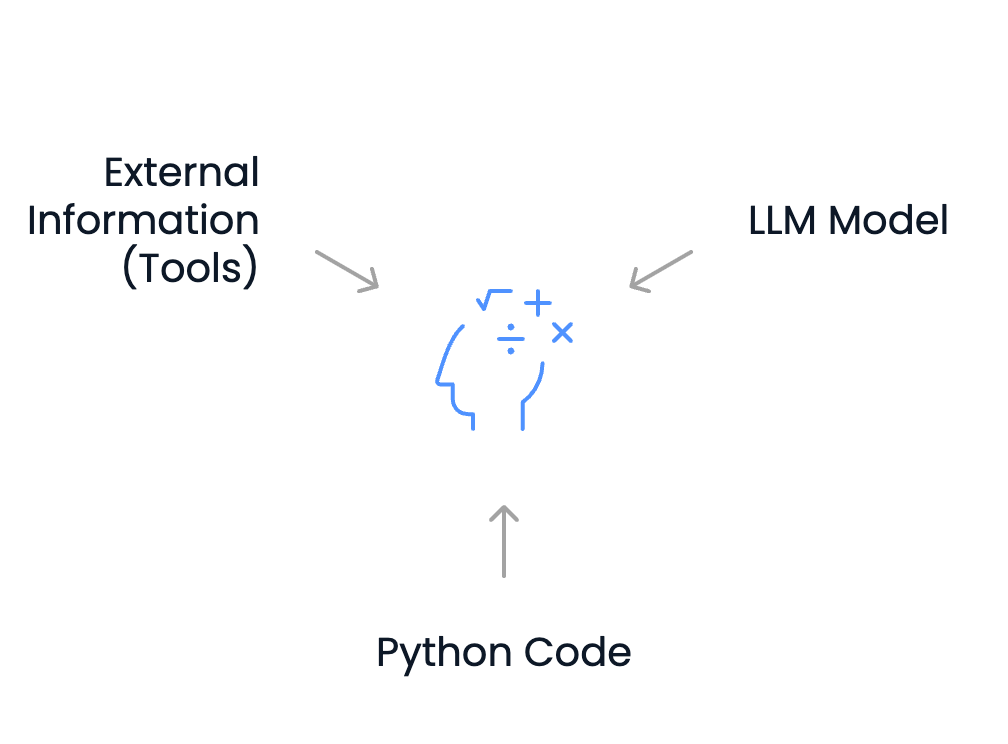
我们定义的智能体已可用以下方式解决许多任务:
但它也可能需要外部信息:
这就是工具的用武之地!
from smolagents import CodeAgent, InferenceClientModel, WebSearchTool

agent = CodeAgent(
    model=InferenceClientModel(),
    tools=[WebSearchTool()]
)
agent.run("What's the tallest building in the world right now?")
Executing parsed code:
  tallest_building_info = web_search("tallest building in the world 2023")
  print(tallest_building_info)

# Search results omitted for brevity...

Executing parsed code:
  final_answer("Burj Khalifa, Dubai, 828 meters")
Final answer: Burj Khalifa, Dubai, 828 meters
[Step 2: Duration 2.97 seconds| Input tokens: 5,078 | Output tokens: 153]
Burj Khalifa, Dubai, 828 meters
ApiWebSearchTool
DuckDuckGoSearchTool
GoogleSearchTool
WebSearchTool
WikipediaSearchTool
VisitWebpageTool
PythonInterpreterTool
UserInputTool
SpeechToTextTool
FinalAnswerTool
from smolagents import load_tool

# Load remote tool from Hugging Face
model_downloads_tool = load_tool(
    repo_id="example-repo/hf-model-downloads",
    trust_remote_code=True
)

# Create agent with remote + built-in tools
agent = CodeAgent(
    tools=[model_downloads_tool, WebSearchTool()],
    model=InferenceClientModel()
)

agent.run("Find the most downloaded image classification model on Hugging Face")
from smolagents import load_tool # Load remote tool from Hugging Face model_downloads_tool = load_tool( repo_id="example-repo/hf-model-downloads", trust_remote_code=True ) # Create agent with remote + built-in tools agent = CodeAgent( tools=[model_downloads_tool, WebSearchTool()], model=InferenceClientModel() )
agent.run("Find the most downloaded image classification model on Hugging Face")
google/vit-base-patch16-224-in21k