探索菜系

使用 R 构建 Shiny Web 应用

Ramnath Vaidyanathan

VP of Product Research

探索数据
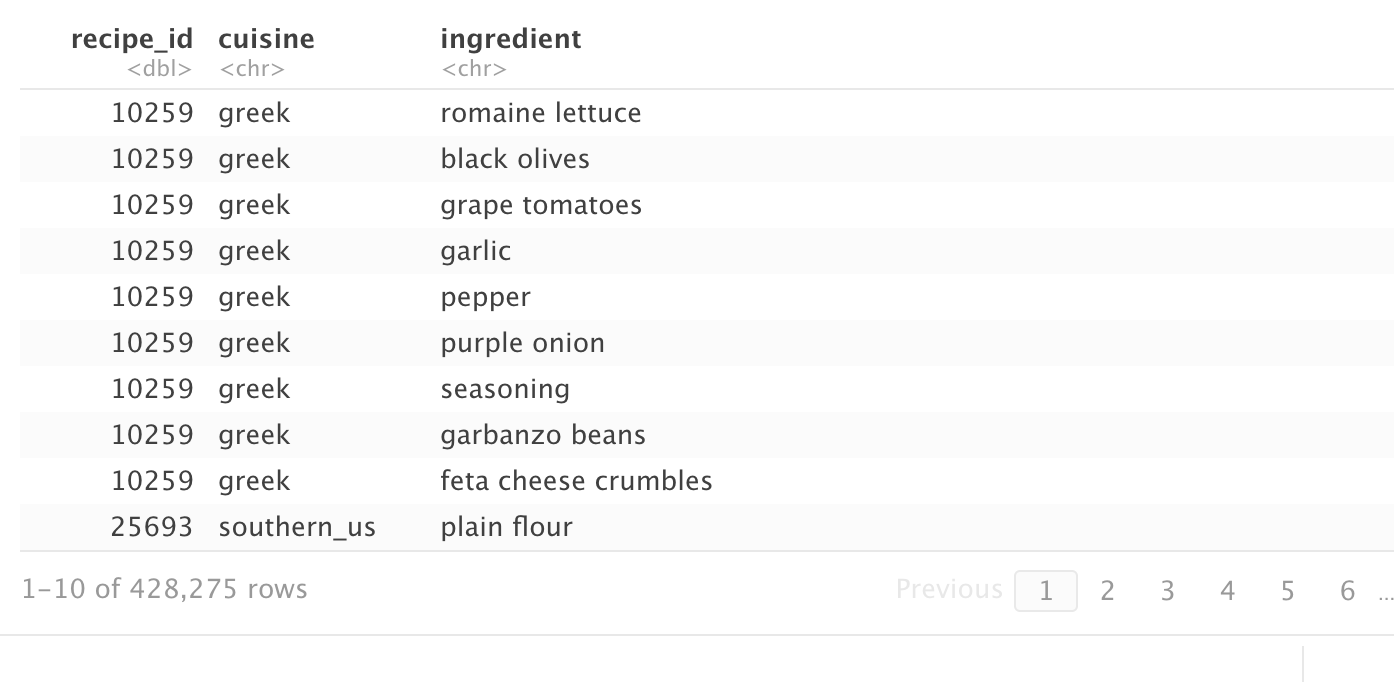
一张表格,显示 cuisines 数据集的前 10 行

使用 R 构建 Shiny Web 应用

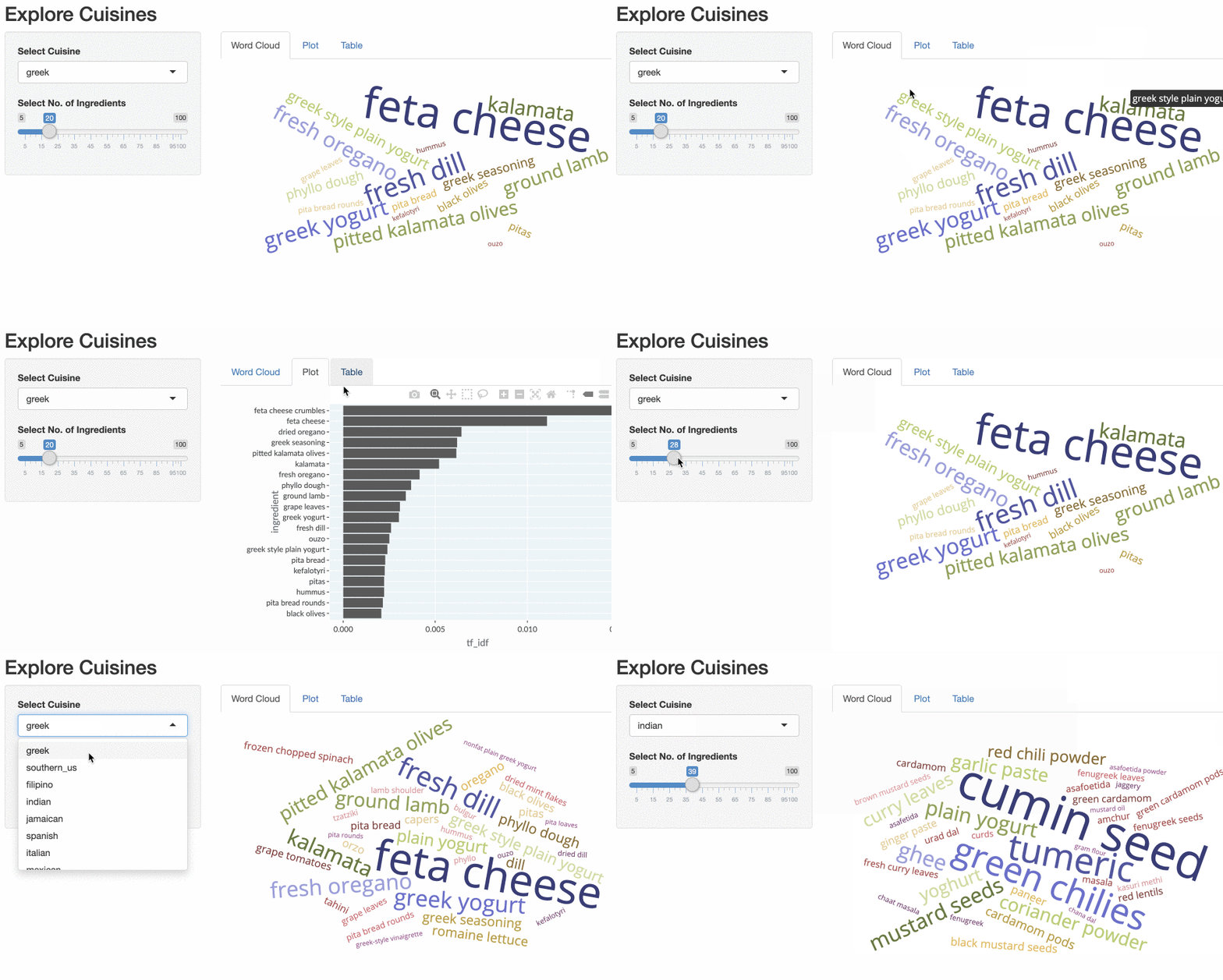
explore-cuisine-app-gif.gif

使用 R 构建 Shiny Web 应用
ui <- fluidPage(
  titlePanel('Explore Cuisines'),
  sidebarLayout(
    sidebarPanel(

selectInput('cuisine', 'Select Cuisine', unique(recipes$cuisine)),
sliderInput('nb_ingredients', 'Select No. of Ingredients', 5, 100, 20),
), mainPanel( tabsetPanel(
tabPanel('Word Cloud', d3wordcloudOutput('wc_ingredients')),
tabPanel('Plot', plotly::plotlyOutput('plot_top_ingredients')),
tabPanel('Table', DT::DTOutput('dt_top_ingredients'))
) ) ) )
使用 R 构建 Shiny Web 应用

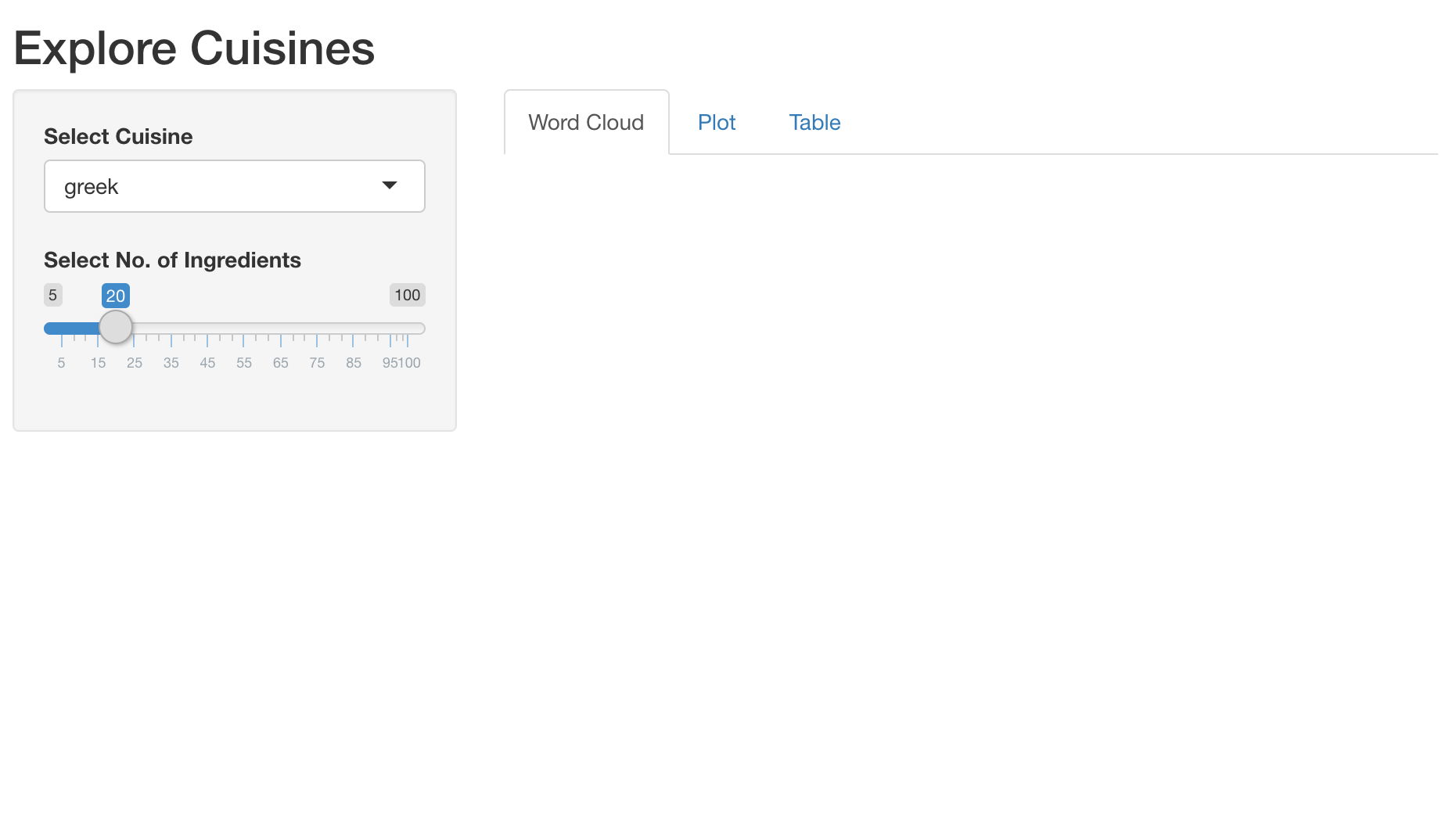
一个应用,包含菜系下拉选择、食材数量滑块,以及输出选项卡

使用 R 构建 Shiny Web 应用

添加输出:交互式表格

output$dt_top_ingredients <- DT::renderDT({

recipes %>%
filter(cuisine == input$cuisine) %>%
count(ingredient, name = 'nb_recipes') %>%
arrange(desc(nb_recipes)) %>%
head(input$nb_ingredients)
})
使用 R 构建 Shiny Web 应用

计算 TFIDF

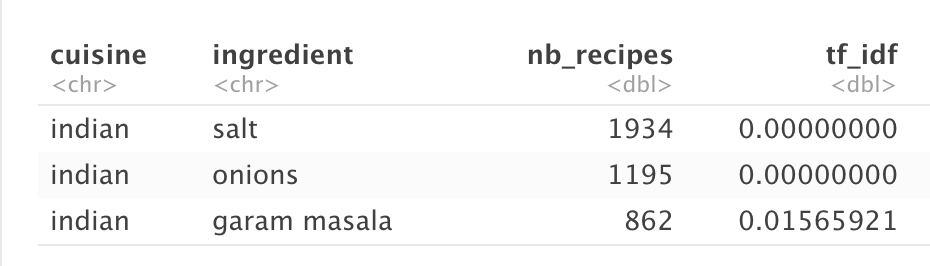
一张表格,按使用配方数量显示印度菜系的前三种食材

recipes_enriched <- recipes %>%

count(cuisine, ingredient, name = 'nb_recipes') %>%
tidytext::bind_tf_idf(ingredient, cuisine, nb_recipes)
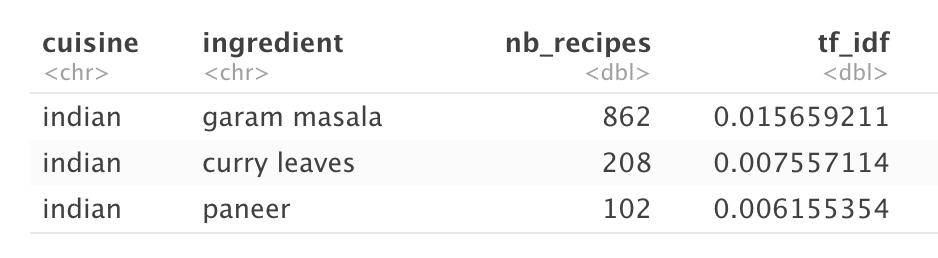
一张表格,按 TFIDF 显示印度菜系的前三种食材

使用 R 构建 Shiny Web 应用

添加响应式表达式

  rval_top_ingredients <- reactive({

recipes_enriched %>%
filter(cuisine == input$cuisine) %>%
arrange(desc(tf_idf)) %>%
head(input$nb_ingredients) %>%
mutate(ingredient = forcats::fct_reorder(ingredient, tf_idf))
})
使用 R 构建 Shiny Web 应用

添加输出:交互式图与词云

output$plot_top_ingredients <- plotly::renderPlotly({
  rval_top_ingredients() %>%
    ggplot(aes(x = ingredient, y = tf_idf)) +
    geom_col() +
    coord_flip()
})
output$wc_ingredients <- d3wordcloud::renderD3wordcloud({
  d <- rval_top_ingredients()
  d3wordcloud(d$ingredient, d$nb_recipes, tooltip = TRUE)
})
使用 R 构建 Shiny Web 应用

explore-cuisine-app-gif.gif

使用 R 构建 Shiny Web 应用

Passons à la pratique !

使用 R 构建 Shiny Web 应用

Preparing Video For Download...