输出

使用 R 构建 Shiny Web 应用

Kaelen Medeiros

Data Scientist

渲染函数

ui <- fluidPage(
  textInput("name", "Enter a name:"),
  selectInput("animal", "Dogs or cats?", choices = c("dogs", "cats")),
  textOutput("question"),
  textOutput("answer")
)

server <- function(input, output, session) {
  output$question <- renderText({
    paste("Do you prefer dogs or cats,", input$name, "?")
  })
  output$answer <- renderText({
    paste("I prefer", input$animal, "!")
  })
}
使用 R 构建 Shiny Web 应用

其他渲染函数

使用 R 构建 Shiny Web 应用

输出函数

ui <- fluidPage(
  textInput("name", "Enter a name:"),
  selectInput("animal", "Dogs or cats?", choices = c("dogs", "cats")),

textOutput("question"), textOutput("answer")
)
使用 R 构建 Shiny Web 应用

其他输出函数

  • tableOutput()dataTableOutput
  • imageOutput()
  • plotOutput()
使用 R 构建 Shiny Web 应用

非 Shiny 的输出与渲染函数

library(shiny)
library(babynames)

ui <- fluidPage(
  DT::DTOutput("babynames_table")
)

server <- function(input, output){
  output$babynames_table <- DT::renderDT({
    babynames %>% 
      dplyr::slice_sample(prop = .1) %>%
      DT::datatable()
  })
}

shinyApp(ui = ui, server = server)

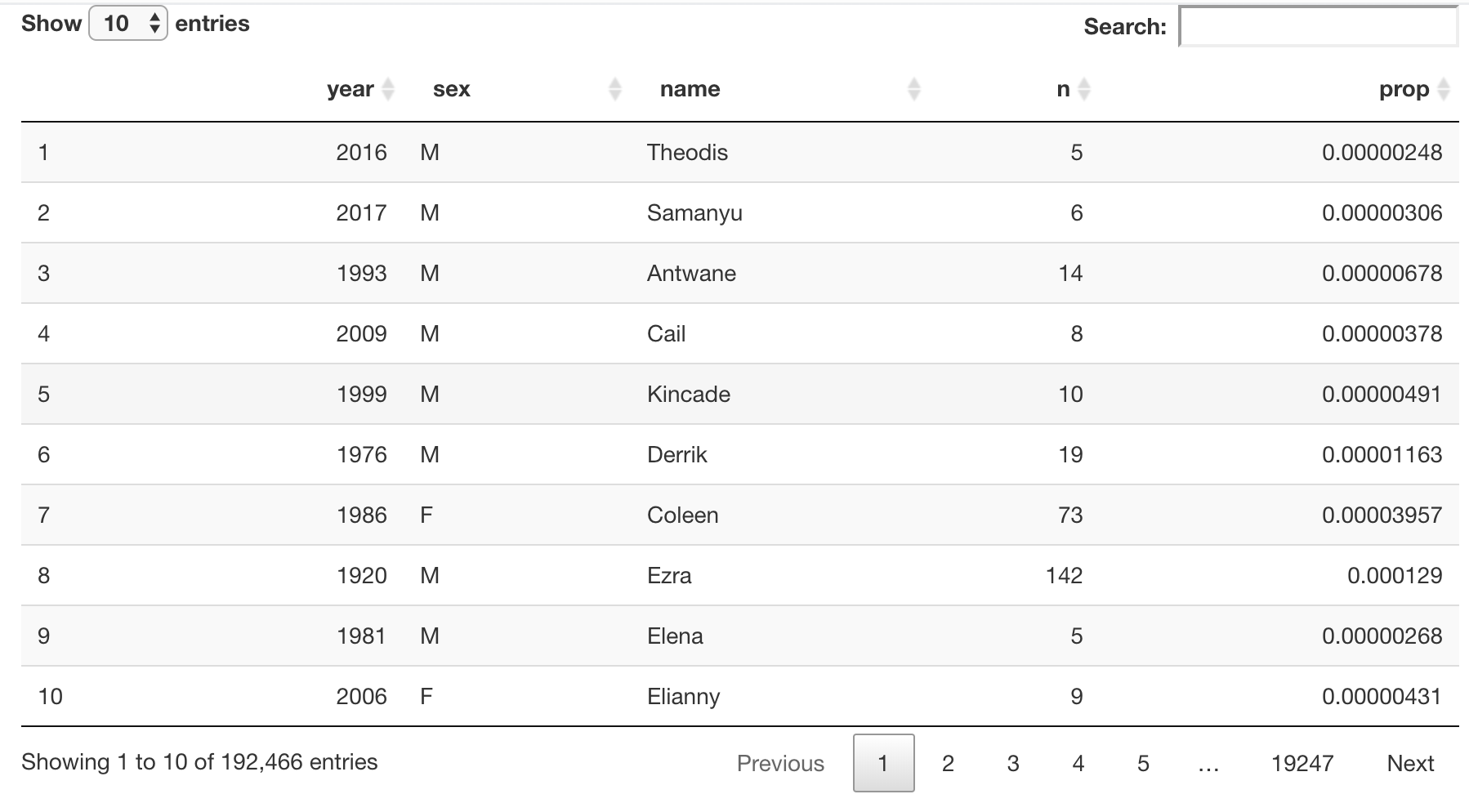
一个交互式数据表,显示 babynames 数据集的随机 10%

使用 R 构建 Shiny Web 应用

让我们练习!

使用 R 构建 Shiny Web 应用

Preparing Video For Download...