高级操作

Python 中的 TensorFlow 入门

Isaiah Hull

Visiting Associate Professor of Finance, BI Norwegian Business School

高级操作概览

  • 我们已学习 TensorFlow 的基础操作
    • add(), multiply(), matmul(), reduce_sum()
  • 本课将探索高级操作
    • gradient(), reshape(), random()
Python 中的 TensorFlow 入门

高级操作概览

操作 用途
gradient() 计算函数在一点的斜率
reshape() 重塑张量(如 10x10 到 100x1)
random() 用概率分布生成张量条目
Python 中的 TensorFlow 入门

寻找最优值

  • 许多问题需要求函数的最优值。

    • 最小值:损失函数的最低值。
    • 最大值:目标函数的最高值。
  • 可用 gradient() 来实现。

    • 最优点:梯度 = 0。
    • 最小值:梯度变化 > 0
    • 最大值:梯度变化 < 0
Python 中的 TensorFlow 入门

计算梯度

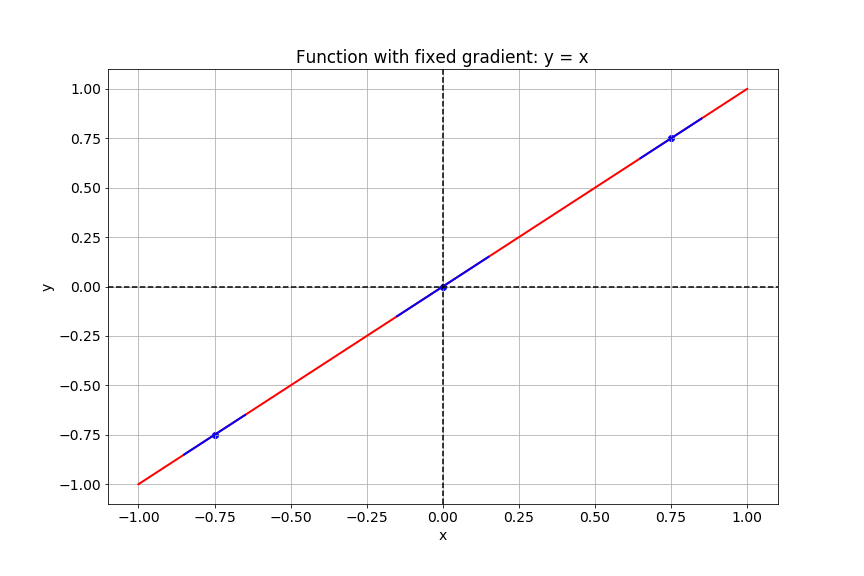
该幻灯片展示函数 y 等于 x 的图像。

Python 中的 TensorFlow 入门

计算梯度

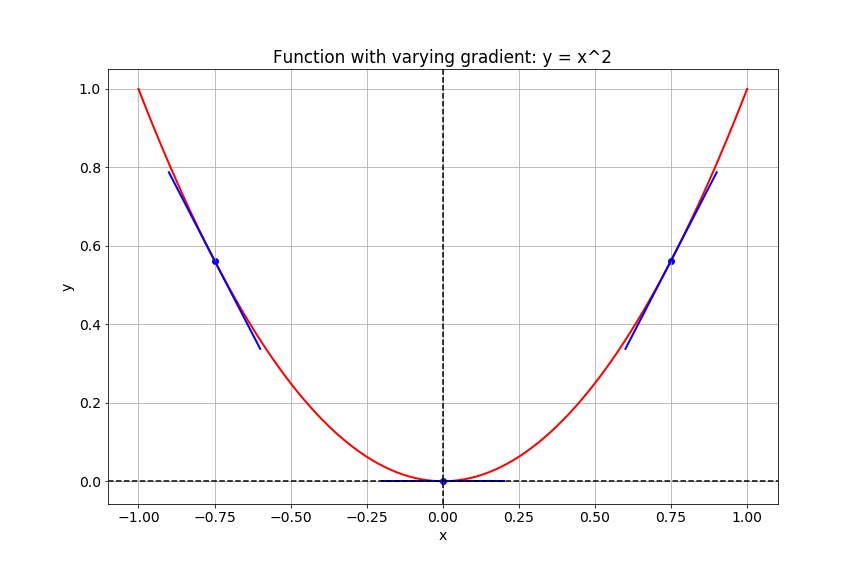
该幻灯片展示函数 y 等于 x 的平方的图像。

Python 中的 TensorFlow 入门

TensorFlow 中的梯度

# Import tensorflow under the alias tf
import tensorflow as tf

# Define x
x = tf.Variable(-1.0)
# Define y within instance of GradientTape
with tf.GradientTape() as tape:
    tape.watch(x)
    y = tf.multiply(x, x)
# Evaluate the gradient of y at x = -1
g = tape.gradient(y, x)
print(g.numpy())
-2.0
Python 中的 TensorFlow 入门

图像即张量

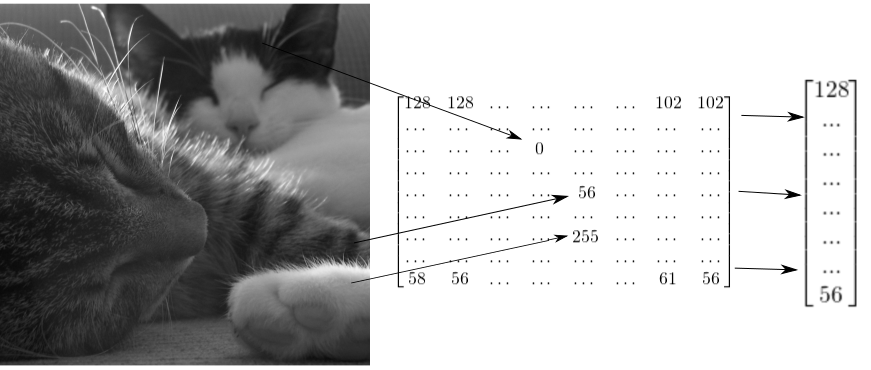
此幻灯片展示了如何将两只猫的图像表示为二维张量,并重塑为一维向量。

Python 中的 TensorFlow 入门

如何重塑灰度图像

# Import tensorflow as alias tf
import tensorflow as tf

# Generate grayscale image
gray = tf.random.uniform([2, 2], maxval=255, dtype='int32')

# Reshape grayscale image
gray = tf.reshape(gray, [2*2, 1])
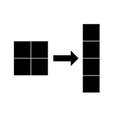
该图展示了将 2×2 灰度图像重塑为 4×1 向量。

Python 中的 TensorFlow 入门

如何重塑彩色图像

# Import tensorflow as alias tf
import tensorflow as tf

# Generate color image
color = tf.random.uniform([2, 2, 3], maxval=255, dtype='int32')

# Reshape color image
color = tf.reshape(color, [2*2, 3])
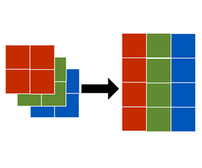
该图展示了将 2×2×3 彩色图像重塑为 2×3 矩阵。

Python 中的 TensorFlow 入门

让我们练习吧!

Python 中的 TensorFlow 入门

Preparing Video For Download...