HTTP 请求的本质

R 语言网页抓取

Timo Grossenbacher

Instructor

超文本传输协议(HTTP)
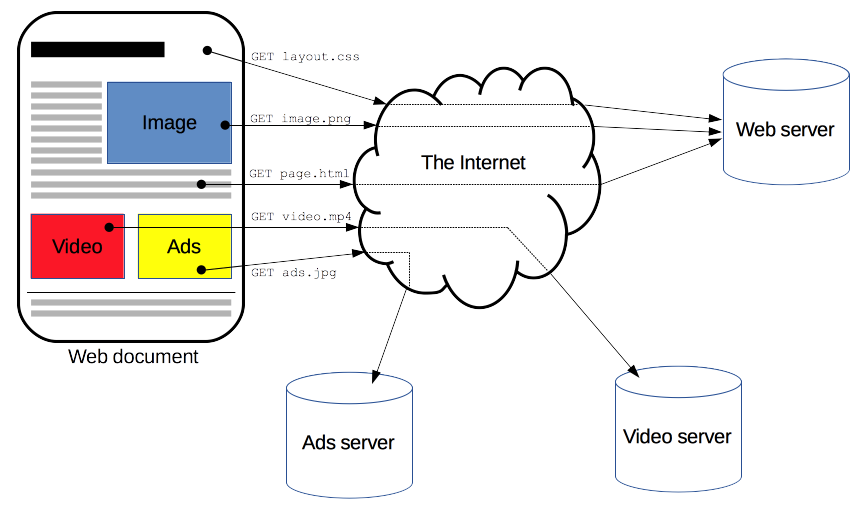
展示浏览器如何与服务器通信的示意图

1 https://developer.mozilla.org/en-US/docs/Web/HTTP/Overview
R 语言网页抓取

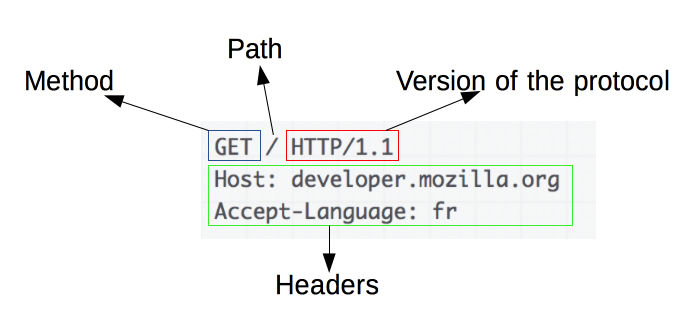
请求的结构

请求被发送到 Web 服务器

请求示例

常见状态码: 200(OK),404(NOT FOUND),3xx(重定向),5xx(服务器错误)

从 Web 服务器接收响应
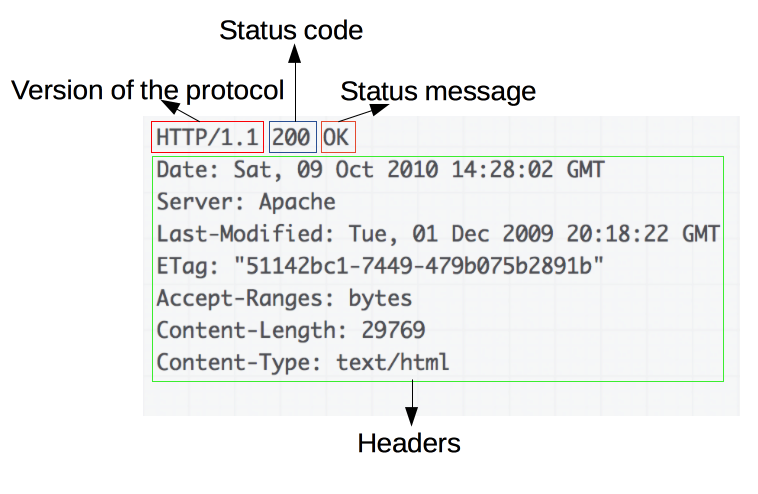
对应的响应

1 https://developer.mozilla.org/en-US/docs/Web/HTTP/Overview
R 语言网页抓取

请求方法:GET 与 POST

  • GET:用于获取资源,不提交数据(GET /index.html
  • POST:用于向服务器发送数据,例如提交页面表单后
POST /test HTTP/1.1
Host: foo.example
Content-Type: application/x-www-form-urlencoded
Content-Length: 27

field1=value1&field2=value2

POST 请求也会返回响应!

1 https://developer.mozilla.org/en-US/docs/Web/HTTP/Methods/POST
R 语言网页抓取

使用 httr 发起 HTTP 请求

library(httr)
GET('https://httpbin.org')
Response [https://httpbin.org/]
  Date: 2020-09-19 13:02
  Status: 200
  Content-Type: text/html; charset=utf-8
  Size: 9.59 kB
<!DOCTYPE html>
<html lang="en">

<head>
    <meta charset="UTF-8">
    ...
R 语言网页抓取

使用 httr 发起 HTTP 请求

library(httr)
response <- GET('https://httpbin.org')
content(response)
{html_document}
<html lang="en">
[1] <head>\n<meta http-equiv="Content-Type" content="text/html; charset=UTF ...
[2] <body>\n    <a href="https://github.com/requests/httpbin" class="github ...
R 语言网页抓取

让我们来练习!

R 语言网页抓取

Preparing Video For Download...