用于微调的数据预处理

使用 Llama 3 进行微调

Francesca Donadoni

Curriculum Manager, DataCamp

用于微调的数据集

  • 数据质量 至关重要

  • 训练集

    • 用于训练模型
    • 占多数

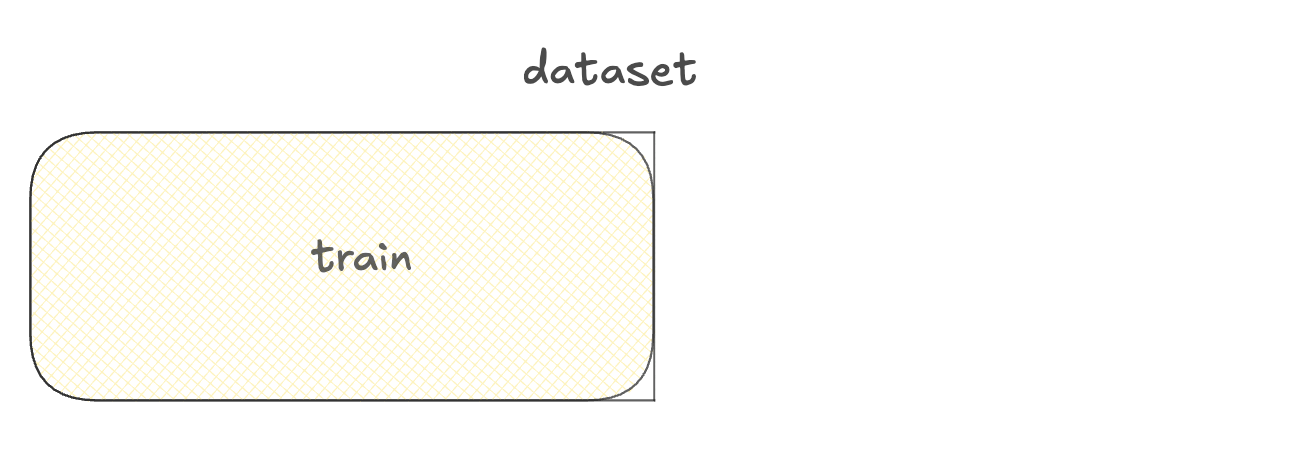
包含训练集的数据集示意图。

使用 Llama 3 进行微调

用于微调的数据集

  • 数据质量 至关重要

  • 训练集

    • 用于训练模型
    • 占多数
  • 验证集
    • 用于选择最佳模型版本

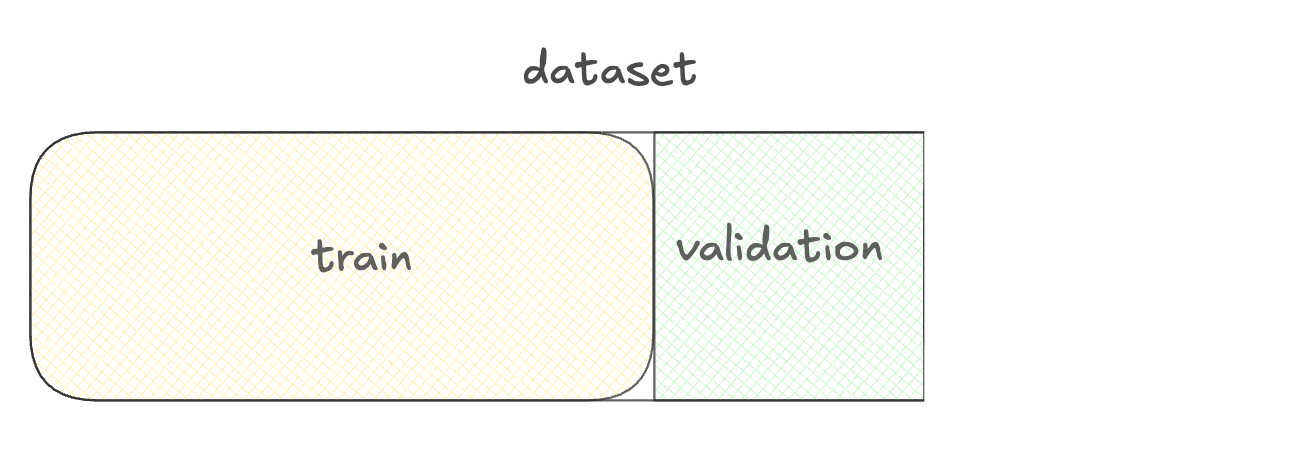
训练集与验证集示意图。

使用 Llama 3 进行微调

用于微调的数据集

  • 数据质量 至关重要

  • 训练集

    • 用于训练模型
    • 占多数
  • 验证集
    • 用于选择最佳模型版本
  • 测试集
    • 用于评估模型性能

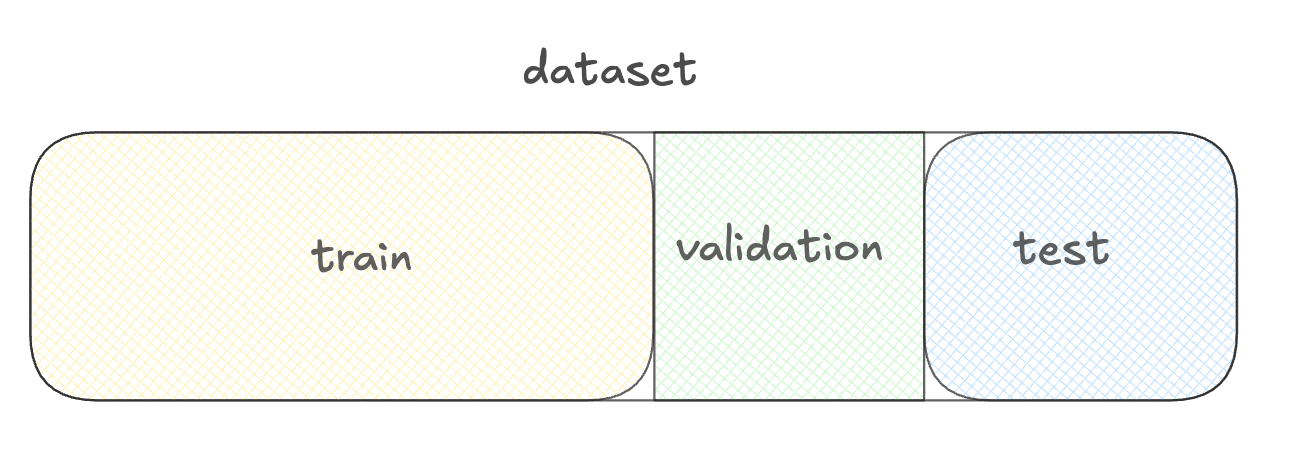
训练集、验证集与测试集示意图。

使用 Llama 3 进行微调

使用 datasets 库准备数据


  • Datasets 库
  • 预处理
  • 划分
  • 加载
  • 内存管理

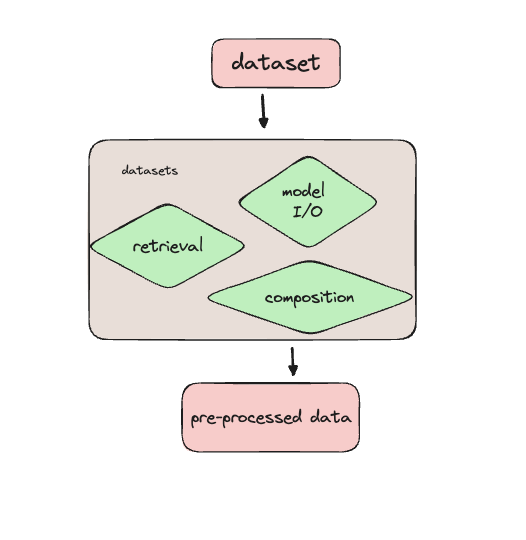
数据流示意图:数据集流入 datasets 库,库内有三个绿色模块:预处理、加载/数据管理、集成,箭头指向输出"已准备的数据"。

使用 Llama 3 进行微调

加载客服数据集

from datasets import load_dataset

ds = load_dataset( 'bitext/Bitext-customer-support-llm-chatbot-training-dataset',
split="train"
)
print(ds.column_names)
['flags', 'instruction', 'category', 'intent', 'response']
使用 Llama 3 进行微调

查看数据概况

import pprint
pprint.pprint(ds[0])
{'category': 'ORDER',
 'flags': 'B',
 'instruction': 'question about cancelling order {{Order Number}}',
 'intent': 'cancel_order',
 'response': "I've understood you have a question regarding canceling order "
             "{{Order Number}}, and I'm here to provide you with the "
             'information you need. Please go ahead and ask your question, and '
             "I'll do my best to assist you."}
使用 Llama 3 进行微调

筛选数据集

from datasets import load_dataset, Dataset

ds = load_dataset(
    'bitext/Bitext-customer-support-llm-chatbot-training-dataset',
    split="train")

print(ds.shape)
(26872, 5)
first_thousand_points = ds[:1000]

ds = Dataset.from_dict(first_thousand_points)
使用 Llama 3 进行微调

预处理数据集

def merge_example(row):

row['conversation'] = f"Query: {row['instruction']}\nResponse: {row['response']}" return row
ds = ds.map(merge_example)
print(ds[0]['conversation'])
Query: question about cancelling order {{Order Number}}
Response: I've understood you have a question regarding canceling order {{Order Number}}, 
and I'm here to provide you with the information you need. Please go ahead and ask your 
question, and I'll do my best to assist you.
使用 Llama 3 进行微调

保存预处理后的数据集

ds.save_to_disk("preprocessed_dataset")
Saving the dataset (1/1 shards): 100%
26872/26872 [00:00<00:00, 383823.33 examples/s]
from datasets import load_from_disk
ds_preprocessed = load_from_disk("preprocessed_dataset")
使用 Llama 3 进行微调

在 TorchTune 中使用 Hugging Face 数据集


  • 可将 Hugging Face 数据集用于 TorchTune
  • 设置数据集路径和配置


tune run full_finetune_single_device --config llama3/8B_full_single_device \
dataset=preprocessed_dataset dataset.split=train
使用 Llama 3 进行微调

让我们练习!

使用 Llama 3 进行微调

Preparing Video For Download...