使用语义事件进行流式输出

使用 OpenAI Responses API

James Chapman

AI Curriculum Manager, DataCamp

为何使用流式输出?

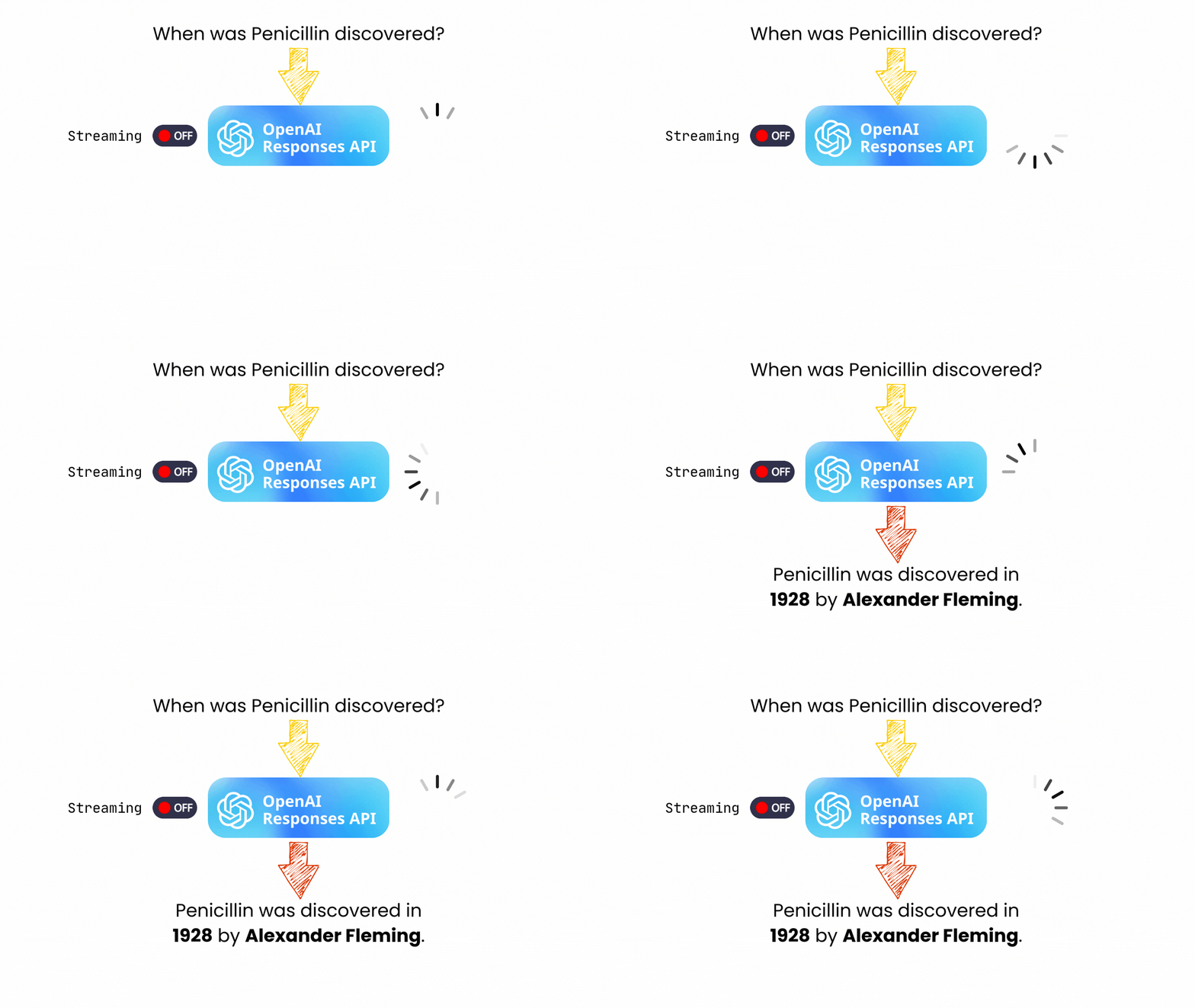
流式关闭

使用 OpenAI Responses API

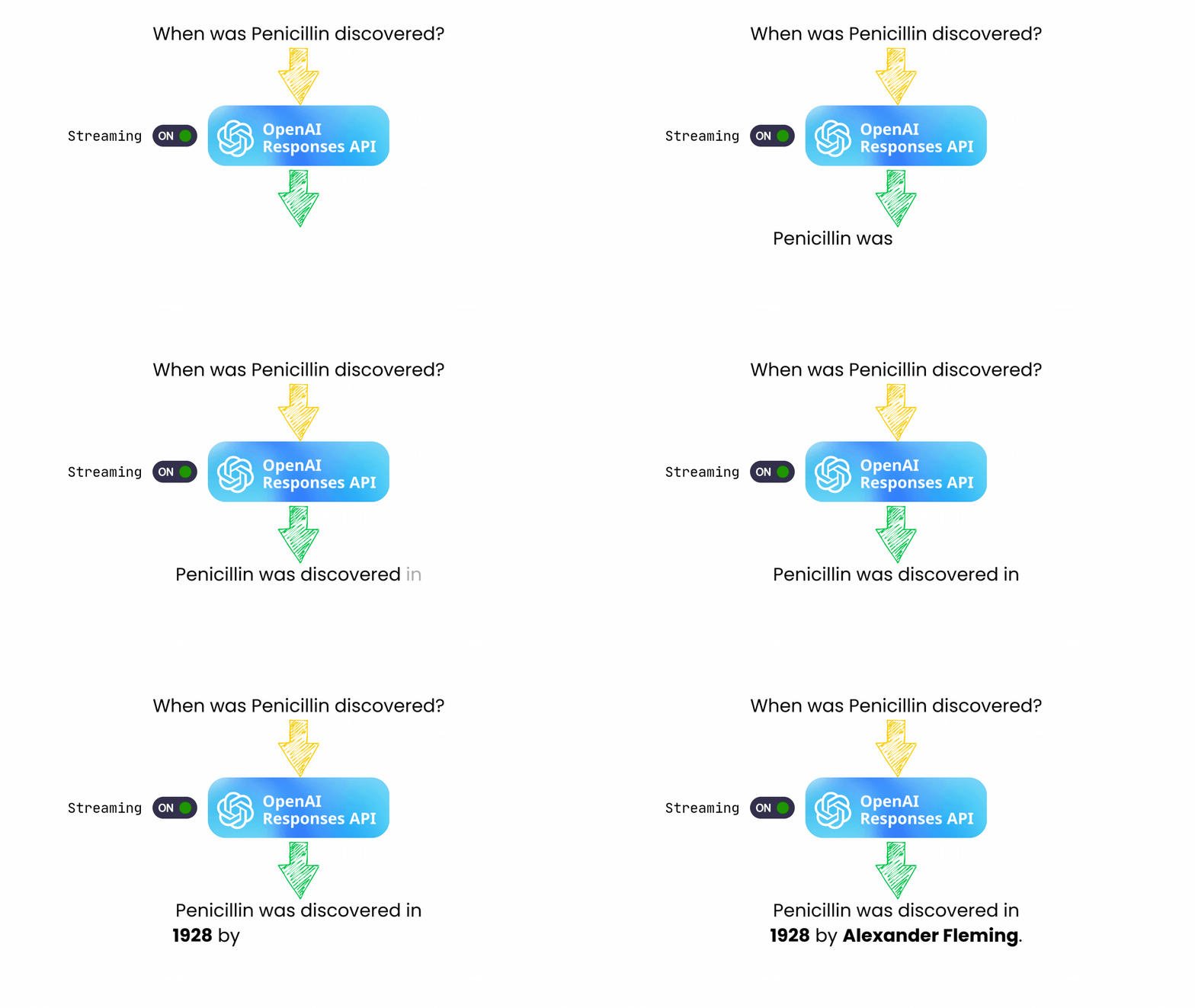
为何使用流式输出?

流式开启

使用 OpenAI Responses API

语义事件

  • 用结构化更新描述当前进度
使用 OpenAI Responses API

语义事件

  • 用结构化更新描述当前进度
事件类型 说明
response.created 模型开始生成
response.output_text.delta 文本增量
response.output_text.done 文本块完成
response.function_call.arguments.delta 工具参数流式更新
response.completed 整个响应完成
使用 OpenAI Responses API

示例:基础文本流式输出

prompt = "Explain the seasons of the year concisely to a child."

with client.responses.create(model="gpt-5.4-mini", input=prompt, stream=True) as stream:
current_text = ""
for event in stream: if event.type == "response.output_text.delta":
current_text += event.delta print(current_text)
使用 OpenAI Responses API

示例:基础文本流式输出

文本流式输出

使用 OpenAI Responses API

示例:处理多个事件

prompt = "Explain how a neural network learns concisely for a child."

with client.responses.create(model="gpt-5.4-mini", input=prompt, stream=True) as stream:

for event in stream: if event.type == "response.created":
print("Response started...\n")
elif event.type == "response.output_text.done":
print("\n\n--- Text block finished ---\n")
elif event.type == "response.completed":
print(f"\nFull response:\n{current_text}")
使用 OpenAI Responses API

示例:处理多个事件

多事件

使用 OpenAI Responses API

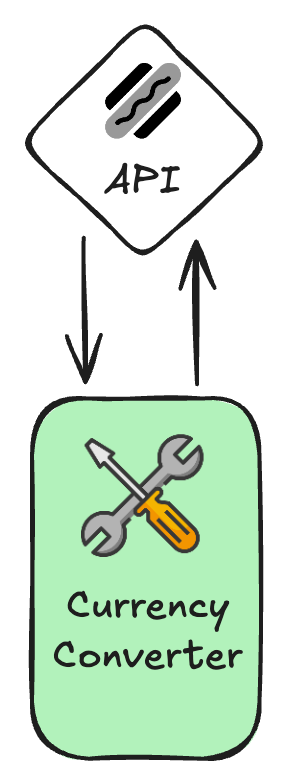
示例:流式工具事件

convert_currency() -> str:

  • date_time: str
  • from_timezone: str
  • to_timezone: str
tools = [
    {
        "type": "function",
        "name": "convert_currency",
        ...
     }
]

Frankfurter API 标志

使用 OpenAI Responses API

示例:流式工具事件

prompt = "How much is 120 euros in British pounds using the current exchange rate?"

with client.responses.create(model="gpt-5.4-mini", input=prompt, tools=tools, stream=True) as stream:
current_args = ""
for event in stream: if event.type == "response.function_call_arguments.delta":
current_args += event.delta print("Streaming args:", current_args)
elif event.type == "response.function_call_arguments.done":
print("\nFinal arguments:", event.arguments)
elif event.type == "response.completed":
print("\n--- Completed ---")
使用 OpenAI Responses API

示例:流式工具事件

流式工具事件

使用 OpenAI Responses API

小结

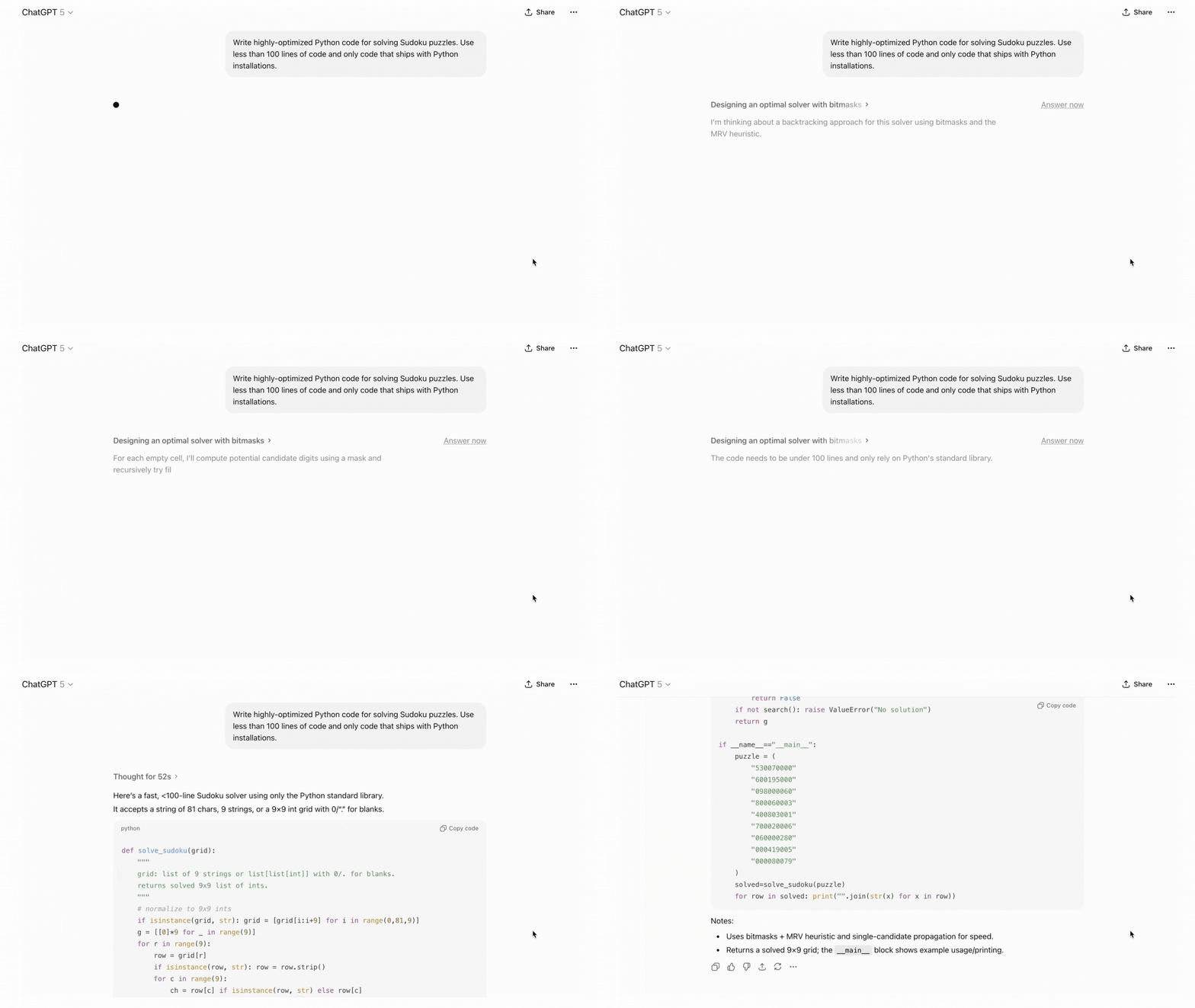
ChatGPT 语义事件

1 ChatGPT 中的语义事件示例
使用 OpenAI Responses API

¡Vamos a practicar!

使用 OpenAI Responses API

Preparing Video For Download...