用 Python 设计机器学习工作流
Dr. Chris Anagnostopoulos
Honorary Associate Professor
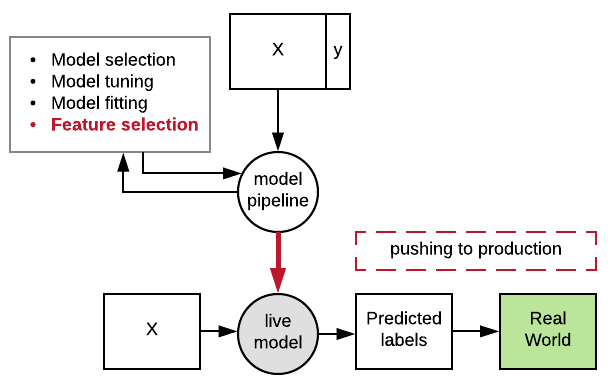
将分类器保存到文件:
import pickle
clf = RandomForestClassifier().fit(X_train, y_train)
with open('model.pkl', 'wb') as file:
    pickle.dump(clf, file=file)
再次从文件加载:
with open('model.pkl', 'rb') as file:
    clf2 = pickle.load(file)
开发环境:
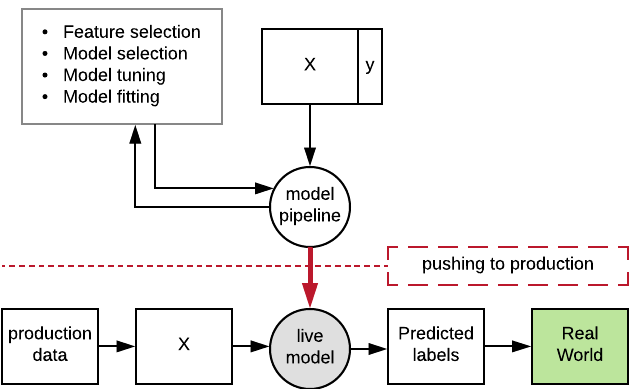
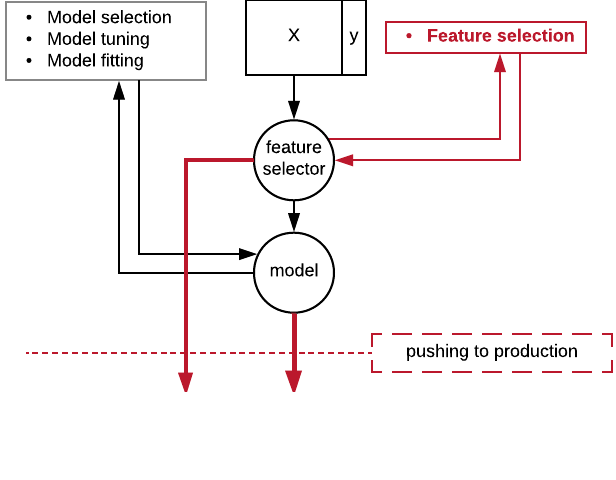
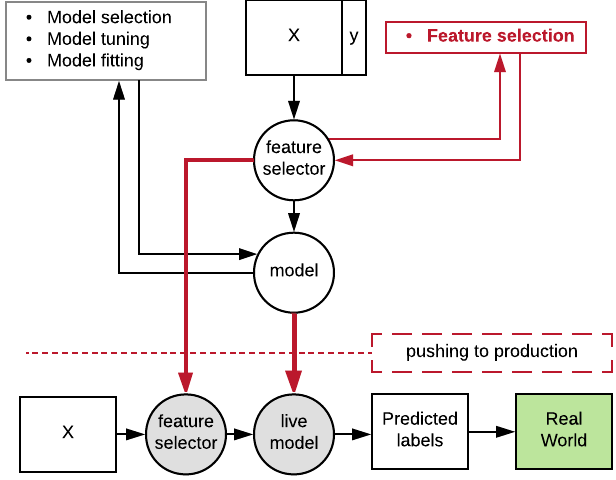
vt = SelectKBest(f_classif).fit(
    X_train, y_train)
clf = RandomForestClassifier().fit(
    vt.transform(X_train), y_train)
with open('vt.pkl', 'wb') as file:
     pickle.dump(vt)
with open('clf.pkl', 'wb') as file:
     pickle.dump(clf)
生产环境:
with open('vt.pkl', 'rb') as file:
    vt = pickle.load(vt)
with open('clf.pkl', 'rb') as file:
    clf = pickle.load(clf)
clf.predict(vt.transform(X_new))
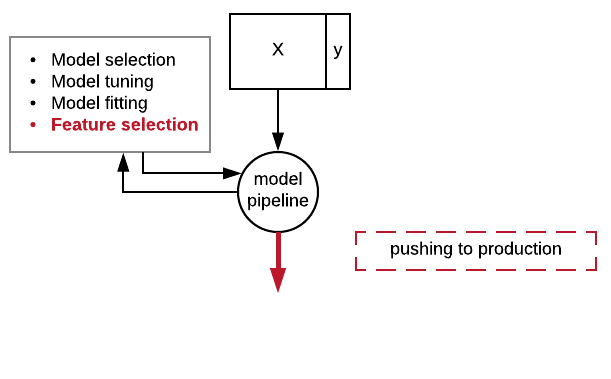
pipe = Pipeline([
    ('fs', SelectKBest(f_classif)),
    ('clf', RandomForestClassifier())
])
params = dict(fs__k=[2, 3, 4],
    clf__max_depth=[5, 10, 20])
gs = GridSearchCV(pipe, params)
gs = gs.fit(X_train, y_train)

with open('pipe.pkl', 'wb') as file:
    pickle.dump(gs, file)
pipe = Pipeline([ ('fs', SelectKBest(f_classif)), ('clf', RandomForestClassifier()) ]) params = dict(fs__k=[2, 3, 4], clf__max_depth=[5, 10, 20]) gs = GridSearchCV(pipe, params) gs = gs.fit(X_train, y_train)
with open('pipe.pkl', 'wb') as file: pickle.dump(gs, file)
with open('pipe.pkl', 'rb') as file:
   gs = pickle.dump(gs, file)
gs.predict(X_test)
   checking_status  duration       ...        own_telephone  foreign_worker
0                1         6       ...                    1               1
1                0        48       ...                    0               1
def negate_second_column(X):
    Z = X.copy()
    Z[:,1] = -Z[:,1]
    return Z
pipe = Pipeline([('ft', FunctionTransformer(negate_second_column)),
    ('clf', RandomForestClassifier())])