从规则到基于图的可视化

R 中的购物篮分析

Christopher Bruffaerts

Statistician

规则可视化
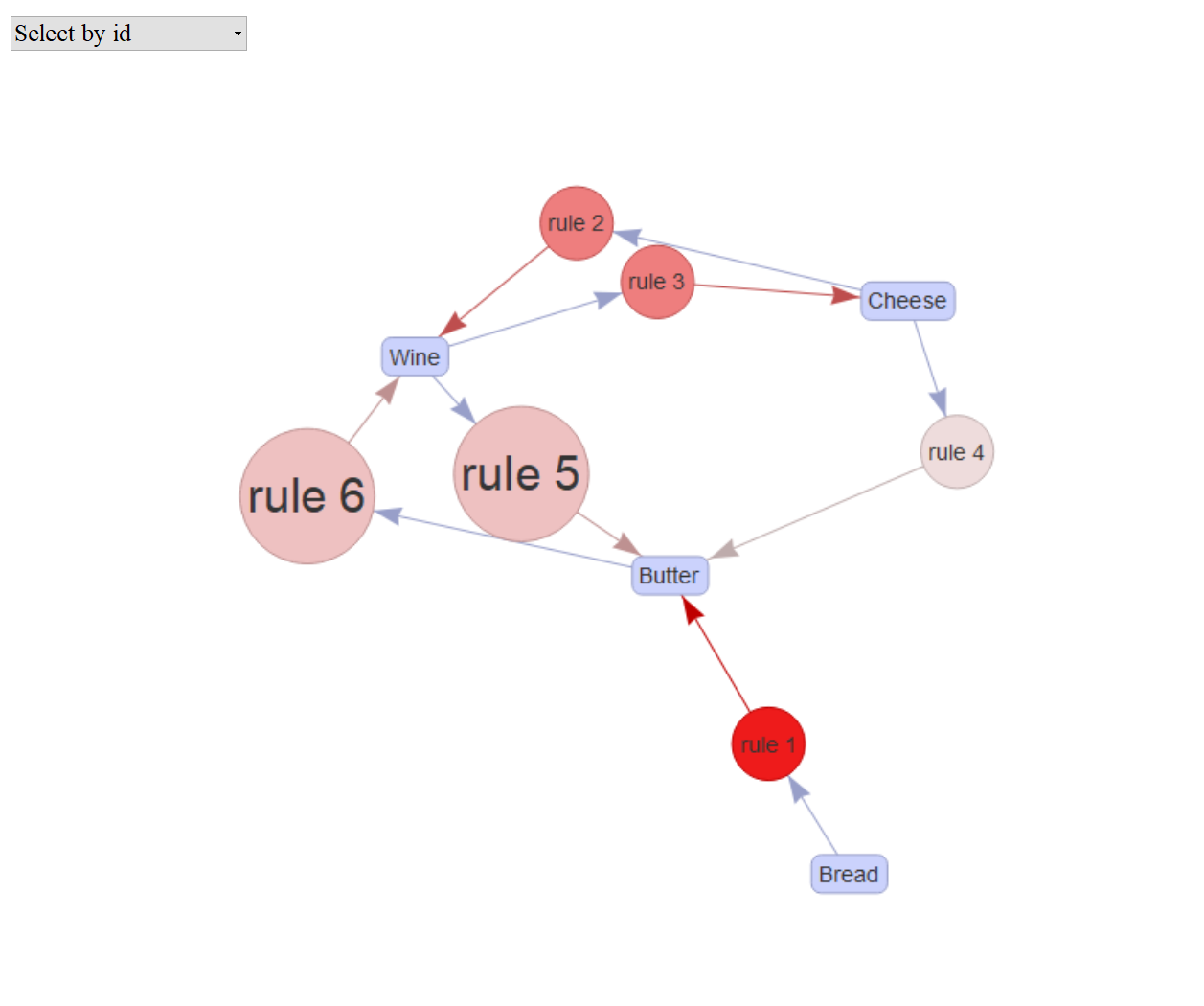
交互式规则

rules_html = plot(rules, method = "graph",
                  engine = "htmlwidget")
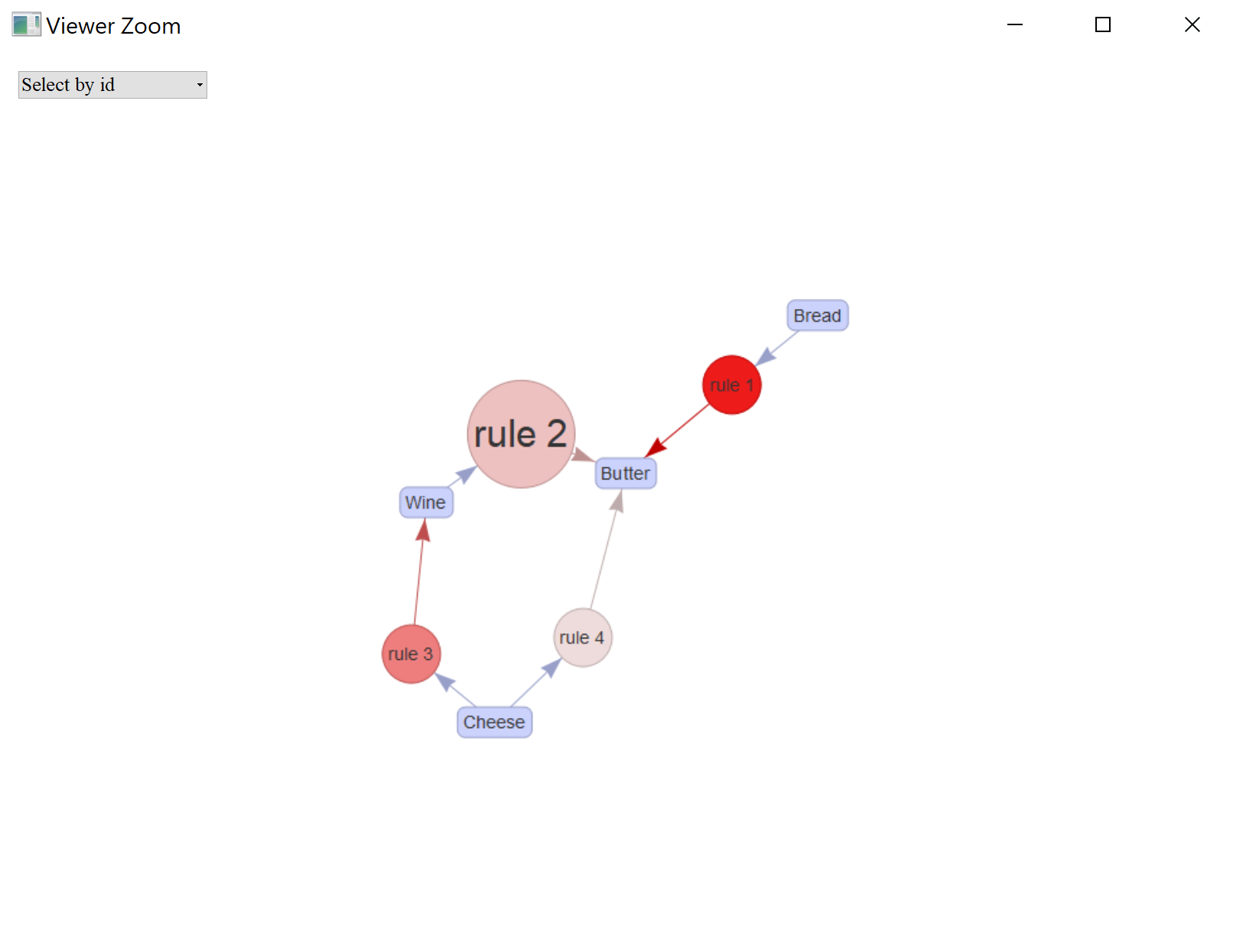
rules_html

保存 HTML 小部件

library(htmlwidgets)
saveWidget(rules_html, file = "rules_grocery.html")

规则图

R 中的购物篮分析

从图中选择商品与规则

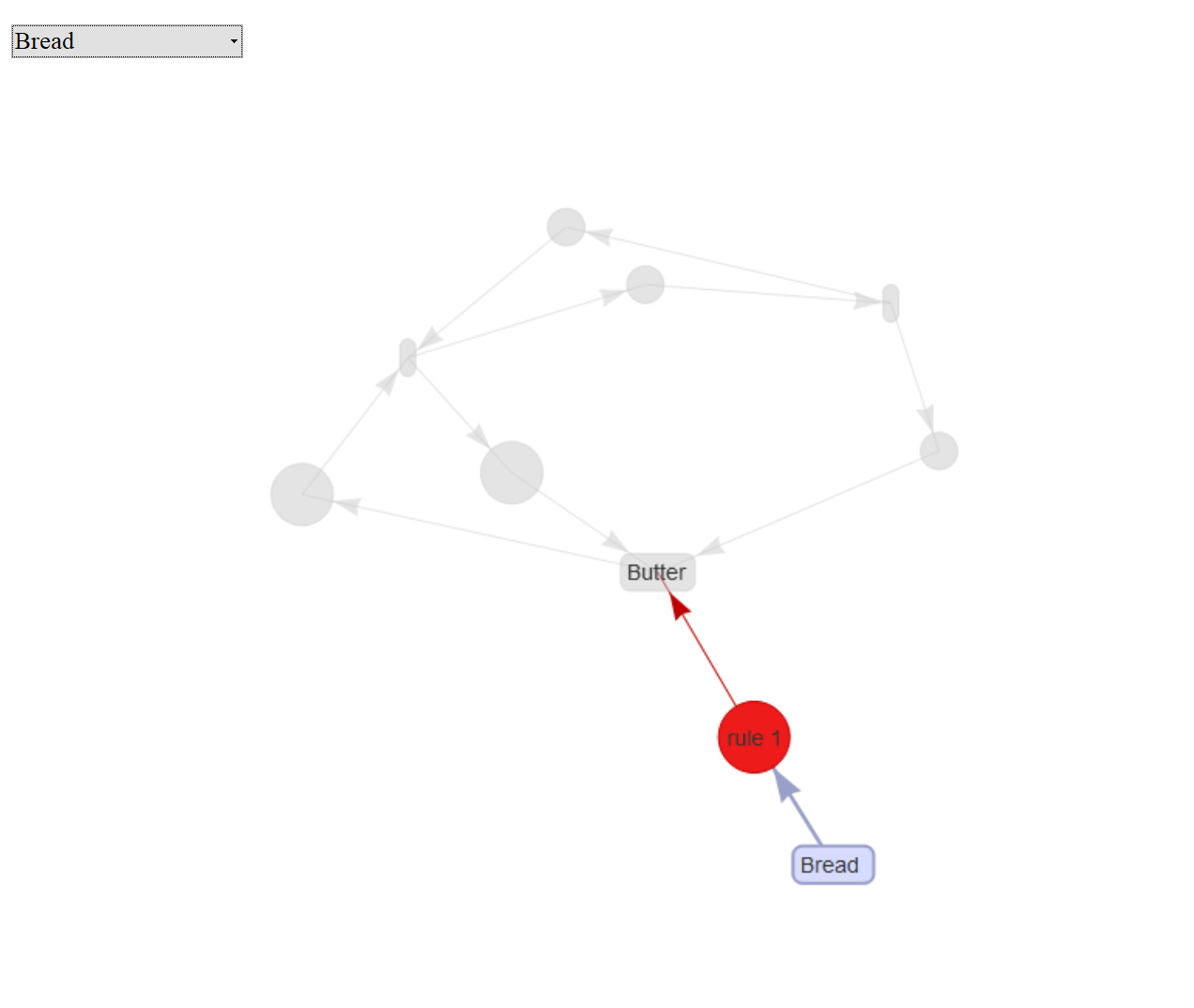
选择商品 Bread

面包规则图

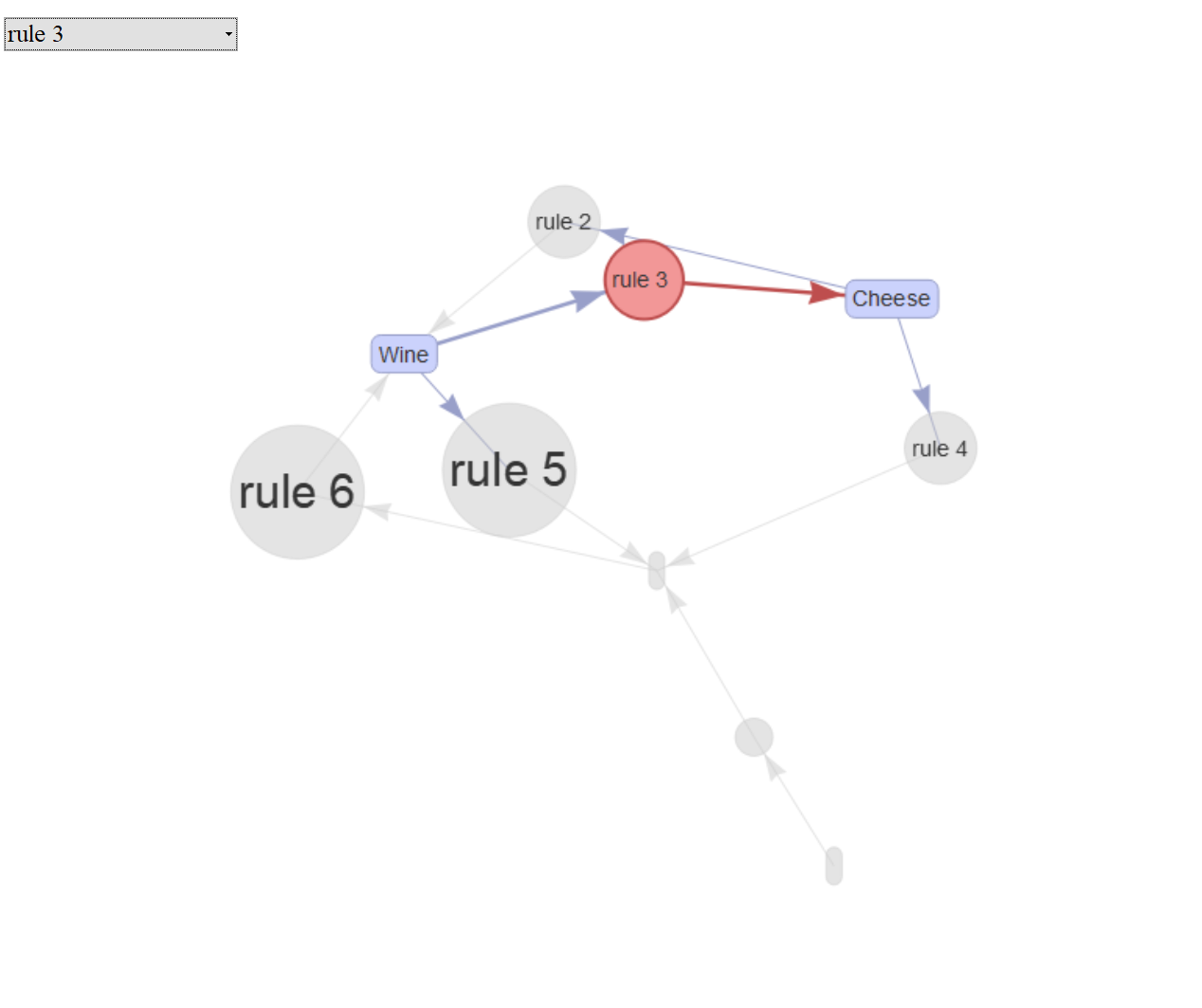
选择规则 3

规则3图

R 中的购物篮分析

图与子图(1)

按置信度排序规则

top4subRules = 
    head(sort(rules, by = "confidence"), 4)
inspect(top4subRules)
    lhs         rhs      support   confidence lift      count
[1] {Bread}  => {Butter} 0.4285714 1.00       1.1666667 3    
[2] {Wine}   => {Butter} 0.5714286 0.80       0.9333333 4    
[3] {Cheese} => {Wine}   0.4285714 0.75       1.0500000 3    
[4] {Cheese} => {Butter} 0.4285714 0.75       0.8750000 3

绘制高置信度规则

plot(top4subRules, method = "graph",  engine = "htmlwidget")
高置信度规则图

R 中的购物篮分析

图与子图(2)

查看奶酪相关规则

C_rules = 
    apriori(data = data_trx, 
            parameter = list(supp = 3/7,
                             conf = 0.2,
                             minlen = 2),
            appearance = list(rhs = "Cheese"))
inspect(C_rules)
    lhs         rhs      support   confidence lift  count
[1] {Wine}   => {Cheese} 0.4285714 0.6        1.050 3    
[2] {Butter} => {Cheese} 0.4285714 0.5        0.875 3

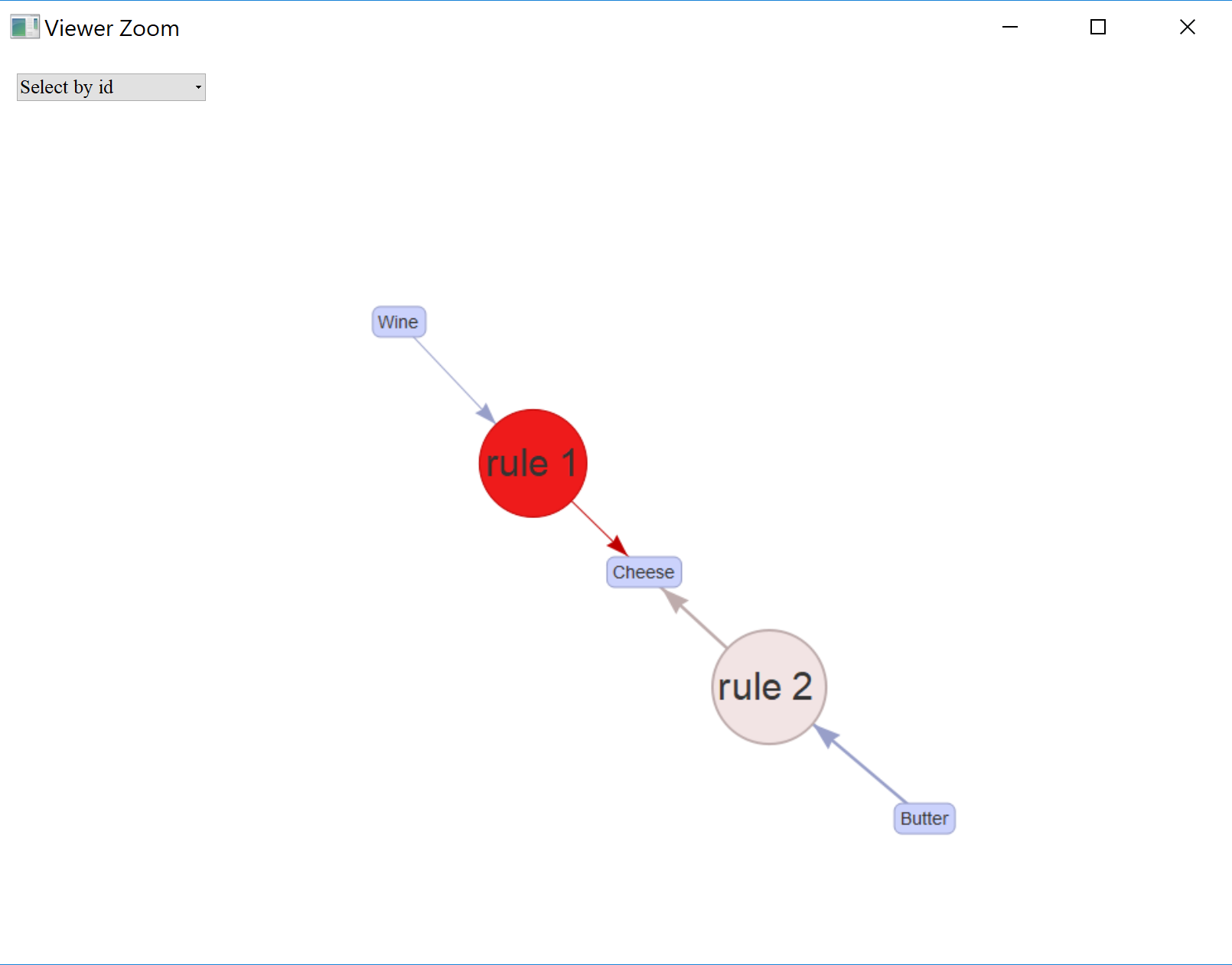
绘制奶酪相关规则

plot(C_rules, method = "graph",  engine = "htmlwidget")

奶酪规则图

R 中的购物篮分析

保存为 Graph

保存图

saveAsGraph(rules, file = "rules.graphml")
R 中的购物篮分析

开始挖掘规则!

R 中的购物篮分析

Preparing Video For Download...