正则表达式基础

R 自然语言处理入门

Kasey Jones

Research Data Scientist

什么是自然语言处理?

NLP:

  • 使用计算机分析与理解文本

涵盖主题:

  • 文本分类
  • 主题建模
  • 命名实体识别
  • 情感分析
R 自然语言处理入门

什么是正则表达式?

  • 用于搜索文本的字符序列
  • 例如:
    • 在命令行搜索目录中的文件
    • 查找含特定模式的文章
    • 替换特定文本
R 自然语言处理入门

示例

words <- c("DW-40", "Mike's Oil", "5w30", "Joe's Gas", "Unleaded", "Plus-89")
# Finding Digits
grep("\\d", words, value = TRUE)
[1] 1 3 6
# Finding Apostrophes
grep("\\'", words, value = TRUE)
[1] "Mike's Oil"     "Joe's Gasoline"
R 自然语言处理入门

正则表达式示例

模式 匹配文本 R 示例 文本示例
\w 任意字母数字字符 gregexpr(pattern ='\w', <text>) a
\d 任意数字 gregexpr(pattern ='\d', text) 1
\w+ 任意长度的字母数字串 gregexpr(pattern ='\w+', text) word
\d+ 任意长度的数字串 gregexpr(pattern ='\d+', text) 1234
\s 空格 gregexpr(pattern ='\s', text) ' '
\S 非空白字符 gregexpr(pattern ='\S', text) word
R 自然语言处理入门

R 示例

函数 作用 语法
grep 在向量中查找匹配模式 grep(pattern ='\w', x = <vector>, value = F)
gsub 替换字符串/向量中的所有匹配 gsub(pattern ='\d+', replacement = "", x = <vector>)
R 自然语言处理入门

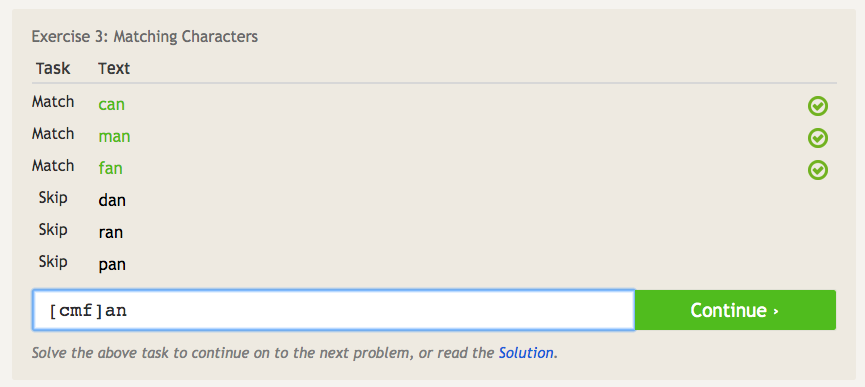
RegEx 练习

1 https://regexone.com/lesson/matching_characters
R 自然语言处理入门

开始编码!

R 自然语言处理入门

Preparing Video For Download...