Partajarea fișierelor printr-un site web

Introducere în AWS Boto în Python

Maksim Pecherskiy

Data Engineer

Servirea paginilor HTML
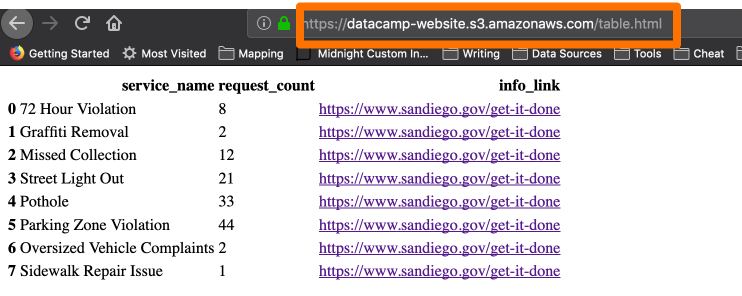
S3 servind HTML

Introducere în AWS Boto în Python

Tabel HTML în Pandas

Convertiți DataFrame în HTML

df.to_html('table_agg.html')
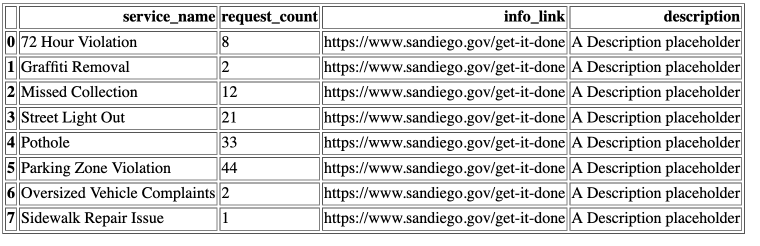
DataFrame în HTML

Introducere în AWS Boto în Python

Tabel HTML în Pandas cu linkuri

Convertiți DataFrame în HTML

df.to_html('table_agg.html', render_links=True)
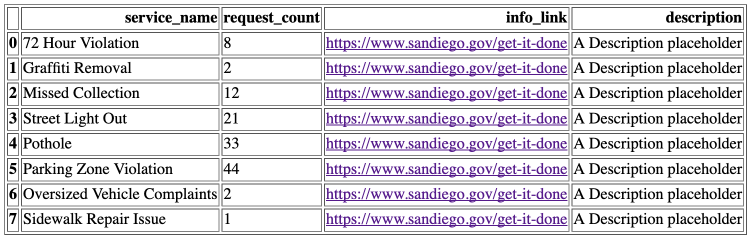
DataFrame în HTML

Introducere în AWS Boto în Python

Anumite coloane în HTML

Convertiți DataFrame în HTML

df.to_html('table_agg.html', 
           render_links=True,
           columns['service_name', 'request_count', 'info_link'])
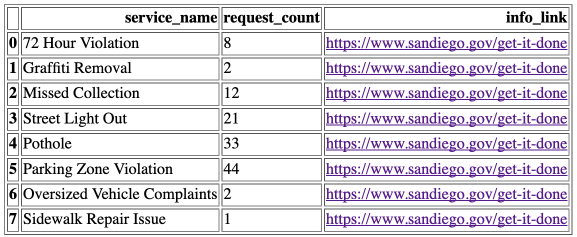
DataFrame în HTML

Introducere în AWS Boto în Python

Borduri

Convertiți DataFrame în HTML

df.to_html('table_agg.html', 
           render_links=True,
           columns['service_name', 'request_count', 'info_link'],
           border=0)
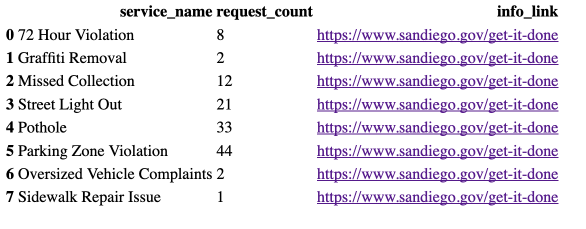
DataFrame în HTML - borduri

Introducere în AWS Boto în Python

Încărcarea unui fișier HTML în S3

Încărcați un fișier HTML în S3

s3.upload_file(
  Filename='./table_agg.html', 
  Bucket='datacamp-website',

Key='table.html',
ExtraArgs = { 'ContentType': 'text/html', 'ACL': 'public-read'} )
Introducere în AWS Boto în Python

Accesarea fișierului HTML

Șablon URL obiect S3

https://{bucket}.{key}
https://datacamp-website.table.html
Introducere în AWS Boto în Python

Pagină HTML

Pagină HTML

Introducere în AWS Boto în Python

Încărcarea altor tipuri de conținut

Încărcați un fișier imagine în S3

s3.upload_file(
  Filename='./plot_image.png', 
  Bucket='datacamp-website',
  Key='plot_image.png',

ExtraArgs = { 'ContentType': 'image/png', 'ACL': 'public-read'} )
Introducere în AWS Boto în Python

Tipuri de media IANA

  • JSON : application/json
  • PNG : image/png
  • PDF : application/pdf
  • CSV : text/csv
1 http://www.iana.org/assignments/media-types/media-types.xhtml
Introducere în AWS Boto în Python

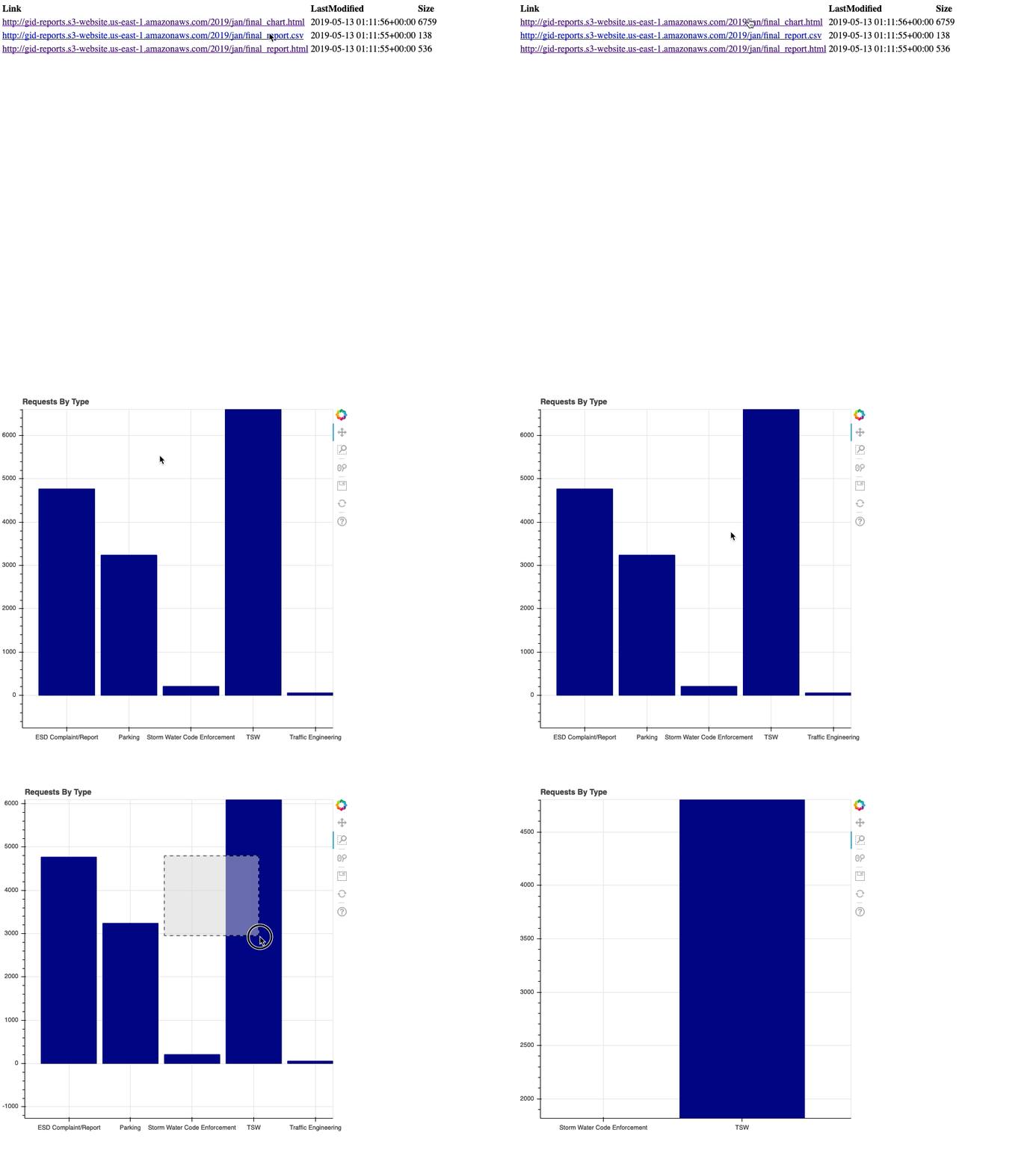
Generarea unei pagini index

# List the gid-reports bucket objects starting with 2019/
r = s3.list_objects(Bucket='gid-reports', Prefix='2019/')

# Convert the response contents to DataFrame objects_df = pd.DataFrame(r['Contents'])

Pagină index

Introducere în AWS Boto în Python

Generarea unei pagini index

# Create a column "Link" that contains website url + key
base_url = "http://datacamp-website."
objects_df['Link'] = base_url + objects_df['Key']
# Write DataFrame to html
objects_df.to_html('report_listing.html', 
                   columns=['Link', 'LastModified', 'Size'],
                   render_links=True)
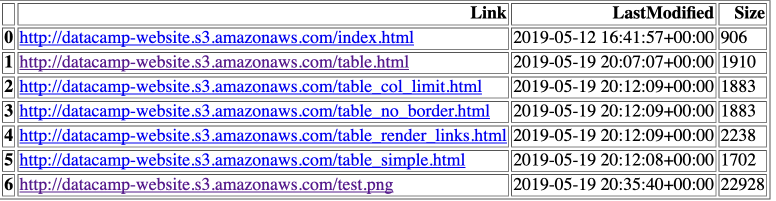
Generarea unei pagini index

Introducere în AWS Boto în Python

Încărcarea paginii index

Încărcați un fișier HTML în S3

s3.upload_file(
  Filename='./report_listing.html', 
  Bucket='datacamp-website',
  Key='index.html',
  ExtraArgs = {
    'ContentType': 'text/html', 
    'ACL': 'public-read'}
)

https://datacamp-website.index.html

Introducere în AWS Boto în Python

Recapitulare

  • Tabel HTML în Pandas (df.to_html('table.html'))
  • Încărcare fișier HTML (ContentType: text/html)
  • Încărcare fișier imagine (ContentType: image/png)
  • Partajați URL-ul paginii HTML!
Introducere în AWS Boto în Python

Să exersăm!

Introducere în AWS Boto în Python

Preparing Video For Download...