MCP와 LLM: 도구

Model Context Protocol (MCP) 입문

James Chapman

AI Curriculum Manager, DataCamp

MCP 도구를 LLM 도구로
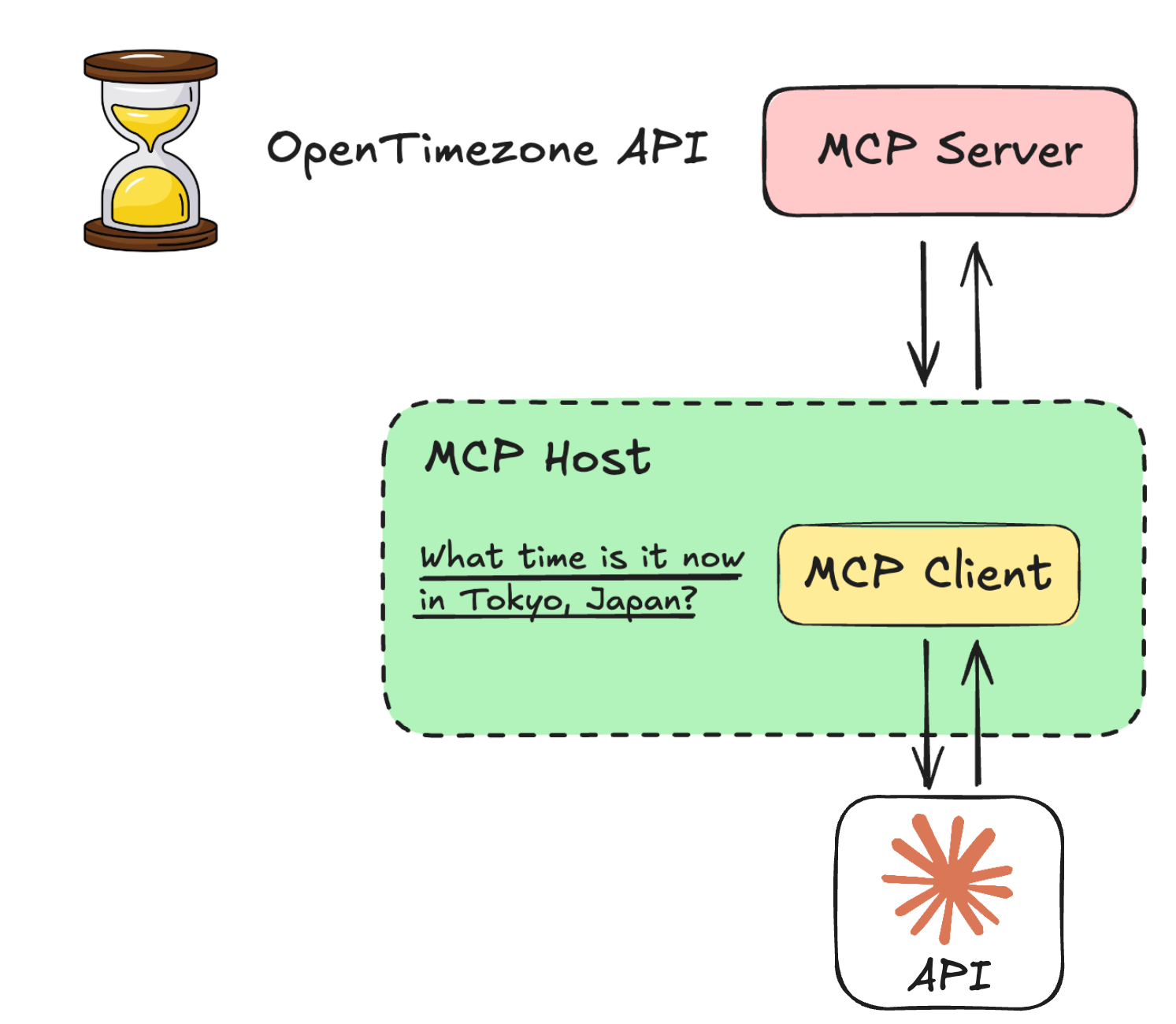
 

도구 ⇄ LLM 통합은 LLM에 따라 다릅니다

  • LLM마다 도구 수신 방식과 문법이 다릅니다
  • Anthropic Messages API를 통해 Claude 사용
  • 초점: 프로세스 및 변환

llm_mcp.png

Model Context Protocol (MCP) 입문

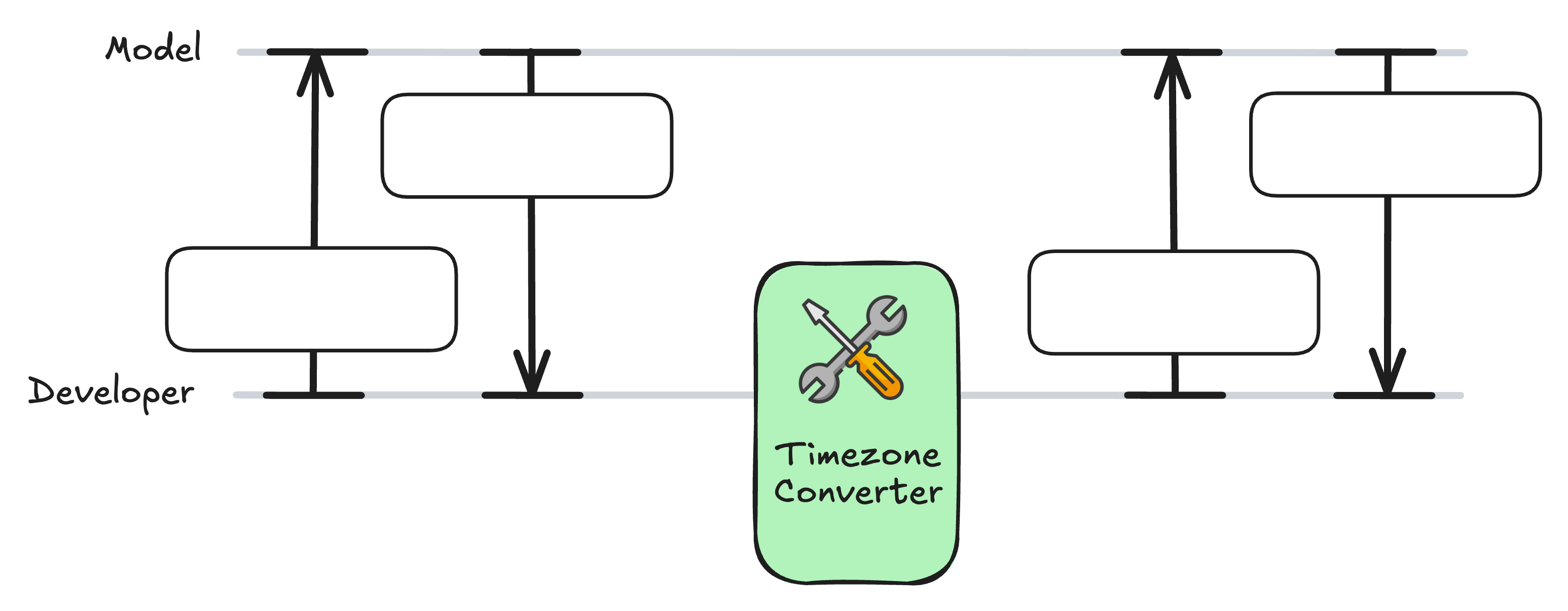
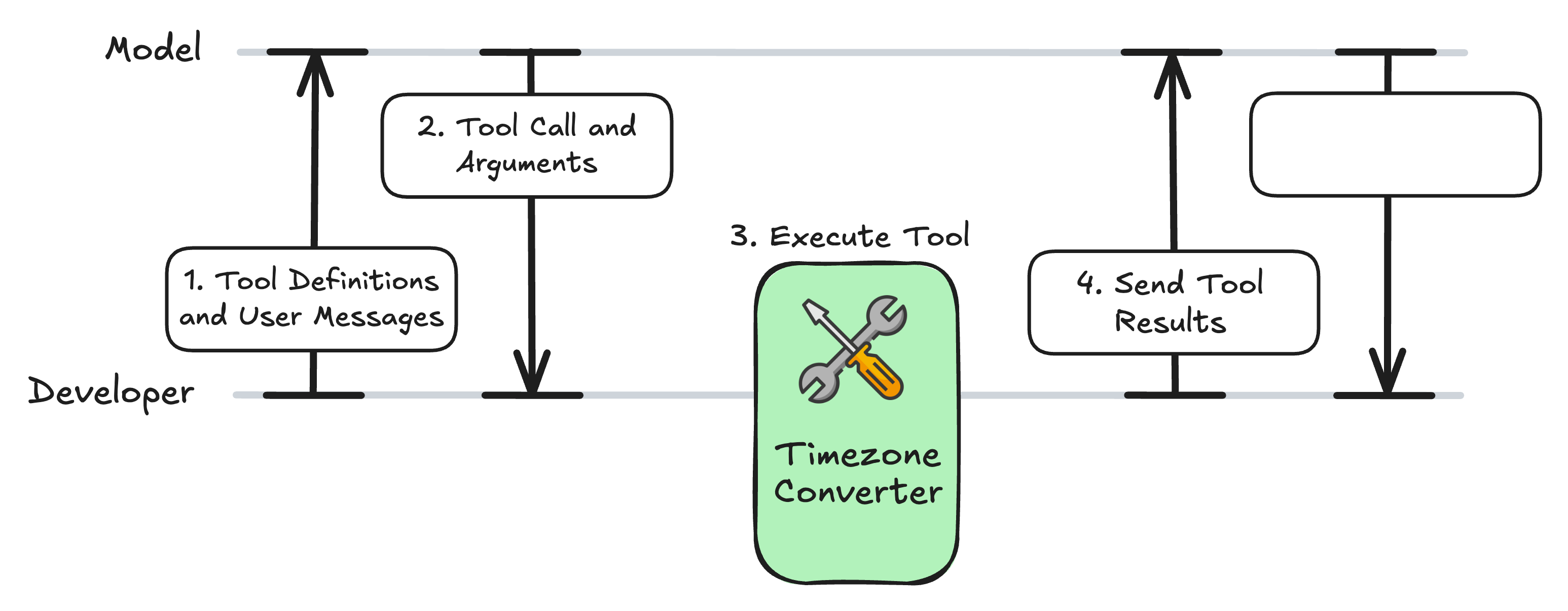
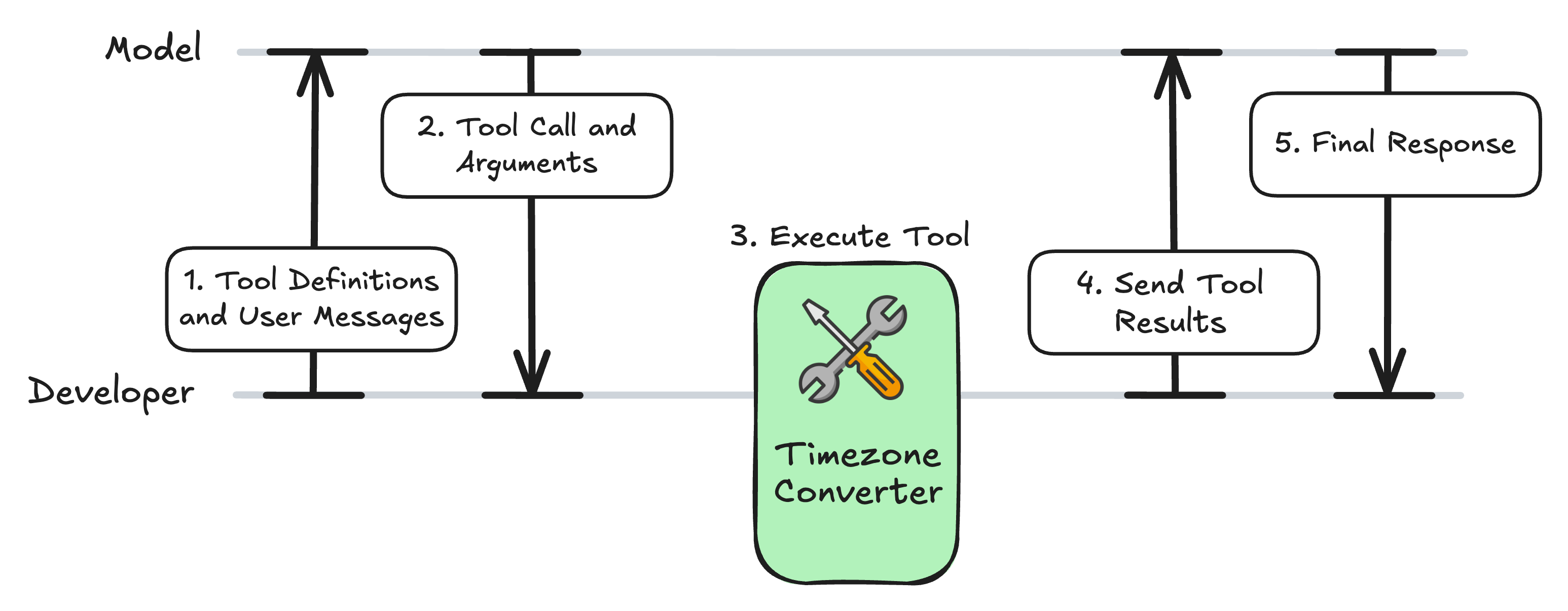
도구 호출 워크플로

fct1.jpg

Model Context Protocol (MCP) 입문

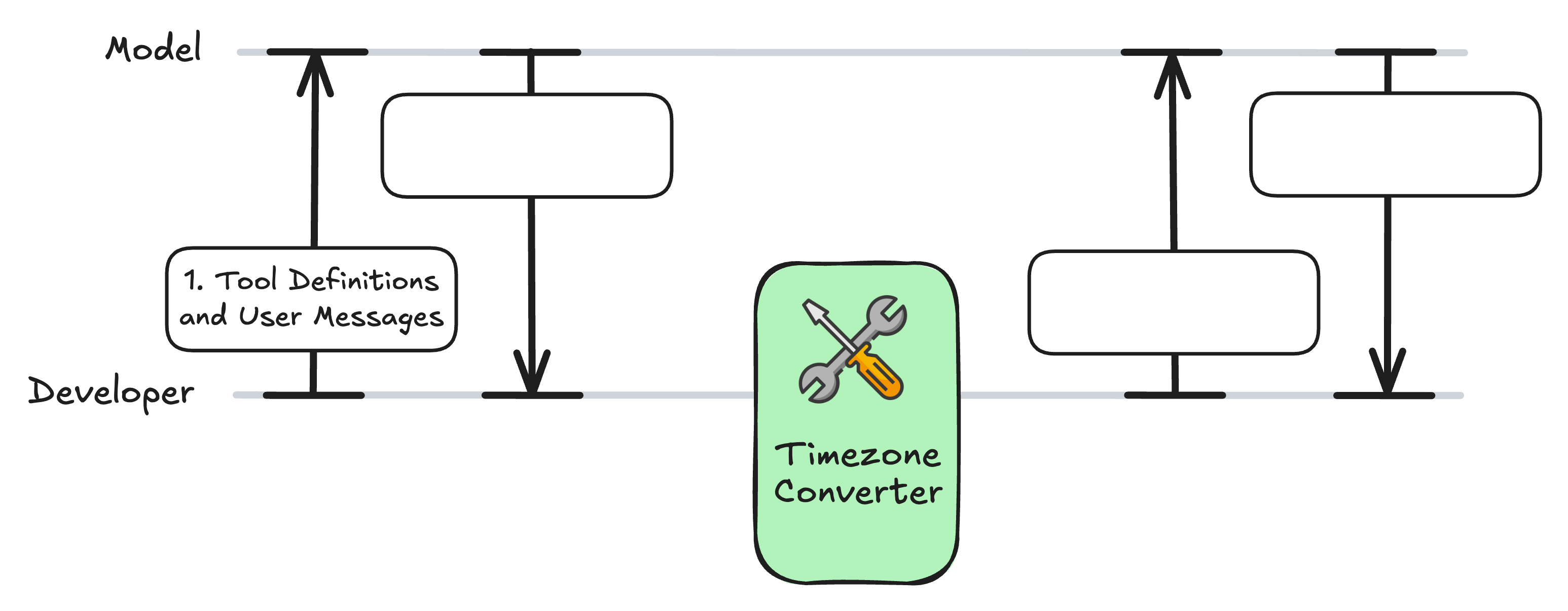
도구 호출 워크플로

fct2.jpg

Model Context Protocol (MCP) 입문

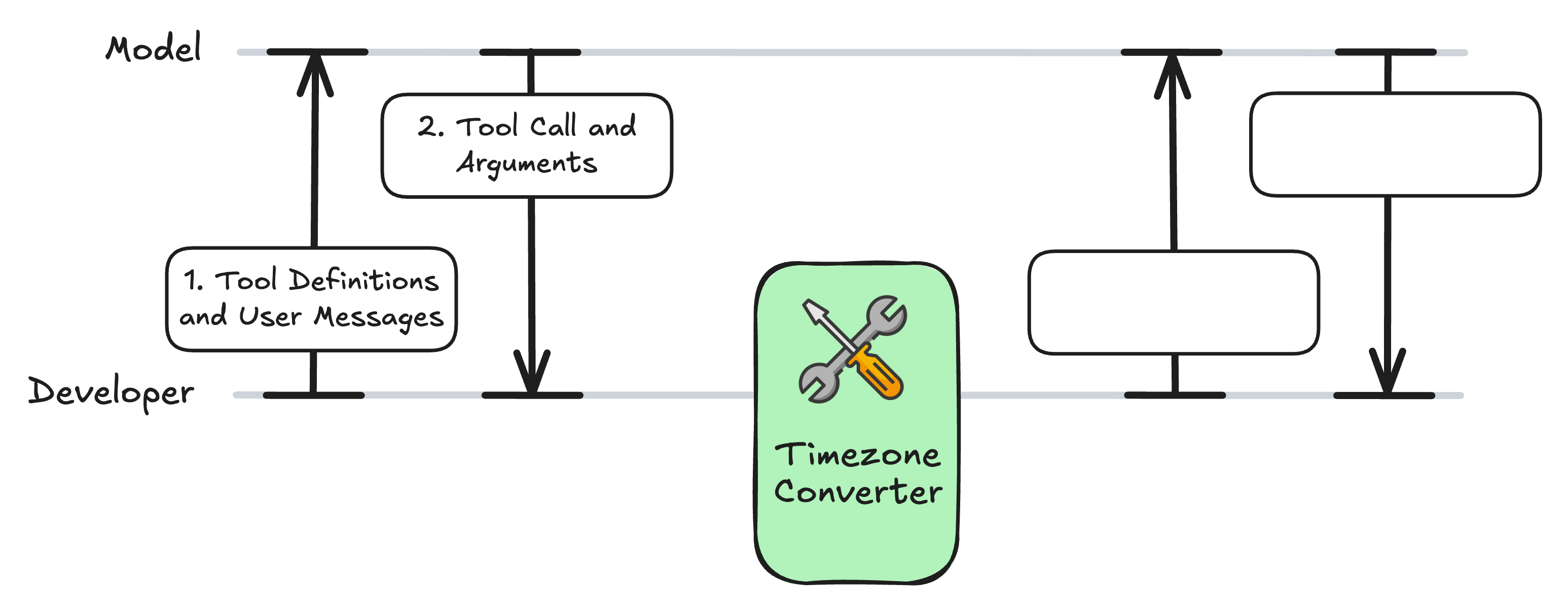
도구 호출 워크플로

fct3.jpg

Model Context Protocol (MCP) 입문

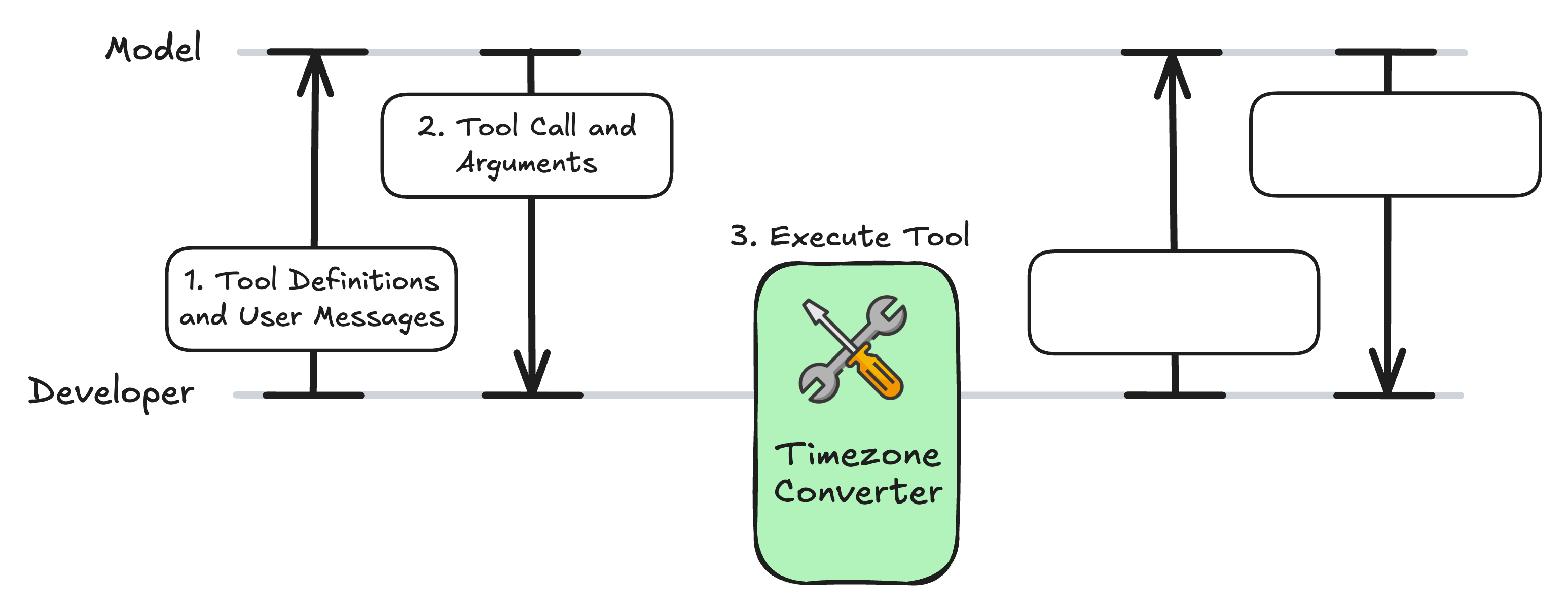
도구 호출 워크플로

fct4.jpg

Model Context Protocol (MCP) 입문

도구 호출 워크플로

fct5.jpg

Model Context Protocol (MCP) 입문

도구 호출 워크플로

fct6.jpg

Model Context Protocol (MCP) 입문

MCP 서버: timezone_server.py

from mcp.server.fastmcp import FastMCP
import requests

mcp = FastMCP("Timezone Converter")

@mcp.tool()
def convert_timezone(date_time: str, from_timezone: str, to_timezone: str) -> str:
    ...

if __name__ == "__main__":
    mcp.run(transport="stdio")
Model Context Protocol (MCP) 입문

클라이언트 코드 확장

async def get_tools_from_mcp():
            # ... 
            return response.tools

async def call_mcp_tool(tool_name: str, arguments: dict) -> str:        
            # ...
            result = await session.call_tool(tool_name, arguments)
            return str(result.content[0].text)

async def call_anthropic_llm(user_query: str):
Model Context Protocol (MCP) 입문

설정: LLM용 도구 형식 지정

async def call_anthropic_llm(user_query: str):
    """Call Claude with MCP tools."""

mcp_tools = await get_tools_from_mcp()
anthropic_tools = [] for tool in mcp_tools:
anthropic_tool = { "name": tool.name, "description": tool.description or "", "input_schema": tool.inputSchema, # MCP uses JSON Schema format }
anthropic_tools.append(anthropic_tool)
Model Context Protocol (MCP) 입문

1. 쿼리와 도구를 LLM에 전송

from anthropic import AsyncAnthropic
async def call_anthropic_llm(user_query: str):
    # ...

client = AsyncAnthropic(api_key="<ANTHROPIC_API_TOKEN>")
response = await client.messages.create( model="claude-sonnet-4-6", max_tokens=1024, messages=[{"role": "user", "content": user_query}], tools=anthropic_tools, )
Model Context Protocol (MCP) 입문

2. 도구 호출 확인

async def call_anthropic_llm(user_query: str):
    # ...

    if response.stop_reason == "tool_use":

tool_use = next(b for b in response.content if b.type == "tool_use") name = tool_use.name args = tool_use.input print(f"Model decided to call: {name}") print(f"Arguments: {args}\n")
Model Context Protocol (MCP) 입문

3. 도구 호출 | 4. 후속 메시지

async def call_anthropic_llm(user_query: str):
    # ...

    if response.stop_reason == "tool_use":
        # ...

result = await call_mcp_tool(name, args)
tool_result = {"type": "tool_result", "tool_use_id": tool_use.id, "content": result} followup = await client.messages.create( model="claude-sonnet-4-6", max_tokens=1024, messages=[ {"role": "user", "content": user_query}, {"role": "assistant", "content": response.content}, {"role": "user", "content": [tool_result]}, ], tools=anthropic_tools, )
Model Context Protocol (MCP) 입문

5. 최종 응답

async def call_anthropic_llm(user_query: str):
    # ...

    if response.stop_reason == "tool_use":
        # ...

final = next((b.text for b in followup.content if b.type == "text"), None) if final: print(f"\nAssistant: {final}") else: print("No follow-up message from model.")
else: text = next((b.text for b in response.content if b.type == "text"), "") print(f"\nAssistant: {text}") return str(text)
Model Context Protocol (MCP) 입문

함수 테스트

if __name__ == "__main__":
    asyncio.run(call_anthropic_llm("It is 9:50 AM in the UK in January. What time 
    is it in Lisbon, Portugal?"))
Assistant: It's 9:50 AM in Lisbon as well.
Model Context Protocol (MCP) 입문

도구 호출 워크플로

fct6.jpg

Model Context Protocol (MCP) 입문

연습해 봅시다!

Model Context Protocol (MCP) 입문

Preparing Video For Download...