Обработка изображений в Python
Rebeca Gonzalez
Data Engineer
Разделение изображения на передний план и фон
Путём перевода в чёрно-белый формат
Для этого каждому пикселю присваивается:

Простейший метод сегментации изображений

Только для полутоновых изображений

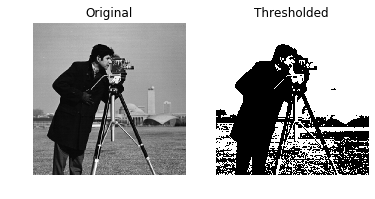
# Obtain the optimal threshold value thresh = 127# Apply thresholding to the image binary = image > thresh# Show the original and thresholded show_image(image, 'Original') show_image(binary, 'Thresholded')

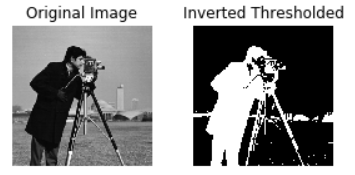
# Obtain the optimal threshold value thresh = 127# Apply thresholding to the image inverted_binary = image <= thresh# Show the original and thresholded show_image(image, 'Original') show_image(inverted_binary, 'Inverted thresholded')

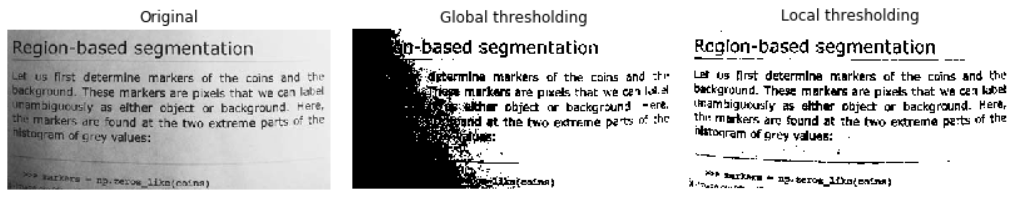
Глобальная (на основе гистограммы): подходит для равномерного фона
Локальная (адаптивная): для неравномерного освещения фона
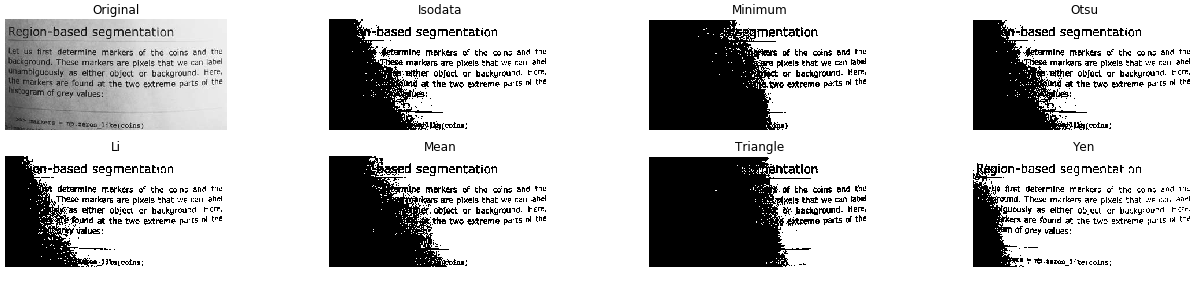
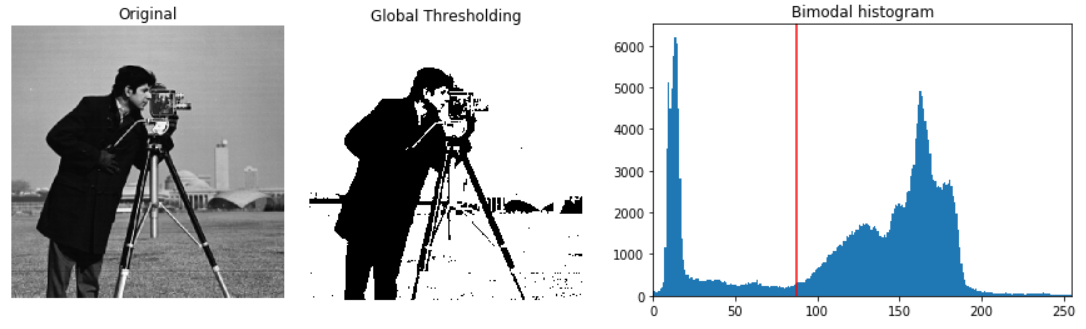
from skimage.filters import try_all_threshold# Obtain all the resulting images fig, ax = try_all_threshold(image, verbose=False)# Showing resulting plots show_plot(fig, ax)

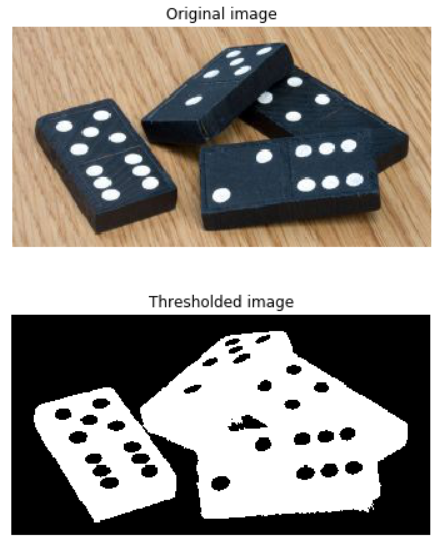
# Import the otsu threshold function from skimage.filters import threshold_otsu# Obtain the optimal threshold value thresh = threshold_otsu(image)# Apply thresholding to the image binary_global = image > thresh
# Show the original and binarized image
show_image(image, 'Original')
show_image(binary_global, 'Global thresholding')
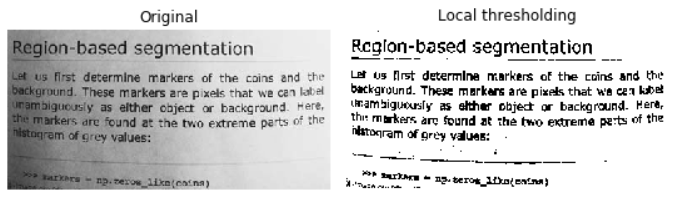
# Import the local threshold function from skimage.filters import threshold_local# Set the block size to 35 block_size = 35# Obtain the optimal local thresholding local_thresh = threshold_local(text_image, block_size, offset=10)# Apply local thresholding and obtain the binary image binary_local = text_image > local_thresh
# Show the original and binarized image
show_image(text_image, 'Original')
show_image(binary_local, 'Local thresholding')
Обработка изображений в Python