Introduction à Databricks Lakehouse
Gang Wang
Senior Data Scientist
$$
my_project/
|-- databricks.yml
|-- src/
| |-- etl_pipeline.py
| |-- data_quality.py
|-- resources/
| |-- jobs/
| | |-- nightly_etl.yml
| |-- pipelines/
| |-- sales_pipeline.yml
|-- tests/
|-- test_etl.py
$$
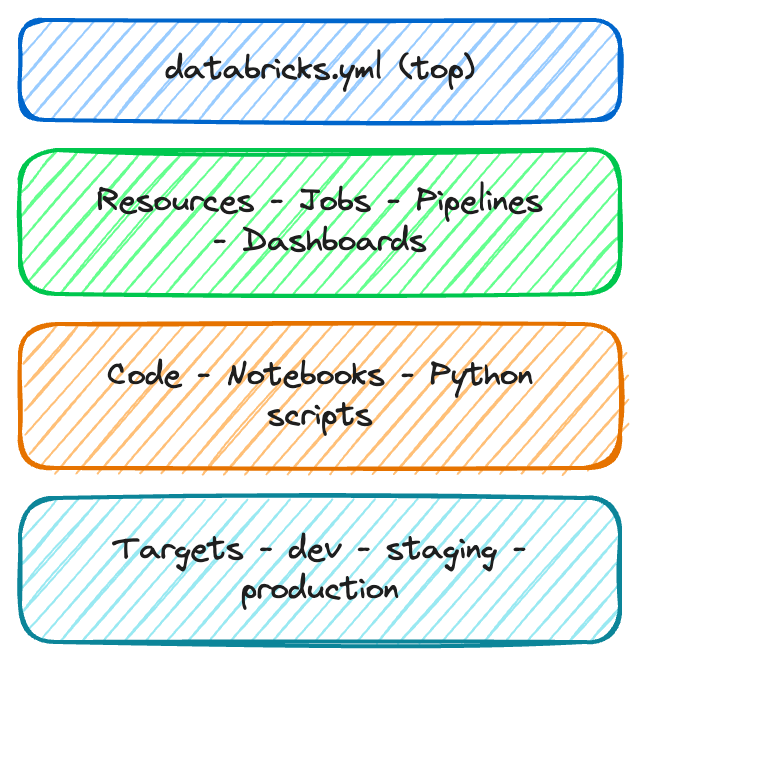
databricks.yml - le fichier de configuration centralsrc/ - vos notebooks et votre coderesources/ - définitions de travaux et de filièrestests/ - fichiers de tests optionnelsbundle:
name: sales_analytics
workspace:
host: https://myworkspace.databricks.com
targets:
dev:
default: true
workspace:
root_path: /Users/me/dev
production:
workspace:
root_path: /Shared/production
permissions:
- level: CAN_MANAGE
group_name: data_engineers
$$

$$
resources:
jobs:
nightly_etl:
name: "Nightly ETL Pipeline"
schedule:
quartz_cron: "0 0 2 * * ?"
tasks:
- task_key: ingest
notebook_task:
notebook_path: src/etl.py
$$
| Commande | Rôle |
|---|---|
bundle validate |
Vérifier la configuration |
bundle deploy |
Déployer vers une cible |
bundle run |
Déclencher un travail déployé |
bundle destroy |
Supprimer les ressources déployées |
$$
# Valider avant de déployer
databricks bundle validate
# Déployer en production
databricks bundle deploy \
--target production
# Déclencher une exécution
databricks bundle run nightly_etl

$$
$$
databricks.yml définit votre projet, vos cibles et vos ressourcesvalidate, deploy, run, destroyIntroduction à Databricks Lakehouse