Gérer différents types d'entrée dans FastAPI

Déployer l'IA en production avec FastAPI

Matt Eckerle

Software and Data Engineering Leader

Restaurant vs API
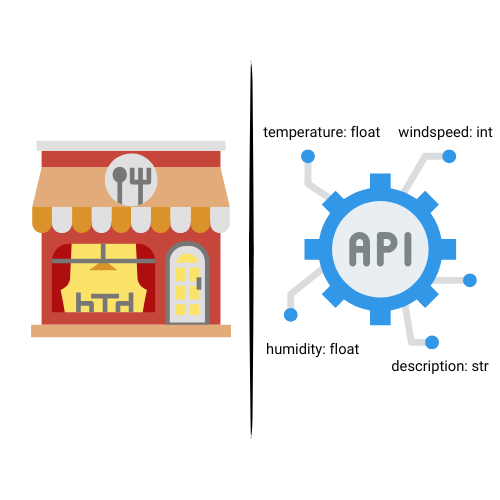
Un restaurant comparé aux entrées d'une API

Déployer l'IA en production avec FastAPI

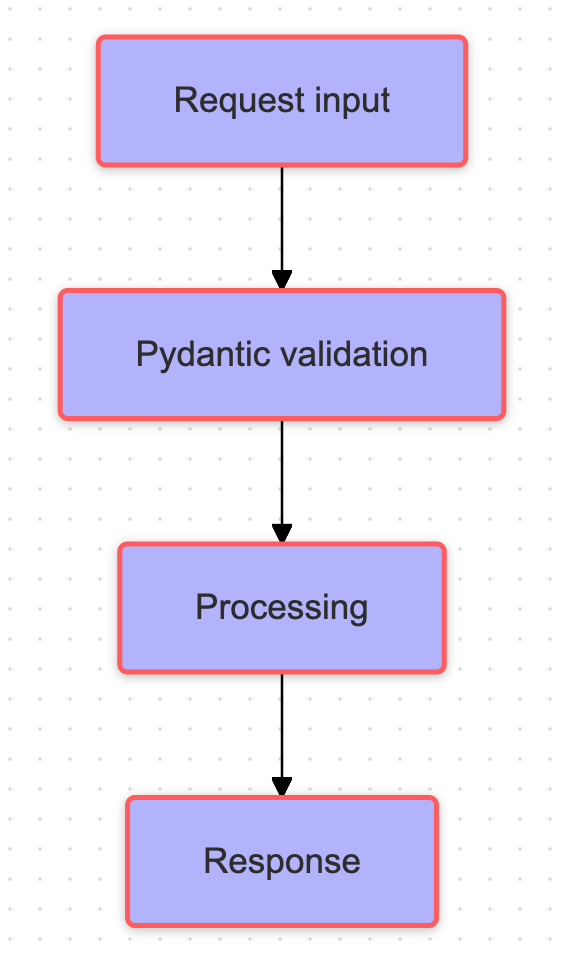
Flux de validation


  • Données entrantes via la requête
  • Validation des entrées avec Pydantic
  • Traiter divers types selon les besoins du modèle
  • Entrée traitée envoyée au modèle

Organigramme expliquant la validation d'une requête

Déployer l'IA en production avec FastAPI

Système de modération des commentaires

 

class CommentMetrics(BaseModel):
    length: int           
    user_karma: int     
    report_count: int

class CommentText(BaseModel): content: str

Icônes de zones de commentaire

Déployer l'IA en production avec FastAPI

Point de terminaison pour nombres à virgule flottante

app = FastAPI()

@app.post("/predict")
def predict_score(data: CommentMetrics):
features = np.array([ data.length, data.user_karma, data.report_count ])
model = CommentScorer() prediction = model.predict(features)
return {"prediction": round(prediction, 2), "input": data.dict()}
Déployer l'IA en production avec FastAPI

Point de terminaison pour une entrée textuelle

@app.post("/analyze_text")

def analyze(comment: CommentText):
forbidden = ["spam", "hate", "free" "fake", "sign up"]
text_lower = comment.lower()
issues = [word for word in forbidden if word in text_lower]
return { "issues": issues, "needs_moderation": len(issues) }

Résultat pour le commentaire : Sign up for free

{
    "issues": ["free", "sign up"],
    "needs_moderation": 2
}
Déployer l'IA en production avec FastAPI

Passons à la pratique !

Déployer l'IA en production avec FastAPI

Preparing Video For Download...