Données d'entrée

Introduction à TensorFlow en Python

Isaiah Hull

Visiting Associate Professor of Finance, BI Norwegian Business School
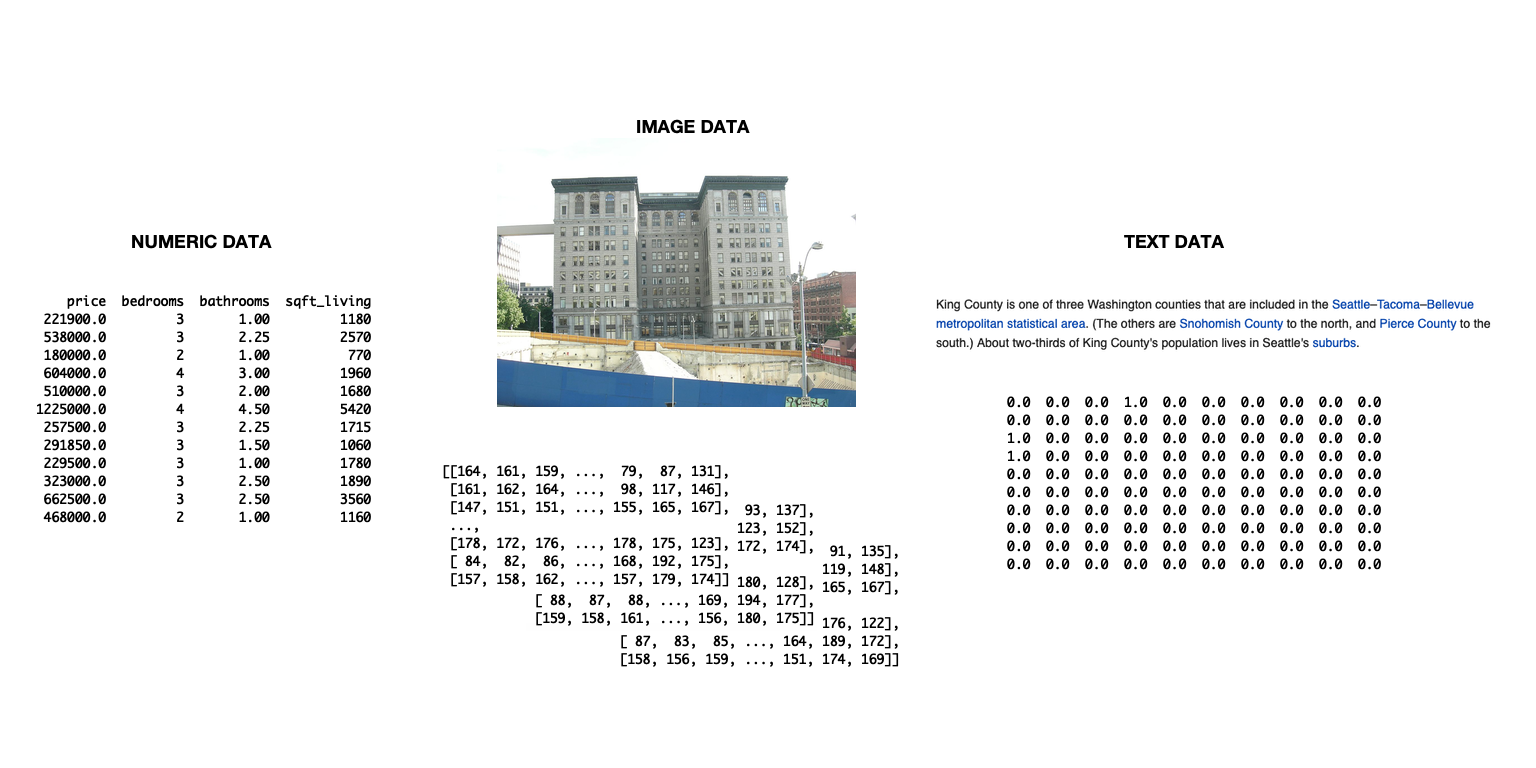
La diapositive montre un schéma de trois types de données : texte, images et données numériques.

Introduction à TensorFlow en Python

Importer des données pour TensorFlow

  • Importer des données avec tensorflow
    • Utile pour gérer des enchaînements complexes
    • Pas nécessaire dans ce chapitre
  • Option plus simple utilisée ici
    • Importer les données avec pandas
    • Convertir en tableau numpy
    • Utiliser dans tensorflow sans modification
Introduction à TensorFlow en Python

Comment importer et convertir des données

# Import numpy and pandas
import numpy as np
import pandas as pd

# Load data from csv
housing = pd.read_csv('kc_housing.csv')

# Convert to numpy array
housing = np.array(housing)
  • Dans ce chapitre, nous nous concentrons sur les données en format csv
  • Pandas propose aussi des méthodes pour d'autres formats
    • P. ex. read_json(), read_html(), read_excel()
Introduction à TensorFlow en Python

Paramètres de read_csv()

Paramètre Description Par défaut
filepath_or_buffer Accepte un chemin de fichier ou une URL. None
sep Délimiteur entre les colonnes. ,
delim_whitespace Booléen : délimiter les espaces blancs. False
encoding Encodage à utiliser, s'il y a lieu. None
Introduction à TensorFlow en Python

Utiliser des jeux de données mixtes

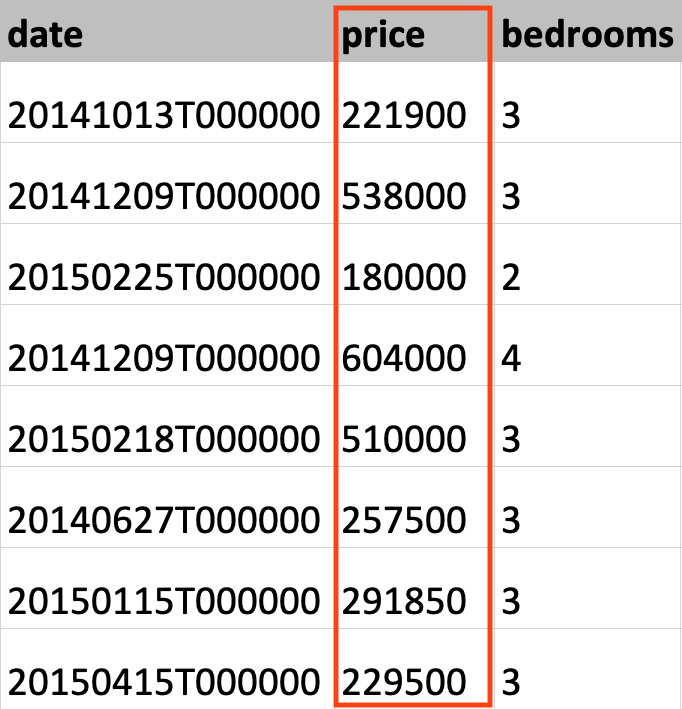
Cette image montre des données du jeu King County; la colonne du prix des maisons est en surbrillance.

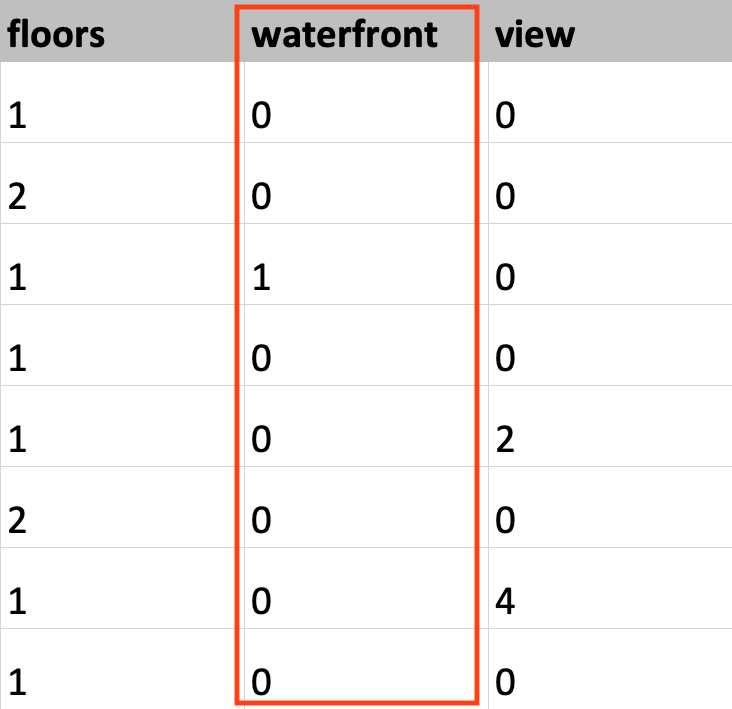
Cette image montre des données du jeu King County; la colonne « waterfront » est en surbrillance.

Introduction à TensorFlow en Python

Définir le type de données

# Load KC dataset
housing = pd.read_csv('kc_housing.csv')

# Convert price column to float32
price = np.array(housing['price'], np.float32)

# Convert waterfront column to Boolean
waterfront = np.array(housing['waterfront'], np.bool)
Introduction à TensorFlow en Python

Définir le type de données

# Load KC dataset
housing = pd.read_csv('kc_housing.csv')

# Convert price column to float32
price = tf.cast(housing['price'], tf.float32)

# Convert waterfront column to Boolean
waterfront = tf.cast(housing['waterfront'], tf.bool)
Introduction à TensorFlow en Python

Passons à la pratique !

Introduction à TensorFlow en Python

Preparing Video For Download...