Premiers pas avec csvkit
Traitement des données en Shell

Susan Sun
Data Person
Qu'est-ce que csvkit ?
csvkit :
- est une suite d'outils en ligne de commande
- est développé en Python par Wireservice
- offre des fonctions de traitement et de nettoyage de données sur des fichiers CSV
- propose des capacités comparables à Python, R et SQL
- documentation : https://csvkit.readthedocs.io/en/latest/
Installation de csvkit
Installez csvkit avec le gestionnaire de paquets Python pip :
pip install csvkit
Mettez csvkit à jour vers la dernière version :
pip install --upgrade csvkit
Instructions complètes :
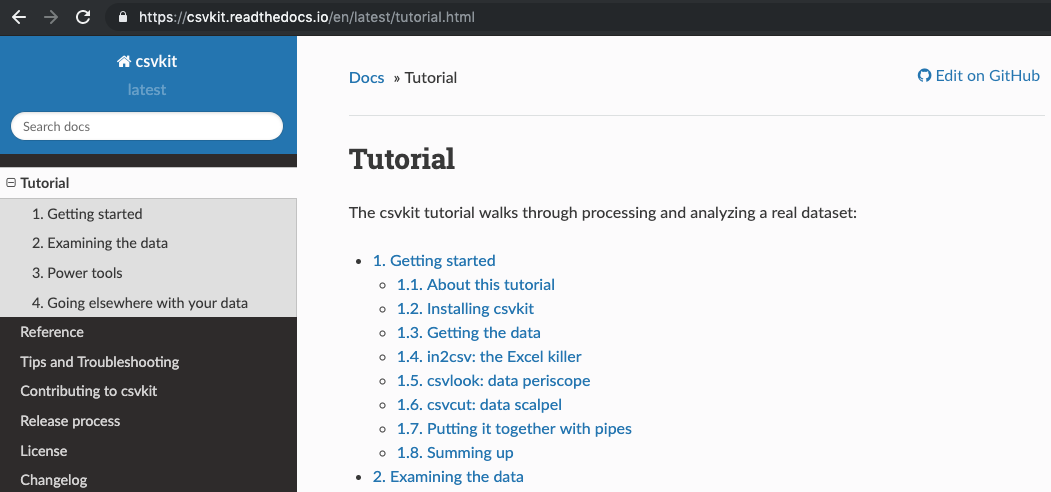
Parcourir le manuel de csvkit
Documentation Web : https://csvkit.readthedocs.io/en/latest/tutorial.html
in2csv : convertir des fichiers en CSV
Documentation Web :
https://csvkit.readthedocs.io/en/latest/scripts/in2csv.html
Documentation en ligne de commande :
in2csv --helpin2csv -h
usage: in2csv [-h] [-d DELIMITER] [-t] [-q QUOTECHAR] [-u {0,1,2,3}] [-b]
              [-p ESCAPECHAR] [-z FIELD_SIZE_LIMIT] [-e ENCODING] [-L LOCALE]
              [-S] [--blanks] [--date-format DATE_FORMAT]
              [--datetime-format DATETIME_FORMAT] [-H] [-K SKIP_LINES] [-v]
in2csv : convertir des fichiers en CSV
Syntaxe :
in2csv SpotifyData.xlsx > SpotifyData.csv
Affiche la première feuille Excel dans la console sans enregistrer
in2csv SpotifyData.xlsx
Le symbole > redirige la sortie et l'enregistre dans un nouveau fichier SpotifyData.csv
> SpotifyData.csv
in2csv : convertir des fichiers en CSV
Utilisez l'option --names ou -n pour afficher tous les noms de feuilles de SpotifyData.xlsx.
in2csv -n SpotifyData.xlsx
Worksheet1_Popularity
Worksheet2_MusicAttributes
Utilisez l'option --sheet suivie de la feuille "Worksheet1_Popularity" à convertir.
in2csv SpotifyData.xlsx --sheet "Worksheet1_Popularity" > Spotify_Popularity.csv
in2csv : convertir des fichiers en CSV
in2csv n'affiche pas de journaux dans la console.
in2csv SpotifyData.xlsx --sheet "Worksheet1_Popularity" > Spotify_Popularity.csv
Vérification rapide :
ls
SpotifyData.xlsx Spotify_Popularity.csv backup bin
csvlook : aperçu des données en ligne de commande
csvlook : affiche un CSV dans le terminal avec un format à largeur fixe compatible Markdown
Documentation :
csvlook -h
usage: csvlook [-h] [-d DELIMITER] [-t] [-q QUOTECHAR] [-u {0,1,2,3}] [-b]
               [-p ESCAPECHAR] [-z FIELD_SIZE_LIMIT] [-e ENCODING] [-L LOCALE]
               [-S] [--blanks] [--date-format DATE_FORMAT]
csvlook : aperçu des données en ligne de commande
Syntaxe :
csvlook Spotify_Popularity.csv
| track_id               | popularity |
| ---------------------- | ---------- |
| 118GQ70Sp6pMqn6w1oKuki |          7 |
| 6S7cr72a7a8RVAXzDCRj6m |          7 |
| 7h2qWpMJzIVtiP30E8VDW4 |          7 |
| 3KVQFxJ5CWOcbxdpPYdi4o |          7 |
| 0JjNrI1xmsTfhaiU1R6OVc |          7 |
| 3HjTcZt29JUHg5m60QhlMw |          7 |
csvstat : statistiques descriptives sur des fichiers CSV
csvstat : affiche des statistiques descriptives pour toutes les colonnes d'un CSV (p. ex. moyenne, médiane, nombre de valeurs uniques)
Documentation :
csvstat -h
usage: csvstat [-h] [-d DELIMITER] [-t] [-q QUOTECHAR] [-u {0,1,2,3}] [-b]
               [-p ESCAPECHAR] [-z FIELD_SIZE_LIMIT] [-e ENCODING] [-S] [-H]
               [-K SKIP_LINES] [-v] [-l] [--zero] [-V] [--csv] [-n]
csvstat : statistiques descriptives sur des fichiers CSV
Syntaxe :
csvstat Spotify_Popularity.csv
  1. "track_id"

        Type of data:          Text
        Contains null values:  False
        Unique values:         24
        Longest value:         22 characters
        Most common values:    118GQ70Sp6pMqn6w1oKuki (1x)
                               6S7cr72a7a8RVAXzDCRj6m (1x)
Essayons csvkit !
Traitement des données en Shell

