Vision par ordinateur

Modèles multimodaux avec Hugging Face

James Chapman

Curriculum Manager, DataCamp

Modèles de vision
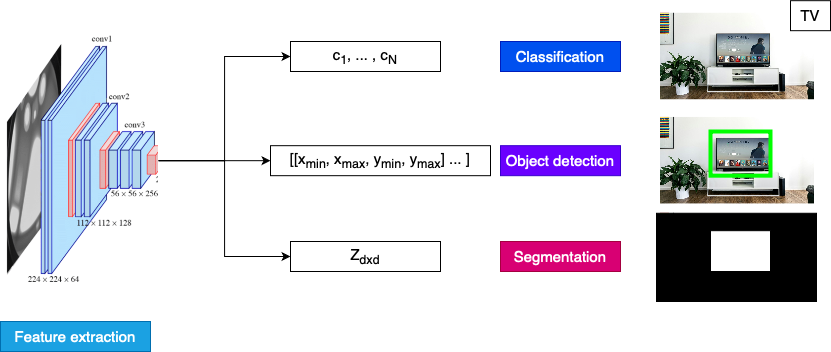
Schéma des tâches de vision

1 https://arxiv.org/abs/1409.1556
Modèles multimodaux avec Hugging Face

Classification

from datasets import load_dataset
dataset = load_dataset("nlphuji/flickr30k")
image = dataset['test'][134]["image"]
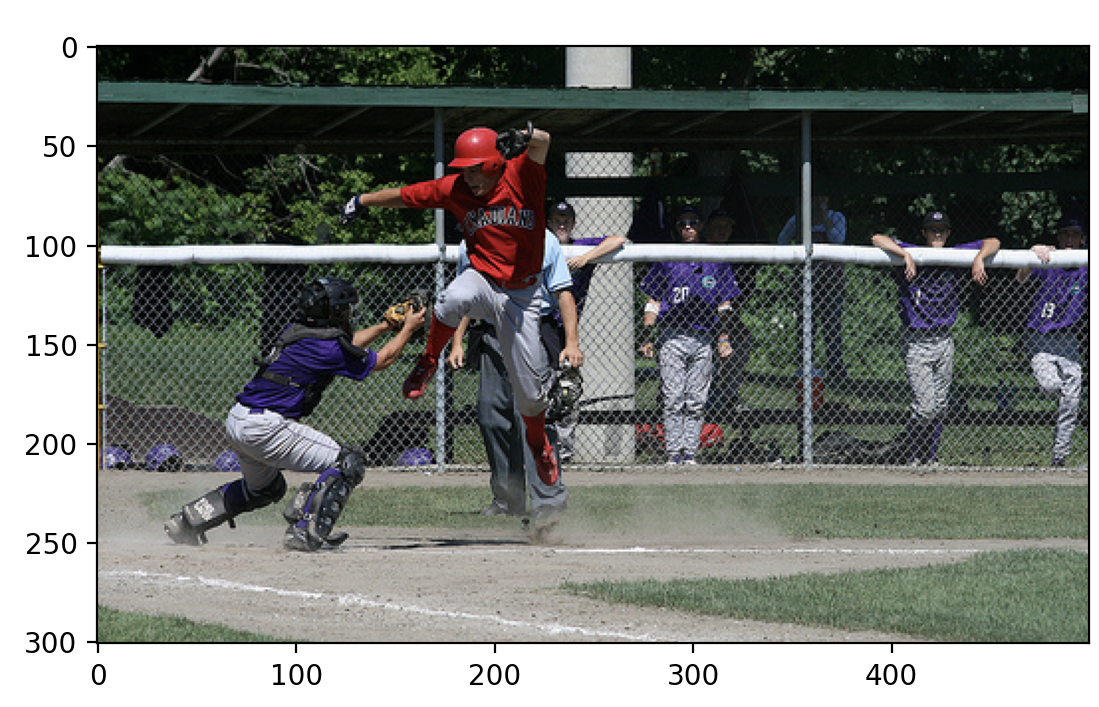
Image d'un match de baseball

from transformert import pipeline
pipe = pipeline("image-classification", 
"google/mobilenet_v2_1.0_224") # 224x224 input

pred = pipe(image) print("Predicted class:", pred[0]['label'])
Predicted class: ballplayer, baseball player
Modèles multimodaux avec Hugging Face

Détection d'objets

dataset['test'][52]["image"]
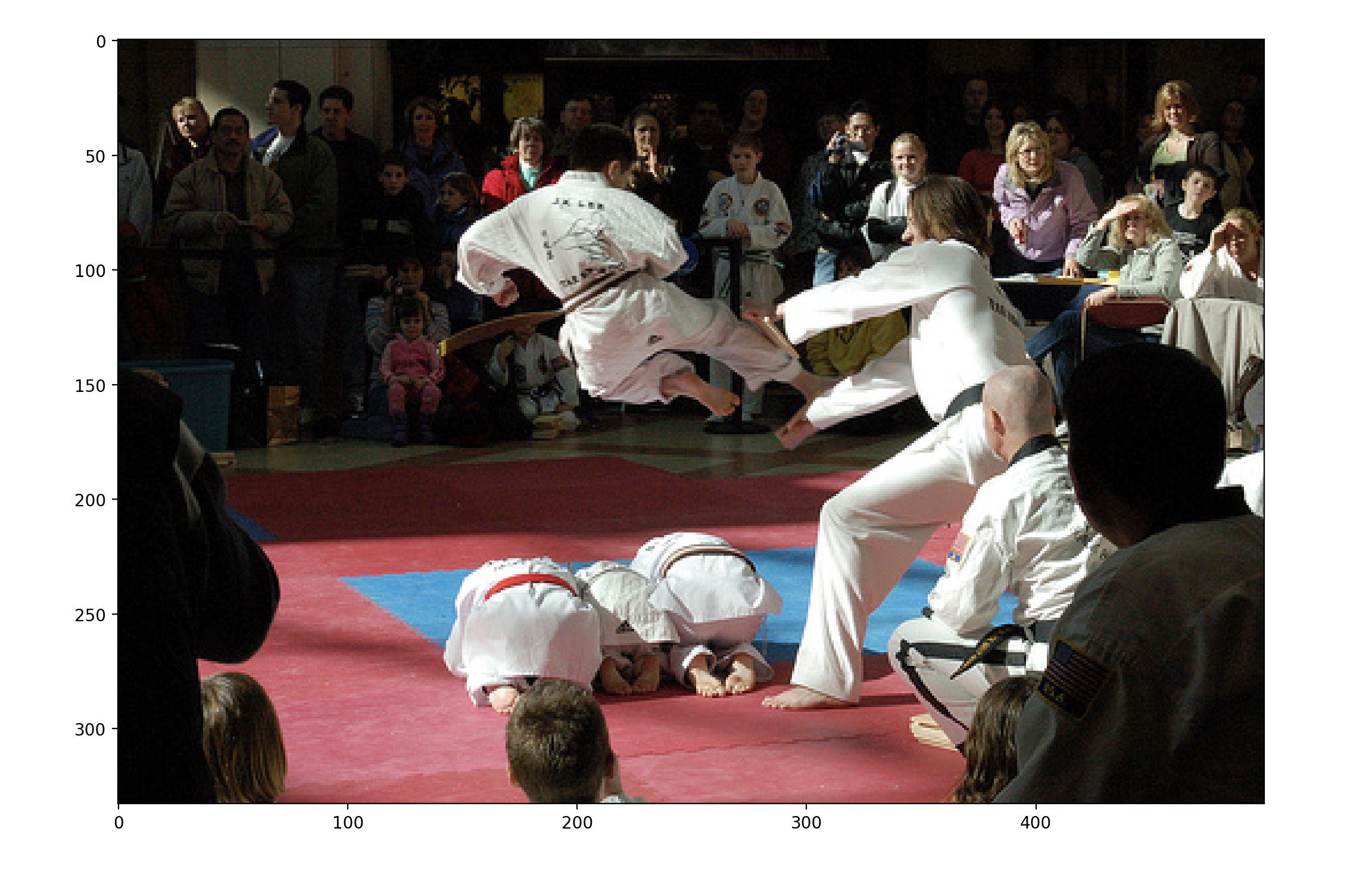
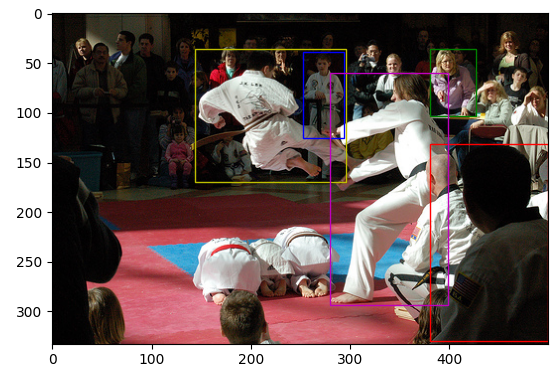
Compétition d'arts martiaux, maintenant avec des cadres de délimitation

Modèles multimodaux avec Hugging Face

Détection d'objets

pipe = pipeline("object-detection", "facebook/detr-resnet-50", revision="no_timm")

outputs = pipe(image, threshold=0.95)
for obj in outputs: box = obj['box']
print(f"Detected {obj['label']} with confidence {obj['score']:.2f} at ({box['xmin']}, {box['ymin']}) to ({box['xmax']}, {box['ymax']})")
Detected person with confidence 0.97 at (381, 131) to (499, 330)
Detected person with confidence 0.96 at (381, 36) to (427, 103)
Detected person with confidence 0.98 at (253, 39) to (294, 125)
Detected person with confidence 1.00 at (144, 36) to (296, 170)
Detected person with confidence 0.95 at (280, 60) to (399, 294)
Modèles multimodaux avec Hugging Face

Détection d'objets

import matplotlib.pyplot as plt
import matplotlib.patches as patches
ax = plt.gca()
colors = ['r', 'g', 'b', 'y', 'm', 'c', 'k']

plt.imshow(image)
for n, obj in enumerate(outputs): box = obj['box']
rect = patches.Rectangle( (box['xmin'], box['ymin']), box['xmax']-box['xmin'], box['ymax']-box['ymin'],
linewidth=1, edgecolor=colors[n], facecolor='none')
ax.add_patch(rect)
plt.show()

Compétition d'arts martiaux, maintenant avec des cadres de délimitation

Modèles multimodaux avec Hugging Face

Segmentation

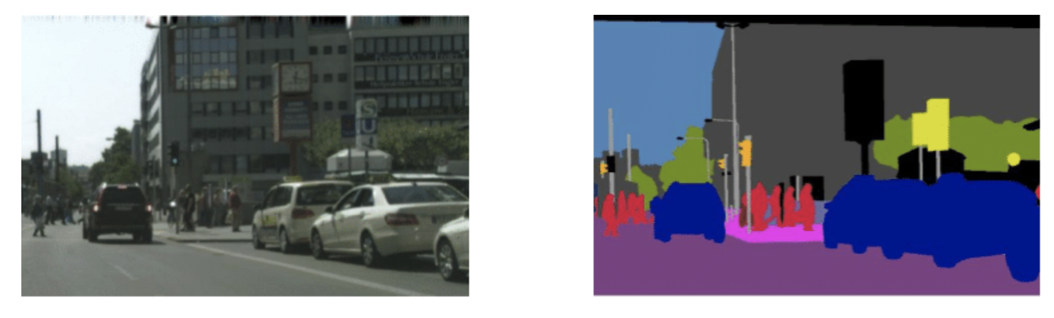
segmentation sémantique

  • Sortie : tableau 2D de mêmes dimensions que l'entrée
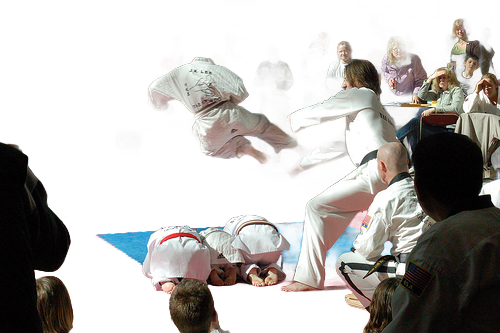
  • Retrait de l'arrière-plan : chaque pixel vaut 1 (premier plan) ou 0 (arrière-plan)
  • Image $\times$ Sortie → image sans arrière-plan
Modèles multimodaux avec Hugging Face

Segmentation

pipe = pipeline("image-segmentation", 
                model="briaai/RMBG-1.4", 
                trust_remote_code=True)

outputs = pipe(image)

plt.imshow(outputs) plt.show()

Image d'une compétition d'arts martiaux, sans arrière-plan

Modèles multimodaux avec Hugging Face

Passons à la pratique !

Modèles multimodaux avec Hugging Face

Preparing Video For Download...