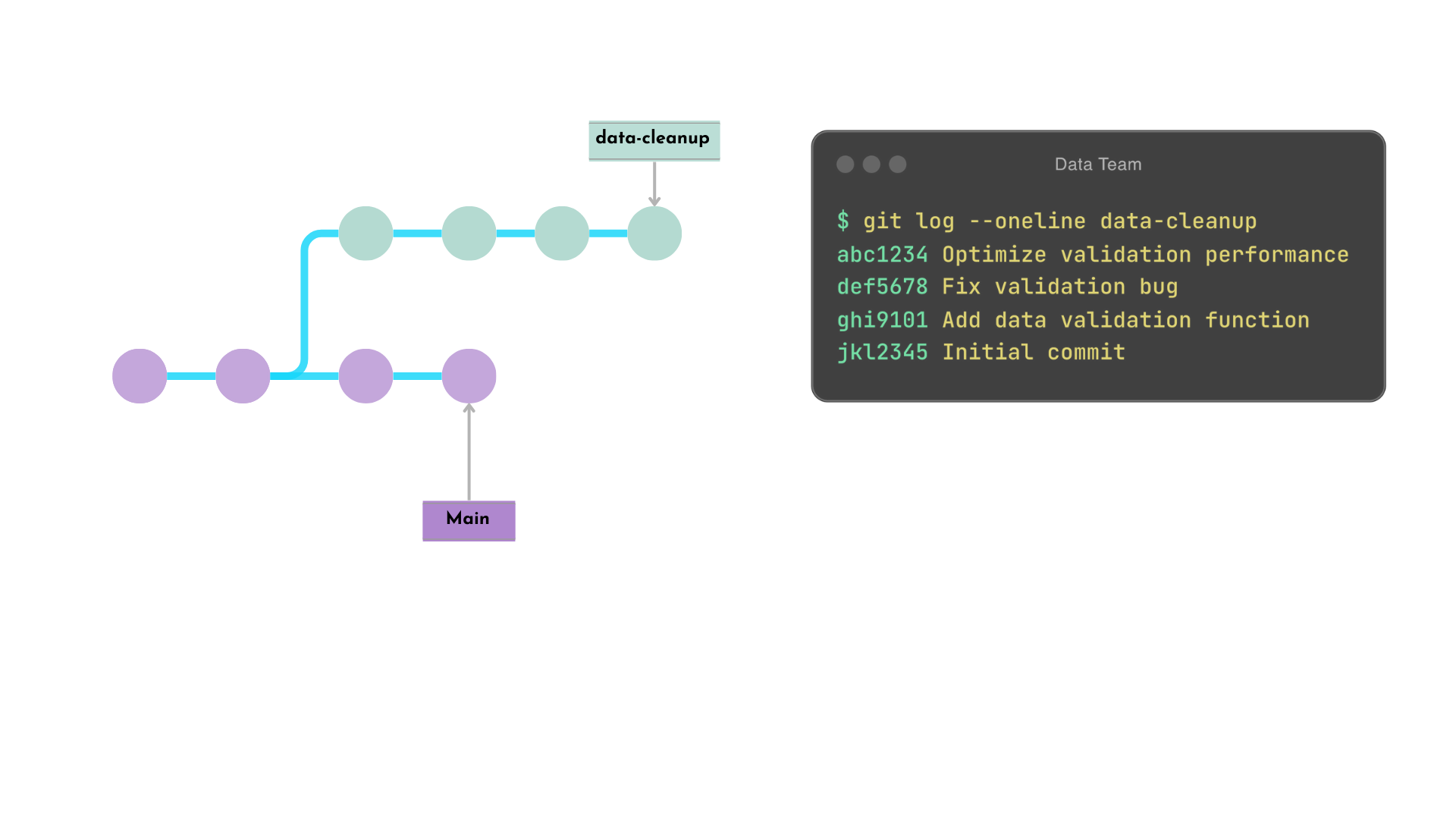
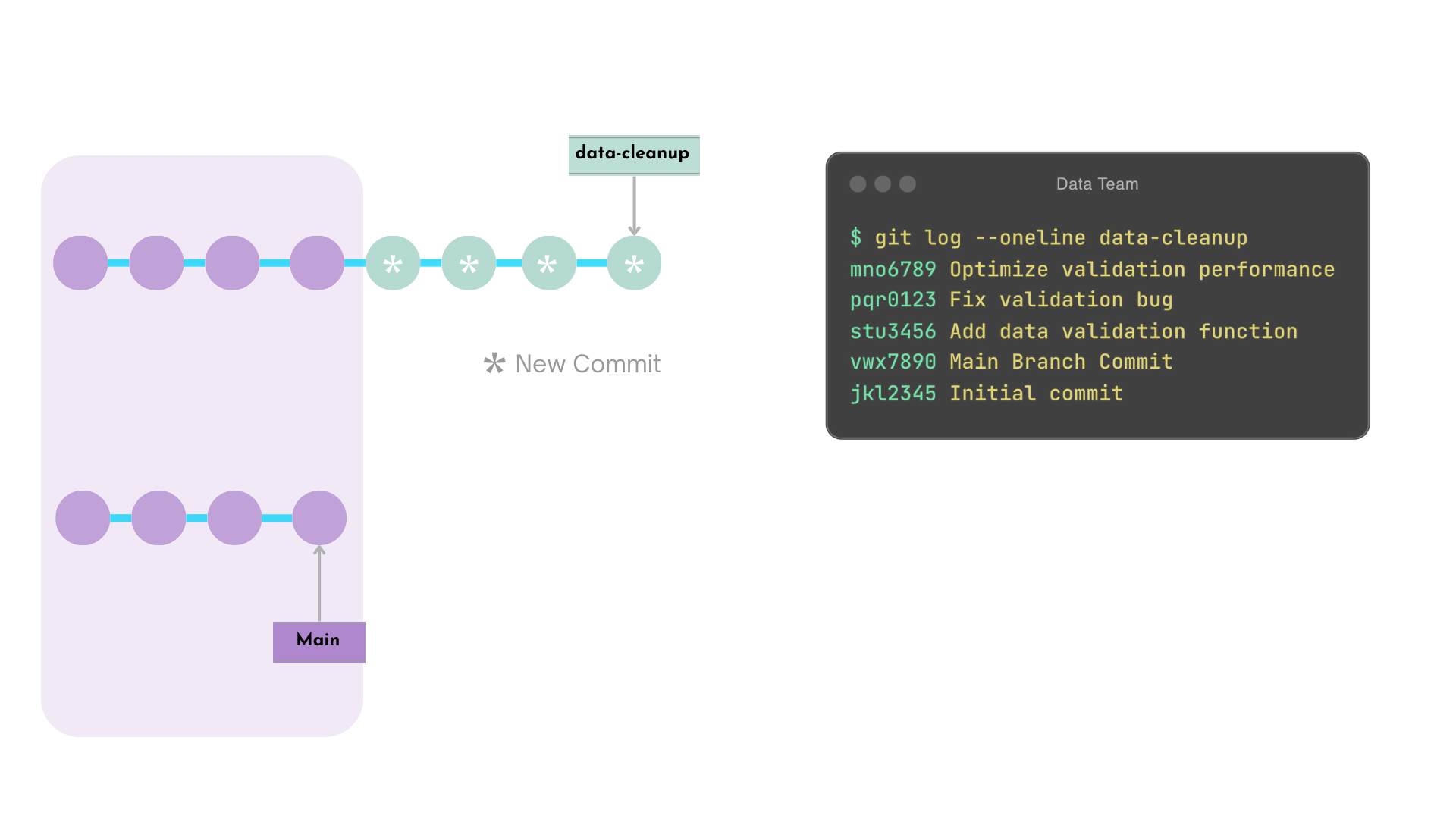
data-cleanup के commits, main के नवीनतम commit के बाद दोबारा बनाए जाते हैं
Rebased data-cleanup commits के नए hashes बनते हैं
Note:
यदि कोई conflicts हों, तो उन्हें मैन्युअली resolve करना होगा.
Rebase उदाहरण - बाद में
Interactive rebase
git rebase -i <commit_hash>
Functionality
डेवलपर को कई commits में सूक्ष्म बदलाव करने देता है
एक editor खोलता है
Warning!
public branches पर rebase workflows बिगाड़ सकता है
main जैसी public branches पर rebase न करें
rebase कब उपयोग करें, इस पर टीम नियम तय करें
Interactive rebase - पहले
$$
यहाँ commit history एडिट करने से पहले का data-validation ब्रांच history है.
$ git log --oneline data-validation
abc1234 Optimize validation performance
def5678 Fix validation bug
ghi9101 Add data validation function
xyz1234 New Main Branch Commit
vwx7890 Main Branch Commit
jkl2345 Initial commit
Interactive rebase editor
खुले editor में pick और fixup कमांड्स से commit history ऐसे एडिट करते हैं.
$ git rebase -i HEAD~3
pick ghi9101 Add data validation function
fixup def5678 Fix validation bug
fixup abc1234 Optimize validation performance

# Rebase xyz1234..abc1234 onto HEAD~3(xyz1234) (3 commands)
#
# Commands:
# p, pick <commit> = use commit
# f, fixup <commit> = like "squash", but discard this commit's log message
...
Interactive rebase - बाद में
Before
$ git log --oneline data-validation
abc1234 Optimize validation performance
def5678 Fix validation bug
ghi9101 Add data validation function
xyz1234 New Main Branch Commit
vwx7890 Main Branch Commit
jkl2345 Initial commit
After
$ git log --oneline data-validatoin
mno6789 Add data validation function
xyz1234 New Main Branch Commit
vwx7890 Main Branch Commit
jkl2345 Initial commit
निम्न commits एक में combine हो गए हैं
abc1234
def5678
ghi9101
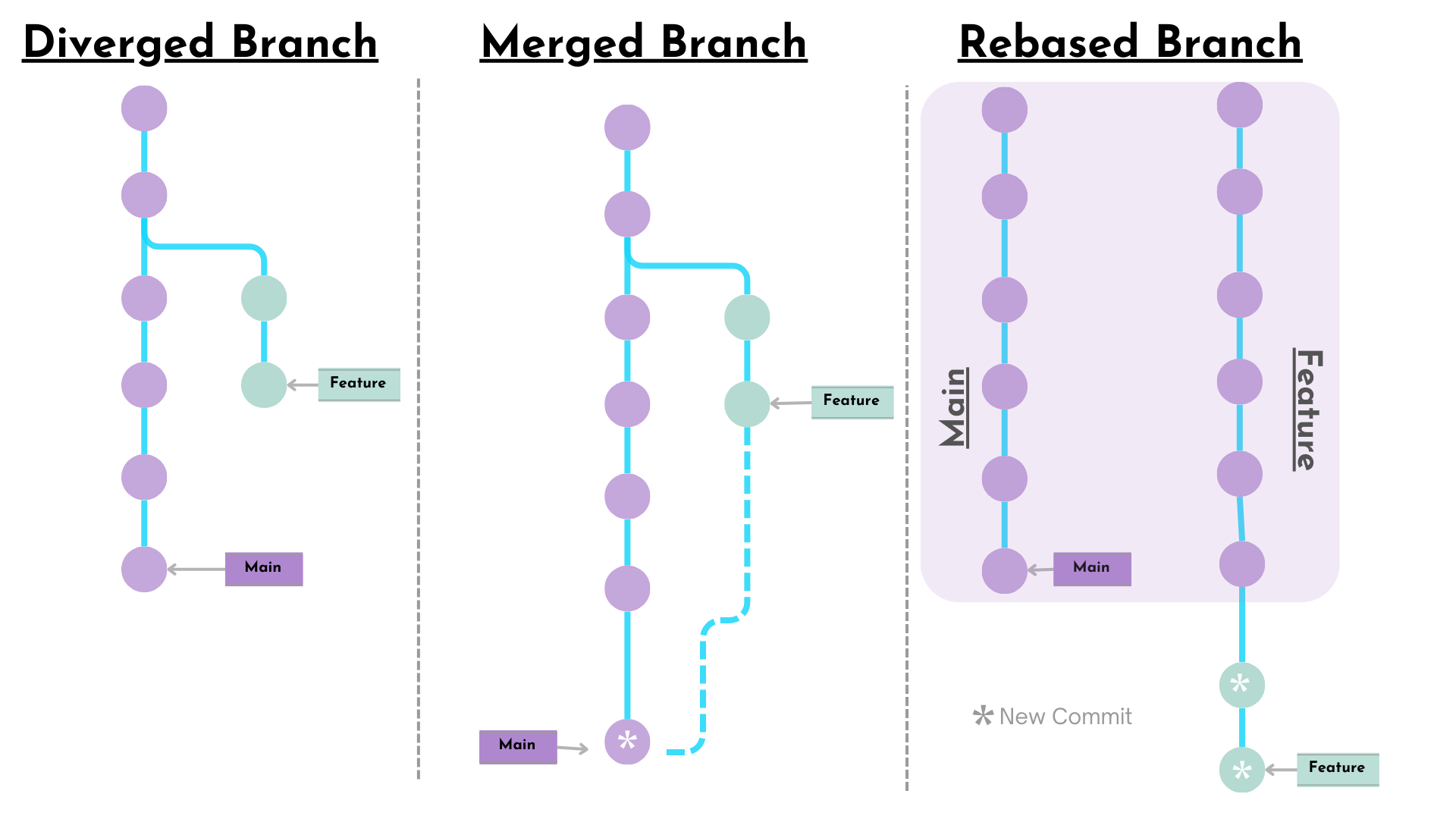
Merge बनाम rebase
Merge
पूरा history और ब्रांच संरचना सुरक्षित रखता है
समानांतर development का context बनाए रखता है
Rebase
commits को target ब्रांच के ऊपर दोहराता है
linear history बनाता है
कुछ संदर्भीय जानकारी खो सकती है
Merge और rebase कब उपयोग करें
Merge
पूरी हुई फीचर्स इंटीग्रेट करने और development context सुरक्षित रखने के लिए
Rebase
फीचर ब्रांचेज़ को main से अपडेट रखने या merge से पहले cleanup के लिए