Python में इमेज प्रोसेसिंग
Rebeca Gonzalez
Data Engineer
किसी इमेज को foreground और background में बाँटना
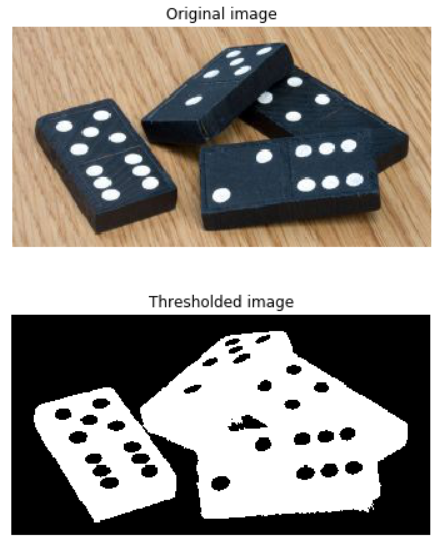
उसे black and white बनाकर
ऐसा करने के लिए हर पिक्सेल को सेट करते हैं:

Image segmentation की सबसे सरल विधि

सिर्फ grayscale इमेज से

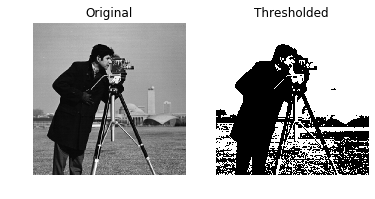
# Obtain the optimal threshold value thresh = 127# Apply thresholding to the image binary = image > thresh# Show the original and thresholded show_image(image, 'Original') show_image(binary, 'Thresholded')

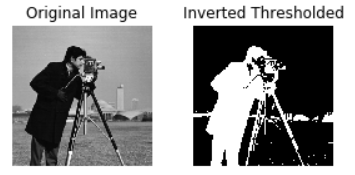
# Obtain the optimal threshold value thresh = 127# Apply thresholding to the image inverted_binary = image <= thresh# Show the original and thresholded show_image(image, 'Original') show_image(inverted_binary, 'Inverted thresholded')

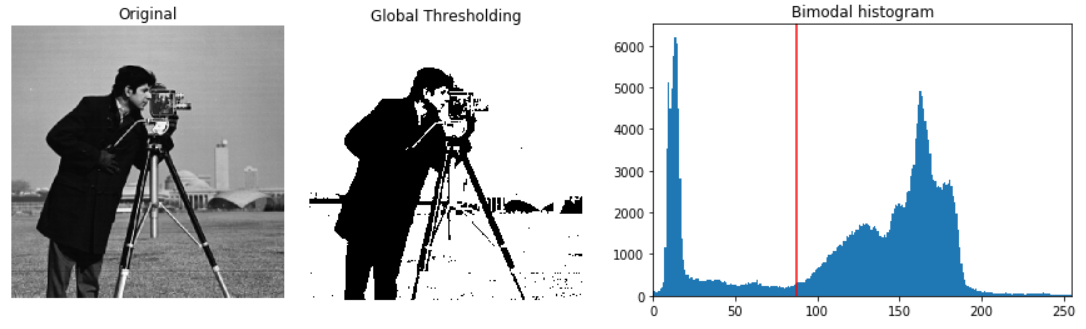
Global या histogram आधारित: समान background पर अच्छा
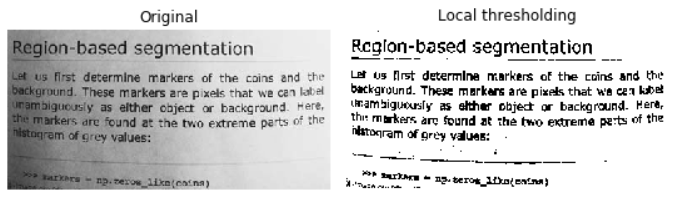
Local या adaptive: असमान background illumination के लिए
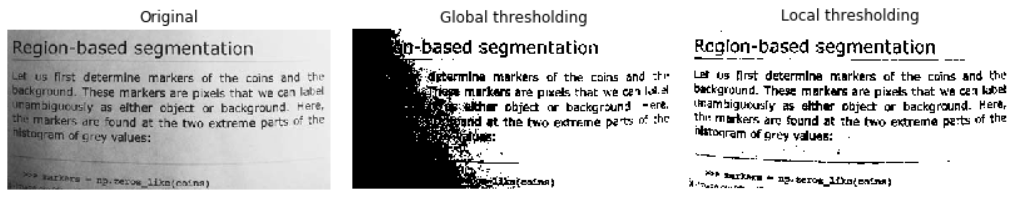
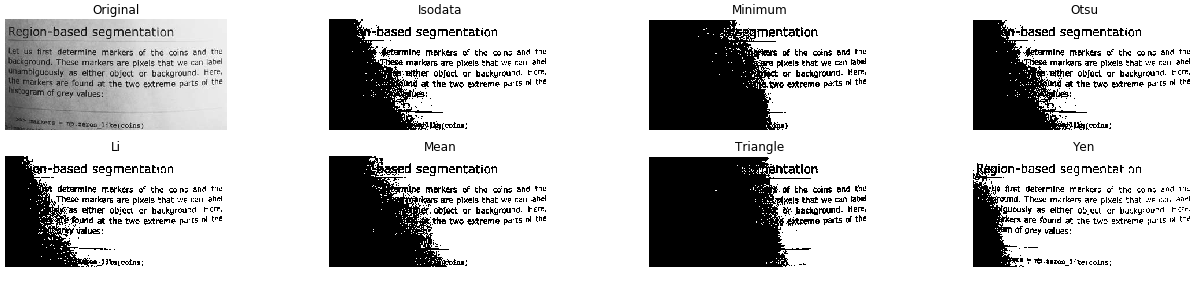
from skimage.filters import try_all_threshold# Obtain all the resulting images fig, ax = try_all_threshold(image, verbose=False)# Showing resulting plots show_plot(fig, ax)

# Import the otsu threshold function from skimage.filters import threshold_otsu# Obtain the optimal threshold value thresh = threshold_otsu(image)# Apply thresholding to the image binary_global = image > thresh
# Show the original and binarized image
show_image(image, 'Original')
show_image(binary_global, 'Global thresholding')
# Import the local threshold function from skimage.filters import threshold_local# Set the block size to 35 block_size = 35# Obtain the optimal local thresholding local_thresh = threshold_local(text_image, block_size, offset=10)# Apply local thresholding and obtain the binary image binary_local = text_image > local_thresh
# Show the original and binarized image
show_image(text_image, 'Original')
show_image(binary_local, 'Local thresholding')
Python में इमेज प्रोसेसिंग