Nested JSONs के साथ काम करना
pandas के साथ सरल Data Ingestion

Amany Mahfouz
Instructor
Nested JSONs
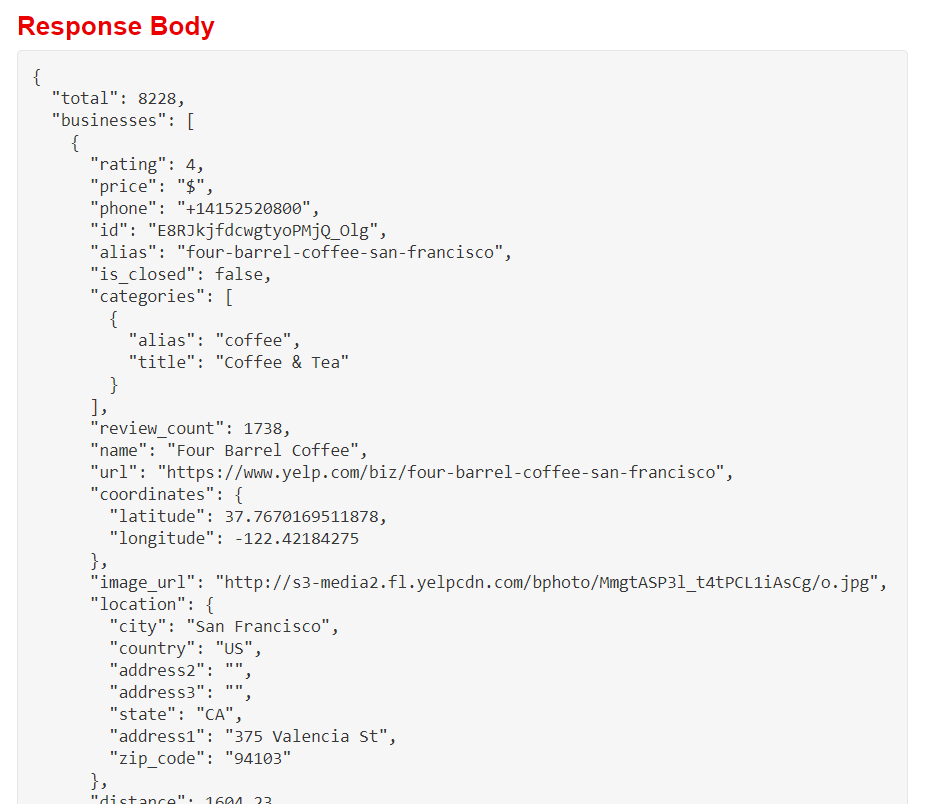
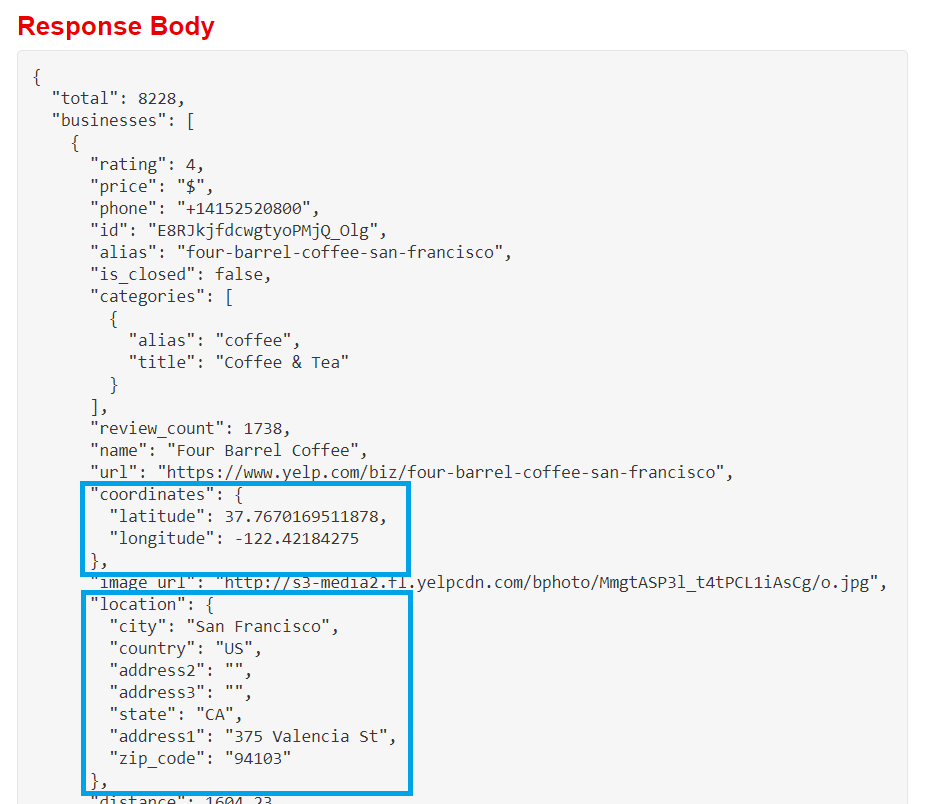
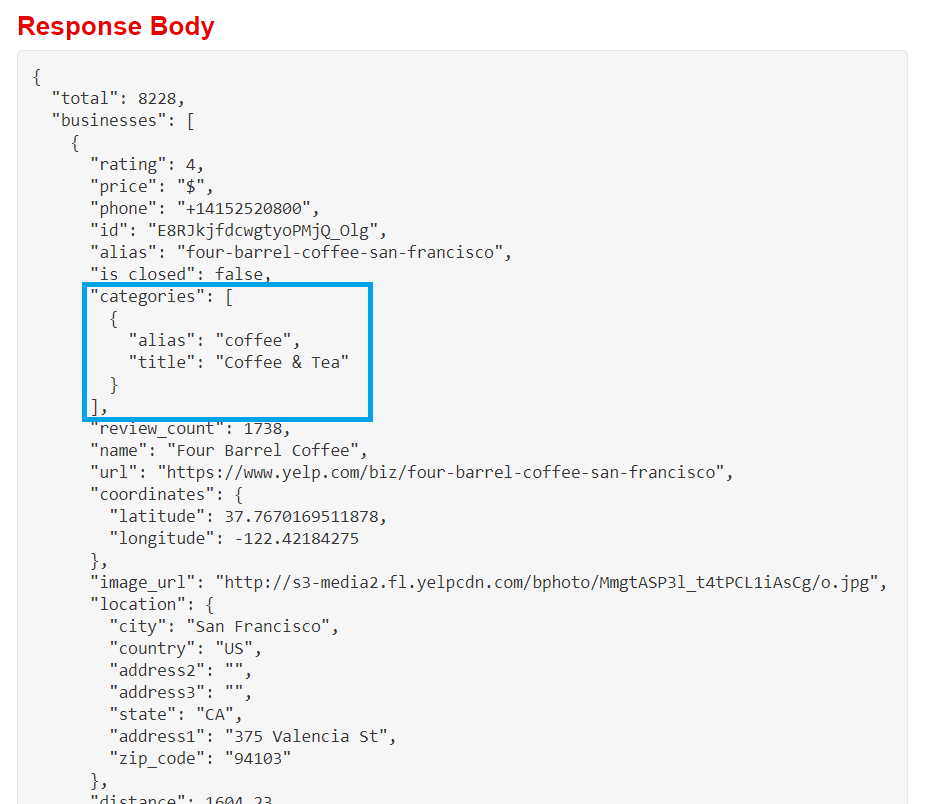
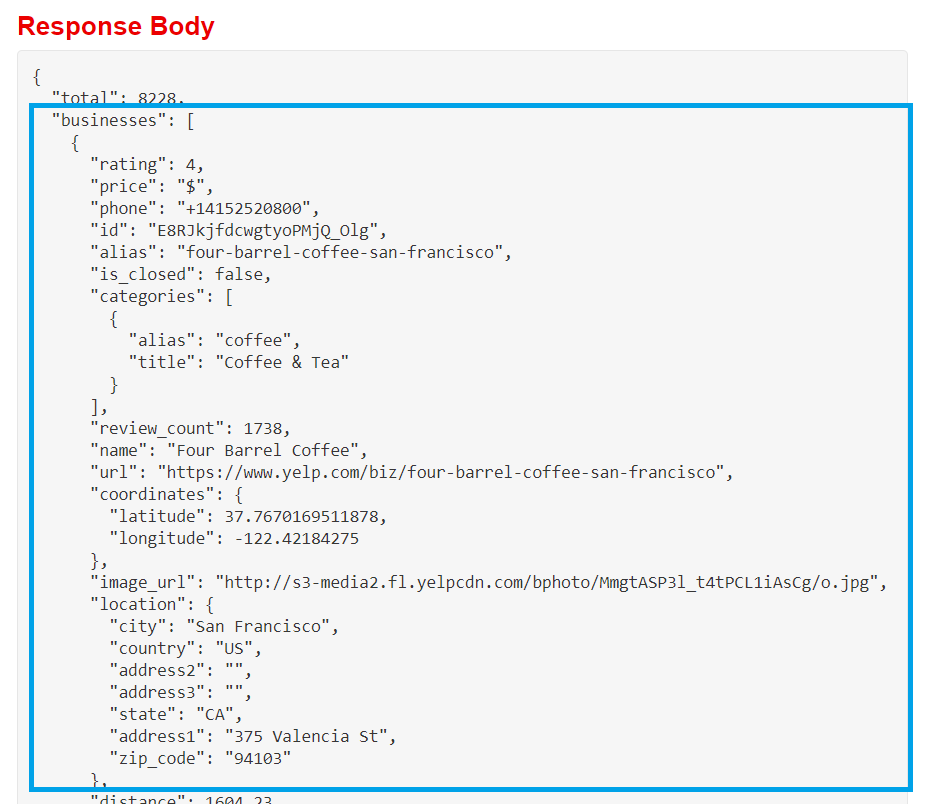
- JSONs में attribute-value जोड़ों वाले objects होते हैं
- जब value खुद एक object हो, तो JSON nested होता है
# Print columns containing nested data
print(bookstores[["categories", "coordinates", "location"]].head(3))
                                          categories  \
0   [{'alias': 'bookstores', 'title': 'Bookstores'}]
1  [{'alias': 'bookstores', 'title': 'Bookstores'...
2   [{'alias': 'bookstores', 'title': 'Bookstores'}]

                                         coordinates  \
0  {'latitude': 37.7975997924805, 'longitude': -1...
1  {'latitude': 37.7885846793652, 'longitude': -1...
2  {'latitude': 37.7589836120605, 'longitude': -1...

                                            location
0  {'address1': '261 Columbus Ave', 'address2': '...
1  {'address1': '50 2nd St', 'address2': '', 'add...
2  {'address1': '866 Valencia St', 'address2': ''...
pandas.io.json
pandas.io.jsonसबमॉड्यूल में JSON पढ़ने/लिखने के टूल हैं- इसके लिए अलग
importस्टेटमेंट चाहिए
- इसके लिए अलग
json_normalize()- dictionary/डिक्शनरी की list लेता है (जैसे
pd.DataFrame()करता है) - एक flattened dataframe लौटाता है
- डिफॉल्ट flattened कॉलम नाम पैटर्न:
attribute.nestedattribute sepआर्ग्युमेंट से अलग सेपरेटर चुनें
- dictionary/डिक्शनरी की list लेता है (जैसे
Nested JSON डेटा लोड करना
import pandas as pd import requestsfrom pandas.io.json import json_normalize# Set up headers, parameters, and API endpoint api_url = "https://api.yelp.com/v3/businesses/search" headers = {"Authorization": "Bearer {}".format(api_key)} params = {"term": "bookstore", "location": "San Francisco"}# Make the API call and extract the JSON data response = requests.get(api_url, headers=headers, params=params) data = response.json()
# Flatten data and load to dataframe, with _ separators
bookstores = json_normalize(data["businesses"], sep="_")
print(list(bookstores))
['alias',
 'categories',
 'coordinates_latitude',
 'coordinates_longitude',
 ...
 'location_address1',
 'location_address2',
 'location_address3',
 'location_city',
 'location_country',
 'location_display_address',
 'location_state',
 'location_zip_code',
 ...
 'url']
Deeply Nested Data
print(bookstores.categories.head())
0     [{'alias': 'bookstores', 'title': 'Bookstores'}]
1    [{'alias': 'bookstores', 'title': 'Bookstores'...
2     [{'alias': 'bookstores', 'title': 'Bookstores'}]
3     [{'alias': 'bookstores', 'title': 'Bookstores'}]
4    [{'alias': 'bookstores', 'title': 'Bookstores'...
Name: categories, dtype: object
Deeply Nested Data
json_normalize()record_path: nested डेटा तक जाने वाले attribute नामों की string/listmeta: अन्य attributes की list जिन्हें dataframe में लाना हैmeta_prefix: meta कॉलम नामों से पहले जोड़ने के लिए string
Deeply Nested Data
# Flatten categories data, bring in business details df = json_normalize(data["businesses"], sep="_",record_path="categories",meta=["name", "alias", "rating", ["coordinates", "latitude"], ["coordinates", "longitude"]],meta_prefix="biz_")
print(df.head(4))
        alias               title                biz_name  \
0  bookstores          Bookstores   City Lights Bookstore
1  bookstores          Bookstores  Alexander Book Company
2  stationery  Cards & Stationery  Alexander Book Company
3  bookstores          Bookstores       Borderlands Books

                              biz_alias  biz_rating  biz_coordinates_latitude  \
0   city-lights-bookstore-san-francisco         4.5                 37.797600
1  alexander-book-company-san-francisco         4.5                 37.788585
2  alexander-book-company-san-francisco         4.5                 37.788585
3       borderlands-books-san-francisco         5.0                 37.758984

   biz_coordinates_longitude
0                -122.406578
1                -122.400631
2                -122.400631
3                -122.421638
अभ्यास करते हैं!
pandas के साथ सरल Data Ingestion

