R-CNN का उपयोग करके ऑब्जेक्ट डिटेक्शन

PyTorch के साथ इमेज के लिए डीप लर्निंग

Michal Oleszak

Machine Learning Engineer

Region-based CNN परिवार: R-CNN

R-CNN परिवार: R-CNN, Fast-CNN, Faster CNN

R-CNN

  • मॉड्यूल 1: region proposals का जनरेशन
1 Citation: Jason Brownlee. 2019. Deep Learning for Computer Vision.
PyTorch के साथ इमेज के लिए डीप लर्निंग

Region-based CNN परिवार: R-CNN

R-CNN परिवार: R-CNN, Fast-CNN, Faster CNN
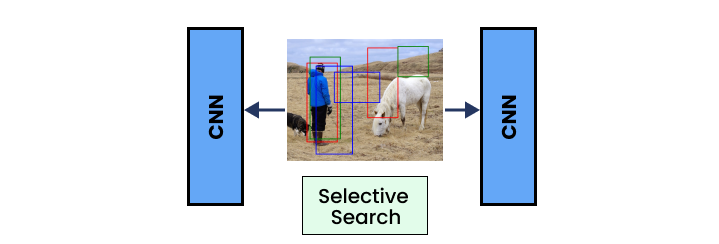
R-CNN

  • मॉड्यूल 1: region proposals का जनरेशन
  • मॉड्यूल 2: फीचर एक्स्ट्रैक्शन (convolutional layers)
1 Citation: Jason Brownlee. 2019. Deep Learning for Computer Vision.
PyTorch के साथ इमेज के लिए डीप लर्निंग

Region-based CNN परिवार: R-CNN

R-CNN परिवार: R-CNN, Fast-CNN, Faster CNN
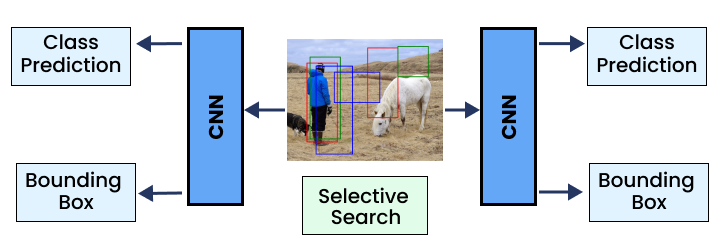
R-CNN

  • मॉड्यूल 1: region proposals का जनरेशन
  • मॉड्यूल 2: फीचर एक्स्ट्रैक्शन (convolutional layers)
  • मॉड्यूल 3: class और bounding box prediction
1 Citation: Jason Brownlee. 2019. Deep Learning for Computer Vision.
PyTorch के साथ इमेज के लिए डीप लर्निंग

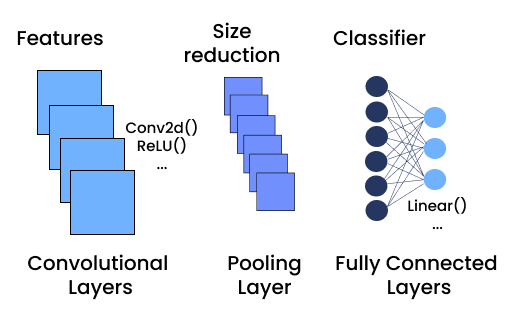
R-CNN: backbone

  • Convolutional layers: pre-trained models
    • Backbone: फीचर एक्स्ट्रैक्शन के लिए core CNN आर्किटेक्चर
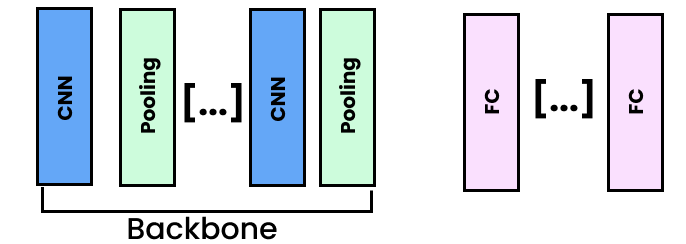
  backbone

  • Convolutional और pooling layers
  • Region proposals और object detection के लिए फीचर निकालें
PyTorch के साथ इमेज के लिए डीप लर्निंग

R-CNN: PyTorch के साथ backbone

import torch.nn as nn
from torchvision.models import vgg16,
    VGG16_Weights


vgg = vgg16(weights=VGG16_Weights.DEFAULT)

vgg model

PyTorch के साथ इमेज के लिए डीप लर्निंग

R-CNN: PyTorch के साथ backbone

import torch.nn as nn
from torchvision.models import vgg16,
    VGG16_Weights


vgg = vgg16(weights=VGG16_Weights.DEFAULT)

vgg model features

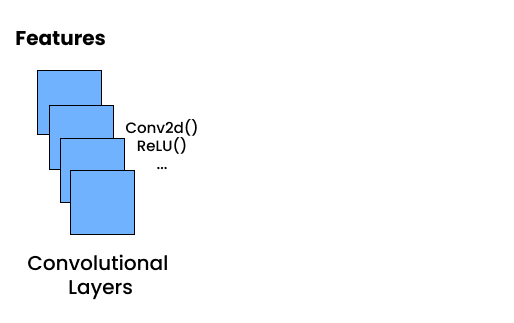
  • .features: केवल convolutional layers
PyTorch के साथ इमेज के लिए डीप लर्निंग

R-CNN: PyTorch के साथ backbone

import torch.nn as nn
from torchvision.models import vgg16,
    VGG16_Weights


vgg = vgg16(weights=VGG16_Weights.DEFAULT)

vgg model

  • .features: केवल convolutional layers
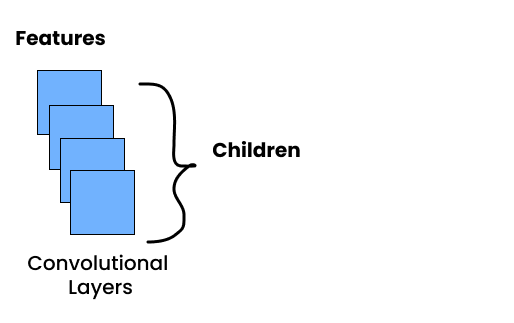
  • .children(): ब्लॉक की सभी लेयर्स
PyTorch के साथ इमेज के लिए डीप लर्निंग

R-CNN: PyTorch के साथ backbone

import torch.nn as nn
from torchvision.models import vgg16,
    VGG16_Weights


vgg = vgg16(weights=VGG16_Weights.DEFAULT)
backbone = nn.Sequential( *list(vgg.features.children()) )
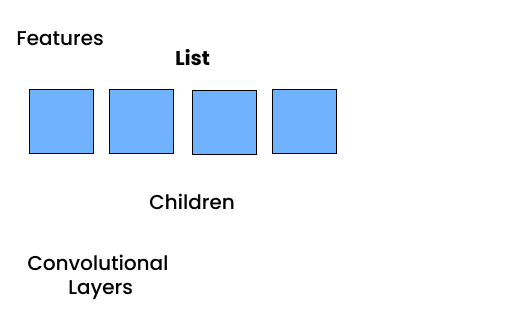
  • nn.Sequential(*list()): सभी sub-layers को list से sequential ब्लॉक में रखें
    • *: list के elements को अनपैक करता है

vgg model

  • .features: केवल convolutional layers
  • .children(): ब्लॉक की सभी लेयर्स
PyTorch के साथ इमेज के लिए डीप लर्निंग

R-CNN: classifier लेयर

  • Backbone का output size निकालें
input_dimension = nn.Sequential(*list(
    vgg_backbone.classifier.children())
)[0].in_features
  • एक नया classifier बनाएँ
classifier = nn.Sequential(
    nn.Linear(input_dimension, 512),
    nn.ReLU(),
    nn.Linear(512, num_classes),
)
PyTorch के साथ इमेज के लिए डीप लर्निंग

R-CNN: बॉक्स रिग्रेसर लेयर

  • Backbone के ऊपर बैठता है
  • 4 outputs बॉक्स के 4 coordinates के लिए
box_regressor = nn.Sequential(
    nn.Linear(input_dimension, 32),
    nn.ReLU(),
    nn.Linear(32, 4),
)
PyTorch के साथ इमेज के लिए डीप लर्निंग

सबको मिलाकर: object detection मॉडल

class ObjectDetectorCNN(nn.Module):
    def __init__(self):
        super(ObjectDetectorCNN, self).__init__()

vgg = vgg16(weights=VGG16_Weights.DEFAULT) self.backbone = nn.Sequential(*list(vgg.features.children()))
input_features = nn.Sequential(*list(vgg.classifier.children()))[0].in_features
self.classifier = nn.Sequential( nn.Linear(input_features, 512), nn.ReLU(), nn.Linear(512, 2), )
self.box_regressor = nn.Sequential( nn.Linear(input_features, 32), nn.ReLU(), nn.Linear(32, 4), )
PyTorch के साथ इमेज के लिए डीप लर्निंग

सबको मिलाकर: object detection मॉडल

class ObjectDetector(nn.Module):
    (...)

    def forward(self, x):

features = self.backbone(x)
bboxes = self.regressor(features) classes = self.classifier(features) return bboxes, classes
PyTorch के साथ इमेज के लिए डीप लर्निंग

ऑब्जेक्ट रिकग्निशन चलाना

  1. इमेज लोड करें और ट्रांसफॉर्म करें
  2. बैच डाइमेंशन जोड़ने के लिए इमेज पर unsqueeze() चलाएँ
  3. इमेज टेन्सर मॉडल को पास करें
  4. मॉडल आउटपुट पर Non-Max Suppression (nms()) चलाएँ
  5. इमेज पर draw_bounding_boxes() लगाएँ
PyTorch के साथ इमेज के लिए डीप लर्निंग

अभ्यास करते हैं!

PyTorch के साथ इमेज के लिए डीप लर्निंग

Preparing Video For Download...