INCLUDE और EXCLUDE LOD expressions
Tableau में Calculations

Maarten Van den Broeck
Content Developer at DataCamp
INCLUDE LOD syntax
Syntax: { INCLUDE [Dimension 1], [Dimension 2], ... : aggregation expression }
उदा.

- डेटाबेस से भी सूक्ष्म level of detail पर गणना करें
- उसे फिर से aggregate कर visualization में मोटे level of detail पर दिखाएँ

यदि आप view से dimensions जोड़ते/हटाते हैं तो calculation बदलेगी.
INCLUDE LOD उदाहरण
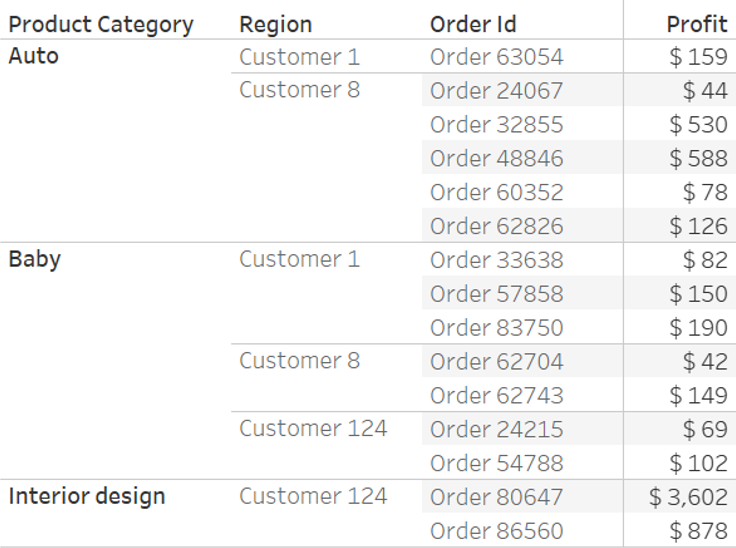
आधारभूत डेटा:
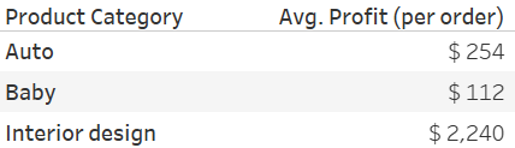
औसत Profit: AVG(Profit)
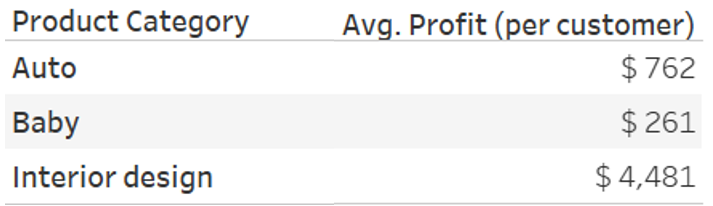
प्रति customer औसत Profit:
AVG({INCLUDE [Customer] : SUM(Profit)})
EXCLUDE LOD syntax
Syntax: { EXCLUDE [Dimension 1], [Dimension 2], ... : aggregation expression }
उदा.

- view में मौजूद level से उच्चतर level of detail पर गणना.
- यदि आप view से dimensions जोड़ते/हटाते हैं तो calculation बदलेगी.
EXCLUDE LOD उदाहरण
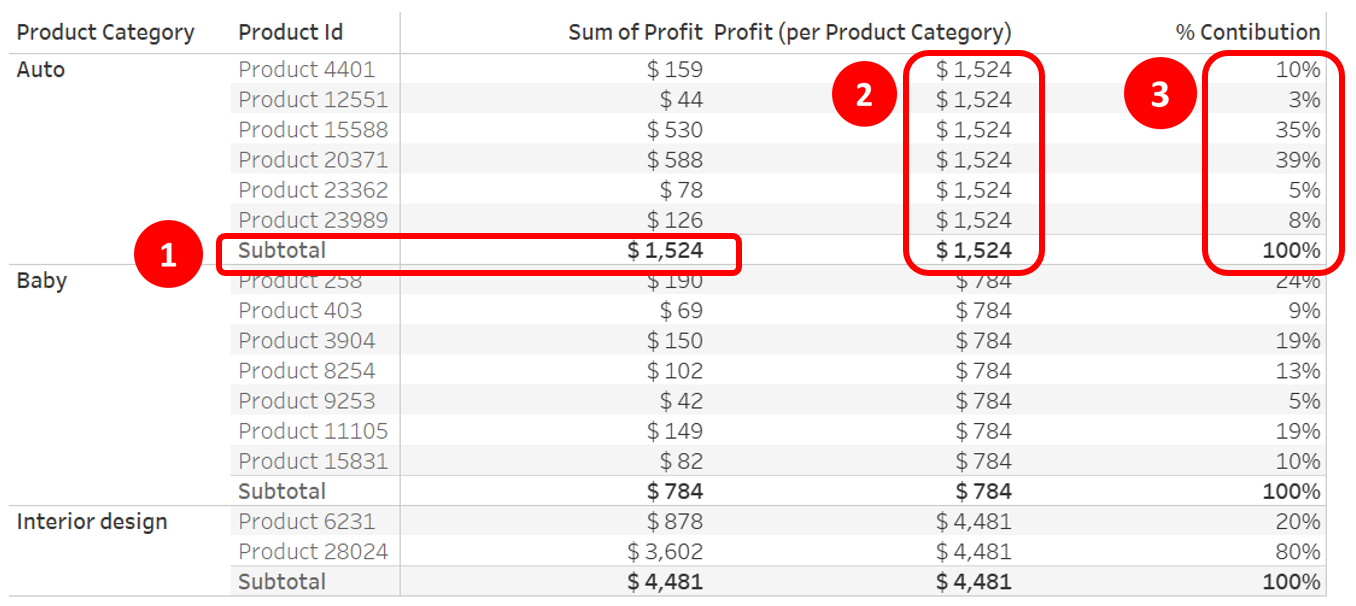
Profit (प्रति Product Category): { EXCLUDE [Product Id] : SUM([Profit]) }
Order of operations
Tableau फ़िल्टर्स को एक तय क्रम में execute करता है:
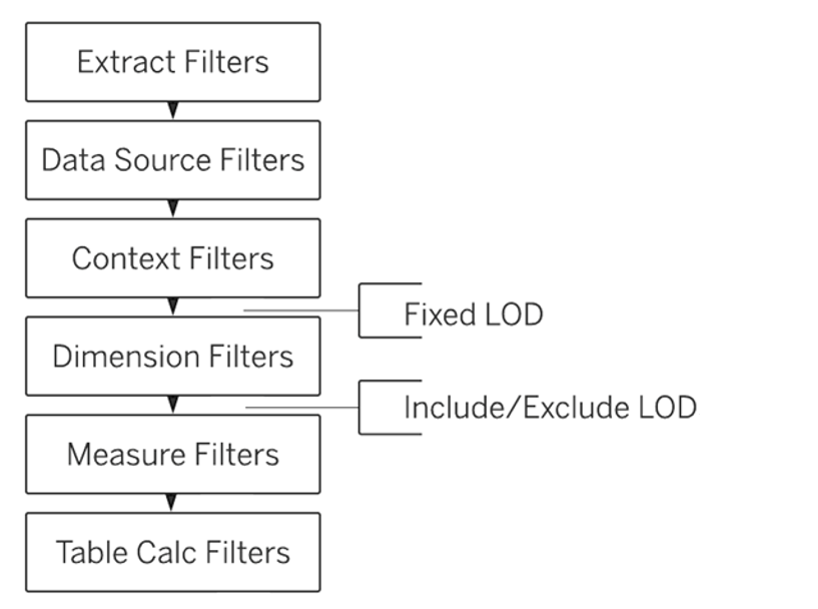
1 https://help.tableau.com/current/pro/desktop/en-us/order_of_operations.htm

