इंटेंसिटी वैल्यूज़

Python में बायोमेडिकल इमेज विश्लेषण

Stephen Bailey

Instructor

Pixels और Voxels

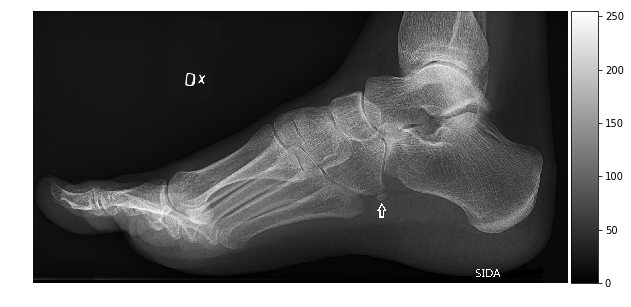
  • Pixels 2D पिक्चर एलिमेंट होते हैं
  • Voxels 3D वॉल्यूम एलिमेंट होते हैं
  • दो गुण: इंटेंसिटी और लोकेशन

foot-xray

Python में बायोमेडिकल इमेज विश्लेषण

Data types और इमेज साइज़

Array का data type संभावित इंटेंसिटी रेंज नियंत्रित करता है

Type Range No. Val.
uint8 0, 255 256
int8 - 128, 127 256
uint16 0, 2$^{16}$ 2$^{16}$
int16 -2$^{15}$, 2$^{15}$ 2$^{16}$
float16 ~-2$^{16}$, ~2$^{16}$ >>2$^{16}$
import imageio.v2 as imageio

im=imageio.imread('foot-xray.jpg')

im.dtype
    dtype('uint8')

im.size
153600
im_int64 = im.astype(np.uint64)
im_int64.size
1228800
Python में बायोमेडिकल इमेज विश्लेषण

Histograms

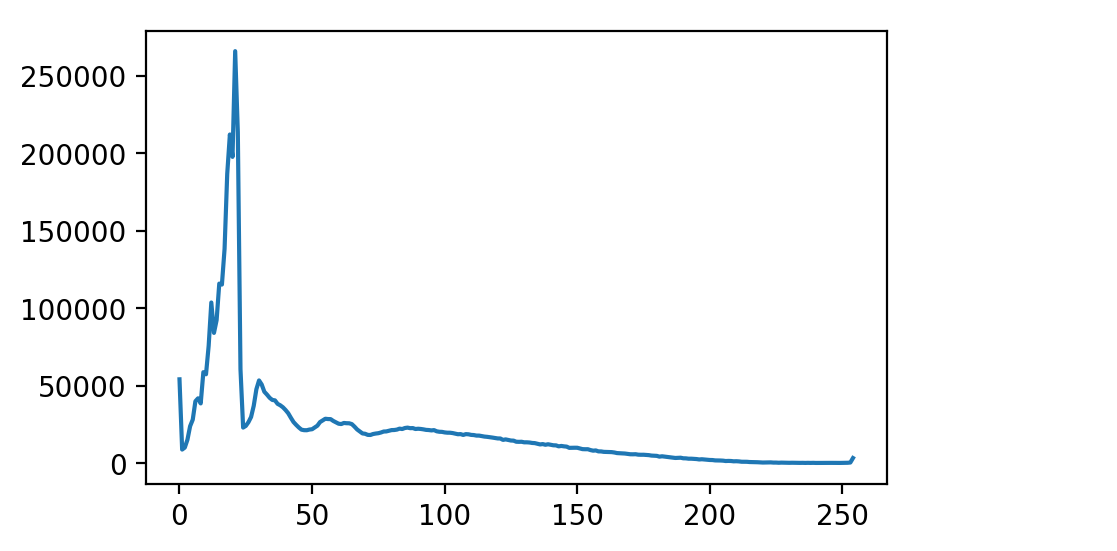
  • Histograms: हर इंटेंसिटी वैल्यू पर पिक्सेल की गिनती.
  • scipy.ndimage में उपलब्ध.
    • हाई-डायमेंशनल arrays
    • masked data
  • scikit-image में एडवांस्ड टेक्नीक्स और फंक्शनैलिटी.
plt.plot(hist)
plt.show()
import scipy.ndimage as ndi

hist=ndi.histogram(im, min=0, max=255, bins=256)
hist.shape
(256,)

Histogram

Python में बायोमेडिकल इमेज विश्लेषण

Equalization

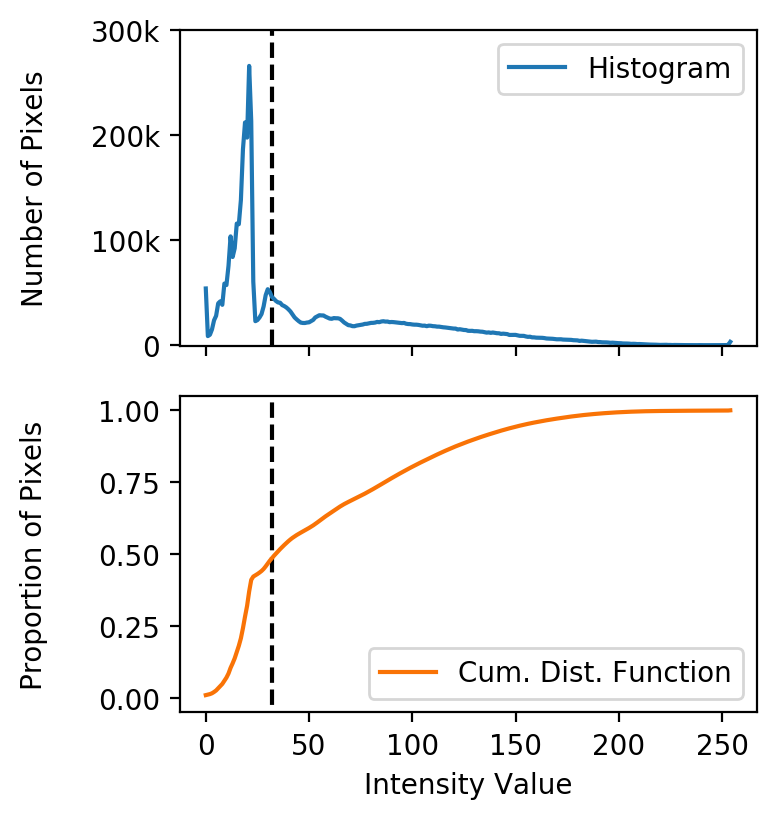
  • डिस्ट्रीब्यूशन अक्सर लो इंटेंसिटी (बैकग्राउंड) की ओर स्क्यू होते हैं.

  • Equalization: वैल्यूज़ को फिर बाँटकर पूरी इंटेंसिटी रेंज का बेहतर उपयोग.

  • Cumulative distribution function (CDF): किसी रेंज में पिक्सेल का अनुपात दिखाता है.

Hist+CDF

Python में बायोमेडिकल इमेज विश्लेषण

Equalization

import scipy.ndimage as ndi
hist = ndi.histogram(im, min=0, 
                         max=255,
                        bins=256)

cdf = hist.cumsum() / hist.sum() cdf.shape
(256,)
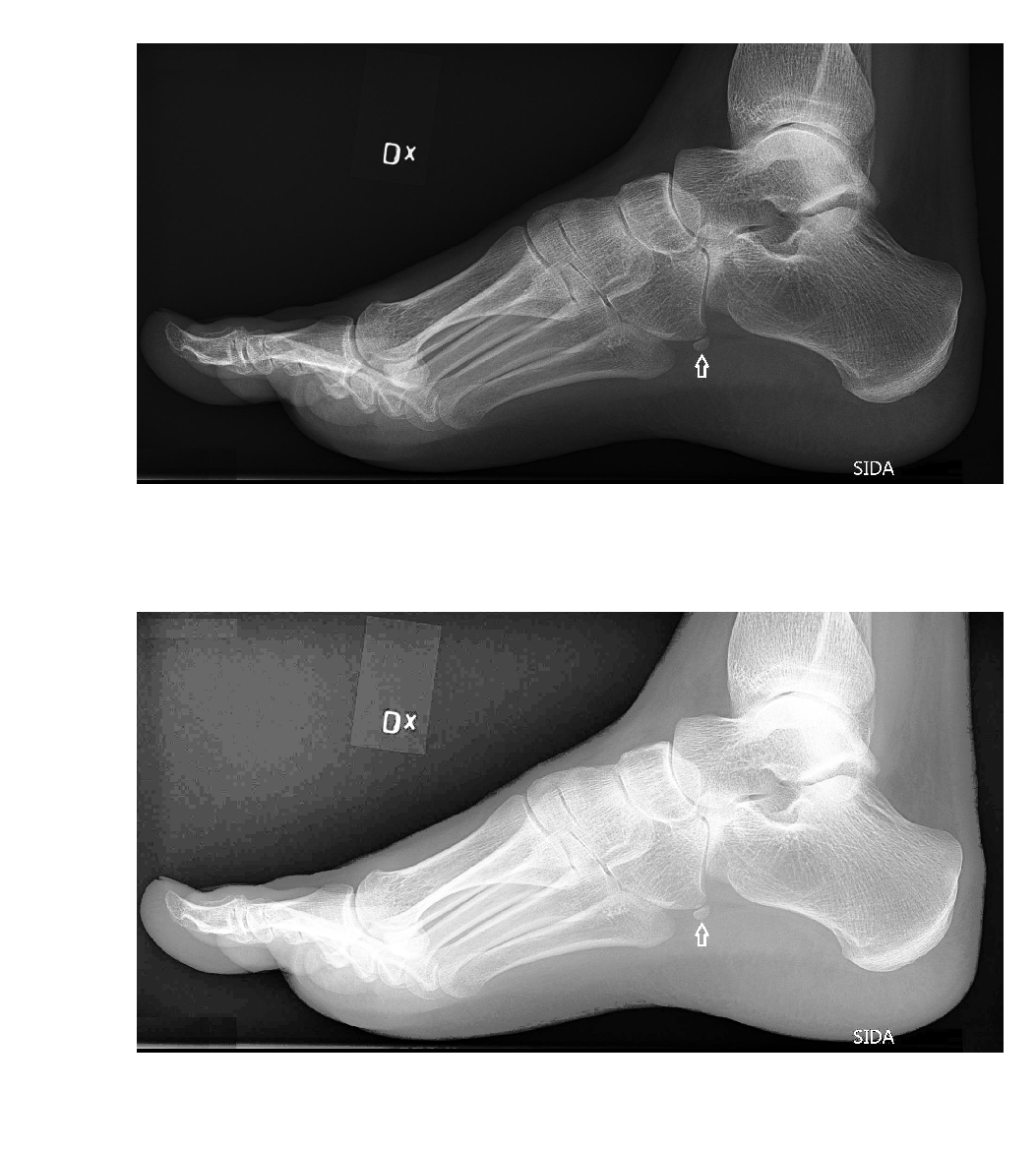
im_equalized = cdf[im] * 255

fig, axes = plt.subplots(2, 1) axes[0].imshow(im) axes[1].imshow(im_equalized) plt.show()

equalized-image

Python में बायोमेडिकल इमेज विश्लेषण

अभ्यास करते हैं!

Python में बायोमेडिकल इमेज विश्लेषण

Preparing Video For Download...