डिफ्यूजन मॉडल्स से इमेज एडिटिंग

Hugging Face के साथ मल्टी-मोडल मॉडल्स

James Chapman

Curriculum Manager, DataCamp

Diffusers
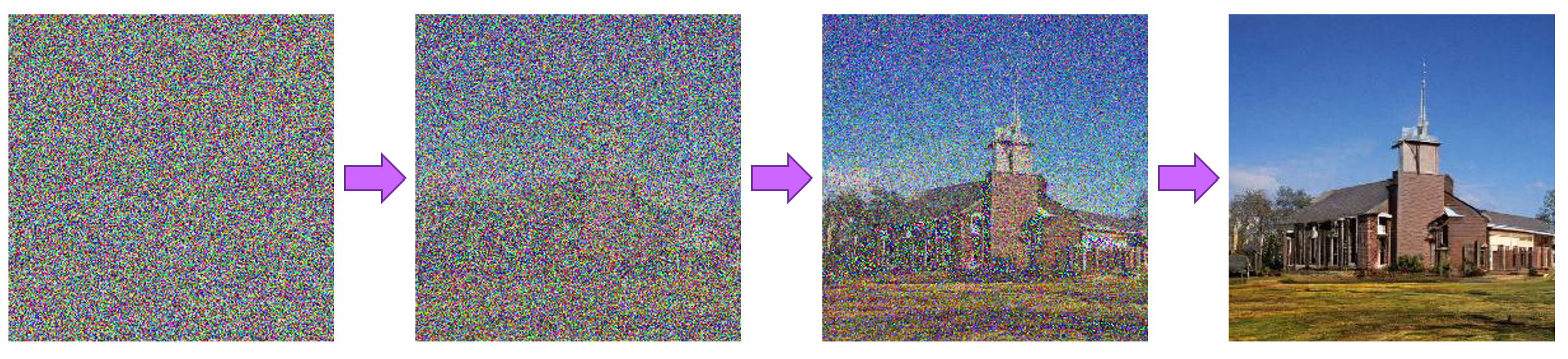
शोर से इमेज बनाने में डिफ्यूजन मॉडल के स्टेप्स

  • नॉइज़ से इमेज मैप करने के लिए ट्रेन्ड
  • CLIP + Diffusion → 2 तरह की कंडीशनल जनरेशन
    • Generation: Text → image
    • Modification: Text+image → image
1 https://huggingface.co/docs/diffusers
Hugging Face के साथ मल्टी-मोडल मॉडल्स

कस्टम इमेज एडिटिंग

ControlNet: इमेज और टेक्स्ट-गाइडेड कंडीशनल जनरेशन
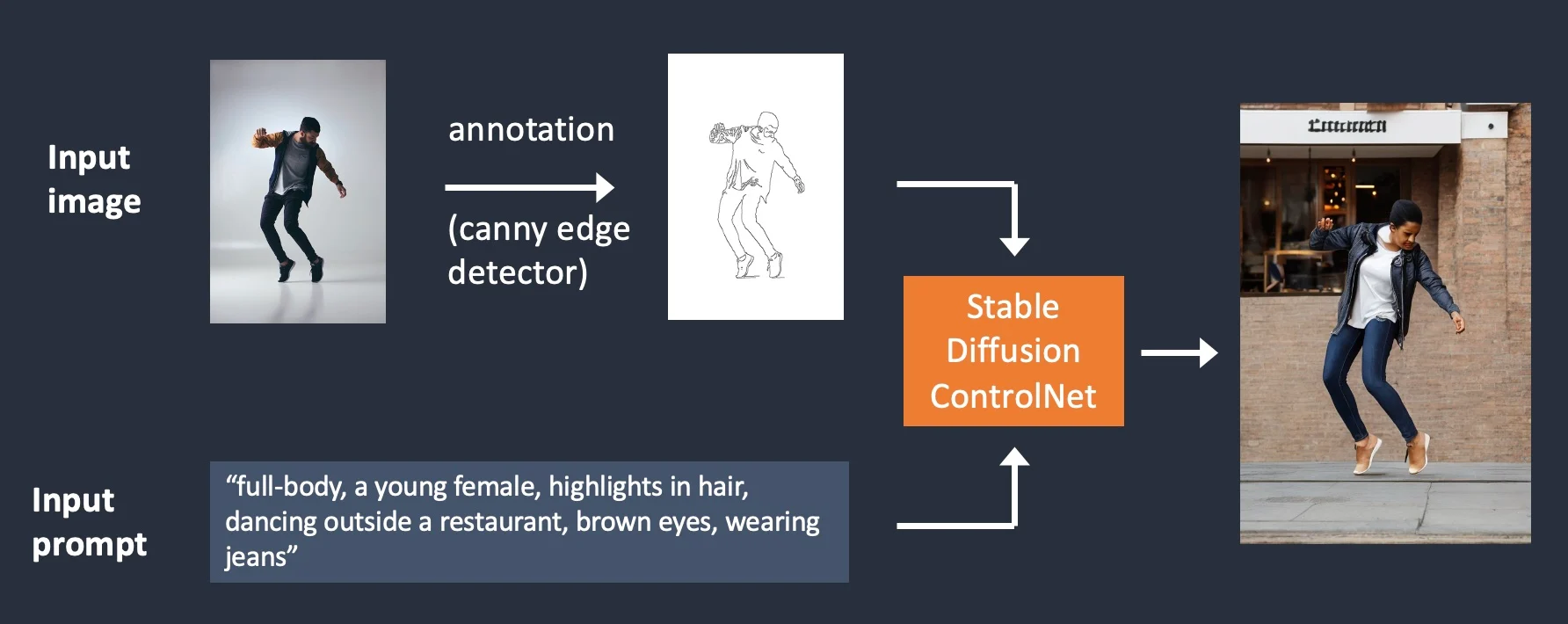
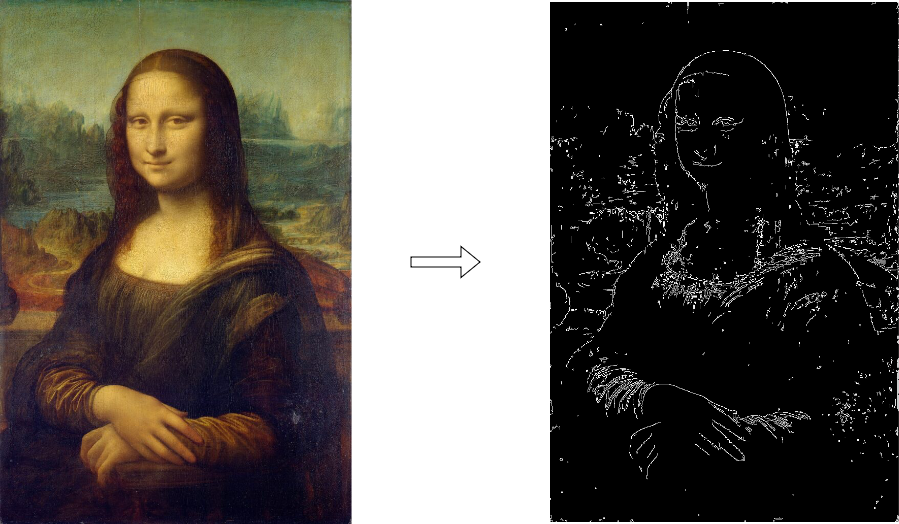
कैऩी फ़िल्टर और ControlNet के साथ कस्टम इमेज एडिटिंग का डायग्राम

1 https://stable-diffusion-art.com/controlnet/
Hugging Face के साथ मल्टी-मोडल मॉडल्स

कस्टम इमेज एडिटिंग

from diffusers.utils import load_image

image = load_image("http://301.nz/o81bf")

import cv2 from PIL import Image import numpy as np image = cv2.Canny(np.array(image), 100, 200)
image = image[:, :, None] image = np.concatenate([image, image, image], axis=2)

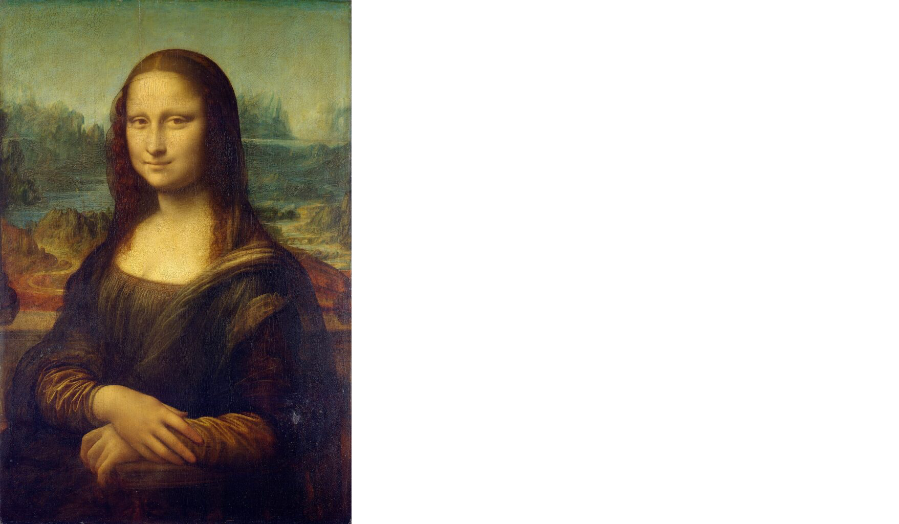
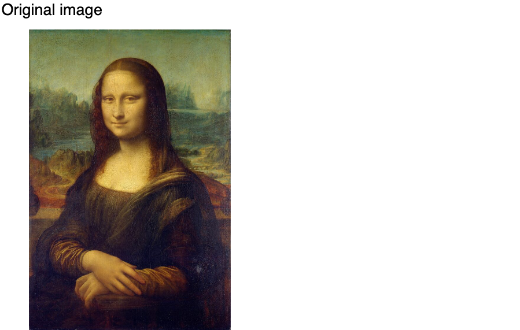
मोना लिसा की इमेज

Hugging Face के साथ मल्टी-मोडल मॉडल्स

कस्टम इमेज एडिटिंग

from diffusers.utils import load_image

image = load_image("http://301.nz/o81bf")

import cv2
from PIL import Image
import numpy as np

image = cv2.Canny(np.array(image), 100, 200)
image = image[:, :, None]
image = np.concatenate([image, image, image], 
                       axis=2)
canny_image = Image.fromarray(image)

मोना लिसा और कैनी फ़िल्टर वाली वर्ज़न

Hugging Face के साथ मल्टी-मोडल मॉडल्स

कस्टम इमेज एडिटिंग

from diffusers import StableDiffusionControlNetPipeline
from diffusers import ControlNetModel
import torch

controlnet = ControlNetModel.from_pretrained("lllyasviel/sd-controlnet-canny", 
                                             torch_dtype=torch.float16)


pipe = StableDiffusionControlNetPipeline.from_pretrained( "runwayml/stable-diffusion-v1-5", controlnet=controlnet, torch_dtype=torch.float16 )
pipe = pipe.to("cuda")
Hugging Face के साथ मल्टी-मोडल मॉडल्स

कस्टम इमेज एडिटिंग

prompt = ["Albert Einstein, 
          best quality, 
          extremely detailed"]

generator = [ torch.Generator(device="cuda").manual_seed(2)]
output = pipe( prompt, canny_image, negative_prompt=["monochrome, lowres, bad anatomy, worst quality, low quality"], generator=generator, num_inference_steps=20)

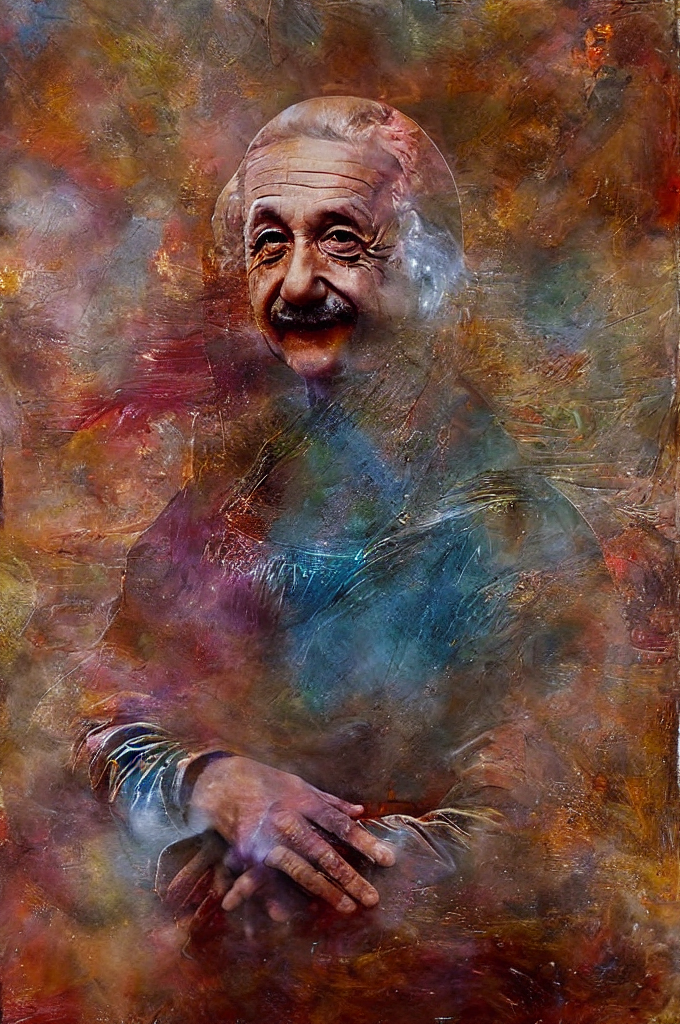
मोना लिसा पोज़ में अल्बर्ट आइंस्टीन

Hugging Face के साथ मल्टी-मोडल मॉडल्स

इमेज इनपेंटिंग

  • किसी चुने हुए क्षेत्र तक सीमित नया कंटेंट जनरेट करें

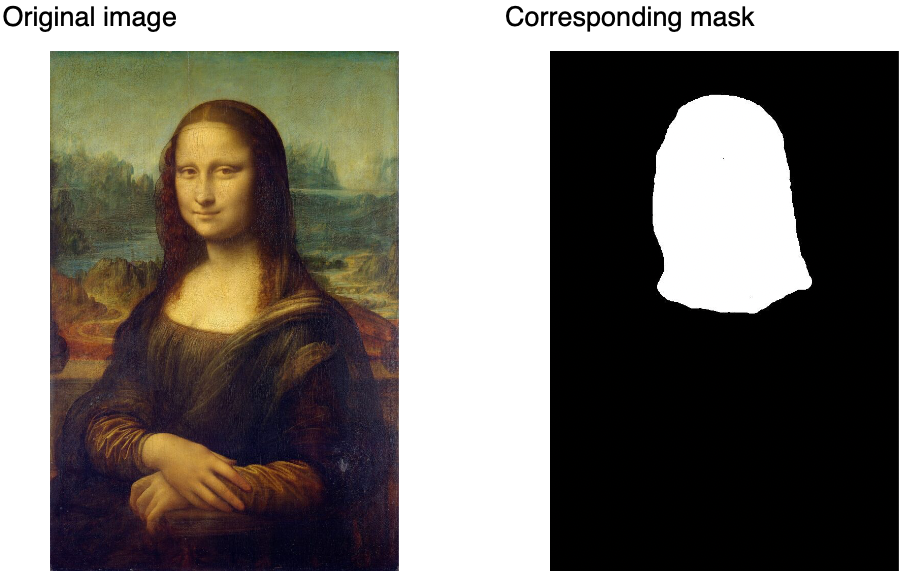
मास्क के बिना मोना लिसा

Hugging Face के साथ मल्टी-मोडल मॉडल्स

इमेज इनपेंटिंग

  • किसी चुने हुए क्षेत्र तक सीमित नया कंटेंट जनरेट करें
  • बाइनरी मास्क: white (1), black (0)
  • मास्क सेगमेंटेशन से या यूज़र द्वारा प्री-डिफाइन्ड (जैसे InpaintingMask-Generation)

हमारे मास्क के साथ मोना लिसा

Hugging Face के साथ मल्टी-मोडल मॉडल्स

इमेज इनपेंटिंग

from diffusers import StableDiffusionControlNetInpaintPipeline, ControlNetModel


controlnet = ControlNetModel.from_pretrained("lllyasviel/control_v11p_sd15_inpaint", torch_dtype=torch.float16, use_safetensors=True)
pipe = StableDiffusionControlNetInpaintPipeline.from_pretrained( "stable-diffusion-v1-5/stable-diffusion-v1-5", controlnet=controlnet, torch_dtype=torch.float16, use_safetensors=True )
Hugging Face के साथ मल्टी-मोडल मॉडल्स

इमेज इनपेंटिंग

def make_inpaint_condition(image, image_mask):
    image = np.array(image.convert("RGB")).astype(np.float32) / 255.0
    image_mask = np.array(image_mask.convert("L")).astype(np.float32) / 255.0


image[image_mask > 0.5] = -1.0
image = np.expand_dims(image, 0).transpose(0, 3, 1, 2) image = torch.from_numpy(image) return image control_image = make_inpaint_condition(init_image, mask_image)
Hugging Face के साथ मल्टी-मोडल मॉडल्स

इमेज इनपेंटिंग

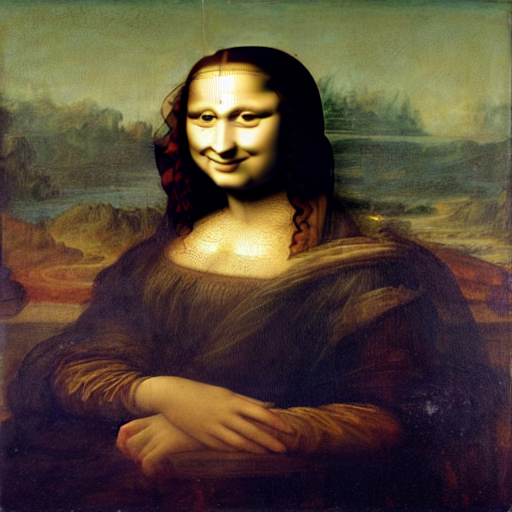
output = pipe(
    "The head of the mona lisa in the 
  same style and quality as the original
  mona lisa with a clear smile and a 
  slightly smaller head size",

num_inference_steps=40,
eta=1.0,
image=init_image, mask_image=mask_image, control_image=control_image, ).images[0]

अब मुस्कान के साथ मोना लिसा

Hugging Face के साथ मल्टी-मोडल मॉडल्स

अभ्यास करते हैं!

Hugging Face के साथ मल्टी-मोडल मॉडल्स

Preparing Video For Download...