Reactive dataframe पैटर्न

flexdashboard के साथ डैशबोर्ड बनाना

Elaine McVey

Director of Data Science

Sidebar बनाना
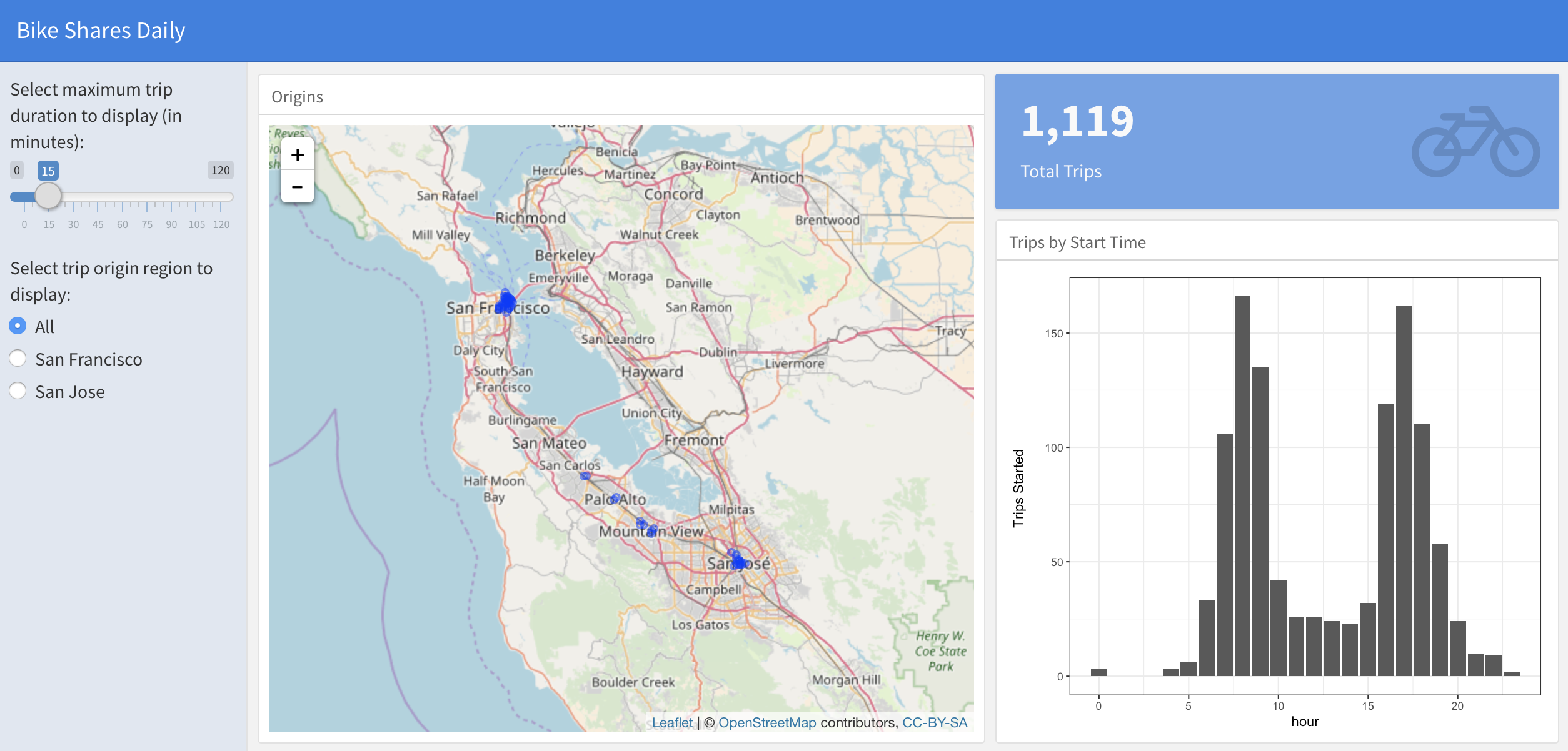
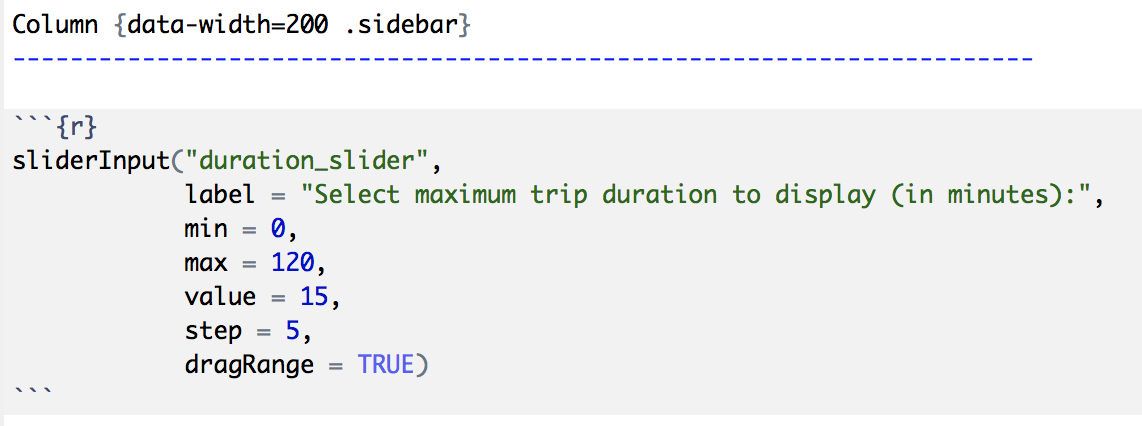
Column {data-width=200 .sidebar}
flexdashboard के साथ डैशबोर्ड बनाना

Sidebar बनाना

alt text

flexdashboard के साथ डैशबोर्ड बनाना

User inputs जोड़ना

alt text

flexdashboard के साथ डैशबोर्ड बनाना

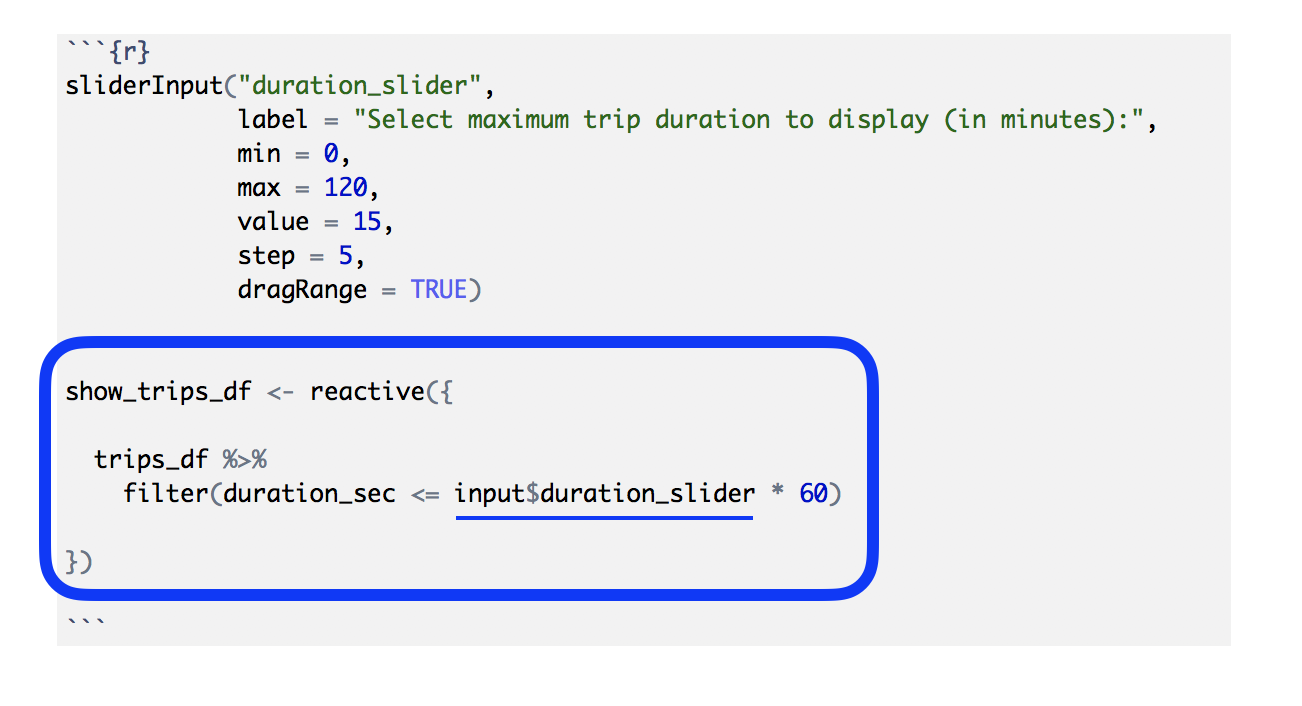
हमारा dataframe reactive बनाना

alt text

flexdashboard के साथ डैशबोर्ड बनाना

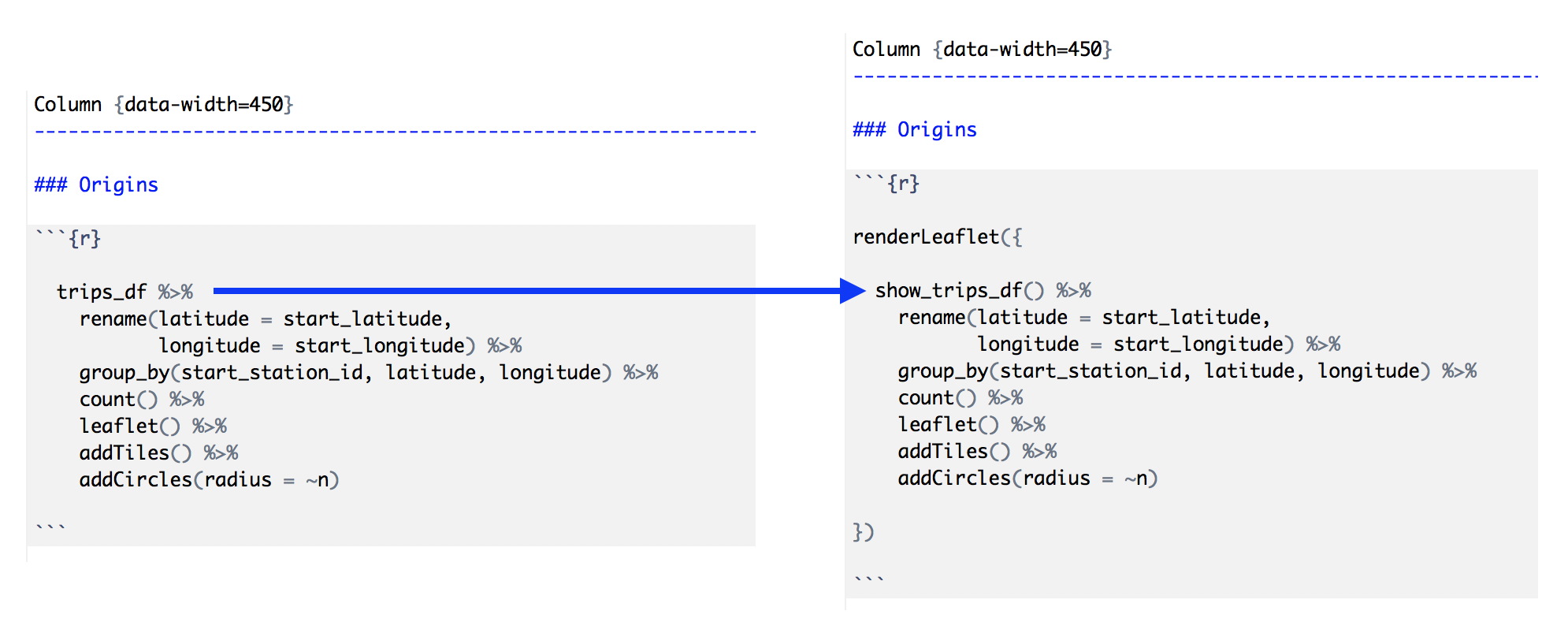
Reactive dataframe का उपयोग

alt text

flexdashboard के साथ डैशबोर्ड बनाना

Dashboard components को reactive बनाना
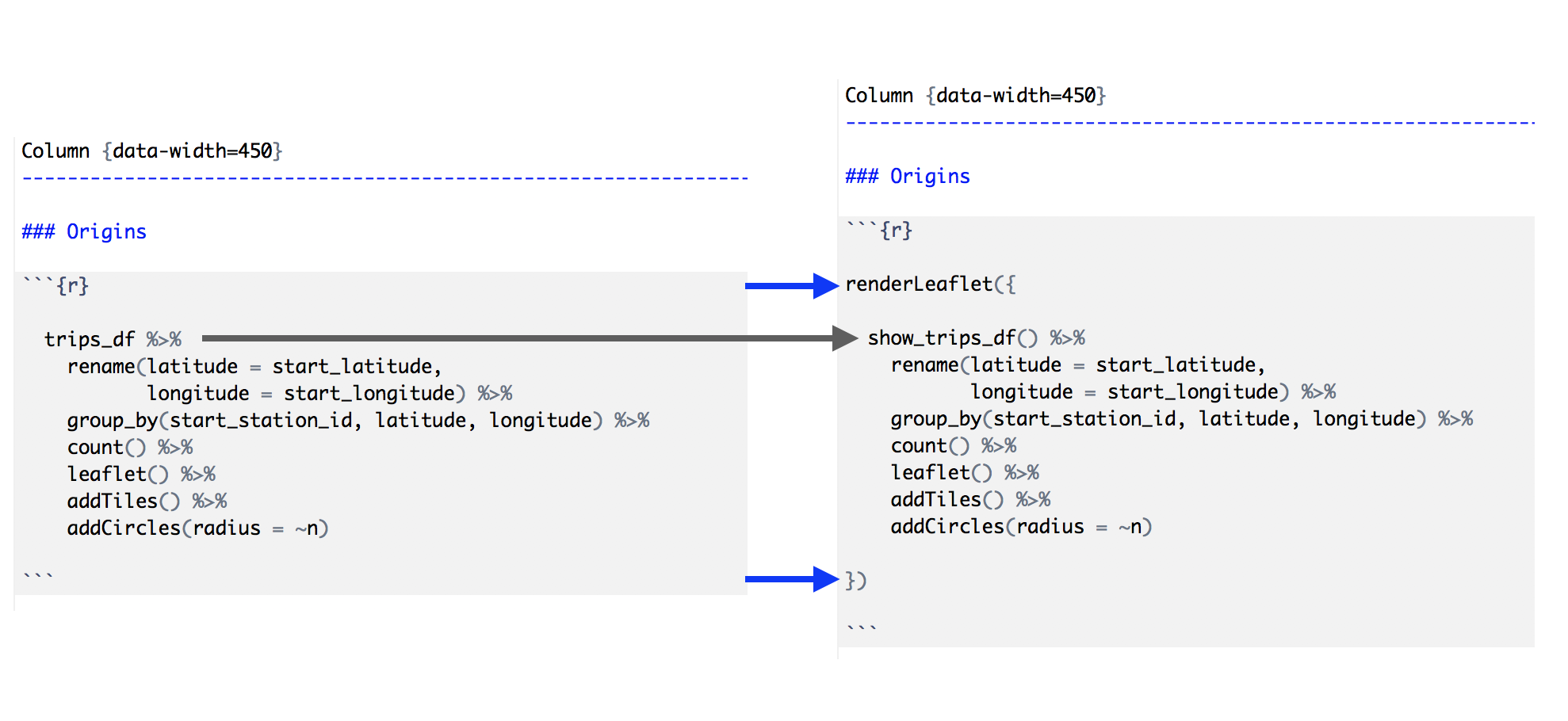
alt text

flexdashboard के साथ डैशबोर्ड बनाना

Reactive dataframe पैटर्न के स्टेप्स

  1. .sidebar से एक sidebar कॉलम बनाएँ.
  2. Sidebar में user inputs जोड़ें (xyzInput() Shiny widgets).
  3. एक "dataframe" बनाएँ जो inputs पर react करे (reactive()).
  4. Dashboard component के कोड में dataframe को reactive वर्शन से बदलें.
  5. हर dashboard output को उचित Shiny वर्शन से wrap करें (renderXyz()).
flexdashboard के साथ डैशबोर्ड बनाना

अभ्यास करते हैं!

flexdashboard के साथ डैशबोर्ड बनाना

Preparing Video For Download...