Git ขั้นสูง
Amanda Crawford-Adamo
Software and Data Engineer
.git/logs/refs/heads/
| คุณสมบัติ | Git Reflog | Git Log |
|---|---|---|
| จุดประสงค์ | แสดงการอัปเดต reference และการเขียนทับใน local repo | แสดงเฉพาะประวัติ commit |
| ขอบเขต | เฉพาะ local repository | ทั้ง local และ remote repository |
| เนื้อหา | การอัปเดต ref ทั้งหมด (commit, reset, merge ฯลฯ) | เฉพาะ commit |
| ความถาวร | ชั่วคราว (โดยทั่วไป 90 วัน) | ถาวร (ส่วนหนึ่งของประวัติ repository) |
| กรณีใช้งาน | กู้คืน commit ที่หายไป, ตรวจสอบการกระทำล่าสุด | ดูประวัติโปรเจกต์, ติดตามการพัฒนาฟีเจอร์ |
git reflog
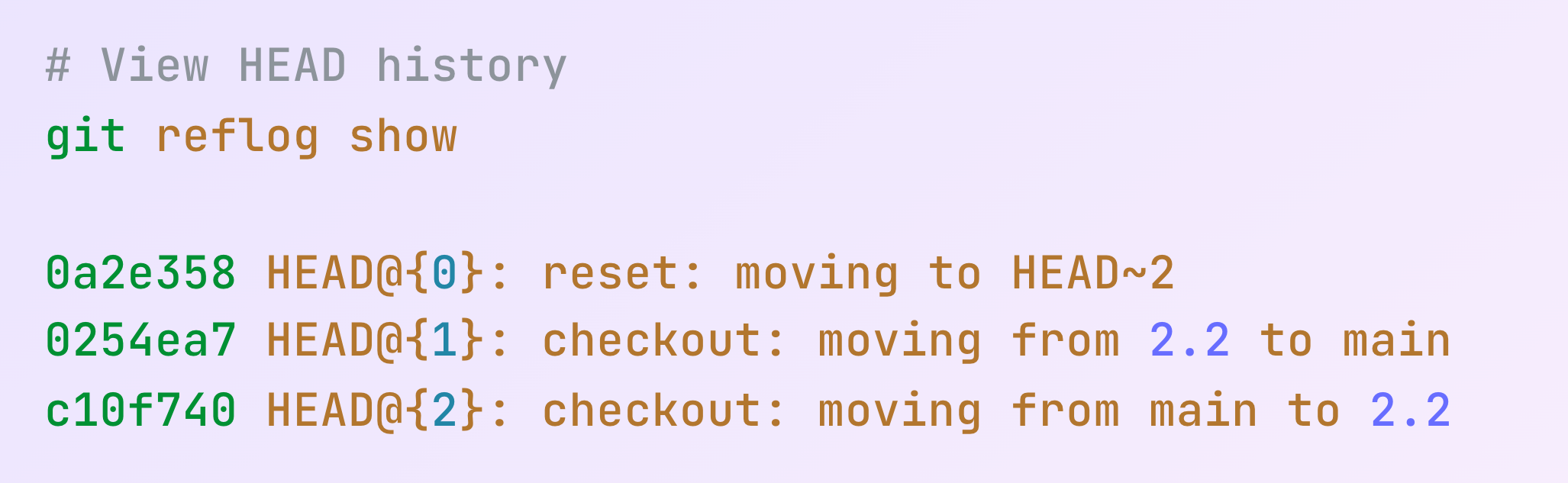
git reflog show
git reflog expire

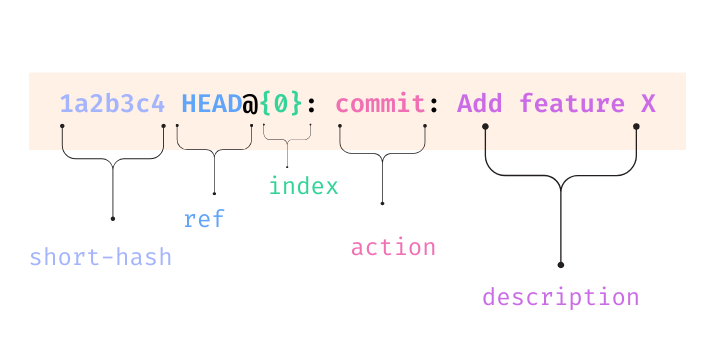
| องค์ประกอบ | คำอธิบาย |
|---|---|
| short-hash | hash ของ commit แบบย่อ |
| ref | โดยทั่วไปคือ HEAD แต่อาจเป็นชื่อ branch ได้ |
| index | ตำแหน่งใน reflog (0 คือรายการล่าสุด) |
| action | ประเภทของการกระทำ (commit, reset, merge ฯลฯ) |
| descriptions | คำอธิบายเกี่ยวกับการกระทำ |
since = แสดงรายการตั้งแต่จุดนี้เป็นต้นไป
git reflog --since "time-qualifer"
until = แสดงรายการจนถึงจุดนี้
git reflog --until "time-qualifer"
git reflog --since="1 week ago"
git reflog --until="yesterday"
git reflog --until="2024-01-01"
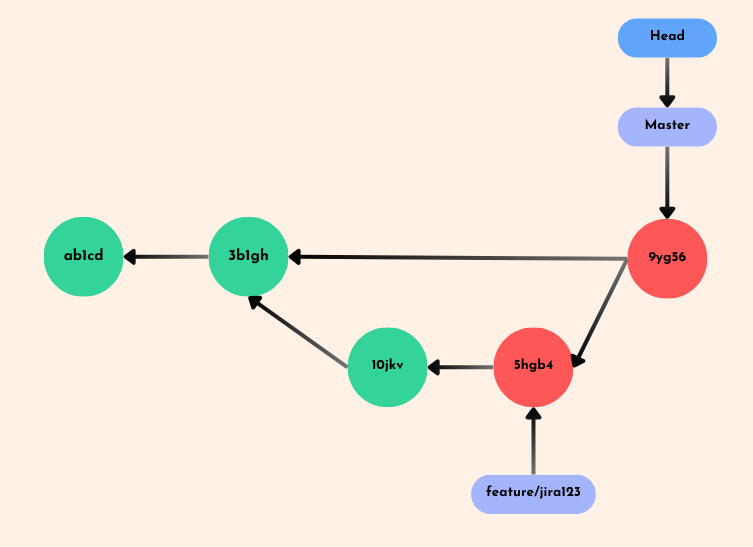
etl-featureจะกู้คืน branch etl-feature ได้อย่างไร?
git reflog
git checkout <hash>
git checkout -b <branch-name>
| ประเภท Reset | คำสั่ง | ผลต่อ Working Directory | ผลต่อ Staging Area |
|---|---|---|---|
| Soft | git reset --soft <commit> |
ไม่มีการเปลี่ยนแปลง | การเปลี่ยนแปลงยังคง staged |
| Mixed (ค่าเริ่มต้น) | git reset --mixed <commit> |
ไม่มีการเปลี่ยนแปลง | การเปลี่ยนแปลงถูก unstaged |
| Hard | git reset --hard <commit> |
การเปลี่ยนแปลงถูกยกเลิก | การเปลี่ยนแปลงถูกยกเลิก |
จะย้อนกลับไปยังการเปลี่ยนแปลง ETL script ก่อนหน้าได้อย่างไร?
git reflog
git reset --soft HEAD@{1}
Reflog คือเครื่องย้อนเวลาภายในเครื่องของเรา เมื่อเกิดข้อผิดพลาด

Git ขั้นสูง