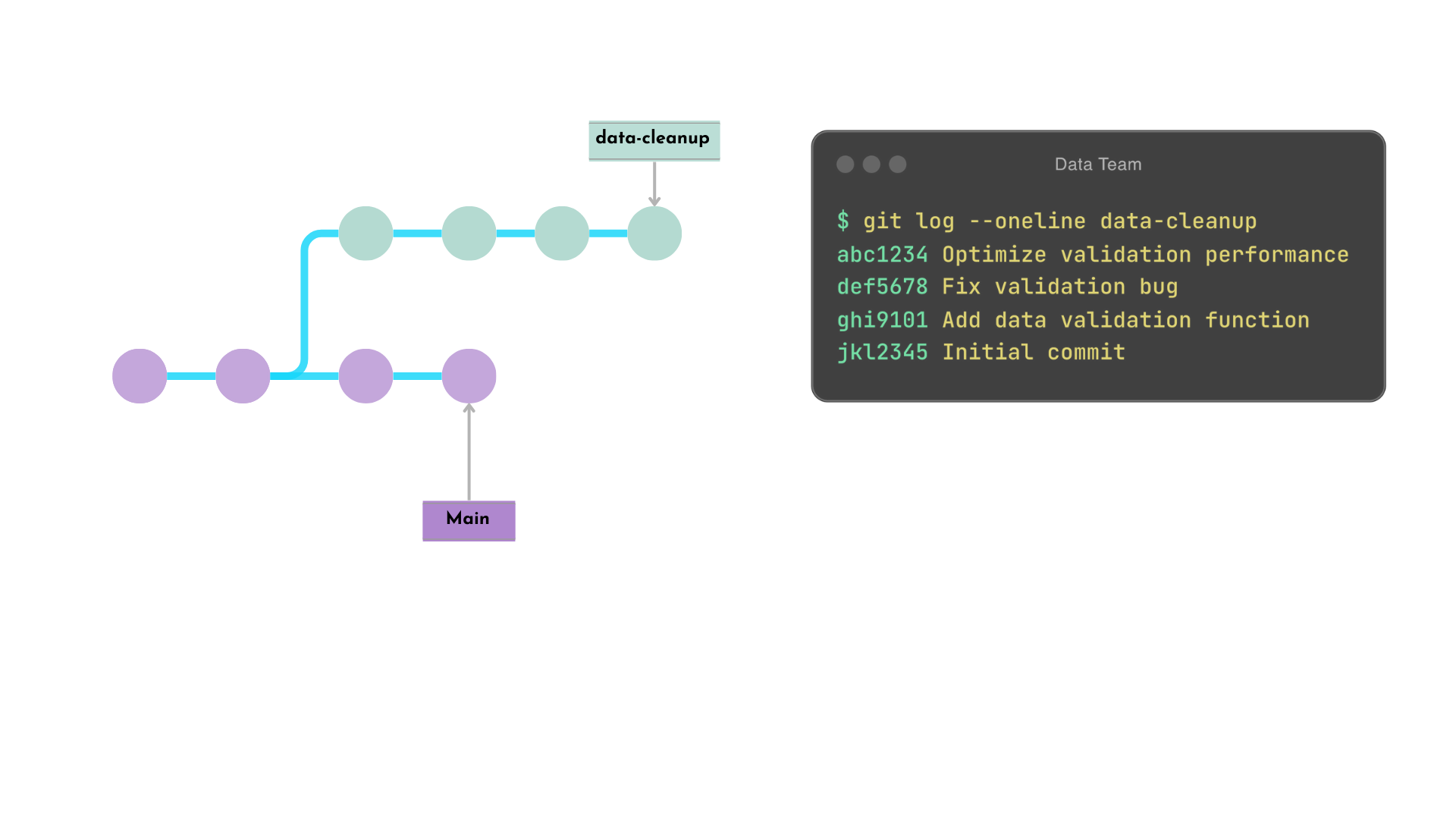
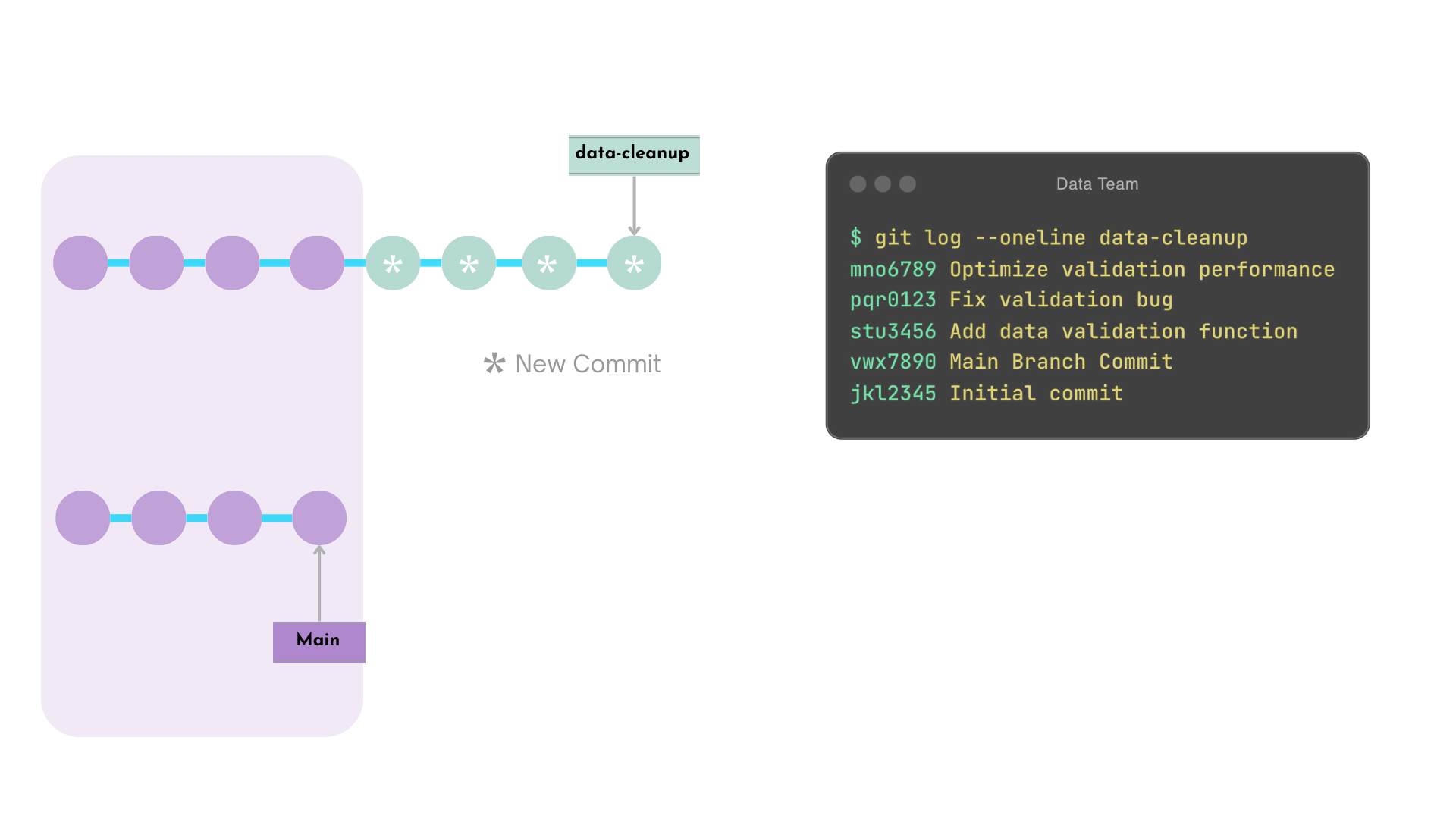
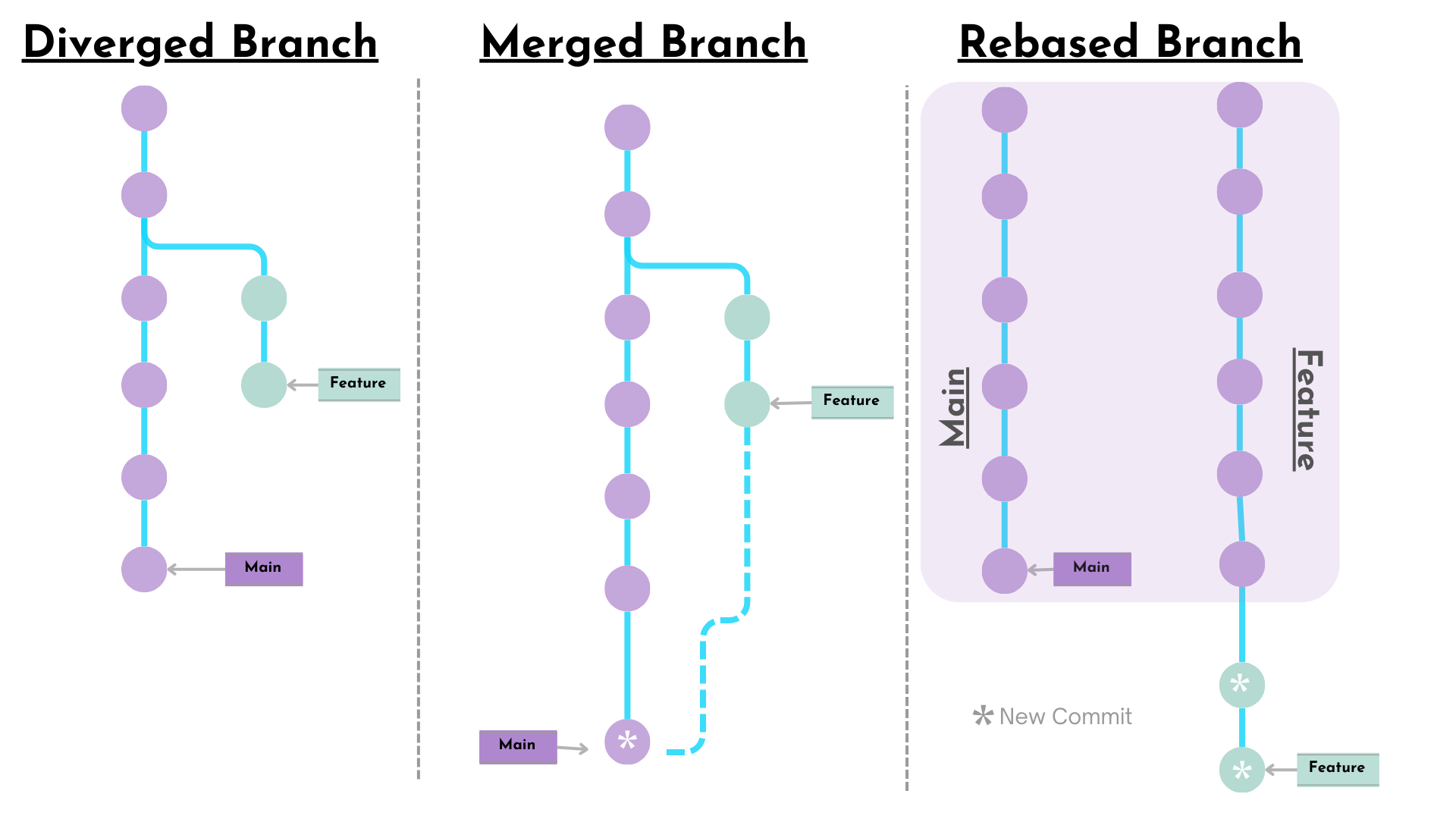
commit ของ data-cleanup จะถูกสร้างใหม่ต่อจาก commit ล่าสุดของ main
commit ของ data-cleanup ที่ถูก rebase จะได้รับ hash ใหม่
หมายเหตุ:
หากมี conflict ใดๆ จะต้องแก้ไขด้วยตนเอง
ตัวอย่าง Rebase - หลัง
Interactive Rebase
git rebase -i <commit_hash>
การทำงาน
ให้นักพัฒนาแก้ไข commit หลายรายการได้อย่างละเอียด
เปิด editor ขึ้นมา
คำเตือน!
การ rebase branch สาธารณะอาจรบกวน workflow
ไม่ควรใช้ rebase กับ branch สาธารณะ เช่น main
กำหนดกฎของทีมสำหรับการใช้ rebase
Interactive Rebase - ก่อน
$$
นี่คือ ประวัติของ branch data-validation ก่อนที่จะแก้ไข commit history
$ git log --oneline data-validation
abc1234 Optimize validation performance
def5678 Fix validation bug
ghi9101 Add data validation function
xyz1234 New Main Branch Commit
vwx7890 Main Branch Commit
jkl2345 Initial commit
Interactive Rebase Editor
วิธีแก้ไข commit history โดยใช้คำสั่ง pick และ fixup ใน editor ที่เปิดขึ้น
$ git rebase -i HEAD~3
pick ghi9101 Add data validation function
fixup def5678 Fix validation bug
fixup abc1234 Optimize validation performance

# Rebase xyz1234..abc1234 onto HEAD~3(xyz1234) (3 commands)
#
# Commands:
# p, pick <commit> = use commit
# f, fixup <commit> = like "squash", but discard this commit's log message
...
Interactive Rebase - หลัง
ก่อน
$ git log --oneline data-validation
abc1234 Optimize validation performance
def5678 Fix validation bug
ghi9101 Add data validation function
xyz1234 New Main Branch Commit
vwx7890 Main Branch Commit
jkl2345 Initial commit
หลัง
$ git log --oneline data-validatoin
mno6789 Add data validation function
xyz1234 New Main Branch Commit
vwx7890 Main Branch Commit
jkl2345 Initial commit