Label encoding

การทำงานกับข้อมูลเชิงกลุ่มใน Python

Kasey Jones

Research Data Scientist

Label encoding คืออะไร?

พื้นฐาน:

  • เข้ารหัสแต่ละหมวดหมู่เป็นจำนวนเต็มตั้งแต่ 0 ถึง n - 1 โดย n คือจำนวนหมวดหมู่
  • รหัส -1 สงวนไว้สำหรับค่าที่หายไป
  • ช่วยประหยัดหน่วยความจำ
  • นิยมใช้ในแบบสำรวจ

ข้อเสีย:

  • ไม่ใช่วิธีการ encoding ที่ดีที่สุดสำหรับ machine learning (ดูบทเรียนถัดไป)
การทำงานกับข้อมูลเชิงกลุ่มใน Python

การสร้างรหัส

แปลงเป็น categorical และเรียงตามชื่อผู้ผลิต

used_cars['manufacturer_name'] = used_cars['manufacturer_name'].astype("category")

ใช้ .cat.codes

used_cars['manufacturer_code'] = used_cars['manufacturer_name'].cat.codes
การทำงานกับข้อมูลเชิงกลุ่มใน Python

ตรวจสอบผลลัพธ์

print(used_cars[['manufacturer_name', 'manufacturer_code']])
      manufacturer_name  manufacturer_code
0                Subaru                 45
1                Subaru                 45
2                Subaru                 45
...                 ...                ...
38526          Chrysler                  8
38527          Chrysler                  8
การทำงานกับข้อมูลเชิงกลุ่มใน Python

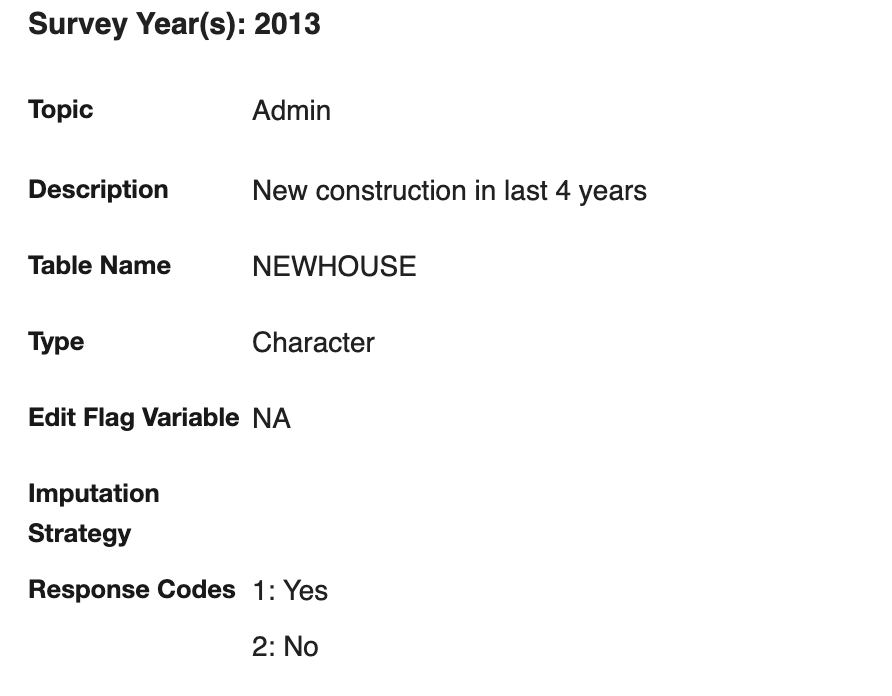
Code book / data dictionary

ตัวอย่าง code book จาก American Housing Survey

1 https://www.census.gov/data-tools/demo/codebook/ahs/ahsdict.html
การทำงานกับข้อมูลเชิงกลุ่มใน Python

การสร้าง code book

codes = used_cars['manufacturer_name'].cat.codes
categories = used_cars['manufacturer_name']
name_map = dict(zip(codes, categories))

print(name_map)
{45: 'Subaru',
 24: 'LADA',
 12: 'Dodge',
 ...
}
การทำงานกับข้อมูลเชิงกลุ่มใน Python

การใช้ code book

สร้างรหัส:

used_cars['manufacturer_code'] = used_cars['manufacturer_name'].cat.codes

แปลงกลับเป็นค่าเดิม:

used_cars['manufacturer_code'].map(name_map)
0        Acura
1        Acura
2        Acura
...
1 https://pandas.pydata.org/pandas-docs/stable/reference/api/pandas.Series.map.html
การทำงานกับข้อมูลเชิงกลุ่มใน Python

Boolean coding

ค้นหาประเภทตัวถังที่มีคำว่า "van" อยู่:

# Code from previous lesson:
used_cars["body_type"].str.contains("van", regex=False)

สร้าง boolean coding:

used_cars["van_code"] = np.where(
  used_cars["body_type"].str.contains("van", regex=False), 1, 0)

used_cars["van_code"].value_counts()
0    34115
1     4416
Name: van_code, dtype: int64
การทำงานกับข้อมูลเชิงกลุ่มใน Python

มาฝึกกันเถอะ!

การทำงานกับข้อมูลเชิงกลุ่มใน Python

Preparing Video For Download...