Check-in 2

การวิเคราะห์เชิงสำรวจข้อมูลใน R

Andrew Bray

Assistant Professor, Reed College

สแปมและรูปภาพ

email %>%
  mutate(has_image = image 0) %>%
  ggplot(aes(x = as.factor(has_image), fill = spam)) +
  geom_bar(position = "fill")
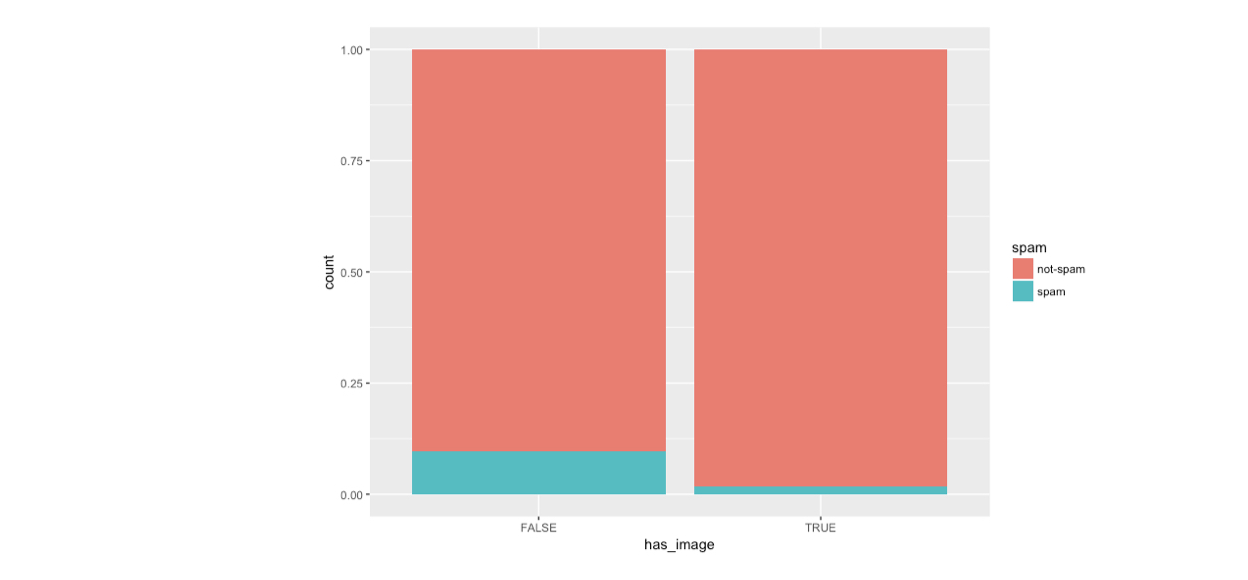
ch4_3.003.png

การวิเคราะห์เชิงสำรวจข้อมูลใน R

สแปมและรูปภาพ

email %>%
  mutate(has_image = image 0) %>%
  ggplot(aes(x = spam, fill = has_image)) +
  geom_bar(position = "fill")
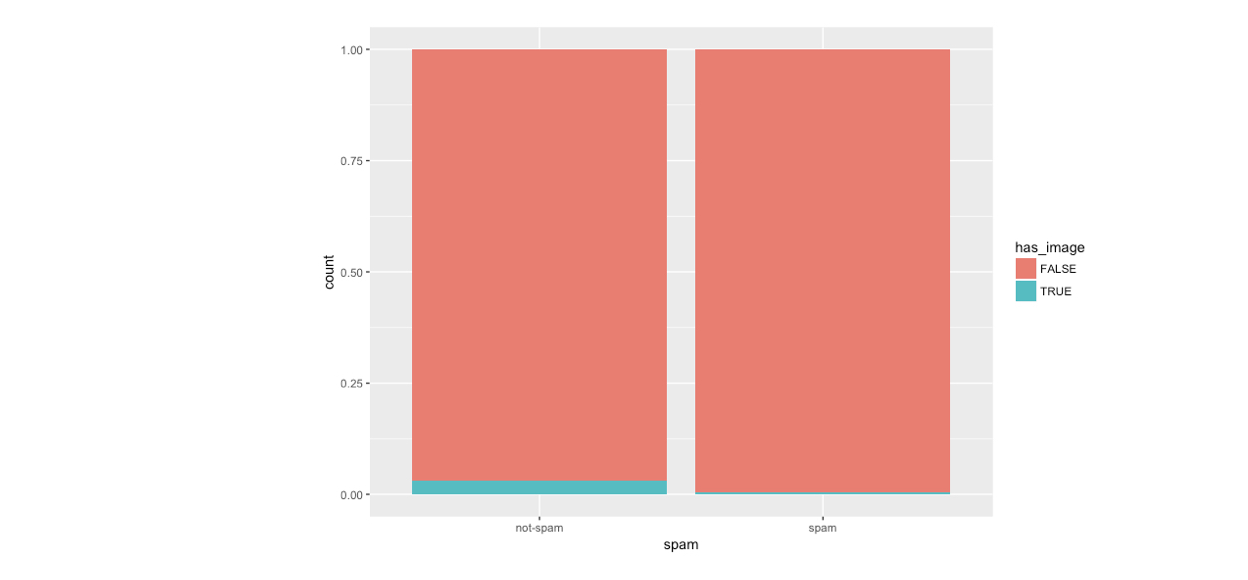
ch4_3.004.png

การวิเคราะห์เชิงสำรวจข้อมูลใน R

การเรียงลำดับแท่ง

ch4_3.006.png

การวิเคราะห์เชิงสำรวจข้อมูลใน R

การเรียงลำดับแท่ง

ch4_3.007.png

การวิเคราะห์เชิงสำรวจข้อมูลใน R

การเรียงลำดับแท่ง

ch4_3.008.png

การวิเคราะห์เชิงสำรวจข้อมูลใน R

การเรียงลำดับแท่ง

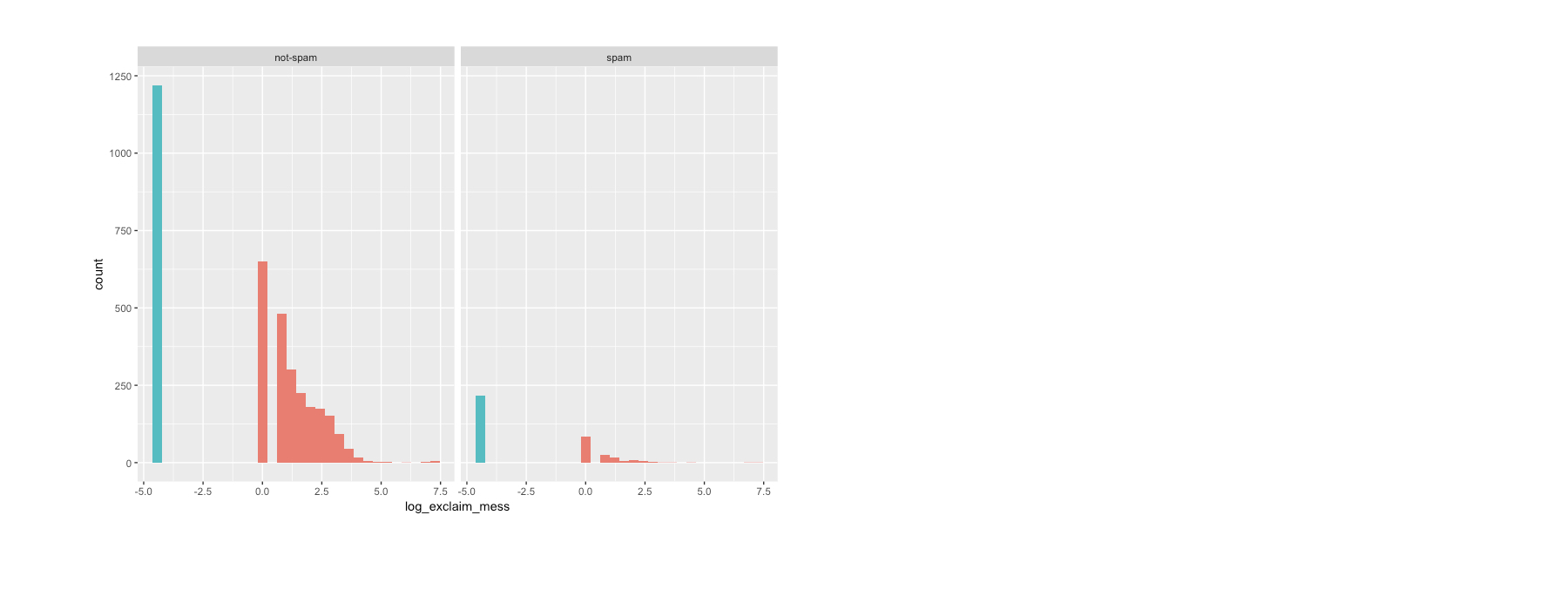
email <- email %>%
  mutate(zero = exclaim_mess == 0)

levels(email$zero)
NULL
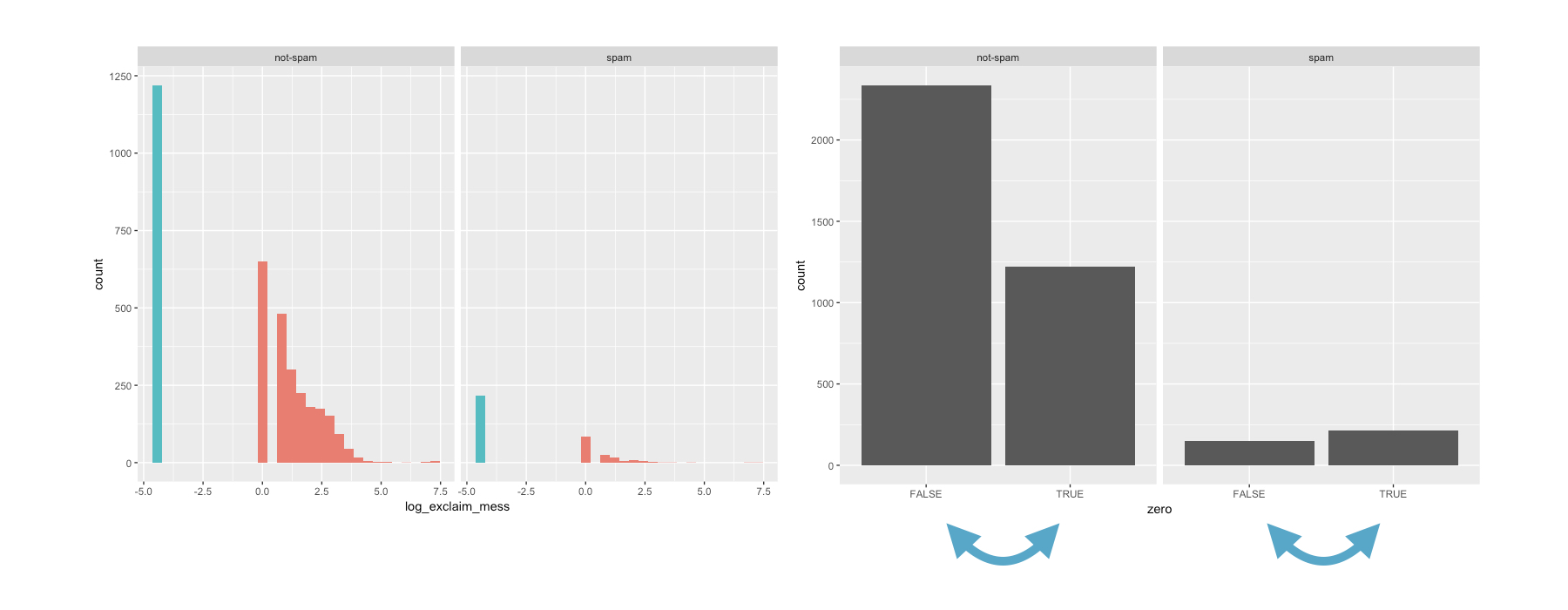
email$zero <- factor(email$zero, 
  levels = c("TRUE", "FALSE"))
การวิเคราะห์เชิงสำรวจข้อมูลใน R

การเรียงลำดับแท่ง

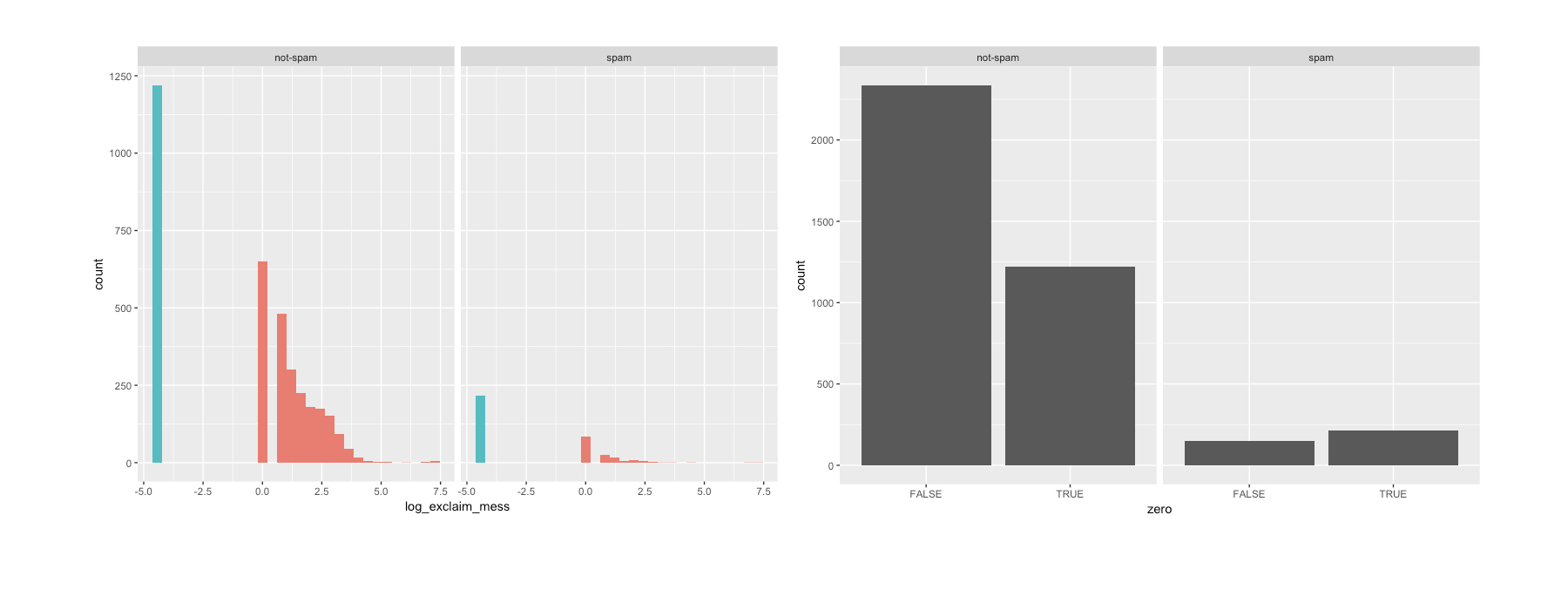
email %>%
  ggplot(aes(x = zero)) +
  geom_bar() +
  facet_wrap(~spam)
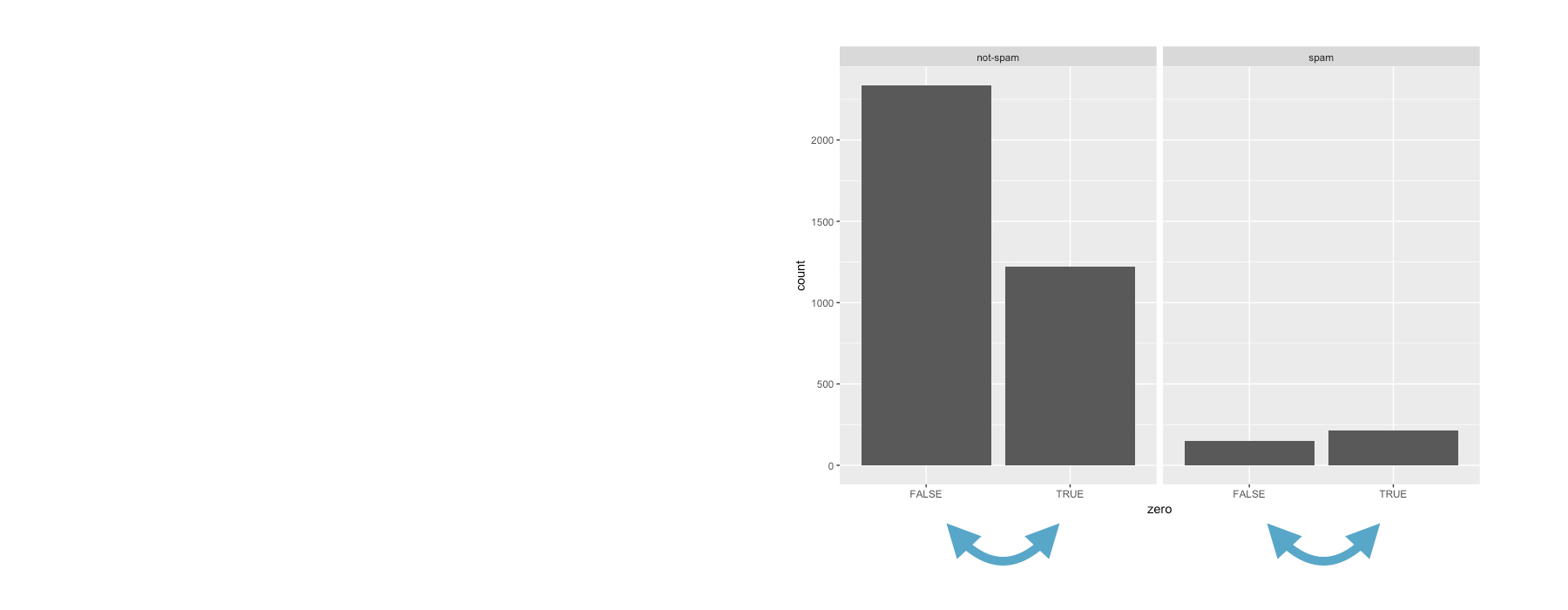
ch4_3.009.png

การวิเคราะห์เชิงสำรวจข้อมูลใน R

การเรียงลำดับแท่ง..

email %>%
  ggplot(aes(x = zero)) +
  geom_bar() +
  facet_wrap(~spam)
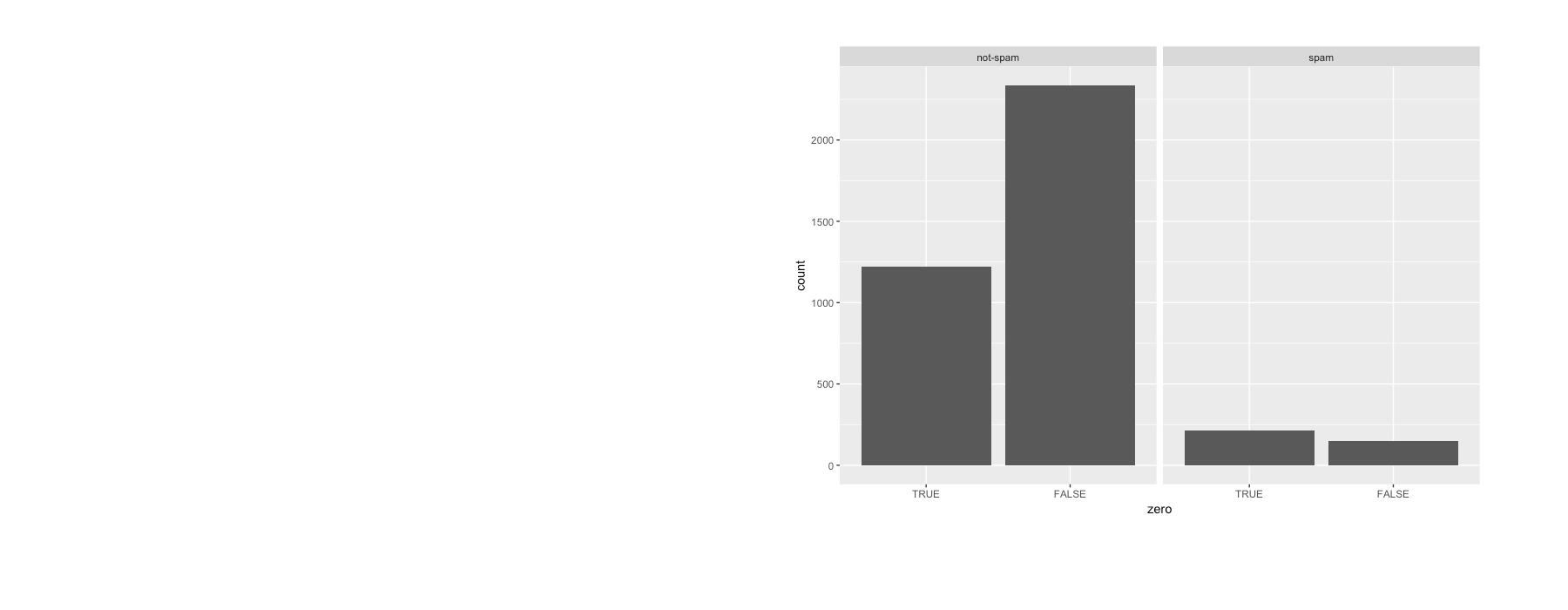
ch4_3.010.png

การวิเคราะห์เชิงสำรวจข้อมูลใน R

มาฝึกกันเถอะ!

การวิเคราะห์เชิงสำรวจข้อมูลใน R

Preparing Video For Download...