Kom igång med tröskling

Bildbehandling i Python

Rebeca Gonzalez

Data Engineer

Tröskling
Dela upp en bild i förgrund och bakgrund

Genom att göra den svartvit

Detta görs genom att sätta varje pixel till:

  • 255 (vit) om pixel $\gt$ tröskelvärd
  • 0 (svart) om pixel $\lt$ tröskelvärd

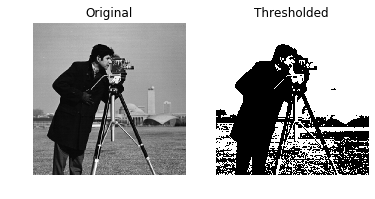
Trösklad bild av en man med kamera

Bildbehandling i Python

Tröskling

Enklaste metoden för bildsegmentering

  • Isolera objekt
    • Objektigenkänning
    • Ansiktsigenkänning
    • Osv.

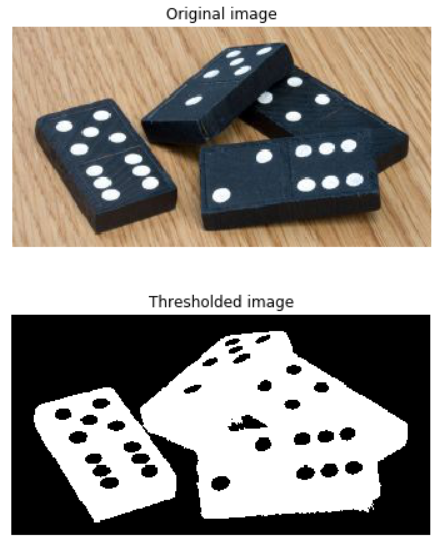
Trösklad bild av dominobrickor

Bildbehandling i Python

Tröskling

Endast från gråskalebilder

Steg för att tröskelbehandla bilder, visade med dominobrickor. Först original RGB-3 färger, sedan gråskala och sedan trösklad

Bildbehandling i Python

Tillämpa tröskling

# Obtain the optimal threshold value
thresh = 127

# Apply thresholding to the image binary = image > thresh
# Show the original and thresholded show_image(image, 'Original') show_image(binary, 'Thresholded')

Trösklad bild av en man med kamera

Bildbehandling i Python

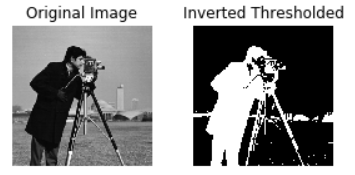
Inverterad tröskling

# Obtain the optimal threshold value
thresh = 127

# Apply thresholding to the image inverted_binary = image <= thresh
# Show the original and thresholded show_image(image, 'Original') show_image(inverted_binary, 'Inverted thresholded')

Inverterat trösklad bild av en man med kamera

Bildbehandling i Python

Kategorier

  • Global eller histogrambaserad: lämplig för enhetliga bakgrunder

  • Lokal eller adaptiv: för ojämn bakgrundsbelysning
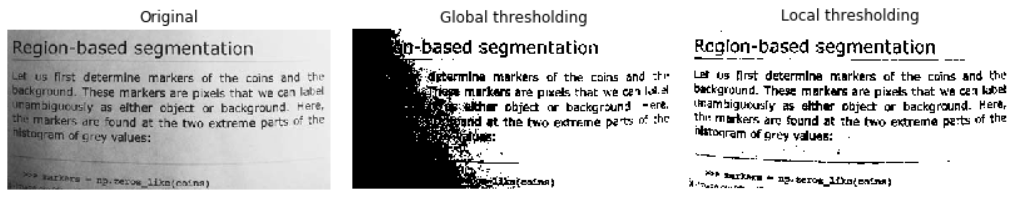
Jämförelse av global och lokal tröskling

Bildbehandling i Python

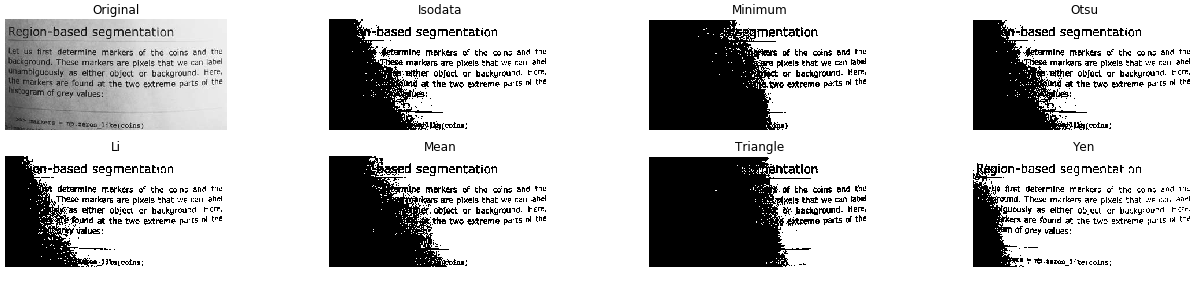
Testa fler trösklingsalgoritmer

from skimage.filters import try_all_threshold

# Obtain all the resulting images fig, ax = try_all_threshold(image, verbose=False)
# Showing resulting plots show_plot(fig, ax)
Bildbehandling i Python

Testa fler trösklingsalgoritmer

Alla globala trösklingsmetoder testade på en gråskalebild av en textsida

Bildbehandling i Python

Optimalt tröskelvärd

Global

Enhetlig bakgrund
# Import the otsu threshold function
from skimage.filters import threshold_otsu

# Obtain the optimal threshold value thresh = threshold_otsu(image)
# Apply thresholding to the image binary_global = image > thresh
Bildbehandling i Python

Optimalt tröskelvärd

Global

# Show the original and binarized image
show_image(image, 'Original')
show_image(binary_global, 'Global thresholding')
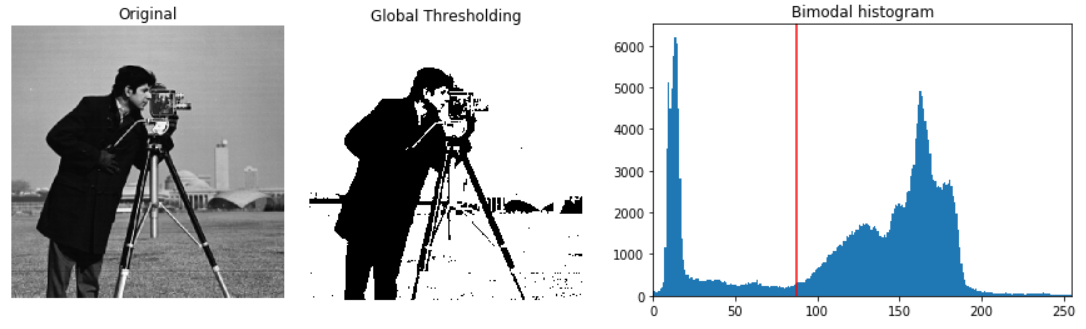
Original bild av en man med kamera, bilden trösklad och dess histogram med en röd linje som markerar det optimala tröskelvärdet

Bildbehandling i Python

Optimalt tröskelvärd

Lokal

Ojämn bakgrund
# Import the local threshold function
from skimage.filters import threshold_local

# Set the block size to 35 block_size = 35
# Obtain the optimal local thresholding local_thresh = threshold_local(text_image, block_size, offset=10)
# Apply local thresholding and obtain the binary image binary_local = text_image > local_thresh
Bildbehandling i Python

Optimalt tröskelvärd

Lokal

# Show the original and binarized image
show_image(text_image, 'Original')
show_image(binary_local, 'Local thresholding')
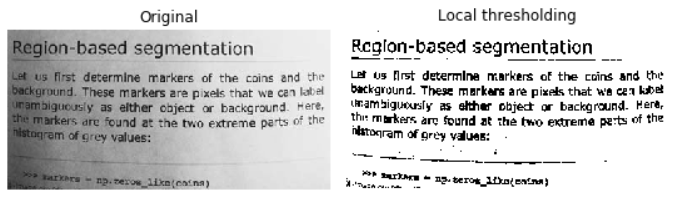
Lokalt trösklad bild av en textsida

Bildbehandling i Python

Nu kör vi en övning!

Bildbehandling i Python

Preparing Video For Download...