การประมวลผลภาพด้วย Python
Rebeca Gonzalez
Data Engineer


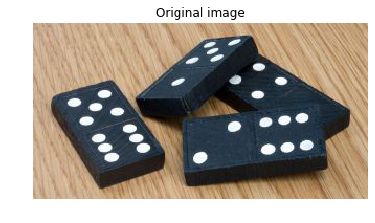
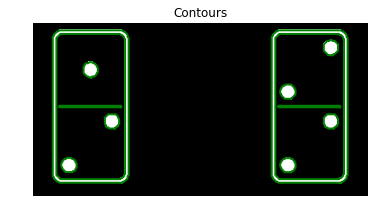
จำนวนจุดทั้งหมดในโดมิโน: 29

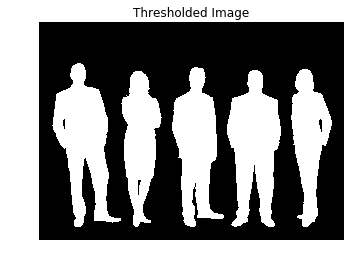
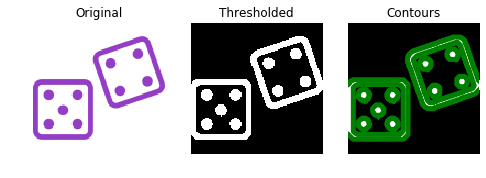
สร้างภาพไบนารีได้โดยใช้ thresholding หรือ edge detection

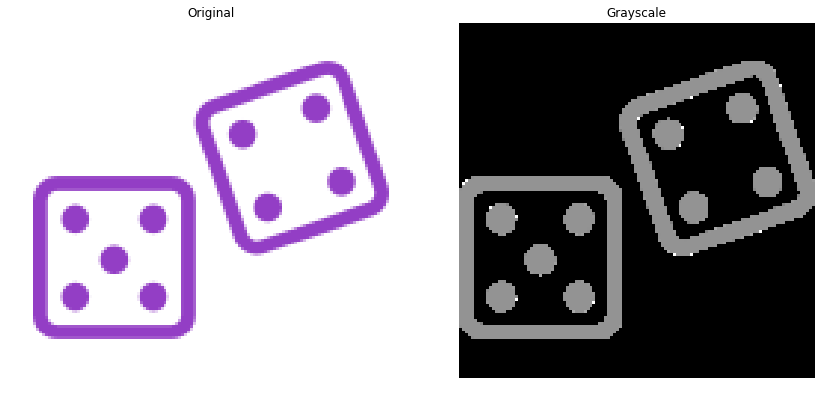
แปลงภาพเป็นระดับสีเทา 2 มิติ
# Make the image grayscale
image = color.rgb2gray(image)
แปลงภาพเป็นไบนารี
# Obtain the thresh value
thresh = threshold_otsu(image)
# Apply thresholding
thresholded_image = image > thresh

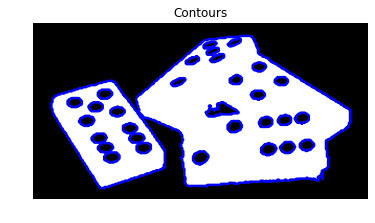
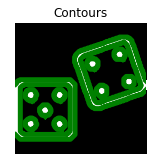
จากนั้นใช้ find_contours()
# Import the measure module
from skimage import measure
# Find contours at a constant value of 0.8
contours = measure.find_contours(thresholded_image, 0.8)


from skimage import measure from skimage.filters import threshold_otsu # Make the image grayscale image = color.rgb2gray(image)# Obtain the optimal thresh value of the image thresh = threshold_otsu(image) # Apply thresholding and obtain binary image thresholded_image = image > thresh# Find contours at a constant value of 0.8 contours = measure.find_contours(thresholded_image, 0.8)

Contours: list of (n,2) - ndarrays.
for contour in contours:
print(contour.shape)
(433, 2)
(433, 2)
(401, 2)
(401, 2)
(123, 2)
(123, 2)
(59, 2)
(59, 2)
(59, 2)
(57, 2)
(57, 2)
(59, 2)
(59, 2)

for contour in contours:
print(contour.shape)
(433, 2)
(433, 2) --> Outer border
(401, 2)
(401, 2)
(123, 2)
(123, 2)
(59, 2)
(59, 2)
(59, 2)
(57, 2)
(57, 2)
(59, 2)
(59, 2)

for contour in contours:
print(contour.shape)
(433, 2)
(433, 2) --> Outer border
(401, 2)
(401, 2) --> Inner border
(123, 2)
(123, 2)
(59, 2)
(59, 2)
(59, 2)
(57, 2)
(57, 2)
(59, 2)
(59, 2)

for contour in contours:
print(contour.shape)
(433, 2)
(433, 2) --> Outer border
(401, 2)
(401, 2) --> Inner border
(123, 2)
(123, 2) --> Divisory line of tokens
(59, 2)
(59, 2)
(59, 2)
(57, 2)
(57, 2)
(59, 2)
(59, 2)

for contour in contours:
print(contour.shape)
(433, 2)
(433, 2) --> Outer border
(401, 2)
(401, 2) --> Inner border
(123, 2)
(123, 2) --> Divisory line of tokens
(59, 2)
(59, 2)
(59, 2)
(57, 2)
(57, 2)
(59, 2)
(59, 2) --> Dots
จำนวนจุด: 7
การประมวลผลภาพด้วย Python