การสร้างข้อความ

การแนะนำ Generative AI ใน Snowflake

James Cha-Earley

Senior Developer Advocate, Snowflake

การจัดการการตอบกลับรีวิวโรงแรม

โรงแรมริมชายฝั่งยามพระอาทิตย์ตก

1 Image generated with Google Gemini 2.5 Pro
การแนะนำ Generative AI ใน Snowflake

summarize()

long_review = """
This hotel was nothing short of amazing. The best views; the best location;
and the best staff. It's clean; conveniently located to other restaurants
on the strip; although we ate at the restaurants on site and each was so good
there's really no reason to leave. Ohhh the views. The beach was free of seaweed; 
amazingly clean and plenty of space; it wasn't crowded at all. 
Stay here; you will not regret it. Did I mention how comfortable the beds were. 
Yes save yourself trouble and stay here. It's really perfect.
"""

from snowflake.cortex import summarize summarized_review = summarize(text=long_review)
การแนะนำ Generative AI ใน Snowflake

แสดงผลสรุป

print(summarized_review)
The hotel exceeded expectations with stunning views, exceptional staff,
comfortable beds, and top-notch on-site dining, making it a perfect and 
highly recommended stay.
การแนะนำ Generative AI ใน Snowflake

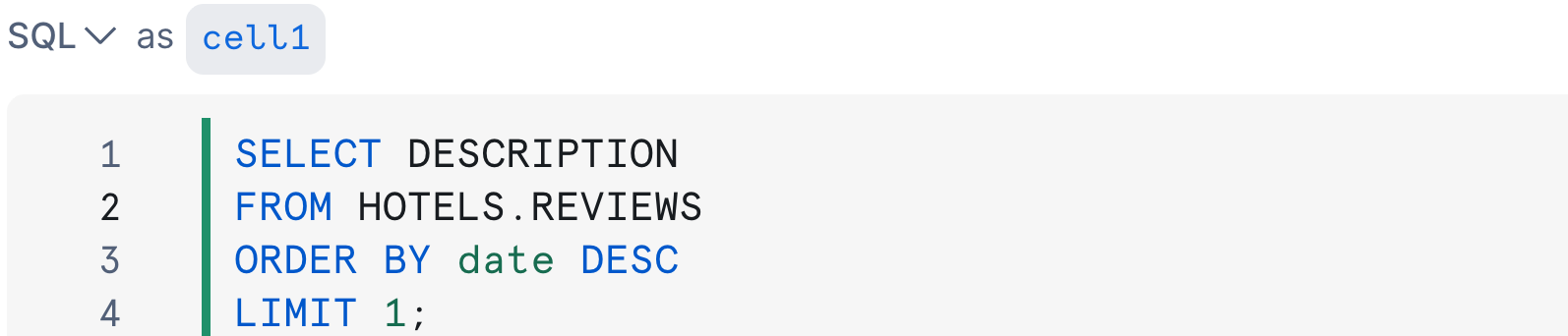
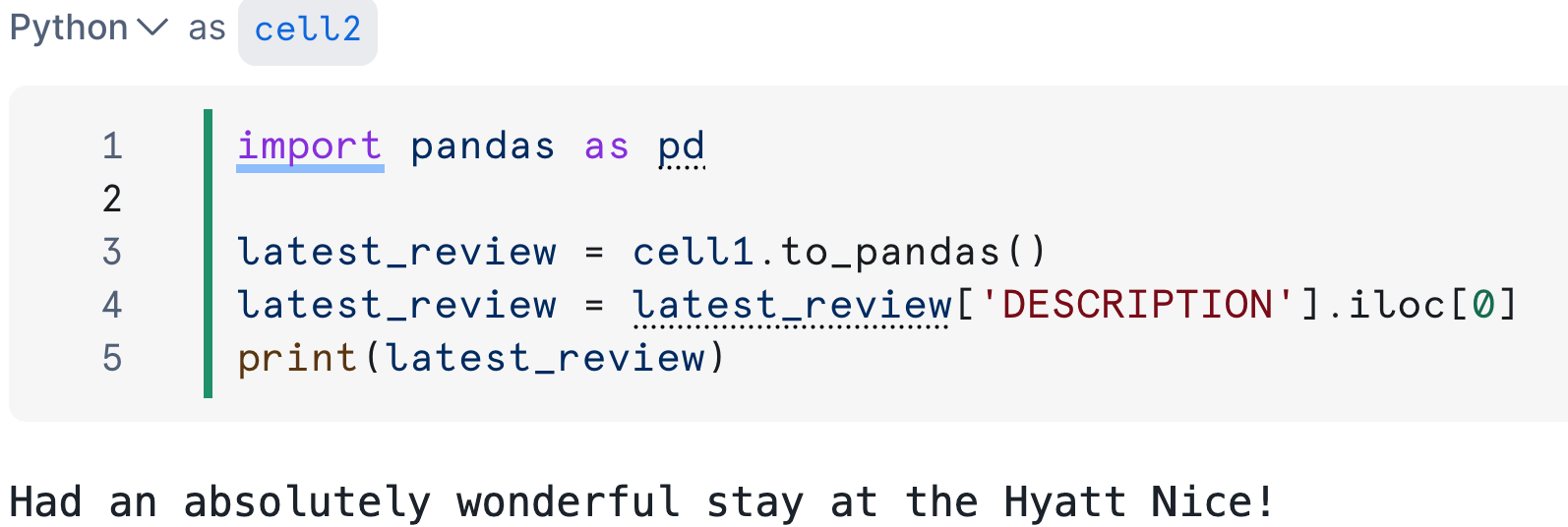
ดึงข้อมูลจากฐานข้อมูล

คิวรี SQL ใน cell1

โค้ด Python ใน cell2

การแนะนำ Generative AI ใน Snowflake

การสร้างคำตอบ

from snowflake.cortex import complete


prompt = f"Write a short response to this hotel review: {latest_review}."
# Pass the prompt response = complete(prompt=prompt,
การแนะนำ Generative AI ใน Snowflake

การสร้างคำตอบ

from snowflake.cortex import complete


prompt = f"Write a short response to this hotel review: {latest_review}."
# Specify the model response = complete(prompt=prompt, model='llama3.1-8b',
การแนะนำ Generative AI ใน Snowflake

การสร้างคำตอบ

from snowflake.cortex import complete


prompt = f"Write a short response to this hotel review: {latest_review}."
# Set the temperature - control predictability of output response = complete(prompt=prompt, model='llama3.1-8b', options={ 'temperature':0.3,
การแนะนำ Generative AI ใน Snowflake

การสร้างคำตอบ

from snowflake.cortex import complete


prompt = f"Write a short response to this hotel review: {latest_review}."
# Limit the number of tokens with max_tokens response = complete(prompt=prompt, model='llama3.1-8b', options={ 'temperature':0.3, 'max_tokens':150 } )
การแนะนำ Generative AI ใน Snowflake

ดูผลลัพธ์คำตอบ

print(response)
Thank you so much for sharing your wonderful experience at the Hyatt Nice! 
We're thrilled to hear that you had a fantastic stay with us.
  • รวดเร็ว ยืดหยุ่น และได้ผลลัพธ์ที่เป็นธรรมชาติ
การแนะนำ Generative AI ใน Snowflake

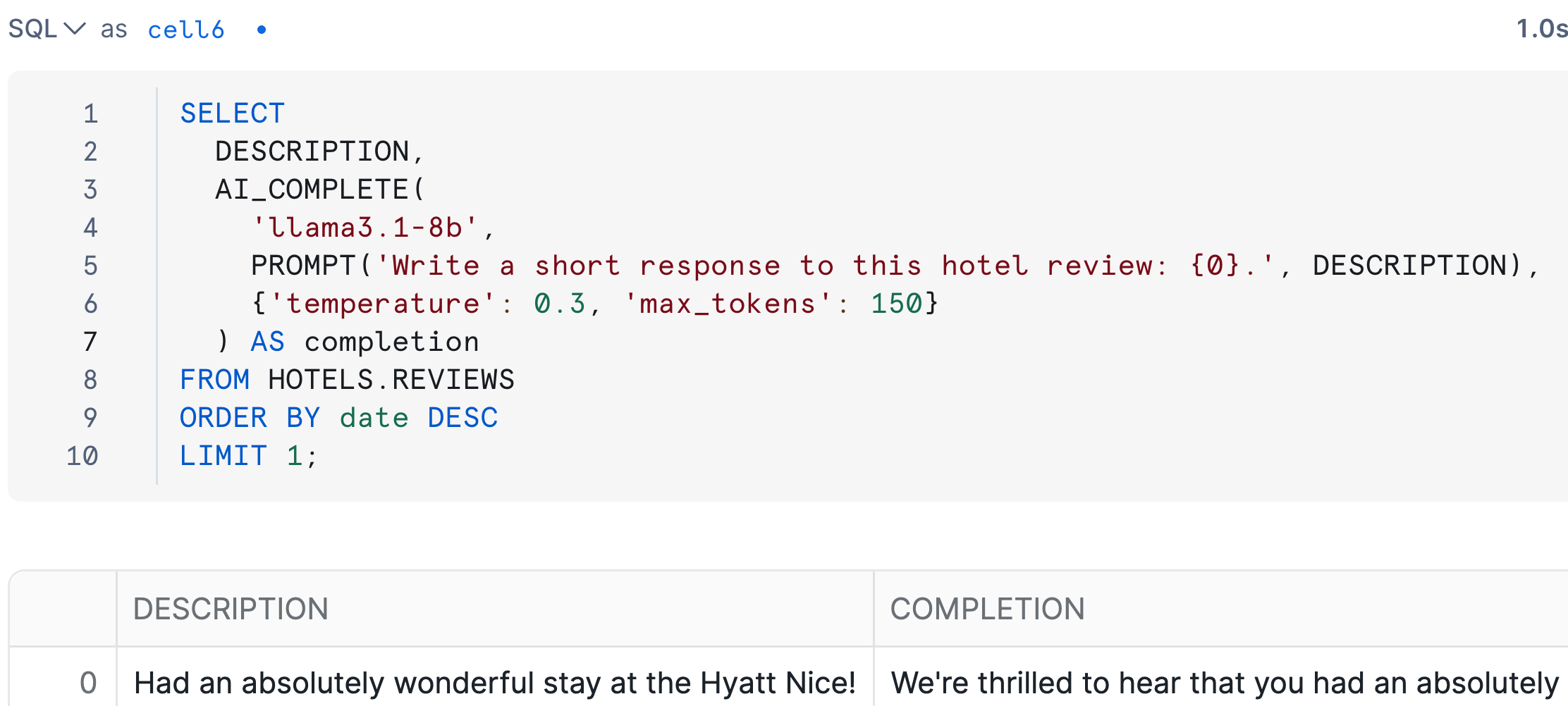
การสร้างข้อความด้วย AI_COMPLETE()

SELECT
  DESCRIPTION,
  AI_COMPLETE(

'llama3.1-8b',
PROMPT('Write a short response to this hotel review: {0}.', DESCRIPTION),
{'temperature': 0.3, 'max_tokens': 150}
) AS completion FROM HOTELS.REVIEWS ORDER BY date DESC LIMIT 1;
การแนะนำ Generative AI ใน Snowflake

ผลลัพธ์ใน Snowflake notebook

ผลลัพธ์ของ AI_COMPLETE() ใน Snowflake notebook

  • AI_COMPLETE() พร้อมใช้งานได้ทันที
การแนะนำ Generative AI ใน Snowflake

การสร้างข้อความใน Snowflake

-- Coding in SQL cells
AI_COMPLETE(
  'llama3.1-8b',
  PROMPT('Write a short response 
          to this hotel review: {0}.', 
          DESCRIPTION),
  {'temperature': 0.3, 
   'max_tokens': 150}
    )
  • สร้างข้อความสำหรับข้อมูลหลายแถวพร้อมกัน
# Coding in Python cells
complete(
    model='llama3.1-8b', 
    prompt = f"""Write a short response
        to this hotel review: 
        {latest_review}.""",
    options={'temperature':0.3,
             'max_tokens':150}
    )
  • ใช้เชื่อมต่อขั้นตอนการทำงานแบบหลายขั้นตอน
การแนะนำ Generative AI ใน Snowflake

มาฝึกกันเถอะ!

การแนะนำ Generative AI ใน Snowflake

Preparing Video For Download...