การดึงข้อมูลจากหลาย worksheet

การนำเข้าข้อมูลด้วย pandas อย่างมีประสิทธิภาพ

Amany Mahfouz

Instructor

การเลือก Sheet ที่จะโหลด

  • read_excel() โหลด sheet แรกของไฟล์ Excel เป็นค่าเริ่มต้น
  • ใช้อาร์กิวเมนต์ sheet_name เพื่อโหลด sheet อื่น
  • ระบุ sheet ด้วยชื่อหรือตำแหน่ง (เริ่มนับจาก 0)
  • ส่ง list ของชื่อหรือตำแหน่งเพื่อโหลดหลาย sheet พร้อมกัน
  • อาร์กิวเมนต์ที่ส่งให้ read_excel() จะใช้กับทุก sheet ที่โหลด
การนำเข้าข้อมูลด้วย pandas อย่างมีประสิทธิภาพ

การเลือก Sheet ที่จะโหลด

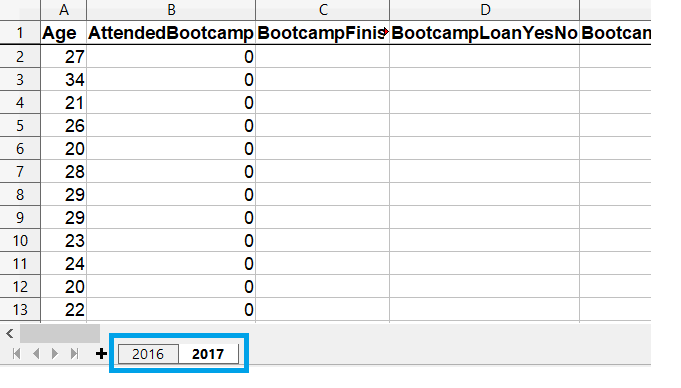
ภาพหน้าจอโปรแกรม spreadsheet แสดง tab ของ spreadsheet สองแผ่น

การนำเข้าข้อมูลด้วย pandas อย่างมีประสิทธิภาพ

การโหลด Sheet ที่เลือก

# Get the second sheet by position index
survey_data_sheet2 = pd.read_excel('fcc_survey.xlsx',
                                   sheet_name=1)

# Get the second sheet by name survey_data_2017 = pd.read_excel('fcc_survey.xlsx', sheet_name='2017')
print(survey_data_sheet2.equals(survey_data_2017))
True
การนำเข้าข้อมูลด้วย pandas อย่างมีประสิทธิภาพ

การโหลดทุก Sheet

  • การส่ง sheet_name=None ให้ read_excel() จะอ่านทุก sheet ใน workbook
survey_responses = pd.read_excel("fcc_survey.xlsx", sheet_name=None)

print(type(survey_responses))
<class 'collections.OrderedDict'>
for key, value in survey_responses.items():
    print(key, type(value))
2016 <class 'pandas.core.frame.DataFrame'>
2017 <class 'pandas.core.frame.DataFrame'>
การนำเข้าข้อมูลด้วย pandas อย่างมีประสิทธิภาพ

รวมทุกอย่างเข้าด้วยกัน

# Create empty dataframe to hold all loaded sheets
all_responses = pd.DataFrame()

# Iterate through dataframes in dictionary for sheet_name, frame in survey_responses.items(): # Add a column so we know which year data is from frame["Year"] = sheet_name
# Add the dataframe to all_responses all_responses = pd.concat([all_responses, frame])
# View years in data print(all_responses.Year.unique())
['2016' '2017']
การนำเข้าข้อมูลด้วย pandas อย่างมีประสิทธิภาพ

มาฝึกกันเถอะ!

การนำเข้าข้อมูลด้วย pandas อย่างมีประสิทธิภาพ

Preparing Video For Download...