การตรวจจับวัตถุด้วย R-CNN

Deep Learning สำหรับภาพด้วย PyTorch

Michal Oleszak

Machine Learning Engineer

ตระกูล Region-based CNN: R-CNN

ตระกูล R-CNN: R-CNN, Fast-CNN, Faster CNN

R-CNN

  • โมดูล 1: การสร้าง region proposals
1 Citation: Jason Brownlee. 2019. Deep Learning for Computer Vision.
Deep Learning สำหรับภาพด้วย PyTorch

ตระกูล Region-based CNN: R-CNN

ตระกูล R-CNN: R-CNN, Fast-CNN, Faster CNN
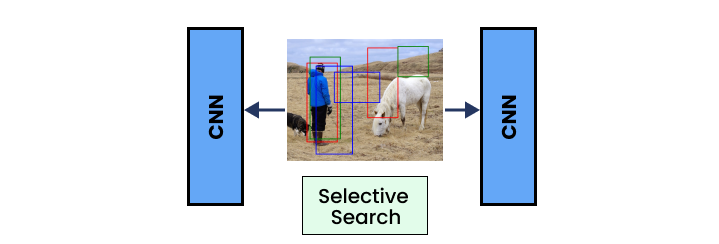
R-CNN

  • โมดูล 1: การสร้าง region proposals
  • โมดูล 2: การดึงฟีเจอร์ (convolutional layers)
1 Citation: Jason Brownlee. 2019. Deep Learning for Computer Vision.
Deep Learning สำหรับภาพด้วย PyTorch

ตระกูล Region-based CNN: R-CNN

ตระกูล R-CNN: R-CNN, Fast-CNN, Faster CNN
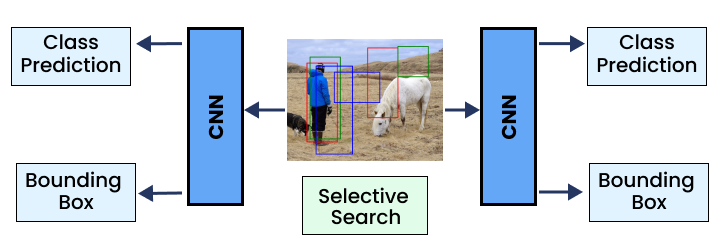
R-CNN

  • โมดูล 1: การสร้าง region proposals
  • โมดูล 2: การดึงฟีเจอร์ (convolutional layers)
  • โมดูล 3: การทำนายคลาสและ bounding box
1 Citation: Jason Brownlee. 2019. Deep Learning for Computer Vision.
Deep Learning สำหรับภาพด้วย PyTorch

R-CNN: backbone

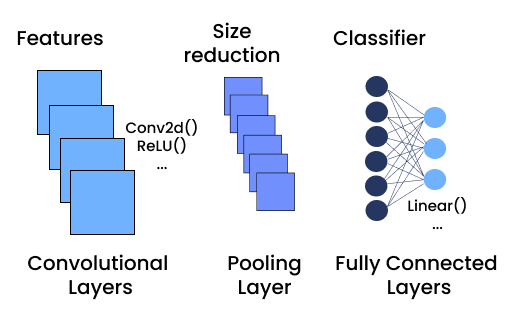
  • Convolutional layers: โมเดลที่ผ่านการ pre-trained
    • Backbone: สถาปัตยกรรม CNN หลักที่ทำหน้าที่ดึงฟีเจอร์
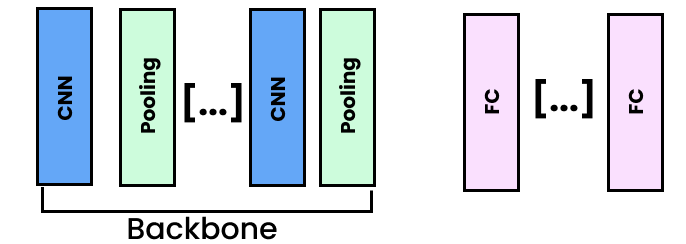
  backbone

  • Convolutional & pooling layers
  • ดึงฟีเจอร์สำหรับ region proposals และการตรวจจับวัตถุ
Deep Learning สำหรับภาพด้วย PyTorch

R-CNN: backbone กับ PyTorch

import torch.nn as nn
from torchvision.models import vgg16,
    VGG16_Weights


vgg = vgg16(weights=VGG16_Weights.DEFAULT)

vgg model

Deep Learning สำหรับภาพด้วย PyTorch

R-CNN: backbone กับ PyTorch

import torch.nn as nn
from torchvision.models import vgg16,
    VGG16_Weights


vgg = vgg16(weights=VGG16_Weights.DEFAULT)

vgg model features

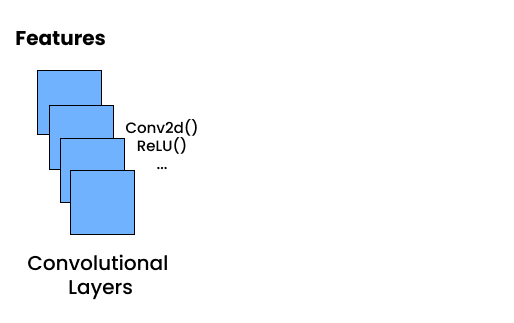
  • .features: เฉพาะ convolutional layers
Deep Learning สำหรับภาพด้วย PyTorch

R-CNN: backbone กับ PyTorch

import torch.nn as nn
from torchvision.models import vgg16,
    VGG16_Weights


vgg = vgg16(weights=VGG16_Weights.DEFAULT)

vgg model

  • .features: เฉพาะ convolutional layers
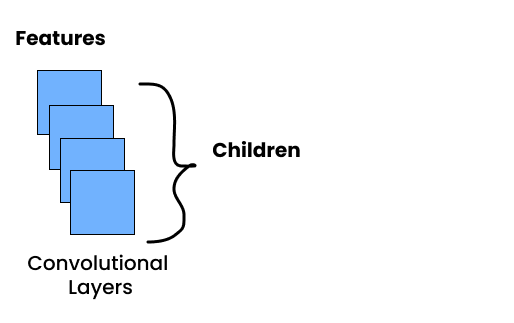
  • .children(): ทุก layer จาก block
Deep Learning สำหรับภาพด้วย PyTorch

R-CNN: backbone กับ PyTorch

import torch.nn as nn
from torchvision.models import vgg16,
    VGG16_Weights


vgg = vgg16(weights=VGG16_Weights.DEFAULT)
backbone = nn.Sequential( *list(vgg.features.children()) )
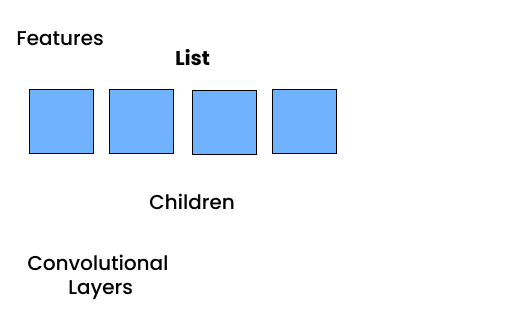
  • nn.Sequential(*list()): นำ sub-layers ทั้งหมดจัดเรียงเป็น sequential block ในรูปแบบ list
    • *: แกะ (unpack) สมาชิกออกจาก list

vgg model

  • .features: เฉพาะ convolutional layers
  • .children(): ทุก layer จาก block
Deep Learning สำหรับภาพด้วย PyTorch

R-CNN: classifier layer

  • ดึงขนาด output ของ backbone
input_dimension = nn.Sequential(*list(
    vgg_backbone.classifier.children())
)[0].in_features
  • สร้าง classifier ใหม่
classifier = nn.Sequential(
    nn.Linear(input_dimension, 512),
    nn.ReLU(),
    nn.Linear(512, num_classes),
)
Deep Learning สำหรับภาพด้วย PyTorch

R-CNN: box regressor layer

  • อยู่ต่อจาก backbone
  • 4 output สำหรับพิกัด box 4 ค่า
box_regressor = nn.Sequential(
    nn.Linear(input_dimension, 32),
    nn.ReLU(),
    nn.Linear(32, 4),
)
Deep Learning สำหรับภาพด้วย PyTorch

รวมทุกส่วน: โมเดลตรวจจับวัตถุ

class ObjectDetectorCNN(nn.Module):
    def __init__(self):
        super(ObjectDetectorCNN, self).__init__()

vgg = vgg16(weights=VGG16_Weights.DEFAULT) self.backbone = nn.Sequential(*list(vgg.features.children()))
input_features = nn.Sequential(*list(vgg.classifier.children()))[0].in_features
self.classifier = nn.Sequential( nn.Linear(input_features, 512), nn.ReLU(), nn.Linear(512, 2), )
self.box_regressor = nn.Sequential( nn.Linear(input_features, 32), nn.ReLU(), nn.Linear(32, 4), )
Deep Learning สำหรับภาพด้วย PyTorch

รวมทุกส่วน: โมเดลตรวจจับวัตถุ

class ObjectDetector(nn.Module):
    (...)

    def forward(self, x):

features = self.backbone(x)
bboxes = self.regressor(features) classes = self.classifier(features) return bboxes, classes
Deep Learning สำหรับภาพด้วย PyTorch

การรันการจดจำวัตถุ

  1. โหลดและแปลงรูปภาพ
  2. ใช้ unsqueeze() เพื่อเพิ่ม batch dimension
  3. ส่ง image tensor เข้าโมเดล
  4. รัน Non-Max Suppression (nms()) บน output ของโมเดล
  5. ใช้ draw_bounding_boxes() วาดบน image
Deep Learning สำหรับภาพด้วย PyTorch

มาฝึกกันเถอะ!

Deep Learning สำหรับภาพด้วย PyTorch

Preparing Video For Download...