Bounding boxes

Deep Learning สำหรับภาพด้วย PyTorch

Michal Oleszak

Machine Learning Engineer

การรู้จำวัตถุคืออะไร?
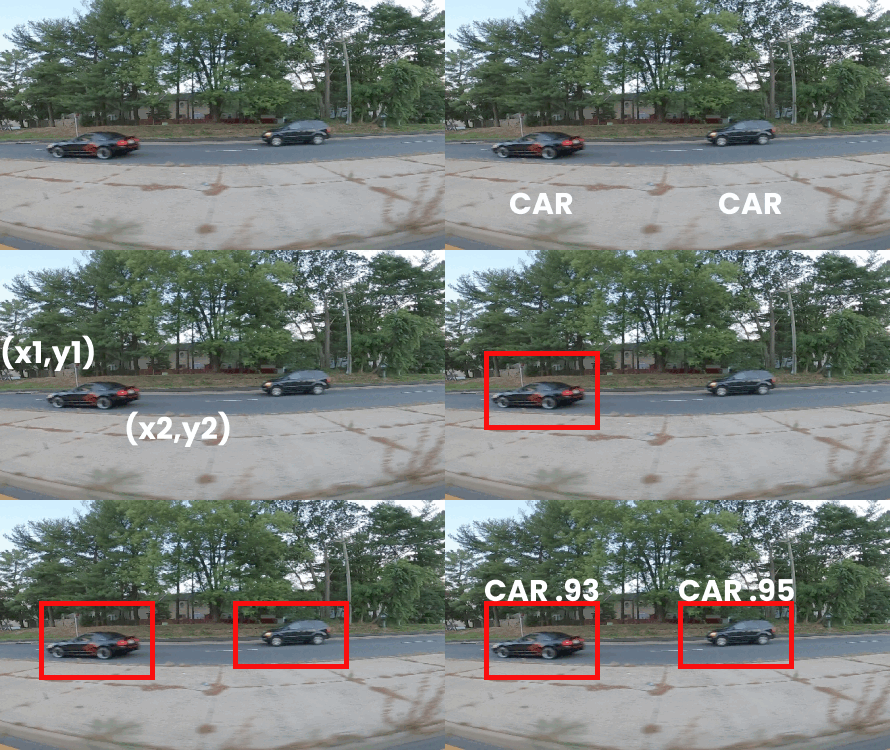
การรู้จำวัตถุ ระบุวัตถุในรูปภาพ:

  • ตำแหน่งของวัตถุแต่ละชิ้นในรูปภาพ (bounding box)

  • ป้ายกำกับคลาสของแต่ละวัตถุ

การประยุกต์ใช้: การเฝ้าระวัง, การวินิจฉัยทางการแพทย์, การจัดการจราจร, การวิเคราะห์กีฬา

  • ในวิดีโอนี้: การระบุตำแหน่งด้วย bounding box
  • ในวิดีโอถัดไป: การประเมินผลและโมเดล


การตรวจจับรถยนต์ที่กำลังขับ

Deep Learning สำหรับภาพด้วย PyTorch

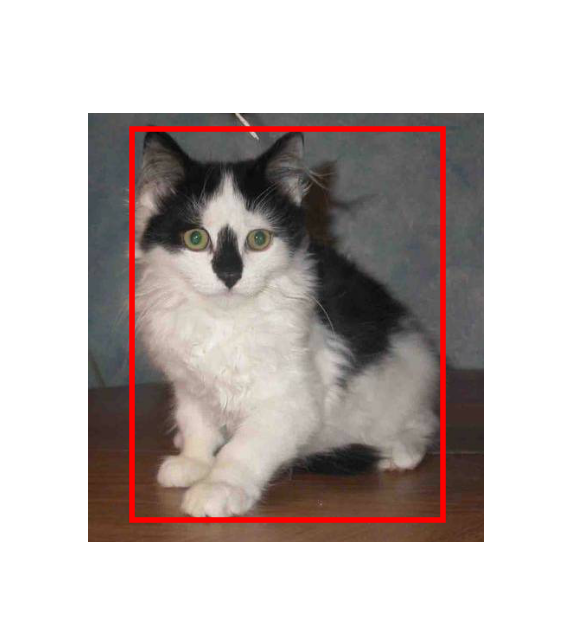
การแทนค่า bounding box

  • กรอบสี่เหลี่ยมที่บอกตำแหน่งของวัตถุในภาพ
  • ใช้ในการระบุข้อมูลสำหรับการฝึก & ผลลัพธ์ของโมเดล
  • Ground truth bounding box: ตำแหน่งที่แม่นยำของวัตถุ

พิกัดของ bounding box

Deep Learning สำหรับภาพด้วย PyTorch

การแทนค่า bounding box

  • กรอบสี่เหลี่ยมที่บอกตำแหน่งของวัตถุในภาพ
  • ใช้ในการระบุข้อมูลสำหรับการฝึก & ผลลัพธ์ของโมเดล
  • Ground truth bounding box: ตำแหน่งที่แม่นยำของวัตถุ
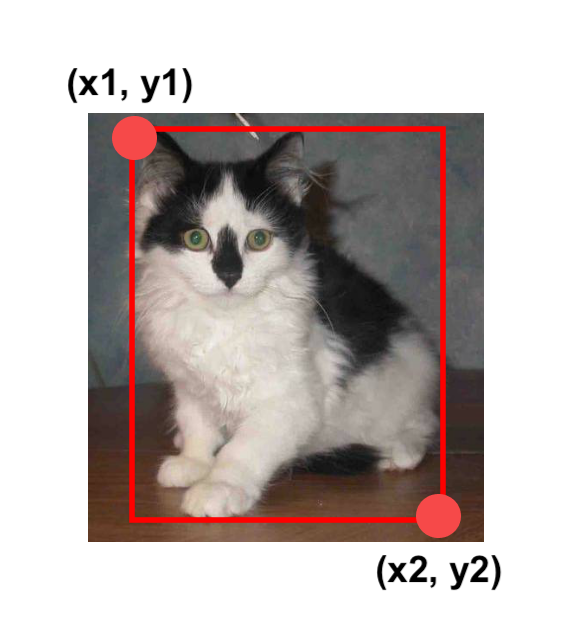
  • พิกัดของ bounding box:
    • มุมบนซ้ายและมุมล่างขวา
    • Bounding box = (x1, y1, x2, y2)
    • x1 = x_min, x2 = x_max, ...

พิกัดของ bounding box

Deep Learning สำหรับภาพด้วย PyTorch

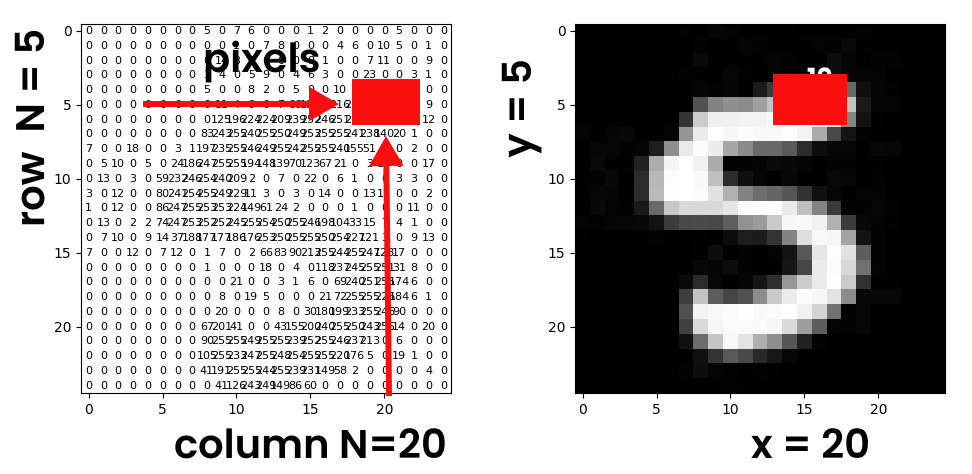
พิกเซลและพิกัด

พิกัดกล่อง

  • พิกัด: x - หมายเลขคอลัมน์, y - หมายเลขแถว
  • จุดกำเนิด: (0, 0) - มุมบนซ้าย
Deep Learning สำหรับภาพด้วย PyTorch

การแปลงพิกเซลเป็น tensor

การแปลงด้วย ToTensor()

  • ประเภท tensor:
    • torch.float
  • ช่วงค่า tensor หลังปรับสเกล:
    • [0.0, 1.0]
import torchvision.transforms as transforms

transform = transforms.Compose([ transforms.Resize(224), transforms.ToTensor() ]) image_tensor = transform(image)

การแปลงด้วย PILToTensor()

  • ประเภท tensor:
    • torch.uint8 (จำนวนเต็ม 8 บิต)
  • ช่วงค่า tensor โดยไม่ปรับสเกล:
    • [0, 255]
import torchvision.transforms as transforms
transform = transforms.Compose([
            transforms.Resize(224),
            transforms.PILToTensor()
            ])
image_tensor = transform(image)
Deep Learning สำหรับภาพด้วย PyTorch

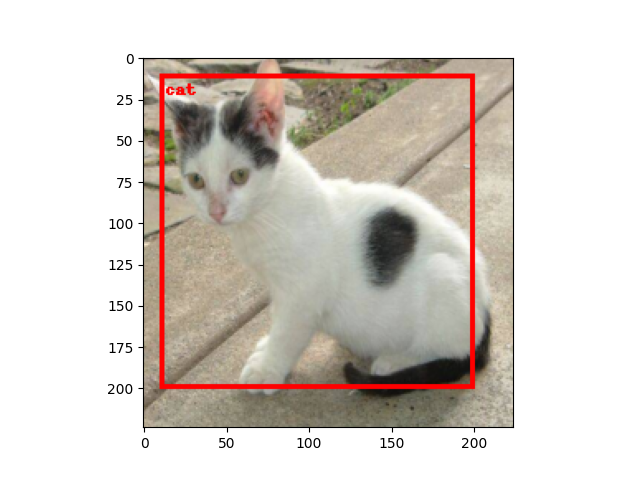
การวาด bounding box

from torchvision.utils import draw_bounding_boxes


bbox = torch.tensor([x_min, y_min, x_max, y_max]) bbox = bbox.unsqueeze(0)
bbox_image = draw_bounding_boxes( image_tensor, bbox, width=3, colors="red" )
transform = transforms.Compose([ transforms.ToPILImage() ]) pil_image = transform(bbox_image) import matplotlib.pyplot as plt plt.imshow(pil_image)
  • นำเข้า draw_bounding_boxes
  • รวบรวมพิกัดลงใน tensor
  • ใช้ unsqueeze เพื่อเพิ่มมิติ
  • แปลงเป็นรูปภาพและแสดงผล

แมวพร้อม bounding box

Deep Learning สำหรับภาพด้วย PyTorch

มาฝึกกันเถอะ!

Deep Learning สำหรับภาพด้วย PyTorch

Preparing Video For Download...